
onX Hunt App FAQs: Using the #1 Hunting App on Public & Private Land
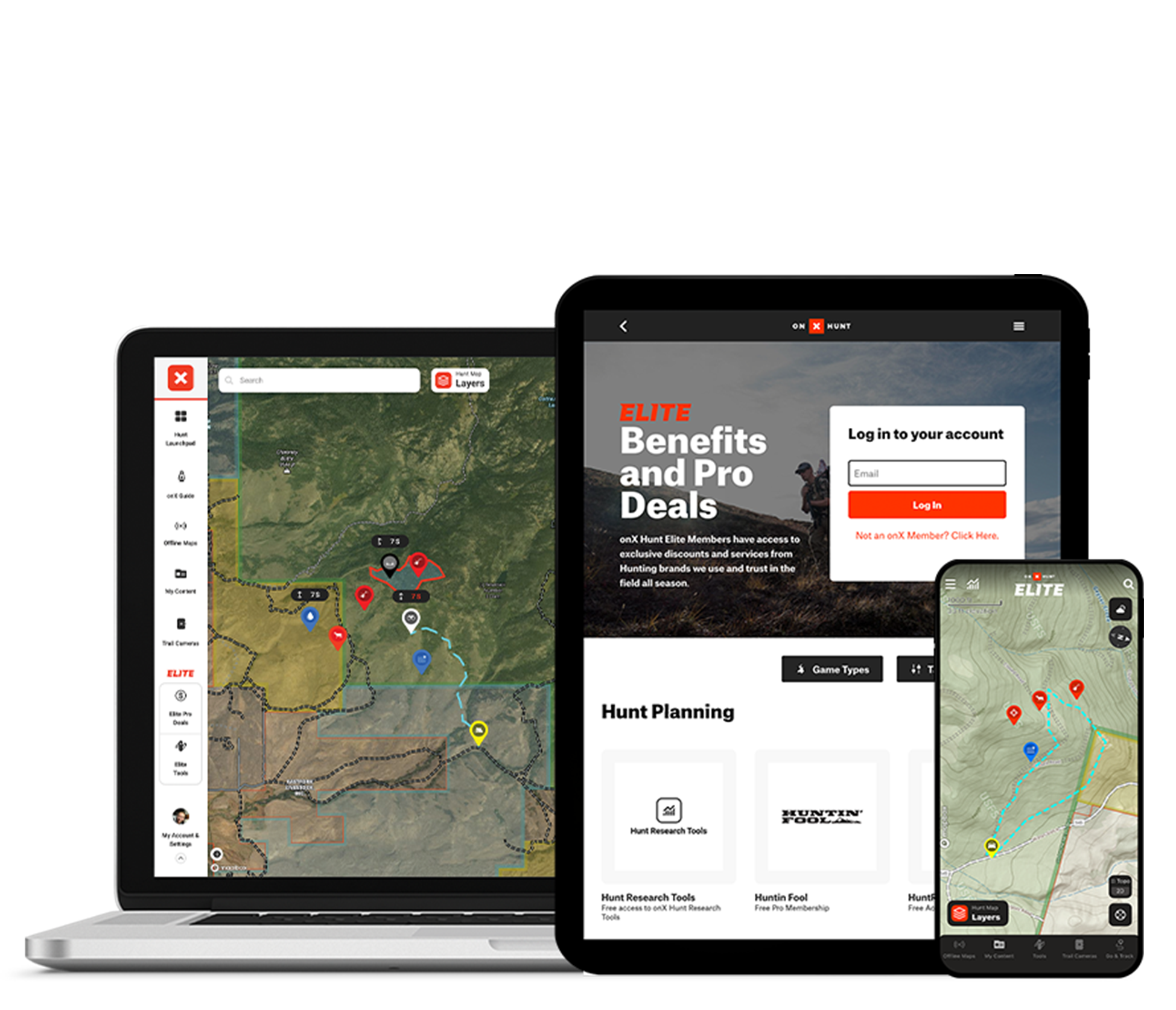
This FAQ allows you to find quick answers about using onX Hunt—Offline Maps, Property Lines, Wind and Weather, and more—so you can hunt with confidence.
onX Hunt is a GPS hunting app that helps hunters scout, plan, and navigate using Land Ownership Maps, Public and Private Land Boundaries, and real-time GPS tools—even without cell service. Available on iOS, Android, and desktop, it offers Offline Maps, Hunting Zones, Wind and Weather data, and features like Waypoints, Tracker, and Trail Cam Analysis to improve success in the field.
To use onX Hunt, download the App or visit onX Hunt on desktop, create an account, and select your preferred state. You can turn on Map Layers to display land ownership maps, public access, game management units, and trails. Use the map to drop Waypoints for stand locations, scrapes, tracks, and trail cameras. Offline Maps can be downloaded in advance, and your GPS location is shown in real-time to help you navigate while hunting.
onX Hunt offers a 7-day free trial with full access to Elite features. After the trial, a paid subscription is needed to access features, including Map Layers and Tools. While the App can still be accessed without a subscription, use of features (e.g. Land Ownership, Offline Maps, and Map Layers) will be limited.
For most hunters, onX Hunt is considered an essential tool. The combination of accurate property boundaries, offline functionality, weather tools, and landowner names provides an efficient planning tool and gives hunters confidence in the field. Many users find it helps find access opportunities, avoid trespassing, and effectively scout new areas.
onX Hunt provides a range of features, including Public/Private Land Boundaries, Landowner Information, GPS tracking, customizable Waypoints, hunt-specific Map Layers (e.g., game units, walk-in areas), Offline Maps, and Wind and Weather forecasts.
onX Hunt Elite gives hunters nationwide Land Ownership Maps, TerrainX for analyzing topography in new ways, and Trail Cam Analysis and Deer Movement Forecasts—making it easier to scout and hunt smarter across all 50 states and Canada. Elite also includes industry-leading application tools like Hunt Research Tools and HuntReminder, expert content (e.g., Elk Collective, Deer School), and special discounts and Pro Deals with the best brands in the business.
onX Hunt Elite offers a lot of value for money—especially for public-land users, multi-state hunters, and those looking to make the most of application season. With nationwide coverage across all 50 U.S. states and Canada, detailed Land Ownership Maps, Satellite Imagery, Hunt Research Tools, and integrated educational content, Elite delivers a level of scouting power that premium single-state plans can’t match.
onX Hunt Elite unlocks exclusive features like Recent Satellite Imagery (updated every two weeks), Trail Cam Analysis, Route Builder, HuntReminder, draw odds data, Huntin’ Fool magazine, and pro‑brand discounts—tools designed to increase planning accuracy, access research, and improve in-field success for hunters traveling or scouting across multiple states.
onX Hunt Premium gives hunters access to detailed maps, Private Land Boundaries, GPS tools (Waypoints, Tracker, distance/area measuring), unlimited Offline Maps, and state‑specific hunting layers for one (or two) U.S. states. In contrast, onX Hunt Elite includes ALL of the Premium features for all 50 U.S. states and Canada, plus exclusive Elite tools like Leaf‑Off Imagery, TerrainX, Route Builder, Hunt Research Tools (draw odds, tag trends, harvest stats), and partner discounts that enhance scouting, planning, application strategy, and gear savings.
onX Hunt Premium costs $34.99/year for one state or $49.99/year for two states. Elite is $99.99/year for access to all 50 states and additional benefits. Monthly billing options are available at a slightly higher rate.
To add another state, upgrade from Premium to Premium Two-State or Elite through your account settings or purchase the Premium Two-State or Elite plan during checkout. onX Hunt Elite includes access to all 50 states and Canada, so no manual state selection is needed afterward.
To prepare for out-of-service hunting trips, open the Offline Maps tab in the bottom toolbar and tap “New Offline Map.” Adjust the map area by dragging and zooming, select a resolution (Low, Medium, or High), assign a name, and tap Save—a green checkmark confirms successful download. Once in the field, go to Offline Maps and view your maps and GPS location even without cell service.
Yes, onX Hunt works offline without cellular data. By downloading Offline Maps in advance and switching to Airplane Mode, you retain full GPS Navigation, Map Layers, and Tools inside the saved area. Hunters can reliably track their location, drop Waypoints, and use map features deep in the backcountry, even miles from service.
Yes, onX Hunt supports Android Auto for hands-free in-dash use (in addition to Apple CarPlay), allowing hunters to access hunting maps and Map Layers, GPS Tools, and Offline Maps directly from their vehicle’s touchscreen display.
If you’re an onX Hunt Elite Member with an Android Auto-compatible vehicle, you now have seamless, hands-free access to your onX Hunt content directly in your truck or SUV—ideal for route planning, boundary scouting, and tracking when driving to or through hunting areas. For the best performance, use a USB connection, prepare Map Layers/Offline Maps ahead of time via your mobile App, and enjoy safer, more informed navigation from behind the wheel.
Our Terms of Use grant access to onX Hunt for personal, non-commercial use on a device you own and control. It allows you to use the app on your phone, your tablet or your computer. All your markups—Waypoints, Tracks, Offline Maps, and more-sync automatically when connected to the internet. Map Layers must be toggled on individually per device, and photos attached to Waypoints sync best over Wifi. If you need to access onX Hunt on multiple devices for commercial use, you need an onX for Business License.
Yes, you can share Waypoints, Tracks, Lines, Areas, and Routes directly from onX Hunt using shareable links or the Share Nearby offline sharing feature. You can also organize map content into Folders and invite others to view or contribute collaboratively. This makes it easy to plan hunts, share stand locations, or scout access points with a team.
onX Hunt’s Land Ownership Maps are generally accurate to within 5–10 feet, thanks to data sourced from verified county, state, and federal records—and refined by in‑house validation. That said, parcel accuracy varies by county and the quality of local records, so occasional discrepancies of several yards are possible. onX Hunt consistently receives high marks for accuracy and reliability from users and reviewers alike, but cannot be used to confirm legal property lines.
onX Hunt maps are built from verified county, state, and federal records combined with human‑validated GIS data, providing accurate Public and Private Land Ownership Boundaries, landowner names, and parcel details across all 50 U.S. states and Canada. The App offers three basemap options: Satellite Imagery, Topographic, and Hybrid (a blend of imagery with contour lines)—all created in-house and designed for hunters to understand terrain, access, and ownership. Additionally, state-specific Map Layers enrich the map with hunting units (GMUs), crop distribution, wildlife data, fire history, and possible access zones sourced from trusted partners and curated databases.
Property lines in the onX Hunt App are typically accurate to within 5-10 feet, based on the most recent county, state, and federal tax parcel data, carefully validated by onX’s in-house GIS team. However, accuracy can vary by county, with some users reporting discrepancies from 5 to 50 feet depending on local data quality. For legal matters—like fence placement, property disputes, or official surveying—a licensed land surveyor should be consulted, as onX is intended for general scouting and boundary awareness only.
Enable the desired state’s “Private Lands” Map Layer in the App and zoom in to see boundaries and landowner info.
You can cancel your onX Hunt subscription at any time. To turn off auto-renewal:
If you purchased directly through onxmaps.com, log into your account online, go to My Account → Manage Membership, and click Cancel Membership.
If billed through Apple or Google Play, go to your device’s subscriptions settings and cancel from there. For iPhone: Settings → Apple ID → Subscriptions, or Android: Google Play → Subscriptions
After canceling, you’ll continue to have access to paid features until your current term ends. At that point, your account reverts to a free membership.
If you’re currently on the 7-day free trial and haven’t been charged yet, no action is required—it will automatically expire and revert your account to the free membership.
However, if you provided payment info and want to ensure you’re not billed, cancel the trial via the original purchase method (onxmaps.com, Apple, or Google Play) at least 24 hours before trial ends. Instructions vary by platform:
onX website: Log into your account → My Account → Manage Membership → Cancel Membership
Apple (iOS): Settings → Subscriptions → onX Hunt → Cancel Free Trial
Google Play (Android): Play Store → Payments & subscriptions → Subscriptions → onX Hunt → Cancel Subscription
After cancellation, you’ll retain access to trial-level features until the end of the 7‑day window.
onX Hunt updates Private Land Ownership data (parcels and attribution) every 1-2 years, though, in active regions, that cadence can be weekly or dozens of times per year—depending on how frequently county or data providers refresh their records. Satellite Imagery is updated roughly every two weeks as part of the Recent Imagery feature (a lower-quality, but more frequent view available to Elite members), enabling users to monitor landscape changes in near real‑time. Other specialized Map Layers, like wildfire or road access data, may update even more frequently depending on source feeds and urgency.
Get support from our customer service or contact onX here.