
Waypoints
Waypoints are customizable pins you can drop anywhere on your map.
Log All of Your Hunts, Right on the Map
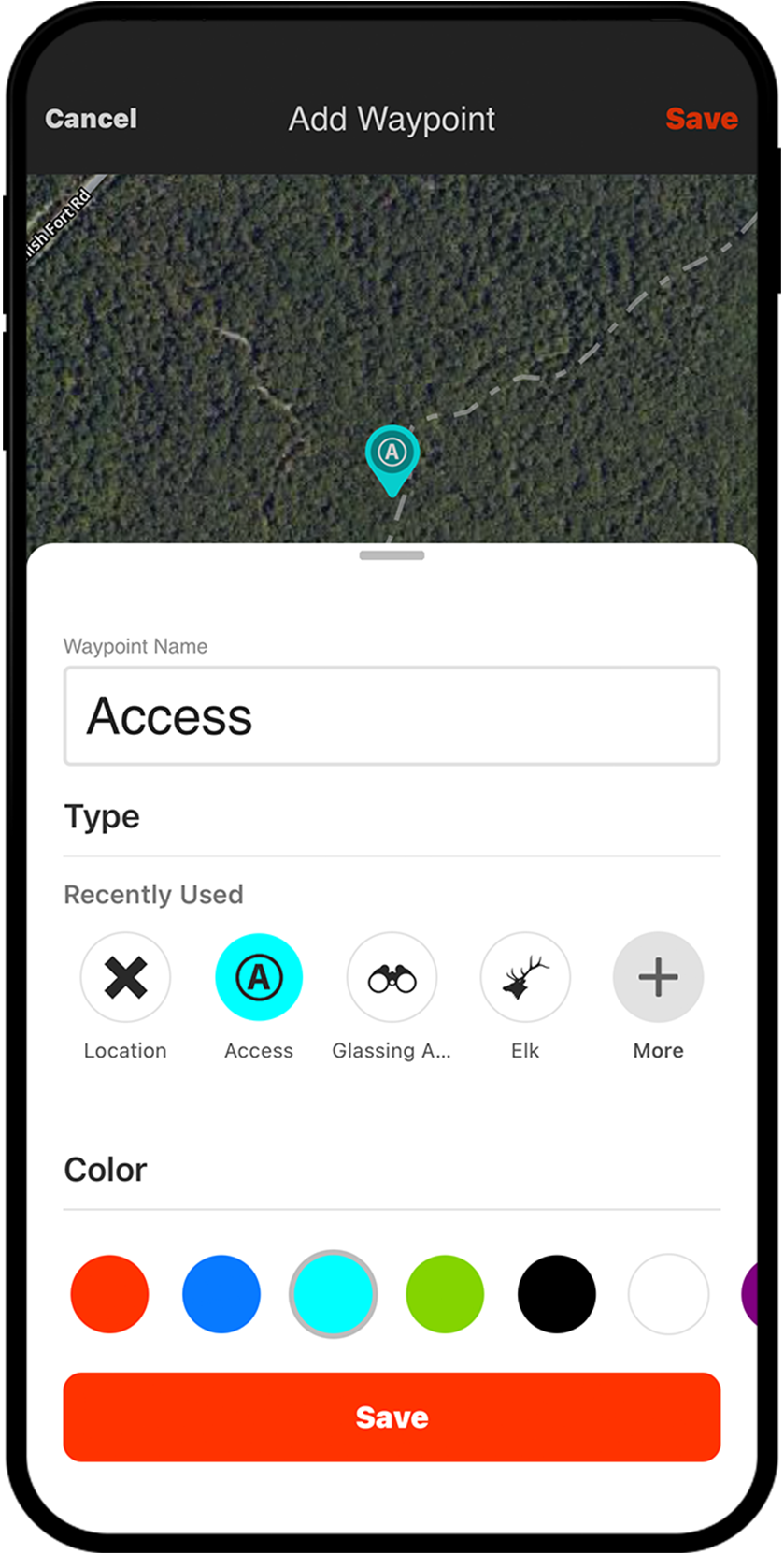
Marking Waypoints helps you create a log of memories and notes from your scouting trips and hunts. With nearly 100 different icons to cover various species in North America and 10 colors to choose from, it’s easy to organize and customize your content by species or years using a color scheme that makes sense to you.
Waypoints Breakdown
Waypoints for Every Hunt
Serving as your hunt log, Waypoints will shorten the learning curve no matter the species you’re targeting. Marking waterfowl feeds and roosts, where you hear elk bugle or the place you glass them cross canyon, dropping a Waypoint to mark scrape and rub lines in the whitetail woods…all of this intel will help you gain a deeper understanding of how animals use the areas you hunt. Use Waypoints to stack the odds in your favor the next time you take to the field.

Share With Hunting Partners
Did you know you can share your Waypoints with your hunting buddies? From your mobile device or on your computer, it’s as easy as tapping or clicking on the Waypoint, then tapping or clicking the “Share” button. Sharing Waypoints allows endless use cases: where to meet at the trailhead, a treestand’s precise location, a roost of mallards, and so much more. When you need to collaborate with hunting partners, Waypoints make it easy.

Add Photos For More Context
Waypoints provide options for customization. Not only can you pick and choose the color or icon to best represent your situation, you can also add a photo to support.

Stay Organized Together
Whether you’re planning a group hunt or just got back from a scouting trip, folders make it easy to keep everyone aligned. Drop Waypoints into a shared folder so your crew can contribute, reference key spots, and stay on the same page. When the next season rolls around, your map stays clean and your plan stays clear.
The second time I go to hunt an area, I can use a high view to get a quick idea of what I want to look at based almost solely on what icons I’ve used. Whether it’s a particular crop, bedding, or even water source, no matter what I’m going to target on that trip, I’ve usually marked any possibilities the prior hunt or scout.
– Tyler Jones
Remember the Details
Using Waypoints to detail each hunt helps shorten the time between freezer refills.
Frequently Asked Questions
Waypoints are customizable pins you can drop on your map to mark specific locations, such as hunting spots, water sources, roosts, or scrape lines, helping you build a detailed log of your scouting trips and hunts.
You can add notes and photos to a Waypoint, and choose from nearly 100 icons and almost a dozen colors to organize and customize your content by species, year, or any system that works for you.
Yes, you can share Waypoints directly from your mobile device or computer by tapping or clicking the “Share” button on any Waypoint, making it easy to coordinate trailhead meetups, treestand locations, and more.
Yes, you can import Waypoints and other map markups into the onX Hunt App using GPX or KML files, as long as each import is under 4MB.
You can create a Waypoint in seconds by long-tapping the screen on your mobile device, and if you have an Apple or Google Pixel Watch, you can drop a Waypoint without ever taking your phone out of your pocket.
Yes, you can both access existing Waypoints and create new ones when you are offline.
You can drop Waypoints into a shared folder so your entire crew can contribute, reference key spots, and stay aligned on the hunt plan, keeping your map organized across seasons.