OFF-ROADING

Trail Reports for Current Conditions + Closures
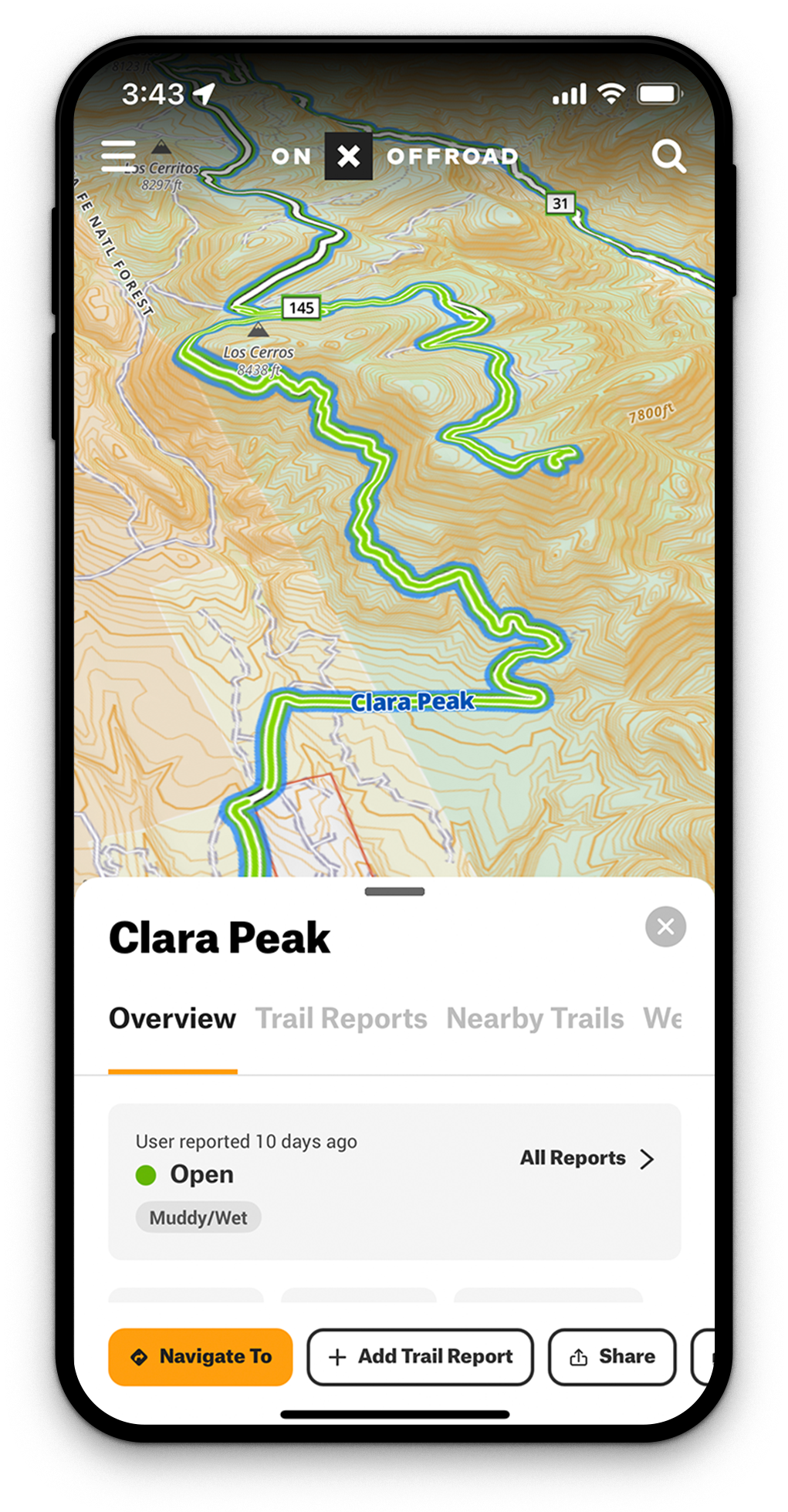
Seasons change and so do trails. Now you can view and submit current conditions and trail closures right in the App. Know where you can go and what conditions are ahead with Trail Report.
How To View and Submit Trail Reports
Start by tapping any blue Featured Trail to view or submit a Trail Report.
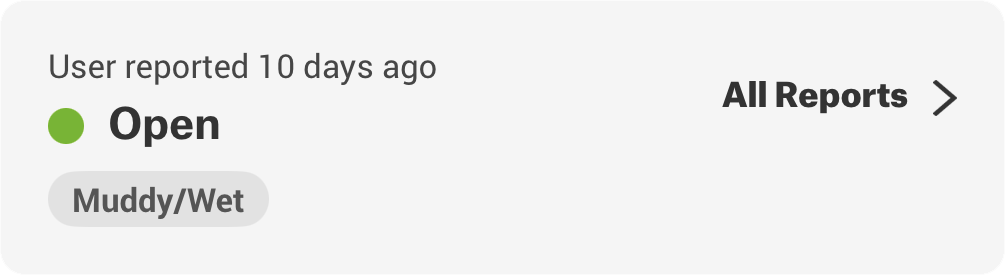
Viewing
While you’re planning your trip, check out the recent Trail Reports to know what conditions and closures may be affecting the area.

Select Trail
Tap a blue Featured Trail.

Find Trail Report
Select “All Reports” or toggle to “Trail Report” in the top toolbar of the info card.

View Latest Report
The reports are sorted with the newest at the top.

See All Reports
Scroll down to see all reports, and tap one to view full details.
Submitting
Trail Reports can be added while outside of service and will automatically submit once you’re back in cell coverage.
Select Trail
Tap the blue Featured Trail you want to submit details for.
Add a Report
Select “Add Trail Report,” then choose the date and your vehicle.
Choose Status
Choose a Trail Status: Open, Obstructed, Temporarily Closed, or Permanently Closed.
Add Details
Report any relevant details for conditions, obstructions, and closures from the prompts below. Once finished, submit your report.

Want to Access Trail Reports?
Upgrade to Premium or Elite.
Off-Road Trail Status + Conditions
Make informed decisions about where to off-road with Trail Report. See details about open and closed status, and what conditions or obstructions were recently reported.

Normal, Dusty, Muddy/Wet, Snow/Ice, Rough/Deteriorated, Washboard.

Seasonal Closure, Closed Gate, Posted Sign, Fire Danger, Weather Event, Trail Restoration. Temporarily Closed will present a subsequent user step to also enter when the trail will be open.

Washout, Deep Snow, Downed Tree, Impassable Water Crossing, Broken Down Vehicle, Other.

Officially Closed Sign, Posted Private Property, Heavily Barricaded with Natural Material, Locked Gate.
Frequently Asked Questions
What are Trail Reports in onX Offroad?
Trail Reports are user-submitted updates on trail conditions, obstructions, and closures available on blue Featured Trails in the onX Offroad app. They help you make informed decisions about where to ride before you head out.
How do I view Trail Reports in onX Offroad?
Tap any blue Featured Trail on the map, then select “All Reports” or toggle to “Trail Report” in the top toolbar of the info card. Reports are sorted with the newest at the top, and you can scroll down to see all submissions.
How do I submit a Trail Report in onX Offroad?
Tap a blue Featured Trail, select “Add Trail Report,” choose the date and your vehicle, then pick a Trail Status and add any relevant condition details before submitting. Trail Reports are only available on blue Featured Trails.
Can I submit a Trail Report without cell service?
Yes, you can fill out and submit a Trail Report while outside of cell coverage, and it will automatically upload once you are back in range.
What Trail Status options can I choose when submitting a report?
You can select from four statuses: Open, Obstructed, Temporarily Closed, or Permanently Closed. Each status includes follow-up prompts to add specific condition or obstruction details.
What kinds of conditions can I report on a trail?
You can report surface conditions like mud, snow, or washboard, obstructions like downed trees or washouts, and closure reasons such as fire danger, seasonal closure, or a locked gate.
Why do trails close?
Trails close for reasons ranging from seasonal access dates and weather events to fire danger, trail restoration, private property, and locked gates. Some closures are temporary while others are permanent.
Do I need a Premium or Elite membership to access Trail Reports?
Yes, accessing Trail Reports in onX Offroad requires a Premium or Elite membership.