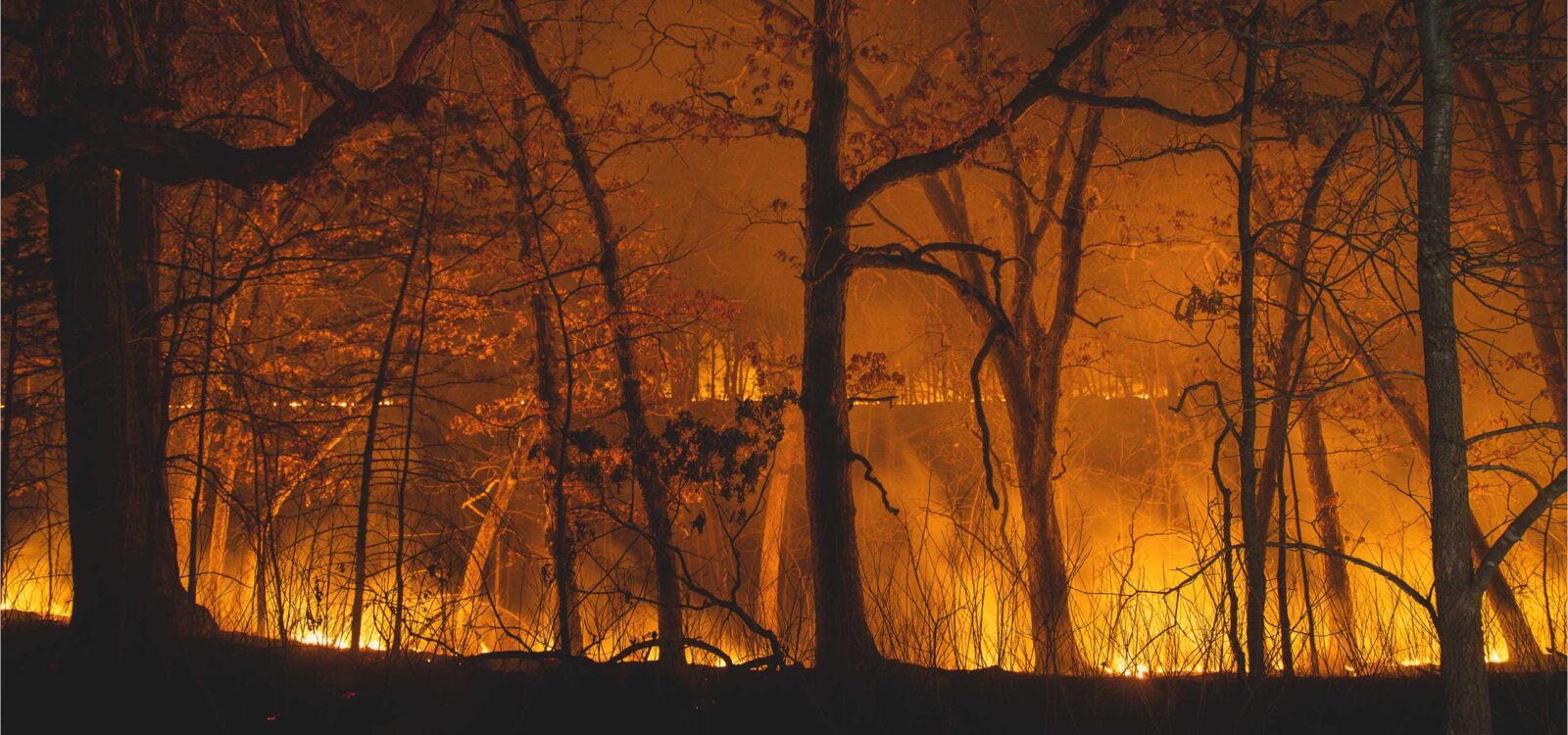
Wildfire Maps + Tools to Stay Prepared
onX Offroad has the tools you need to track wildfire activity and stay safe during fire season—whether you’re looking for clean air on a weekend getaway, a plan to protect your home, or a tool for when an emergency strikes.
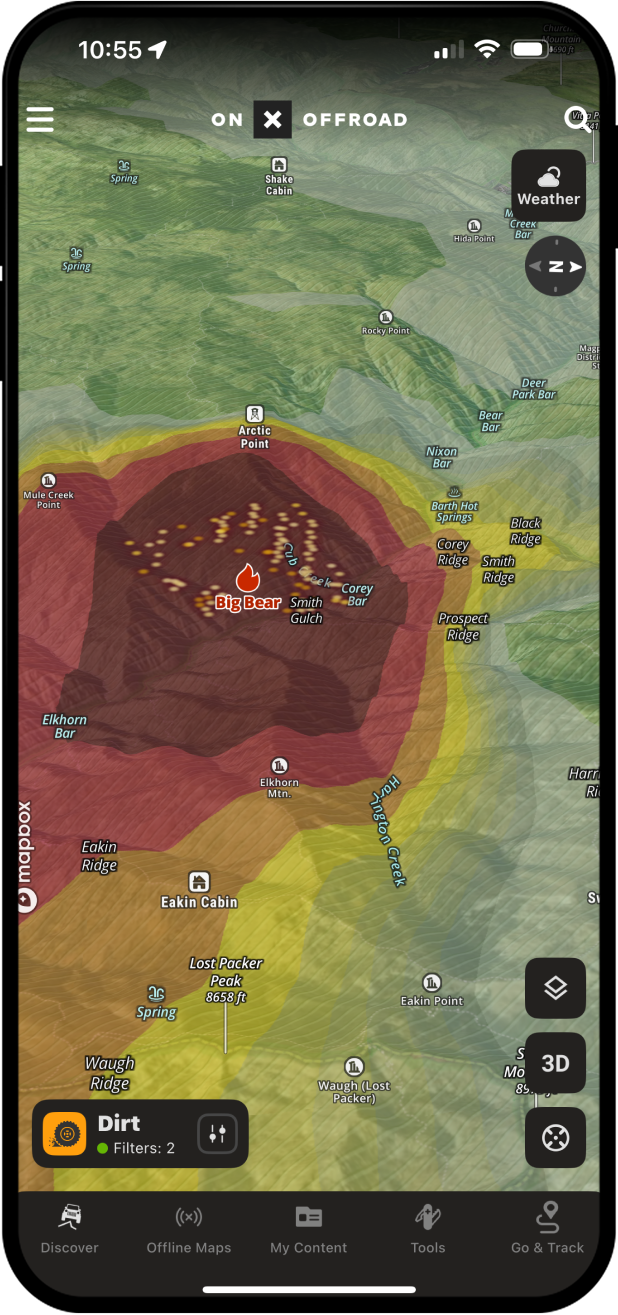
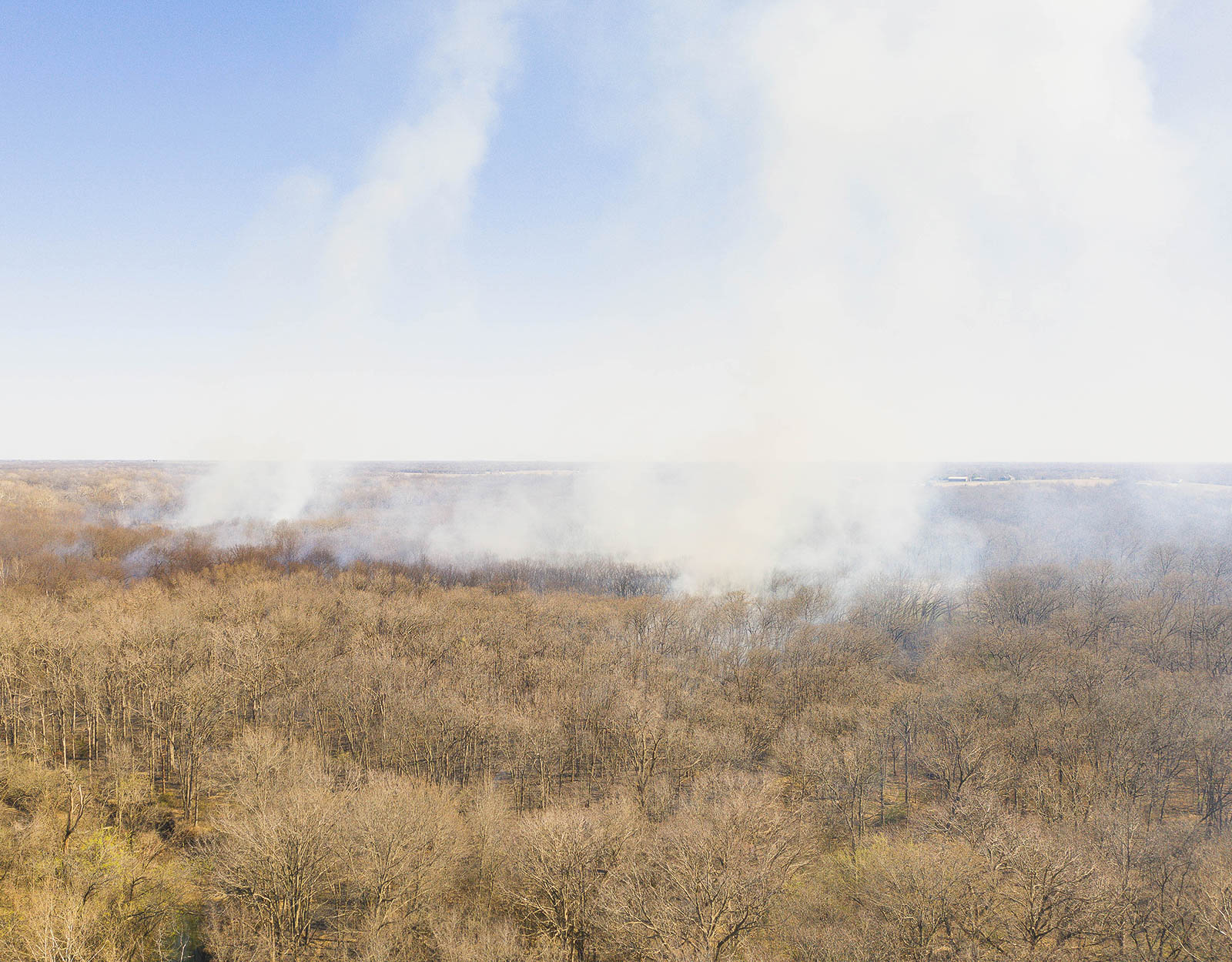
Monitor Active Wildfires and Check Real-Time Conditions Before You Go
When the minutes matter, our reliable data gives you the knowledge to plan safer routes, respond quicker to changing conditions, and keep away from danger. onX Offroad doesn’t just equip you for better adventures, it puts resources that can assist you in wildfire preparedness at your fingertips. See how you can can use the App to reduce your risk and exposure this fire season.
Key onX Maps Features to Prepare for Wildfire Season
Preparation Matters—Plan Ahead with onX Offroad
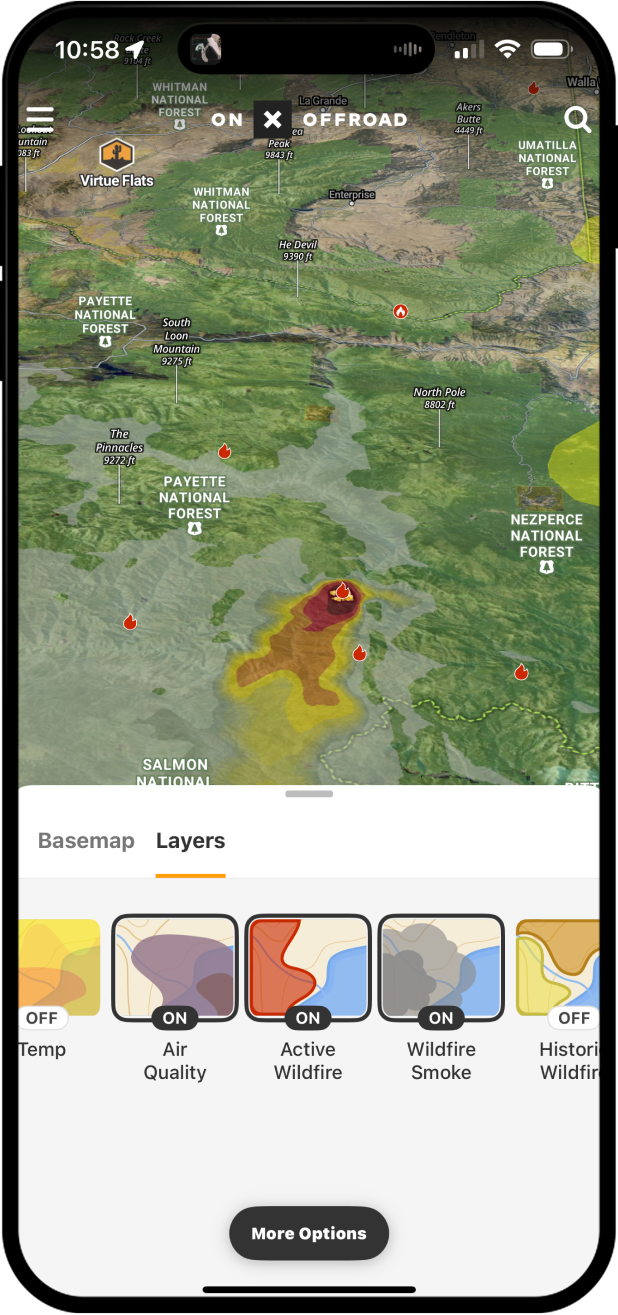
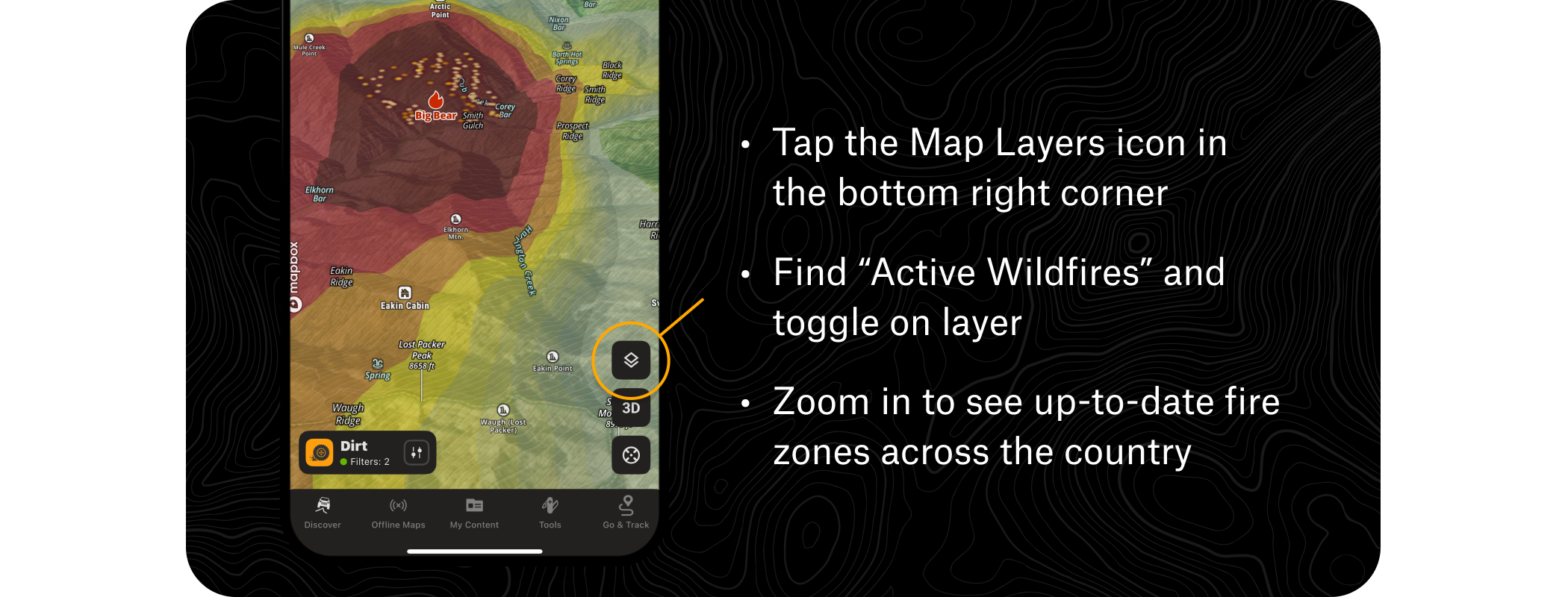
Active Wildfire Layer
This map layer utilizes data from the National Interagency Fire Center to denote the perimeters of active fires, and keep crucial information up-to-date and easily accessible.
How to Use the Wildfire Layer
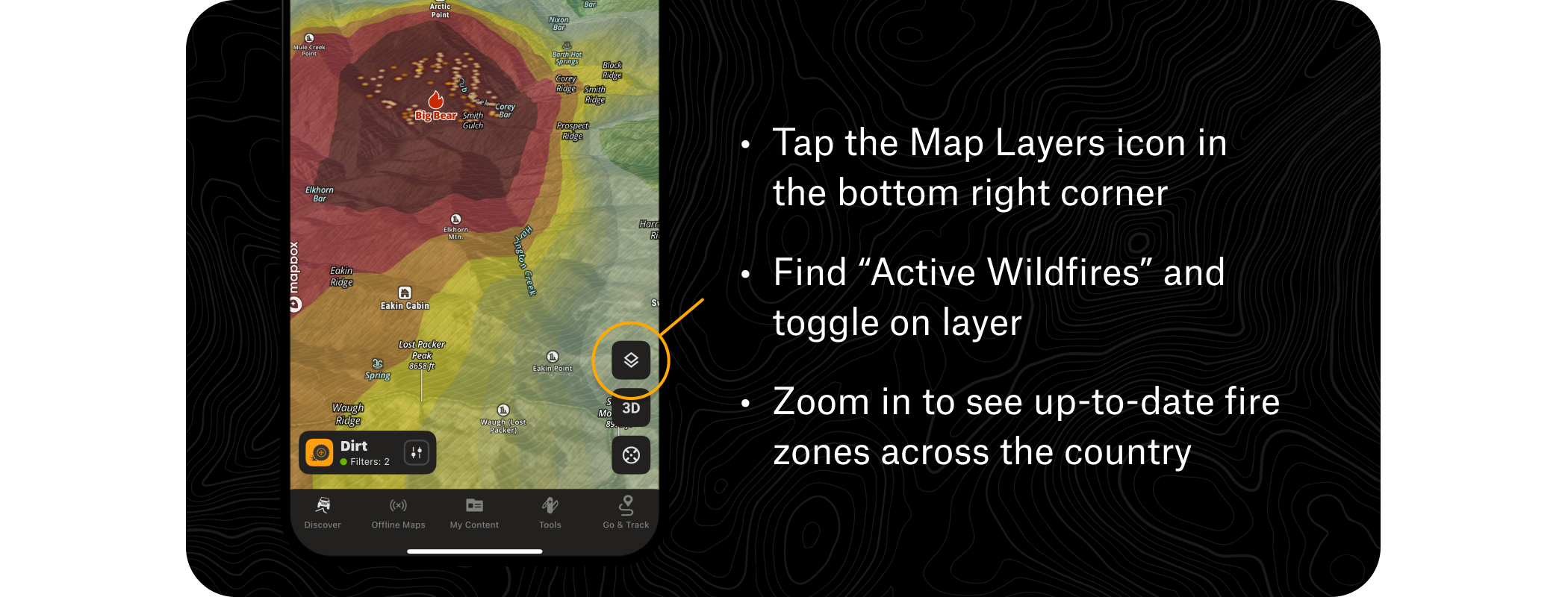
Pro Tip: Keep the layer activated to monitor before and during trips and avoid high-risk areas and new active fires.
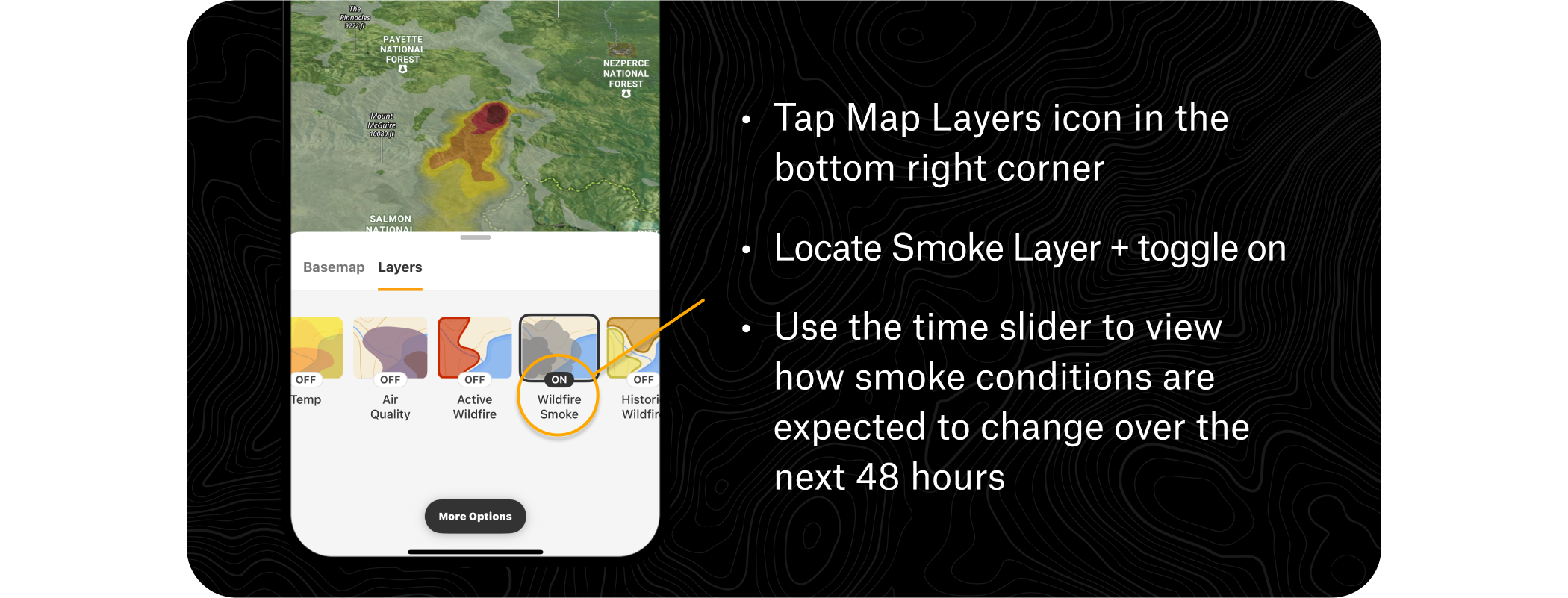
Smoke Forecast
Ensure you’re breathing safe air on your adventure—see NOAA’s Atmospheric Smoke Forecast data to track drifting smoke, anticipate poor air quality, and choose routes that keep you out of the haze.
How to Use the Wildfire Smoke Layer
Weather
View current conditions, weekly and hourly forecasts, wind directions, precipitation, and other variables that could impact wildfire activity and your safety.
How to Access the Weather
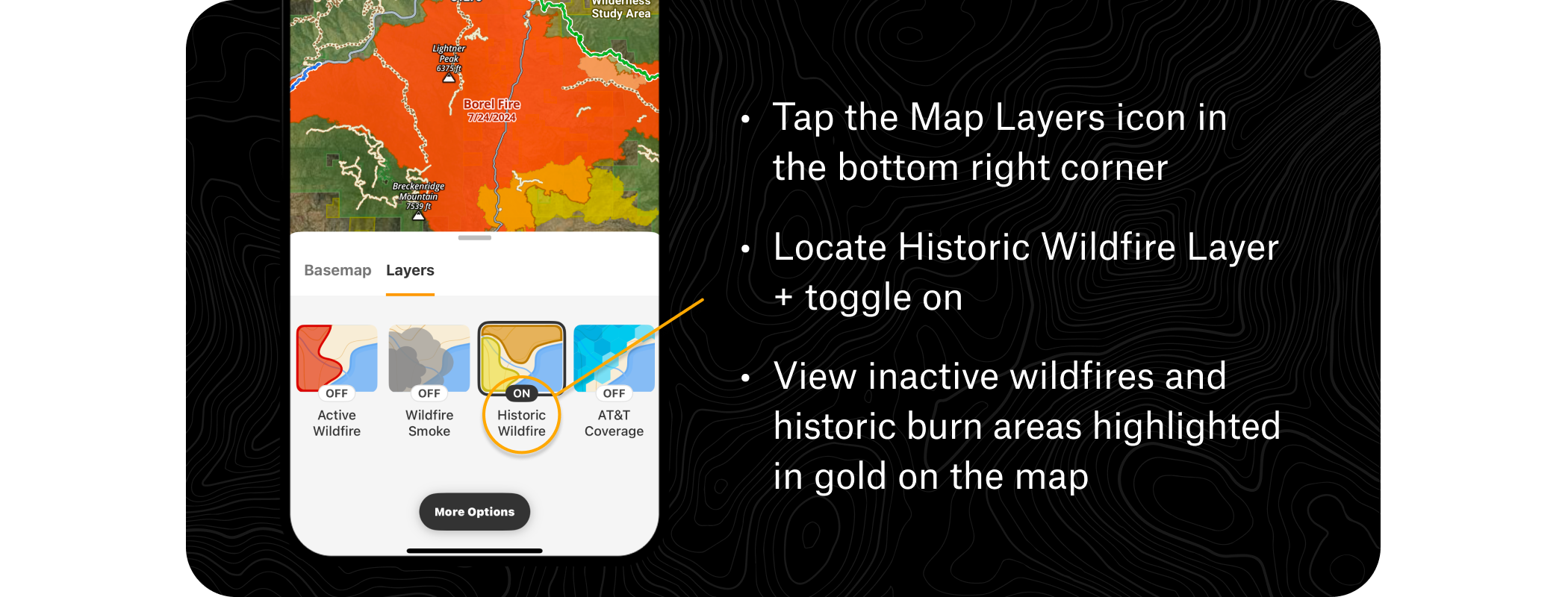
Historical Wildfire Layer
Historic Wildfire shows burns over the last 12 years, so you can track terrain and trail changes due to past fire activity, gauge potential dead tree fall, and consider historical context while building your adventure routes.
How to View Historic Wildfire Areas
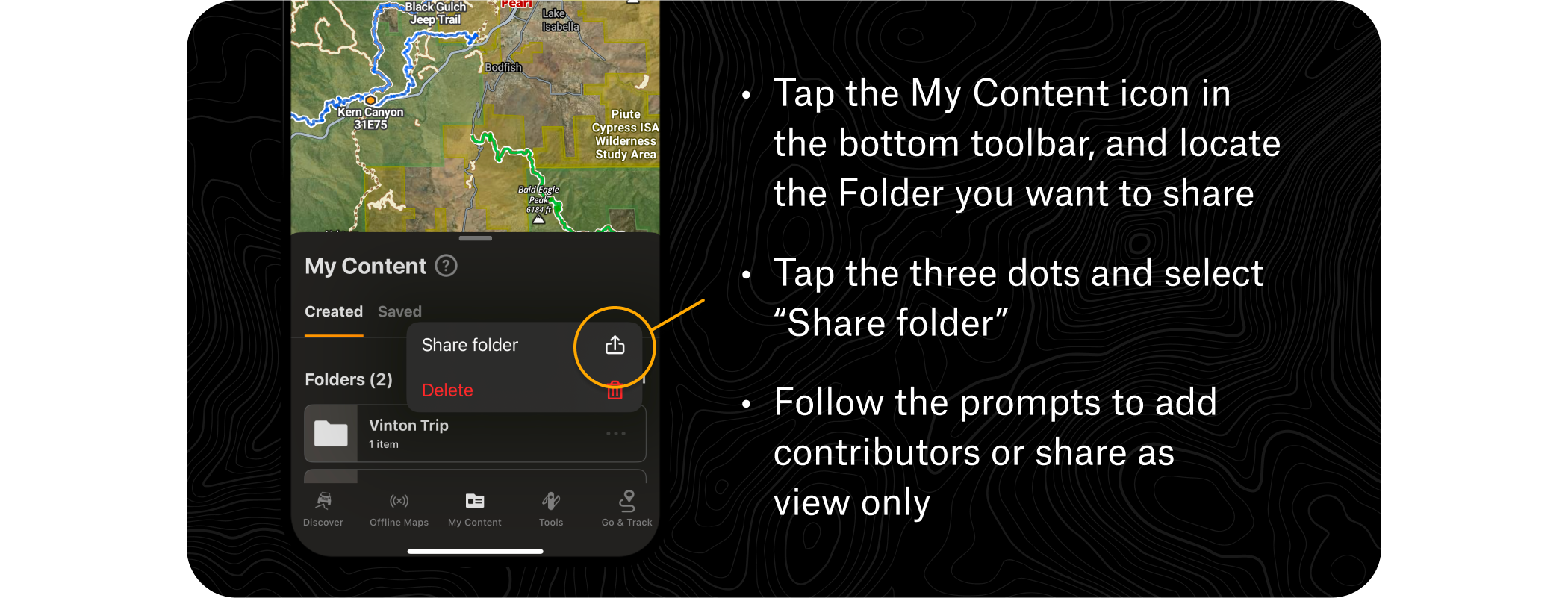
Folder Share
Organize a Folder of custom Waypoints, evacuation routes, and meetup points to share with your loved ones and keep the group on the same page.
How to Share Folders
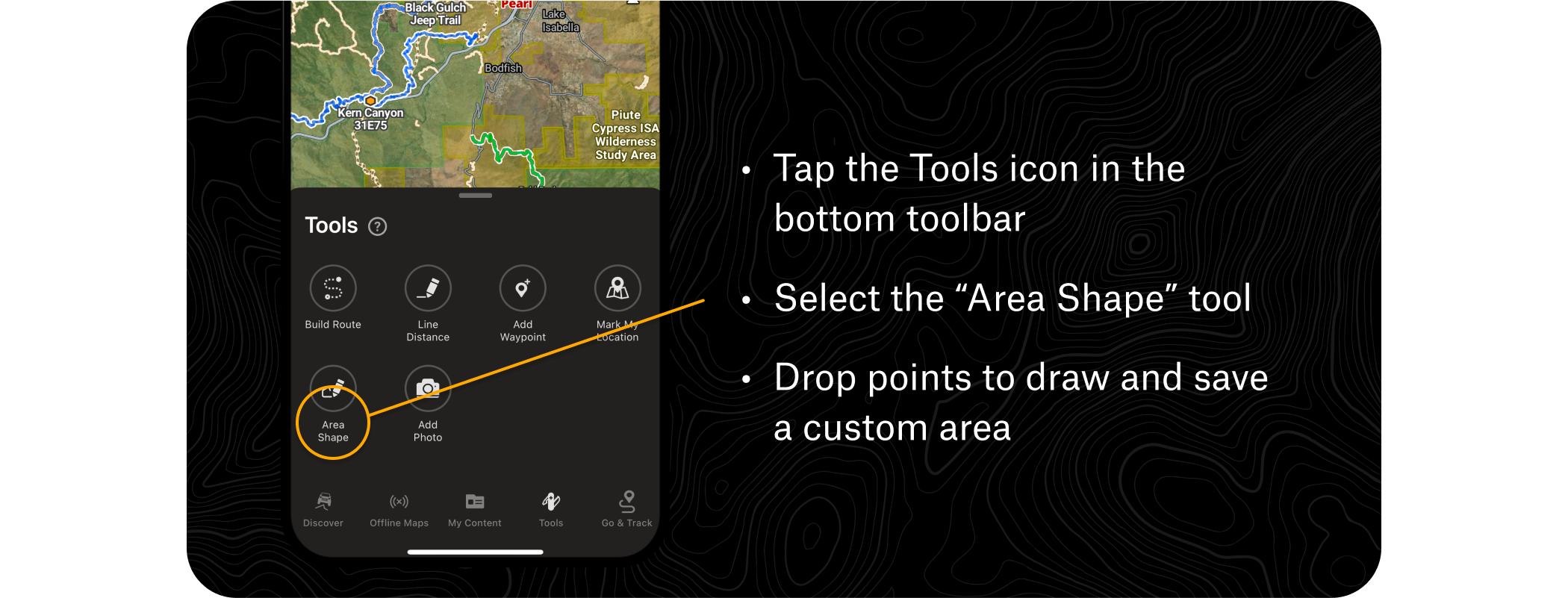
Area Shape
Use the Area Shape tool to draw guidelines around your home to create a defensible space plan.
How to Use Area Shapes
Pro Tips
True pros always stay informed off-the-grid by saving Offline Maps of the area they’re exploring, to keep navigation handy and access map tools and content outside cell coverage.
FAQs
The Active Wildfire Layer uses data from the National Interagency Fire Center to display the perimeters of active fires, keeping crucial information up-to-date and easily accessible within the app.
The Smoke Forecast feature displays NOAA’s Atmospheric Smoke Forecast data, allowing you to track drifting smoke, anticipate poor air quality, and choose routes that keep you out of hazardous conditions.
The Active Wildfire Layer is found in the Map Layers Menu, where red flame icons mark active wildfire locations. Zooming in reveals current fire borders and the name of the fire.
Yes, the Historical Wildfire Layer shows burns over the last 12 years, helping you track terrain and trail changes, gauge potential dead tree fall, and factor past fire activity into your route planning.
The Folder Share feature lets you organize custom waypoints, evacuation routes, and meetup points into a folder that you can share with your group to keep everyone on the same page.
Yes, the app provides current conditions, weekly and hourly forecasts, wind directions, and precipitation data that can help you assess variables likely to impact wildfire activity and your safety.
Yes, saving Offline Maps of your area lets you access map tools and content, including navigation, outside of cell coverage.
The Area Shape tool lets you draw guidelines around your home to help create a defensible space plan ahead of fire season.
Get Equipped for Safety Today
Download onX Offroad to Create Your Wildfire Season Plans