Snowmobile GPS & Trail Maps App
Our need for speed doesn’t stop when the snow flies. Load up those sleds and plan your next adventure with onX Offroad.
Discover Snowmobile Trails With onX Offroad
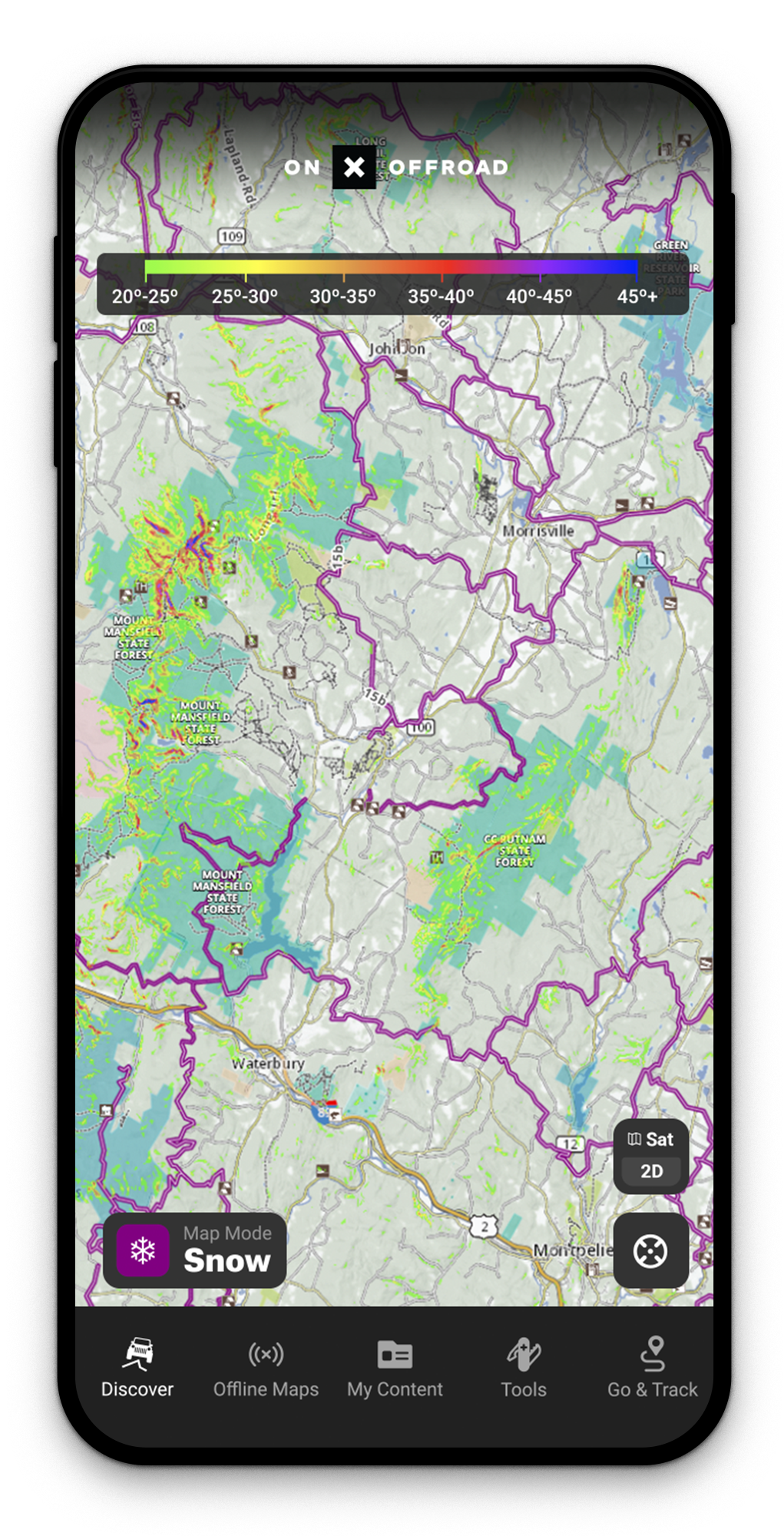
Below is an interactive sample of snowmobile trails
Avalanche Forecasts + Slope Angle Layers
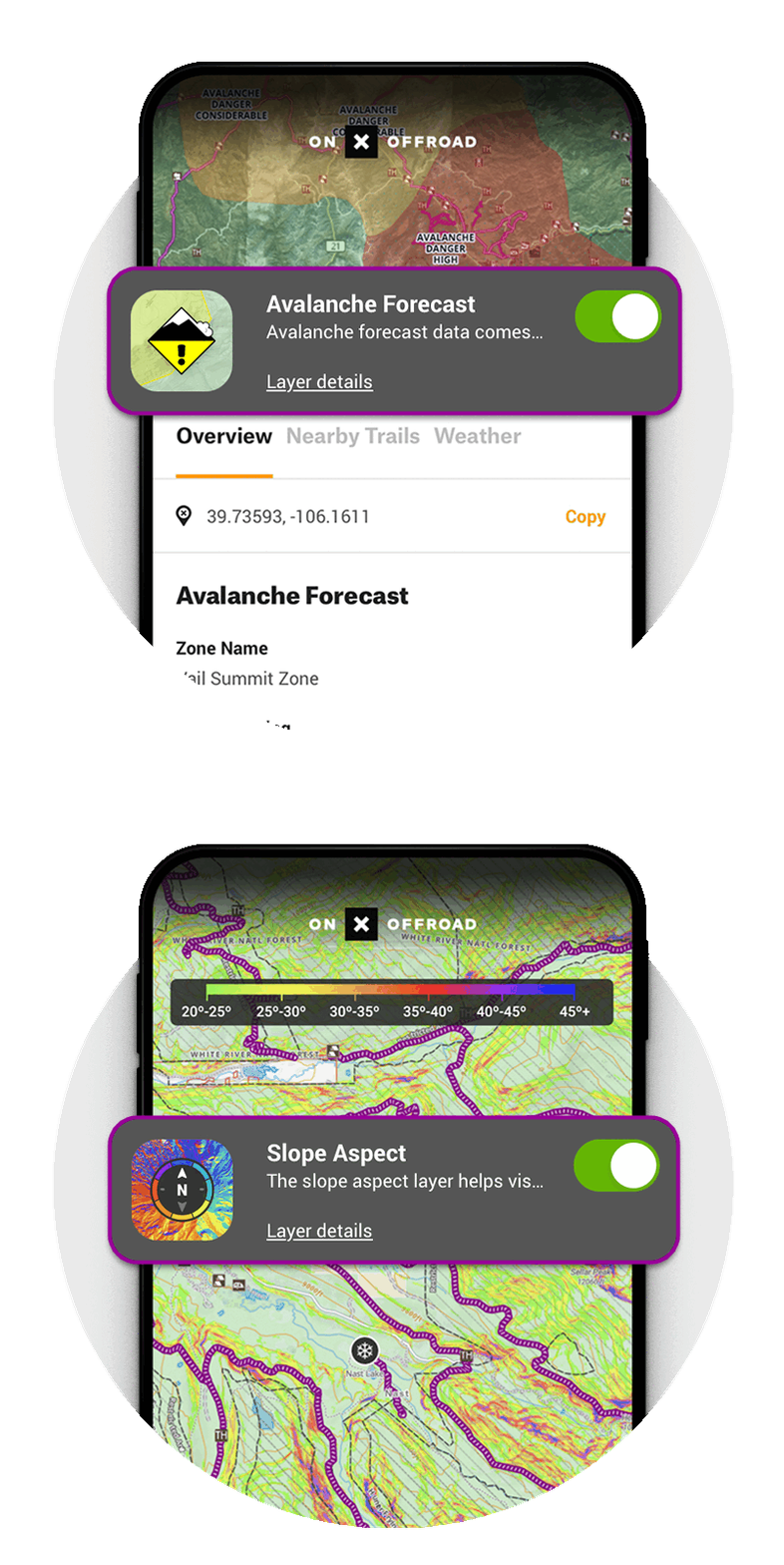
onX Offroad is the essential planning and navigation tool for backcountry snowmobiling. Make more informed decisions with Avalanche Forecast and Slope Angle Layers. To scout a riding area, tap the map to read local forecasts and assess the steepness of the terrain using the colored map overlay for angle-degree.
Navigation Without Cell Coverage
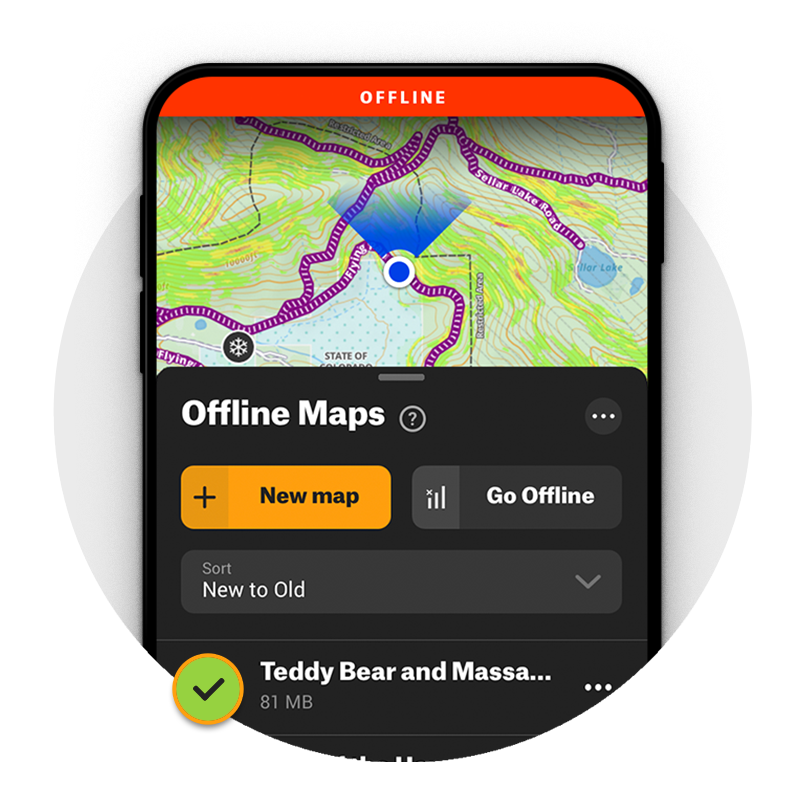
Go ahead and chase that deep snow—with Offline Maps you’ll have fully-functional GPS navigation, regardless of cell coverage, no matter how far you venture off-grid. Navigate using the blue dot from your phone’s internal GPS, and leave a breadcrumb trail along your route with Go & Track. See land ownership boundaries, trail data, and custom Waypoints all while you’re outside coverage.
Find Snowmobile Trails Near You
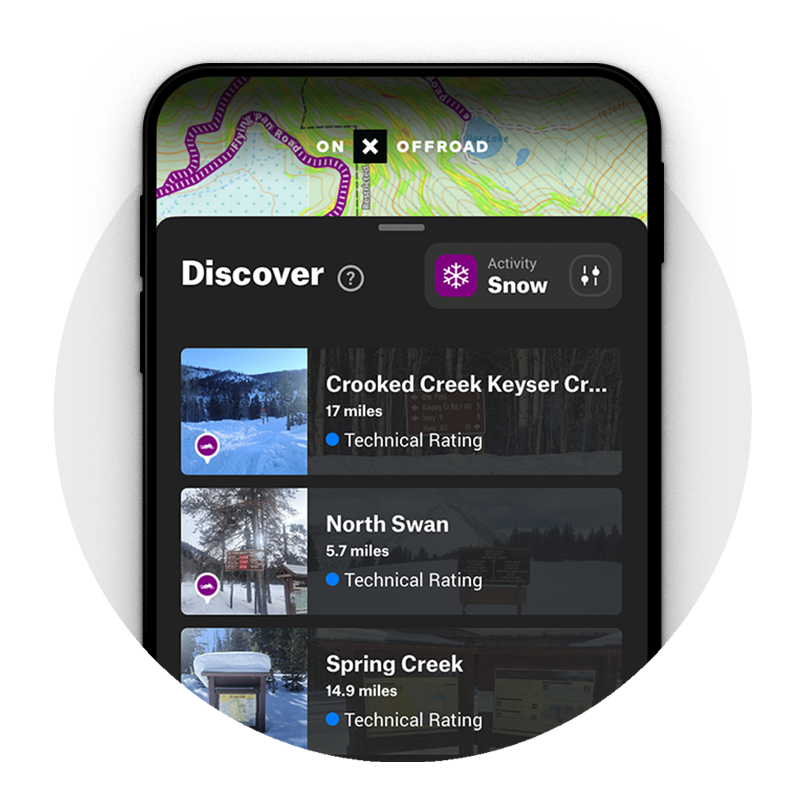
Switch from Dirt to Snow Mode in your onX Offroad App to see thousands of miles of snowmobile trails across the United States. Tap any purple trail to view trail details including distance and grooming status. Map layers for Avalanche Forecasts, Slope Angle, and Snotel data help locate open riding areas suited for any experience level. Color-coded maps mark inaccessible and Wilderness designated areas so it’s easy to find where you can ride.
Snotel Data for Snow Depth + Recent Storm Totals
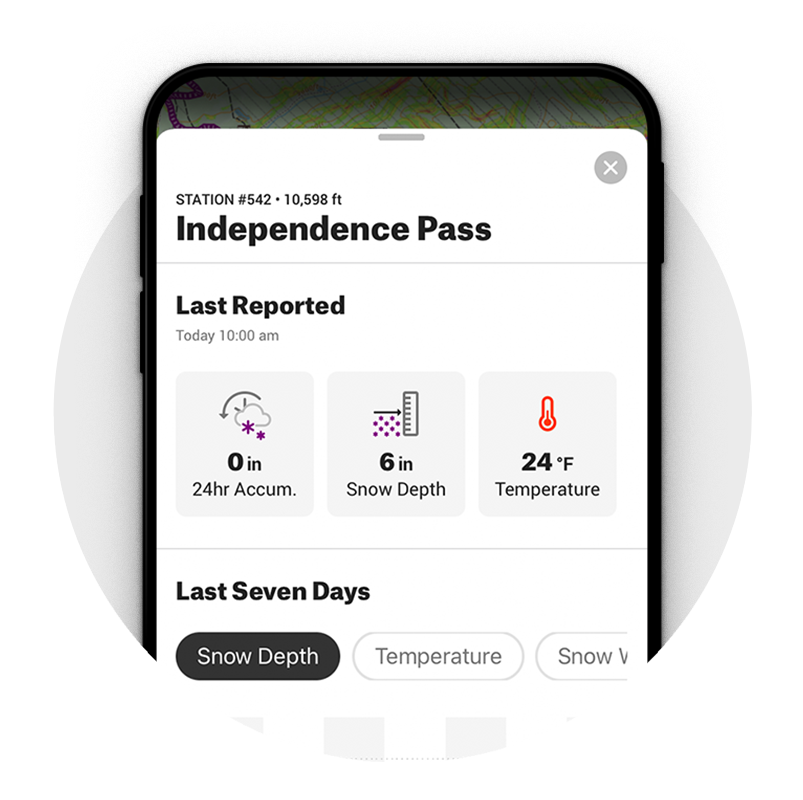
Get ready to go powder hunting—with Snotel data built into Snow Mode, you can see snow depth and recent storm totals right in the App. Finding where to ride is easier than ever.
Frequently Asked Questions
Snow Mode is a map setting in the onX Offroad app that switches your view from dirt trails to snowmobile trails, giving you access to thousands of miles of trail data, avalanche forecasts, slope angle layers, and Snotel information across the United States.
Simply switch from Dirt Mode to Snow Mode within the app to view snowmobile trails. You can tap any purple trail to see details like distance and grooming status.
Yes, the Offline Maps feature gives you fully functional GPS navigation even without cell coverage. You can still see land ownership boundaries, trail data, and custom Waypoints while off-grid.
Snow Mode includes Avalanche Forecast and Slope Angle layers to help you make more informed decisions in the backcountry. You can tap the map to read local forecasts and assess terrain steepness using a color-coded angle-degree overlay.
Snotel data is built into Snow Mode and shows snow depth and recent storm totals directly in the app. This makes it easier to find the best powder and locate open riding areas before heading out.
Yes, color-coded maps in Snow Mode mark inaccessible and Wilderness designated areas so you can quickly identify where you are and are not permitted to ride.
The Go and Track feature leaves a breadcrumb trail along your route, and the blue dot from your phone’s internal GPS keeps you oriented throughout your ride.