Animated Wind Forecast Map for Anglers
See How Wind Moves Fish—Before You Make a Cast
Why Wind Matters for Anglers
Wind is one of the most powerful forces affecting fish behavior in lakes. As wind moves across the surface, it pushes water, creates currents, redistributes oxygen, and shifts where food collects. These changes influence where fish position and how actively they feed.
Wind doesn’t just affect your boat; it shapes where fish feed, travel, and stack up. Animated Wind on the Map in onX Fish lets you visualize wind direction and movement across the entire lake, helping you understand how conditions are pushing bait, concentrating fish, and shaping the day’s bite.
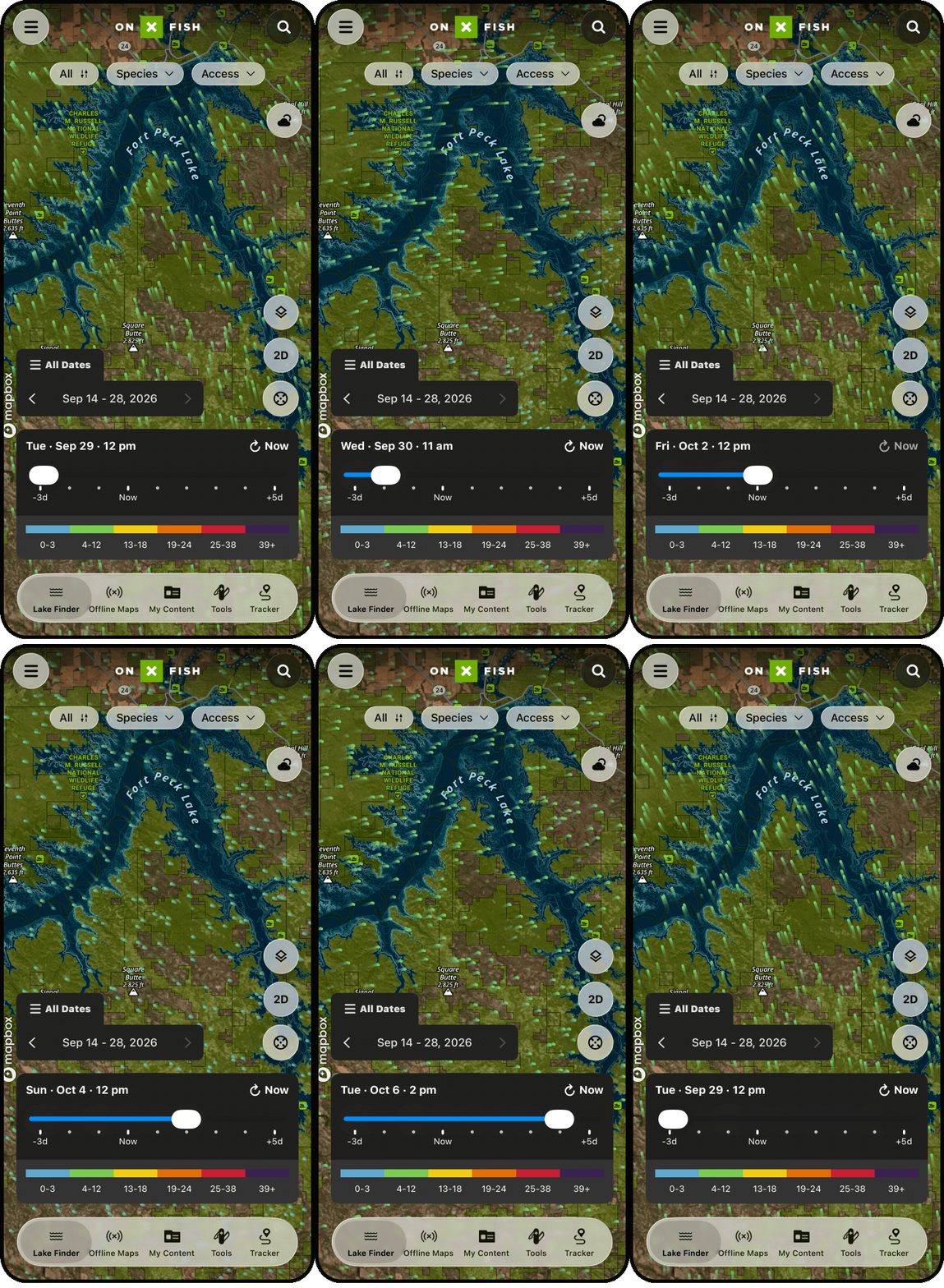
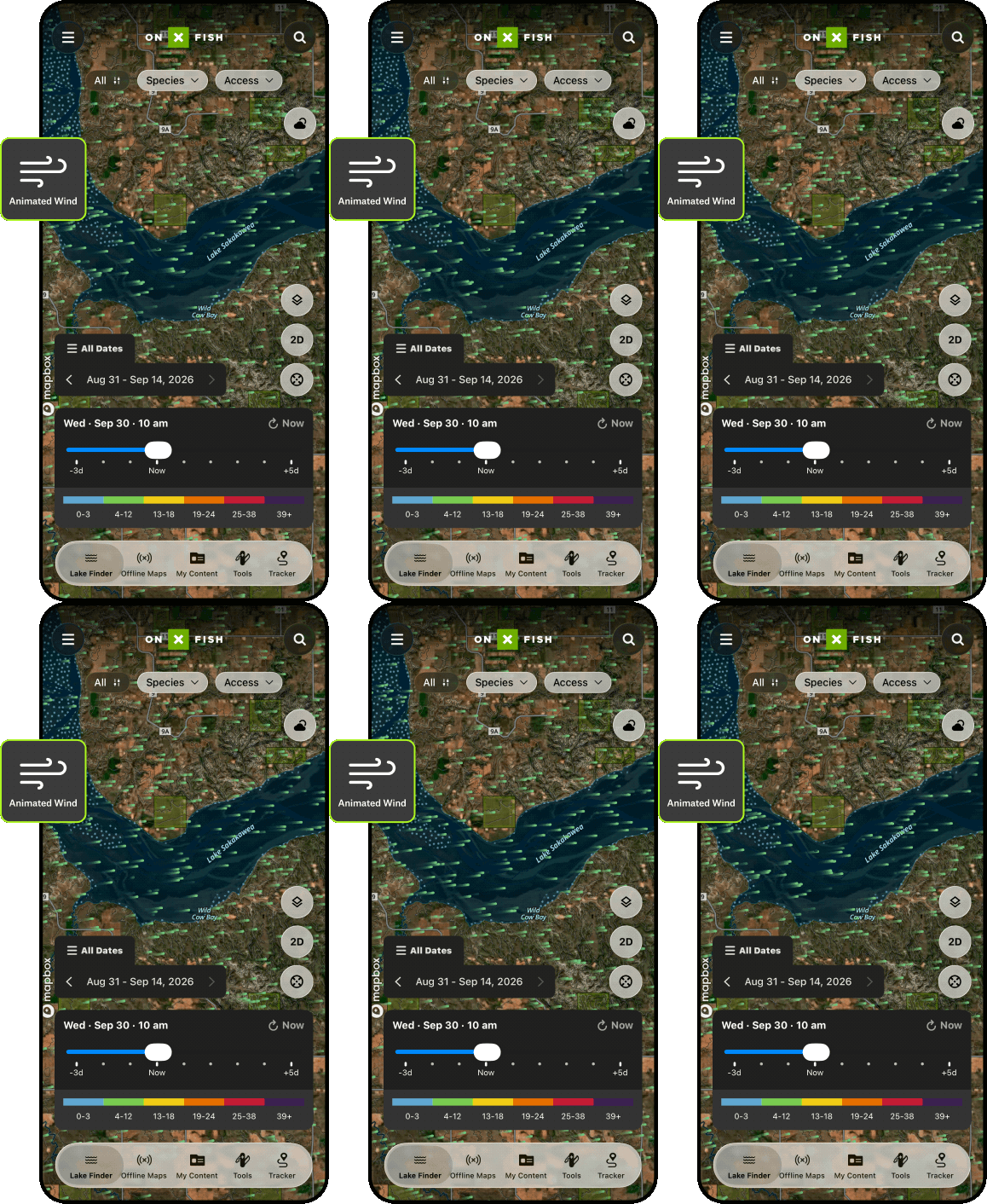
Understanding wind patterns helps anglers identify the most productive areas of a lake—often before the first cast is made. Watch wind patterns unfold directly on the map, identify windblown structure, and spend less time guessing where fish might be. You can also analyze in which direction, duration, and speed the wind blew in previous days, helping you locate and target fish and fill your cooler.
Animated Wind helps visualize patterns across the entire lake, making it easier to recognize where fish are likely to be holding.
When to Use the onX Fish Animated Wind Feature:
Predict windblown shorelines: Use the animated wind map to spot the downwind shoreline where bait and fish often stack up after sustained wind.
Historical wind information: Scroll back in time to see shorelines and offshore structure that has been windblown over the past 72 hours, targeting areas where fish have already congregated.
Use wind to pick the right structure: See which points, reefs, weed edges, islands, or humps are being hit by wind—and which areas are protected—so you can choose the most productive water to fish.
Plan drifts and safer routes with a wind forecast map: Preview exposed water, set drift plans, and choose protected zones when wind ramps up.
Ice season awareness: Wind affects comfort and can contribute to changing conditions near hazards like pressure ridges and thinner shoreline ice. Visualizing wind patterns helps anglers anticipate these factors while planning where to fish.
Map Your Way to Success
Use onX Fish to find the size and species of fish you want to catch. Try onX Fish Midwest today.
How To Use Animated Wind
 On Desktop
- Open onX Fish Web Map.
- Select Map Layers.
- Turn on Animated Wind.
- Use the time controls to visualize wind movement and direction across the lake.
- Zoom in to analyze how wind interacts with specific shorelines and structure.
See other onX Fish App features, like Recent Imagery or Species Abundance Insights.
FAQs
Wind pushes surface water across the lake, redistributing oxygen, temperature, and food sources like plankton and baitfish. Predator fish often move toward areas where wind has concentrated food, making those locations more productive for anglers.
A windblown shoreline is the downwind side of a lake where wind-driven currents push water, plankton, and baitfish. These areas often become active feeding zones where predator fish gather.
Wind effects can begin within hours, but 24 hours or more of steady wind from one direction typically creates stronger patterns where baitfish and predator fish concentrate in predictable areas.
Animated Wind overlays wind direction and movement directly on the fishing map, letting you see how wind interacts with shorelines, structure, and fishing access points across the entire lake.
Unlike general weather tools, Animated Wind in onX Fish is built specifically for anglers and overlays wind patterns on the fishing map so you can connect wind conditions directly to lake structure and fish positioning.
Yes, you can scroll back up to 72 hours to see which shorelines and offshore structure have been windblown, helping you target areas where fish have already had time to congregate.
Seeing wind direction and intensity on the map helps you plan drifts, choose safer routes across open water, and identify protected zones, especially on larger lakes where conditions can change quickly.
On the desktop, open the onX Fish Web Map, select Map Layers, and turn on Animated Wind. From there, use the time controls to visualize wind movement and zoom in to analyze how wind interacts with specific shorelines and structure.