
onX SOS User Guide


Your Guide to Set Up and Use onX SOS
Powered by Overwatch x Rescue (OxR)
Whether you’re considering getting onX SOS or you’ve already purchased it, this is your go-to guide—from enabling the SOS button in your app (available in onX Offroad, Hunt, and Backcountry), to sending a real SOS in the field, to knowing what comes after the rescue, and how to use your financial coverage from OxR. Together, onX and OxR prepare you for the unexpected and provide a safety solution if it occurs.

From Purchase to Protected
Use the navigation menu to jump directly to the section you need, for detailed info and step-by-step instructions for each topic.





How to Add onX SOS
Available as a separate add-on subscription for all onX Offroad, Hunt, and Backcountry members for $49.99/year.

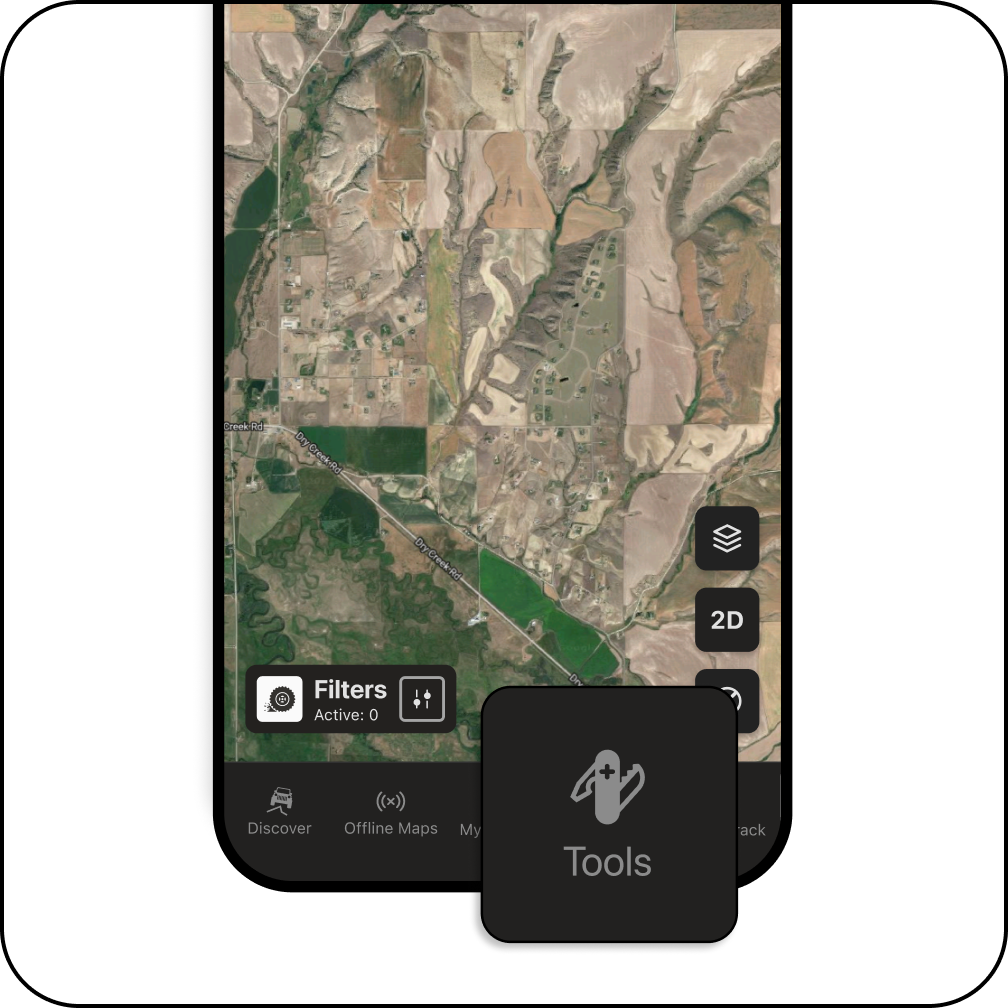
You can purchase the onX SOS add-on in our mobile app in two ways: in the hamburger settings menu or in “Tools” on the bottom navigation bar.

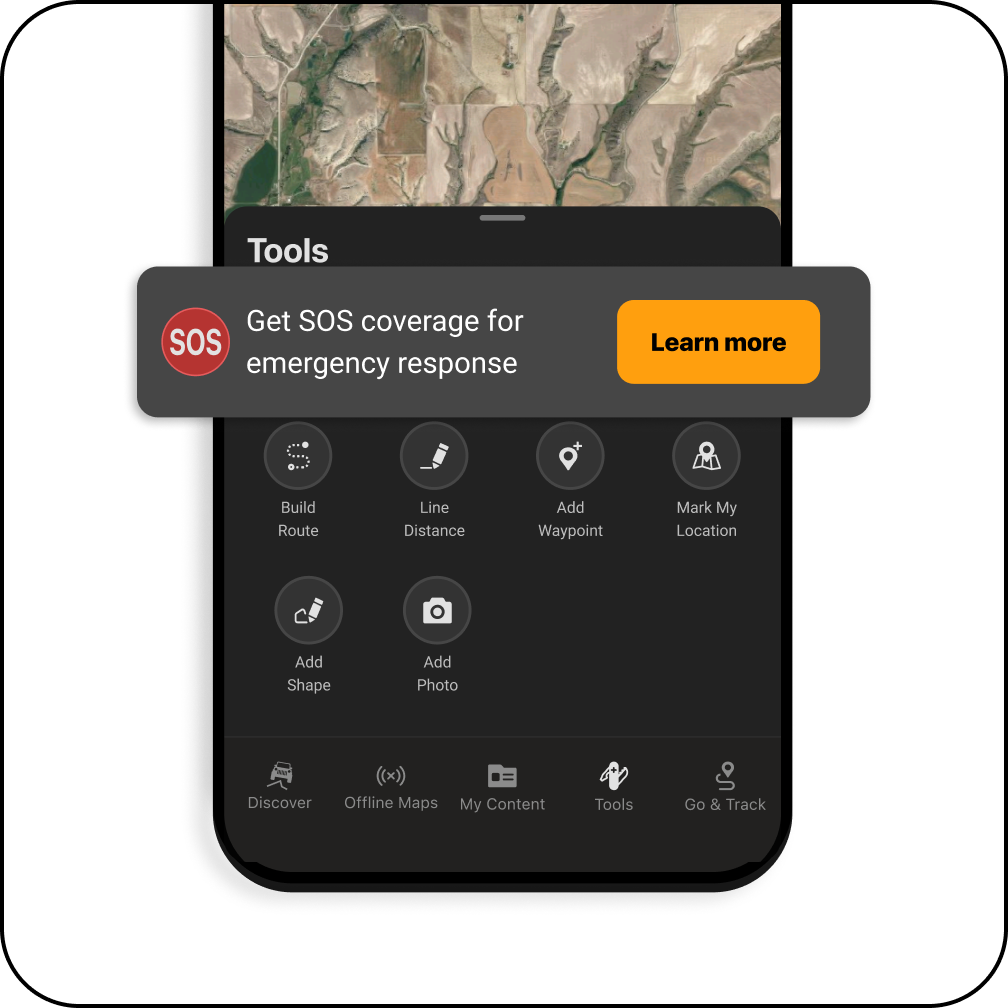
Next, tap the “Get SOS Coverage” button in either menu to navigate to the purchase screen.


Swipe through the slides to learn about the benefits of onX SOS, including rescue coordination and financial coverage.

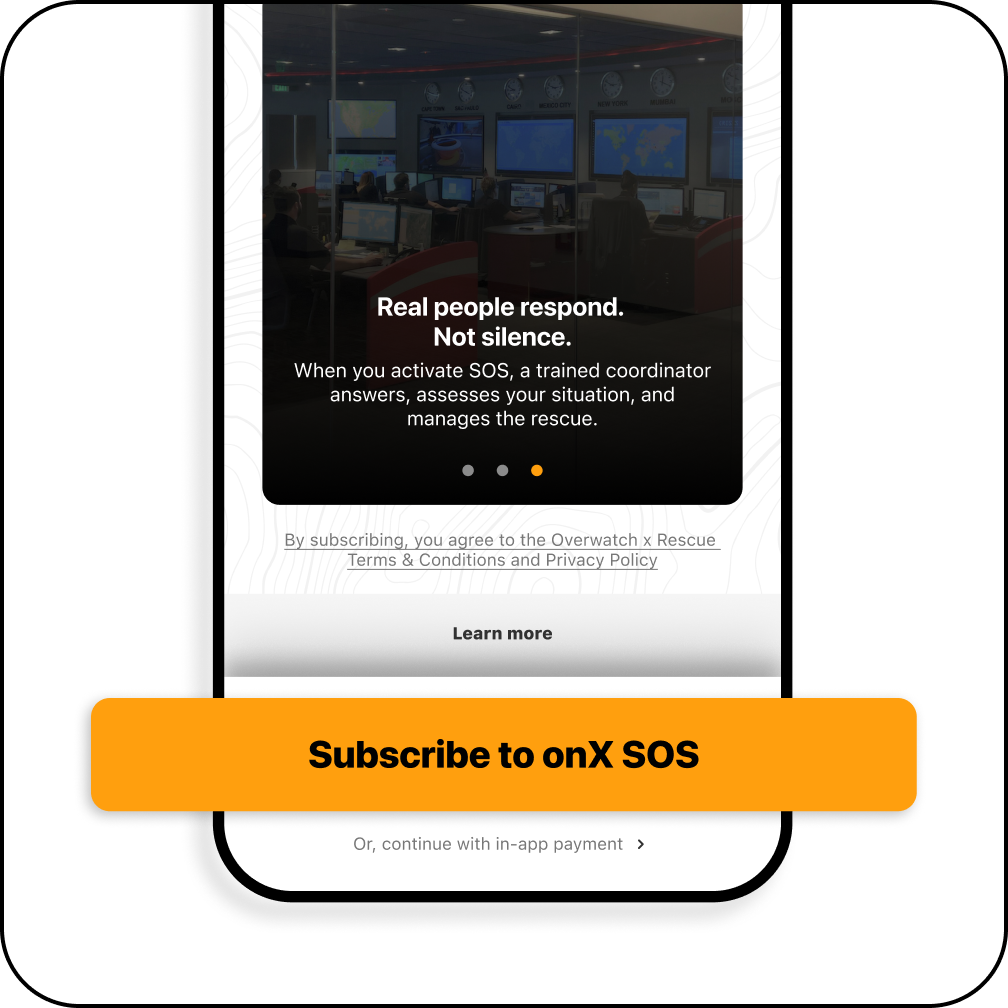
When you’re ready to opt in, tap “Subscribe to onX SOS” and the in-app prompts will guide you through the add-on purchase.
What is onX SOS
onX SOS is an emergency rescue subscription powered by Overwatch x Rescue, available as an add-on purchase in the onX Offroad, Hunt, and Backcountry apps.
When you activate an SOS, you’re connected to Overwatch x Rescue’s 24/7 Crisis Response Center, operated by FocusPoint International, a global leader in emergency response coordination.
Good to Know:
✅ Available to all onX Offroad, Hunt, and Backcountry account holders, including Basic users.
💵 Billed separately from your onX membership at $49.99/year.
🛠️ Auto-renews annually — manage or cancel anytime through Manage Subscriptions.

How to Register with OxR
Activate Coverage + Enable the onX SOS Button in Your App
Once you purchase the onX SOS add-on, you’ll be directed to register your account with Overwatch x Rescue. This is a critical step that activates the SOS button in your onX app and the benefits of your plan.
After purchasing, you’ll be directed to the Overwatch x Rescue registration page in your browser. Sign in using your onX credentials, complete your profile, add at least one emergency contact, then save.
You can also choose to add a compatible backup satellite communicator to your account—supported devices include Garmin inReach, SPOT X, and ZOLEO.
Already purchased but haven’t registered?

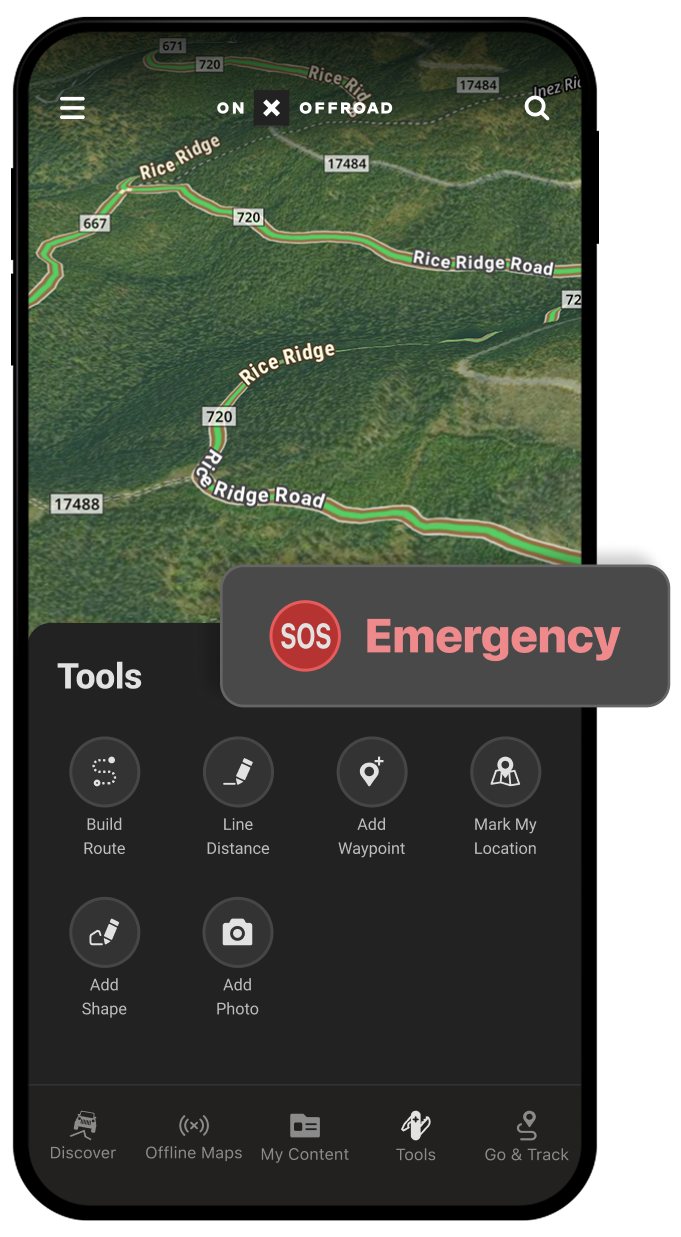
At the bottom of the map, open “Tools,” then tap the “SOS” button. If you’re using onX Backcountry, you access the “SOS” on the left hand side of your home screen.

onX SOS Device Compatibility +
Satellite Communication Capability
onX SOS uses cellular coverage or satellite messaging to create a two-way text conversation with Overwatch x Rescue coordinators to receive your location, assess the situation, and communicate with you throughout the process, and dispatch emergency services to your location.
onX SOS works with both cellular coverage and satellite communication devices.
Here’s how to tell:
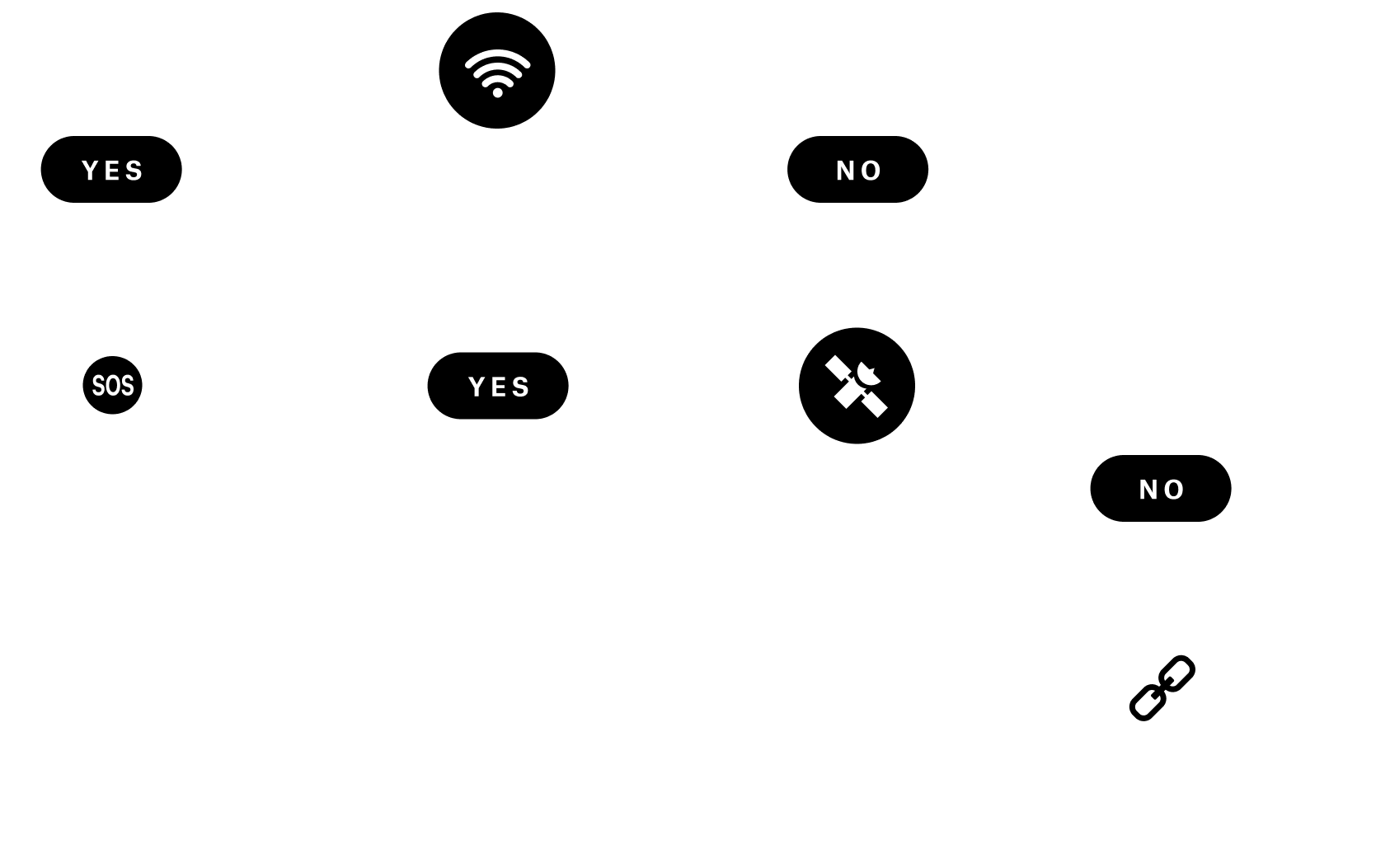
📶 Within Cell Service: Any smartphone capable of sending SMS messages can use onX SOS (if you have service, trying 911 first is recommended).
🛰️ Outside Cell Service: Satellite SMS messaging capabilities are required.
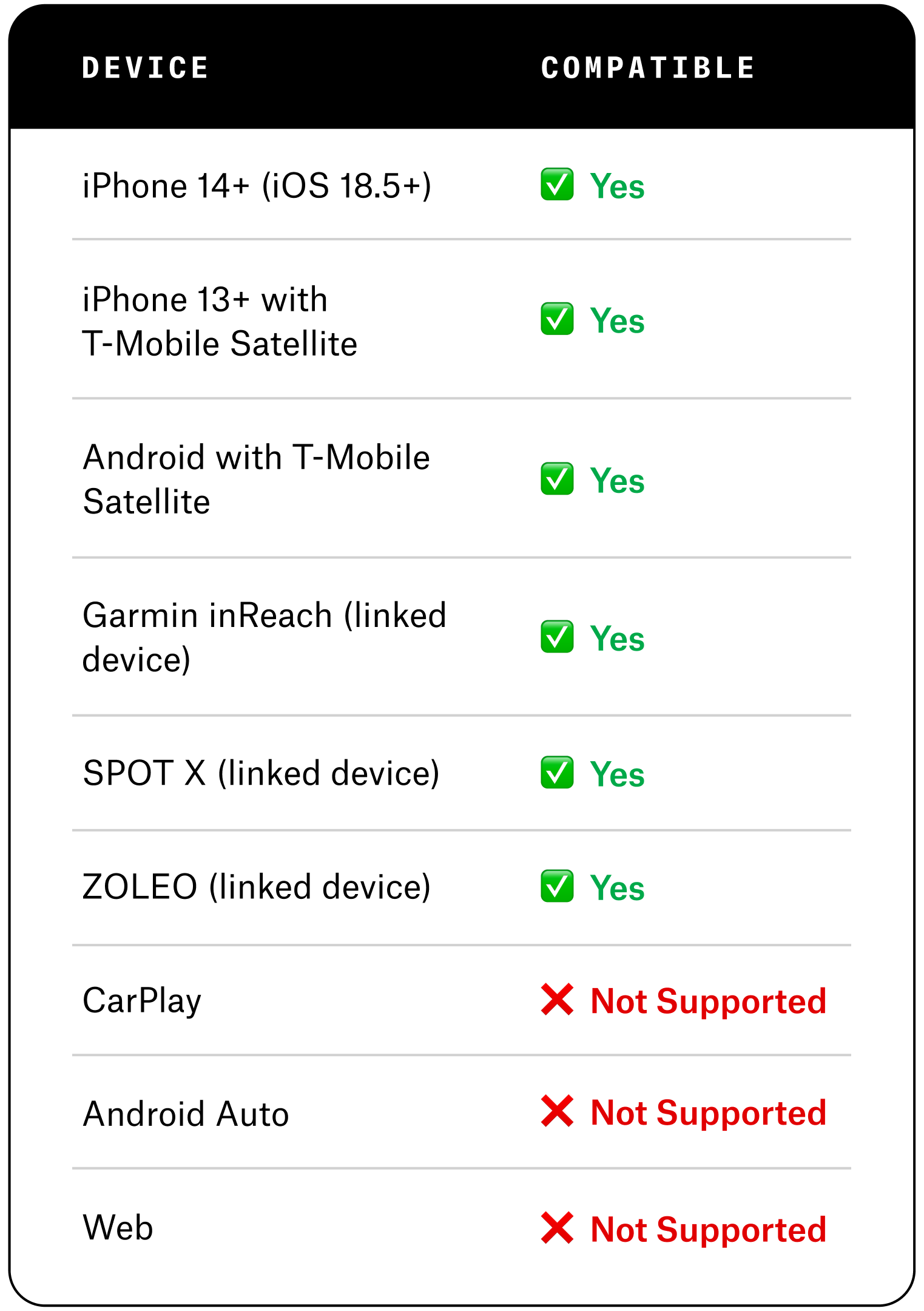
📱 To use onX SOS outside cell coverage, you’ll need one of the following:
- An eligible iPhone or Android device with a carrier-supported satellite messaging plan
- A linked Garmin inReach, SPOT X, or ZOLEO satellite communicator
- iPhone 14 or newer running iOS 18.5+
Will my eligible costs still be covered if I initiate the rescue outside of the onX App?
Coverage applies regardless of how the rescue was initiated—via onX app, calling 911, or backup device SOS button. If you use a linked Garmin, SPOT X, or ZOLEO, onX SOS works alongside your existing satellite messaging plan—it adds professional rescue coordination and financial coverage on top, not instead of, what you already carry.
Satellite SOS vs. Satellite Messaging
Here’s What You Need to Know:
- Emergency SOS and satellite messaging are not the same thing.
- Emergency SOS connects to emergency services only.
- onX SOS requires satellite messaging to communicate with Overwatch x Rescue when you’re outside cell service.
- If you use your device’s built-in Emergency SOS feature, eligible rescue costs are still covered under your onX SOS subscription.
Setup is required to connect your satellite communicator device to your subscription. To set up your satellite communicator device, log in to overwatchxrescue.com with your onX credentials to add your device and access setup instructions.
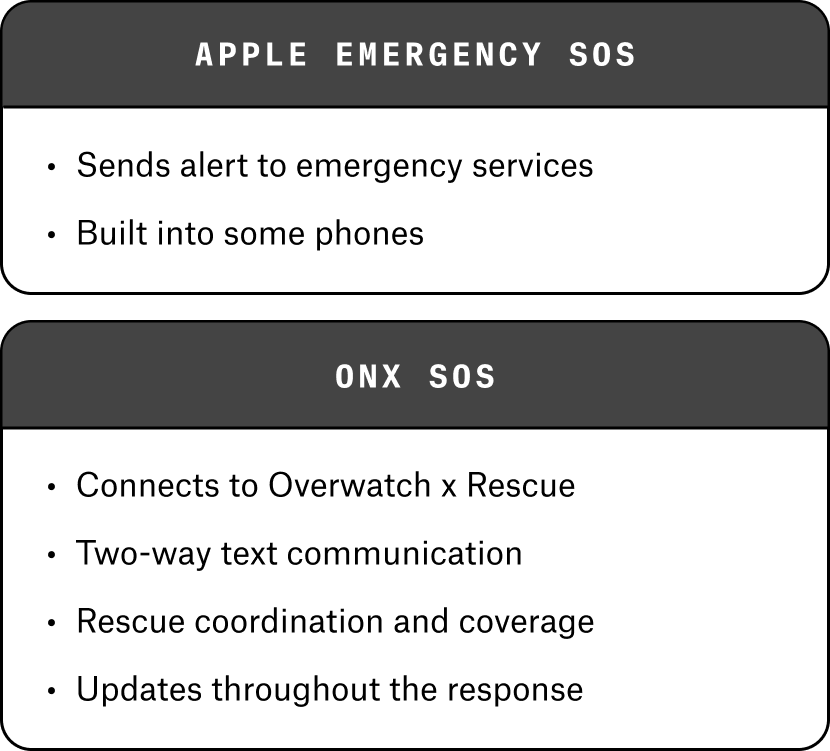
How is this different from Apple Emergency SOS? Apple Emergency SOS sends an alert to local emergency services via satellite but won’t help manage the rescue response or cover associated costs. onX SOS handles all of these services.

Test Your onX SOS Set-Up Before You Need It
Just like checking your gear before a trip, it’s a good idea to test your SOS setup before heading off-grid—and it only takes a few minutes.
How to Set Up an SOS Test
- Log in to your Overwatch x Rescue account.
- Navigate to the Testing section, and submit a Device Test Request Form.
- This quick test confirms your device is properly linked and ready to communicate with the Crisis Response Center if an emergency occurs
Recommended: Complete a test any time you add a new device or make changes to your account.
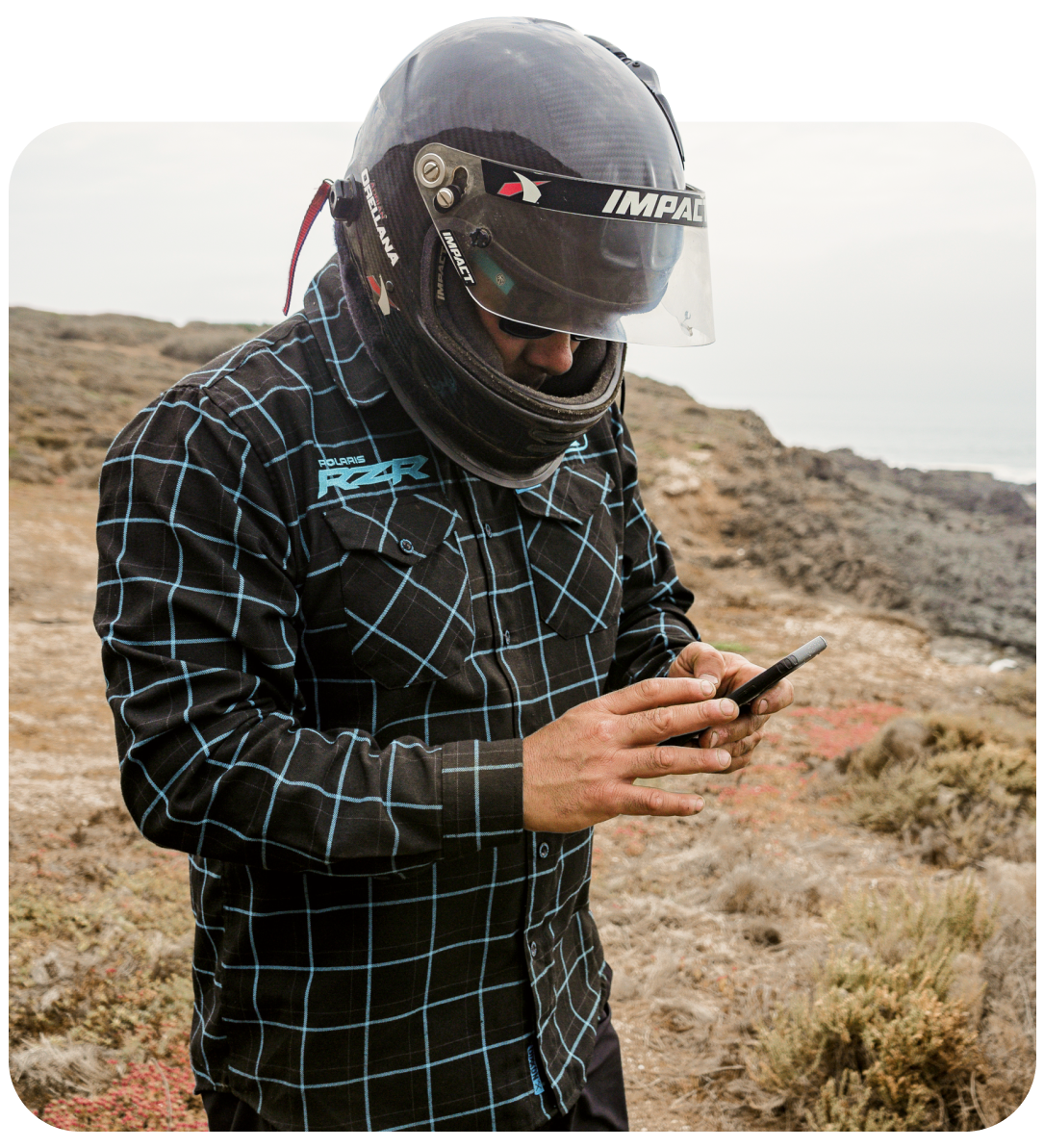

How to Send an SOS from Your onX App
Emergency support and rescue coordination from a real person is just a few taps away.
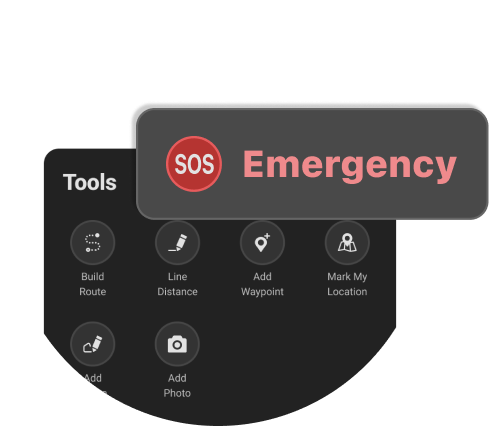
Tap SOS in ‘Tools‘ Menu
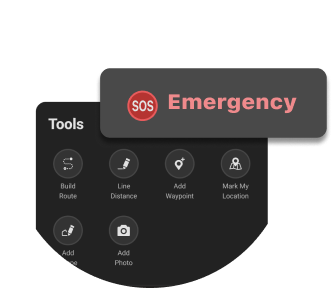
At the bottom of the map, open “Tools,” then tap the “SOS” button. If you’re using onX Backcountry, you access the “SOS” on the left hand side of your home screen.
Send the Message
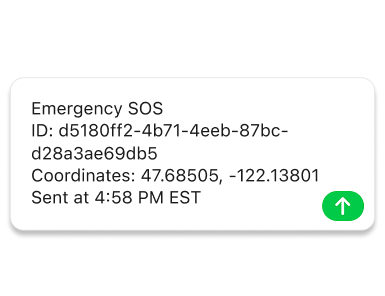
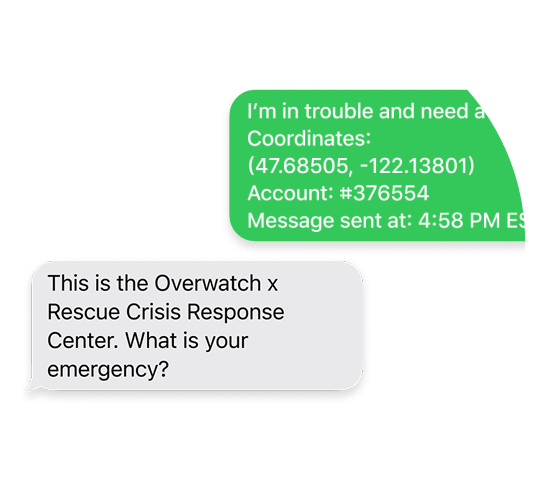
Your phone’s native messaging app opens with a pre-filled message containing your coordinates, account info, and timestamp. Tap “Send” to dispatch the text.
Connect with a Rescue Coordination Expert
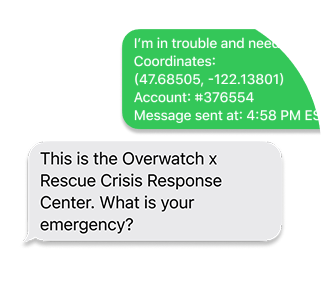
Overwatch x Rescue responds via text. A trained coordinator confirms your emergency, assesses the situation, and remain in contact with you.
Know Help is on the Way
Emergency services are dispatched to your location to help you get back home.
⚠️ If you have cell service during an emergency, call 911 or local emergency services first. Local responders are often the fastest path to on-scene assistance. OxR can still coordinate the broader response and cover eligible costs.
What if I don’t have cell service?
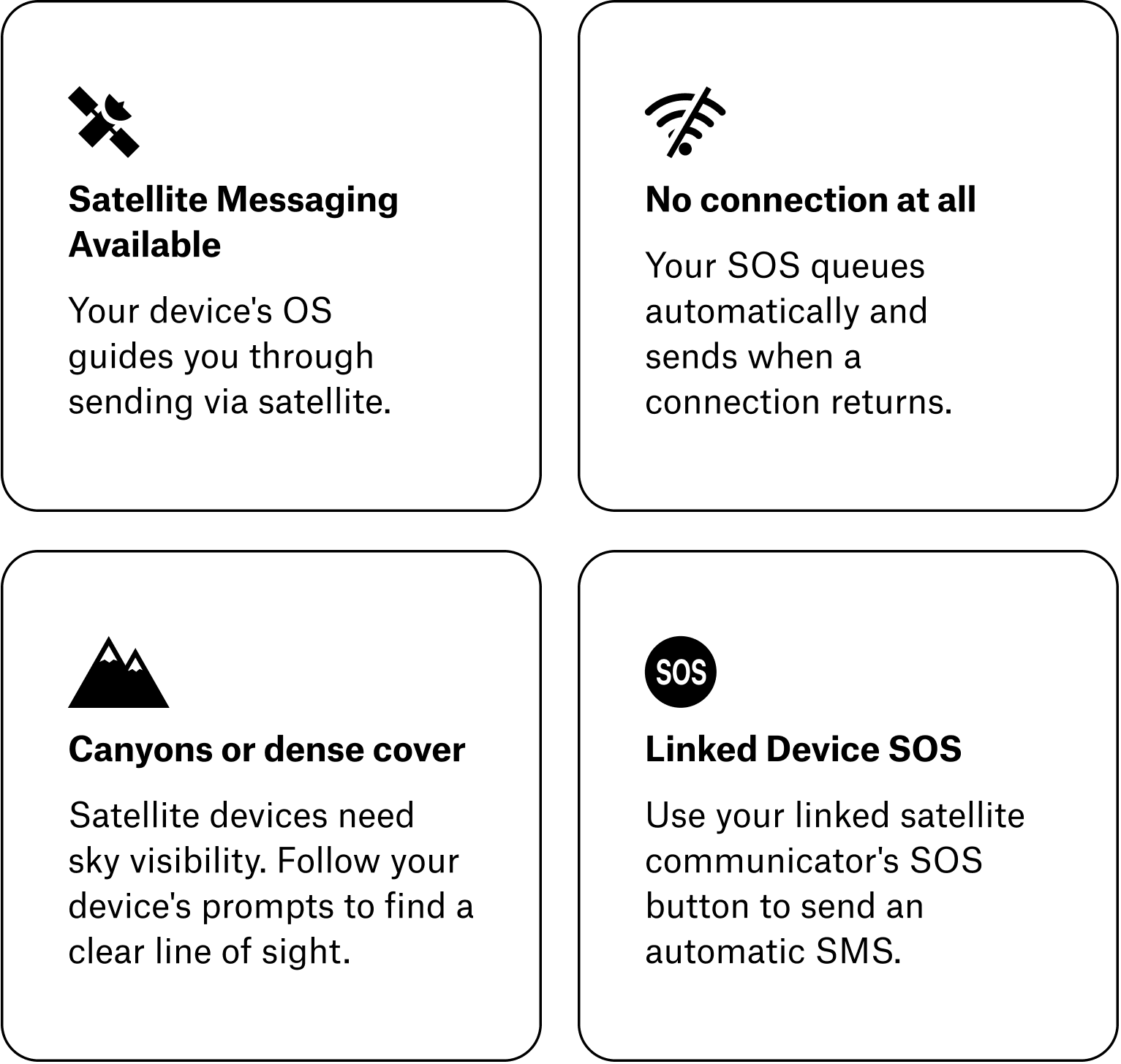
Can I update or cancel an SOS?
Yes. If your situation changes, you can send updated location info, provide additional details, or cancel the SOS. If communication is interrupted, OxR continues coordinating as if the emergency is active.
Can I text OxR directly to initiate an SOS?
We recommend using the onX app to send an SOS, as it automatically includes your location and account information. You can find more information about contact options in your OxR account portal.
What happens if my phone runs out of battery during a rescue?
Once the Crisis Response Center receives your location and SOS alert, an emergency response is dispatched even if communication stops. Loss of communication does not stop the rescue. Every alert is treated as a genuine emergency unless you confirm otherwise.

What Happens During a Rescue?
Real People Working the Problem
Once your SOS is received, Overwatch x Rescue’s Crisis Response Center gets to work.
Their Team May:
- Confirm your location
- Assess medical needs
- Coordinate search and rescue resources
- Arrange helicopter evacuation
- Coordinate ambulance transport
- Manage international or security-related incidents
- Communicate with local authorities and responders
What You Can Expect
- Ongoing communication
- Rescue coordination from start to finish
- Professional support throughout the incident
- Direct payment of eligible rescue costs
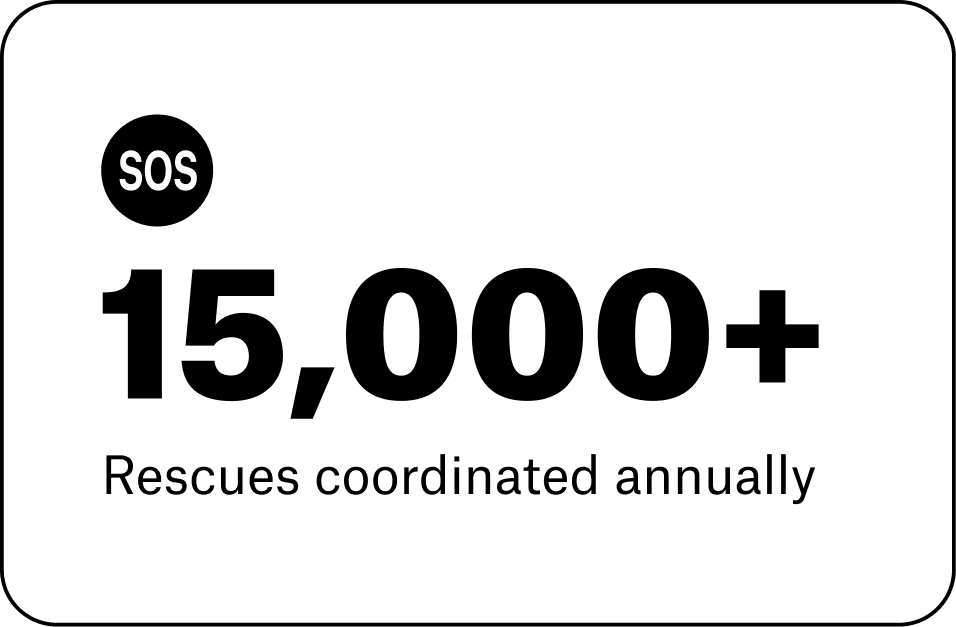

When Should I Send an SOS?
Wondering if your situation is serious enough to call for help, or what types of support OxR can provide?
Better Safe Than Sorry
If you are ill, injured, facing bad weather, or in some sort of other danger, there is a chance your rescue will become more complicated if you wait. You may not be able to communicate as easily with rescuers or meet them in a good pickup location.
Rescue teams appreciate being called early. It makes their job easier. If you have the luxury of time and choice, don’t wait until the situation is dire.
Your subscription will cover the costs of your rescue and evacuation.
Vehicle Breakdown
If your vehicle breaks down or is in a situation where it needs a tow, the Crisis Response Center will connect you to relevant roadside assistance services or local first responders who can coordinate a tow, but the costs of vehicle recovery and towing are not covered. You’ll have to pay for those yourself.
Someone Else in Your Group Has an Emergency
Send an SOS on their behalf using your device, and the Crisis Response Center will coordinate the response with local agencies until help arrives.
Important: Financial coverage is only for the subscriber. To have rescue and evacuation costs covered, each person needs their own onX SOS subscription.
⚠️ See Terms & Conditions for complete coverage details.

More Answers When You Need Them
Two Trusted Teams. Tons of Experts with Answers. One Backup Plan.
 |  |
|---|---|
| For information and support on: Managing your onX Offroad, Hunt, or Backcountry App Membership subscription and onX SOS Add-On ___________________________________ Updating your account payment information ___________________________________ Questions about the onX Offroad, Hunt, or Backcountry App function and features ___________________________________ Contact our US-based Customer Support Team ___________________________________ Get onX Help | For information and support on: Full financial coverage details and all eligible costs ___________________________________ How to submit a bill after rescue services ___________________________________ Updating your personal information and emergency contacts ___________________________________ Full list of emergencies that are or are not covered ___________________________________ Where coverage extends to internationally ___________________________________ Get OxR Help |

Answers to the Complete FAQs
See the complete list of frequently asked questions for details about complete coverage details, compatible devices, rescue scenarios, subscription management, and more.
See Terms & Conditions for complete coverage details.
Go Farther With Confidence
Whether you’re heading down a remote trail, hunting beyond cell service, or exploring new backcountry terrain, onX SOS gives you a professional backup plan when things don’t go according to plan.