
onX SOS FAQs


Frequently Asked Questions
Overview
onX SOS is an emergency rescue subscription powered by Overwatch x Rescue, available in the onX Offroad, Hunt, and Backcountry apps. When you activate an SOS, you’re connected to Overwatch x Rescue’s 24/7 Crisis Response Center, staffed by former military personnel, medical professionals, and first responders. They assess your situation, coordinate the response, and pay for rescue services directly.
Overwatch x Rescue (OxR) is the professional emergency response service that powers onX SOS. It’s operated by FocusPoint International, a global leader in critical incident management. Their Crisis Response Center coordinates over 15,000 rescues annually across 220 countries and territories. When you activate an SOS through onX, you’re connected directly to their team.
No, onX SOS is not an insurance policy. It is an emergency assistance subscription that directly manages and pays for eligible services. It is a first payer model, meaning that there are no deductibles or out of pocket expenses because the bills are paid directly by Overwatch x Rescue on your behalf.
Device set-up
onX SOS works on any mobile device with cellular or satellite SMS messaging capabilities. Before heading out, make sure your device meets these requirements.
Cellular: Any smartphone with the onX App, an active SIM card, and the ability to send an SMS message.
Satellite: To send an SOS over satellite, you need to have a satellite service plan. Currently, Apple provides these for free to users with an iPhone 14 or later running iOS 18.5+ and many cellular carriers are rolling out plans that allow for satellite texting (such as T-Mobile and Verizon).
Yes, in addition to using onX SOS directly from the onX app on your phone, you can add one backup Satellite communicator device to your subscription, including Garmin inReach, SPOT X, or Zoleo.
Setup is required to connect your Satellite communicator device to your subscription. To set up your Satellite communicator device, login to overwatchxrescue.com to add your device and access setup instructions.
We highly recommend adding one of these devices as a backup in addition to the onX app.
Yes, and we strongly recommend it. Log in at overwatchxrescue.com, go to the testing section, and complete the Device Test Request Form. Testing ensures your device is properly linked and ready to communicate with the Crisis Response Center in an emergency.
No. Your onX SOS subscription complements your Garmin inReach messaging subscription; it does not replace it. onX SOS works on top of your existing Garmin plan, adding professional rescue coordination and financial coverage for rescue costs. You will still need to maintain your Garmin messaging subscription to send SOS messages from your Garmin device.
Apple Emergency SOS sends an alert to local emergency services via satellite but does not provide two-way communication with a coordinator. They won’t help manage the rescue response or cover associated costs. onX SOS handles all three of these services.
During an emergency
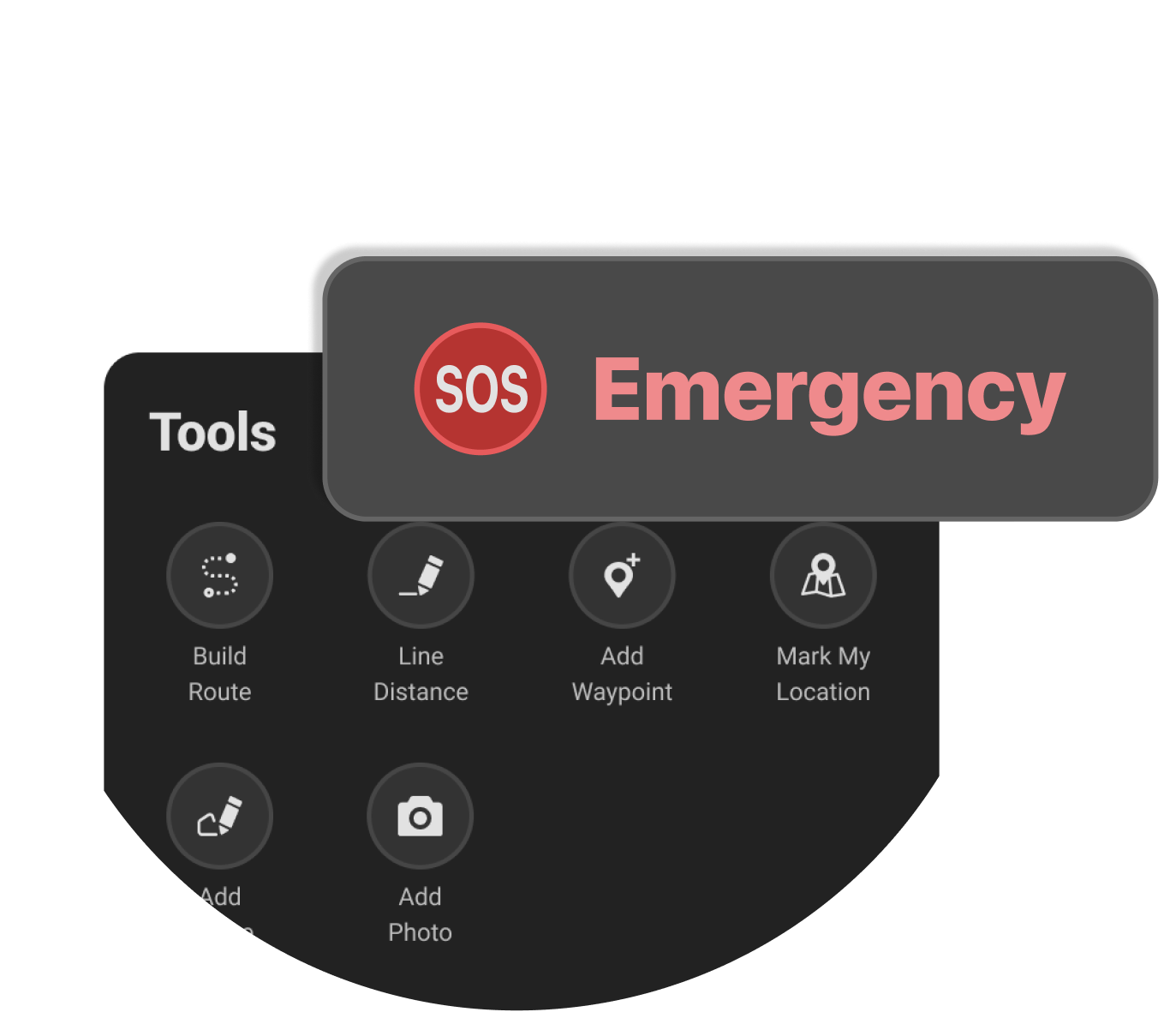
- Open the onX Offroad or onX Hunt app and tap the SOS button from Tools. If you’re using onX Backcountry, you access the “SOS” on the left hand side of your home screen.
- An info screen will explain what happens next. Review it, then tap Send SOS.
- Your phone’s messaging app will open with a pre-loaded SMS containing your GPS coordinates, and account number.
- Tap Send in your messaging app.
- A coordinator from the Crisis Response Center will reply via SMS to acknowledge your alert and gather details about your emergency.
To send an SOS alert, your device needs to have cellular or satellite connection. All communication with the Crisis Response Center happens in your phone’s native messaging app, not inside the onX app.
The Crisis Response Center will respond to your SMS to acknowledge receipt and request more information about your emergency.
They evaluate the situation, engage local responders, and coordinate the necessary assistance, such as search and rescue or medical evacuation.
If your device supports two-way messaging a coordinator will stay in contact with you via SMS throughout the rescue, providing updates, instructions, and support until help arrives.
It’s better to be safe than sorry. If you are ill, injured, facing bad weather, or in some sort of other danger, there is a chance your rescue will become more complicated if you wait. You may not be able to communicate as easily with rescuers or meet them in a good pickup location.
Rescue teams appreciate being called early. It makes their job easier. If you have the luxury of time and choice, don’t wait until the situation is dire.
Your subscription will cover the costs of your emergency and transportation.
Yes. If you can safely call 911 or local emergency services, you should do so immediately, as they are often the fastest source of on-scene help.
If you are also able to activate onX SOS, Overwatch x Rescue can coordinate support, communicate with responders, and assist according to your subscription benefits.
For covered incidents where you use local emergency services, you must submit a ticket within 96 hours in your overwatchxrescue.com account portal to let us know a rescue occurred. This is required to qualify for financial coverage.
Send an SOS on their behalf using your device, and the Crisis Response Center will coordinate the response with local agencies until help arrives.
Important: Financial coverage is only for the subscriber. To have rescue and evacuation costs covered, each person needs their own onX SOS subscription.
The Crisis Response Center will connect you to relevant roadside assistance services, but the costs of vehicle recovery and towing are not covered. You’ll have to pay for those yourself.
Once the Crisis Response Center receives your location and SOS alert, an emergency response is dispatched even if communication stops. Loss of communication does not stop the rescue. Every alert is treated as a genuine emergency until you confirm otherwise.
We recommend using the onX app to send an SOS, as it automatically includes your location and account information. You can find more information about contact options in your OxR account portal.
What’s covered
The subscription doesn’t have monetary caps. It covers a wide range of services:
- Search and rescue coordination
- 24/7 two-way communication
- Emergency relocation, medically necessary medical transport
- Response to incidents during hazardous activities
- Return of dependent children if you are evacuated
- Transport escort
There is no cost to you for covered services. There are no deductibles and no out-of-pocket expenses.
SOS escalations are unlimited. Financial coverage for physical responses, including Crisis Consultants, medical, SAR, or security personnel, is limited to two per year. This includes transportation of mortal remains. Each individual physical response is limited to ten (10) calendar days of assistance.
Yes, coverage applies to hazardous summer and winter sports, including backcountry skiing, rock climbing, and mountaineering. For hazardous sports incidents, the plan covers search and rescue costs and medically necessary evacuation.
Key exclusions include:
- Pre-existing medical conditions, pregnancy/childbirth, mental health conditions, and active cancer treatment or end-stage COPD.
- Emergencies originating at your permanent residence or work.
- Incidents where you are under the influence of alcohol or non-prescribed substances, or engaged in illegal activity.
- Maritime Search and Rescue (SAR) unless near a port or shoreline.
- Refusing to follow Overwatch x Rescue consultant instructions (which forfeits the benefit).
For a complete list, please review the full Terms and Conditions.
Coverage for Search and Rescue (SAR), medical evacuation, and sport incidents applies in 220 countries and territories worldwide. International travel benefits also include protection against natural disasters, political threats, and terrorism. Coverage excludes certain countries and any destination under a U.S. State Department “Do Not Travel” advisory. See Terms and Conditions for details.
Yes. If you require air medical transport, Overwatch x Rescue will arrange and pay for the economy-class return transportation of your dependent children, spouse, or companion to your primary residence. If dependent children need to travel alone, OxR will arrange a qualified escort at no extra cost.
Once you activate your SOS alert, the Crisis Response Center assesses your situation, coordinates the necessary response, and pays all eligible costs for you.
This streamlined process ensures you get timely help without the administrative burden of traditional insurance claims.
You don’t need to pay upfront or seek reimbursement. If you receive a bill for rescue or response costs, simply submit it through your OxR account portal and Overwatch x Rescue will pay the provider directly.
Subscription and Account Management
After purchasing your onX subscription, you will need to:
Set up your Overwatch x Rescue account at the OxR portal, including creating a profile and adding at least one emergency contact
Optionally, register a satellite communicator device (Garmin, SPOT X, or Zoleo) as a backup device through your OxR account dashboard. Once registered, setup instructions for your device will be emailed to you. You can also find them anytime in your OxR account dashboard
Yes, you can manage or cancel your subscription at any time directly through the onX app in the My Account menu.
Your onX SOS subscription will auto-renew until cancelled.
onX SOS is currently available in onX Offroad, onX Hunt, and onX Backcountry.
Yes. onX SOS is tied to your onX account, not a specific app. Once you purchase the subscription, you can activate SOS from onX Offroad, onX Hunt, or onX Backcountry, using whichever app you have open at the time.
You can find the Privacy Policy here: Overwatch x Rescue Privacy Policy.
No. An existing Overwatch x Rescue subscription is separate and does not work with the onX app. To use onX SOS, you’ll need to purchase a subscription directly through onX.

Where can I find the full Terms and Conditions?
You can find the full terms and conditions here: onX SOS Terms and Conditions.