
Lidar

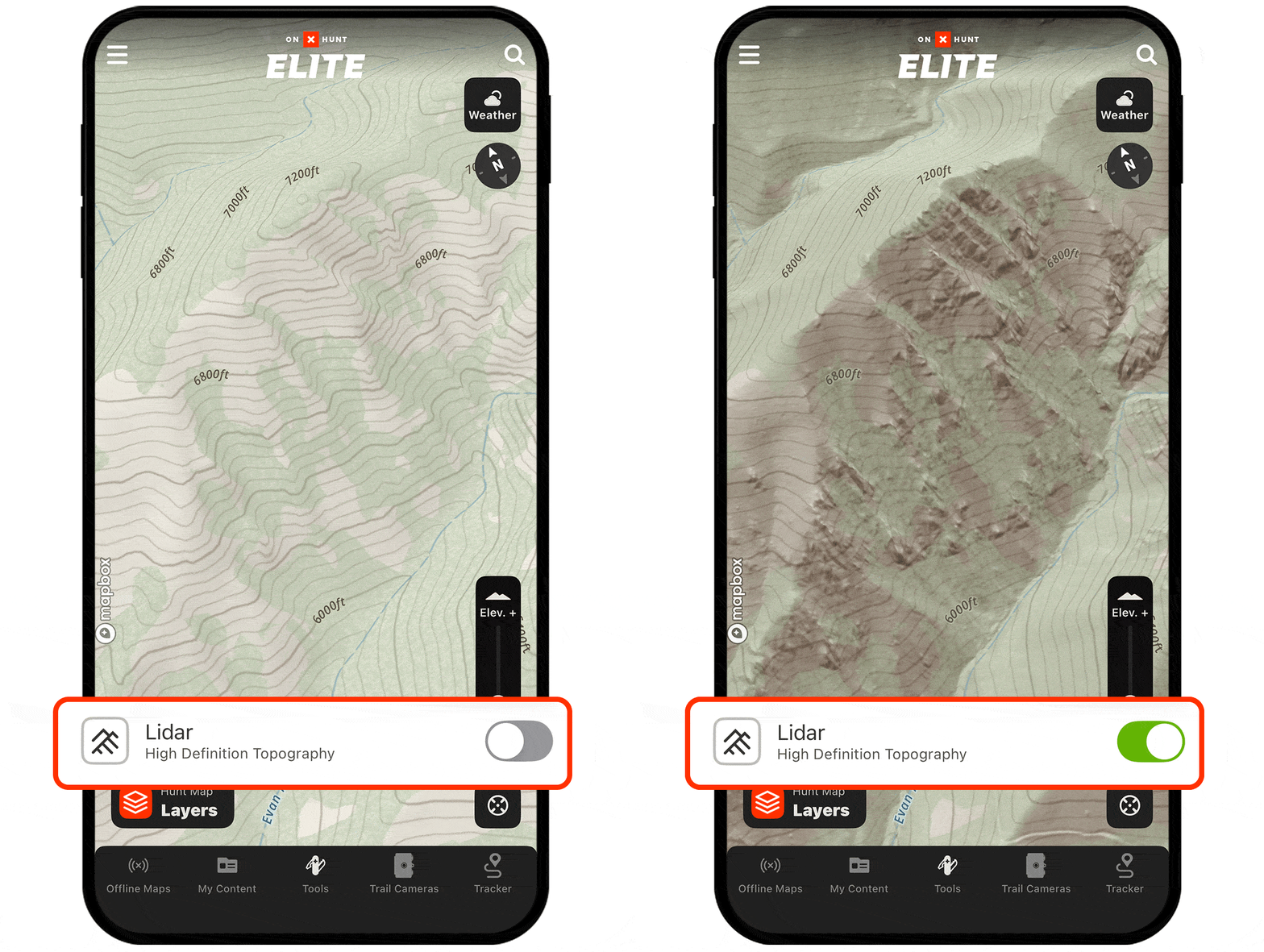
Lidar strips away canopy clutter and enhances elevation accuracy so you can spot drainages, game trails, and old logging roads otherwise hidden on standard maps. No service where you’re headed? Lidar works offline.
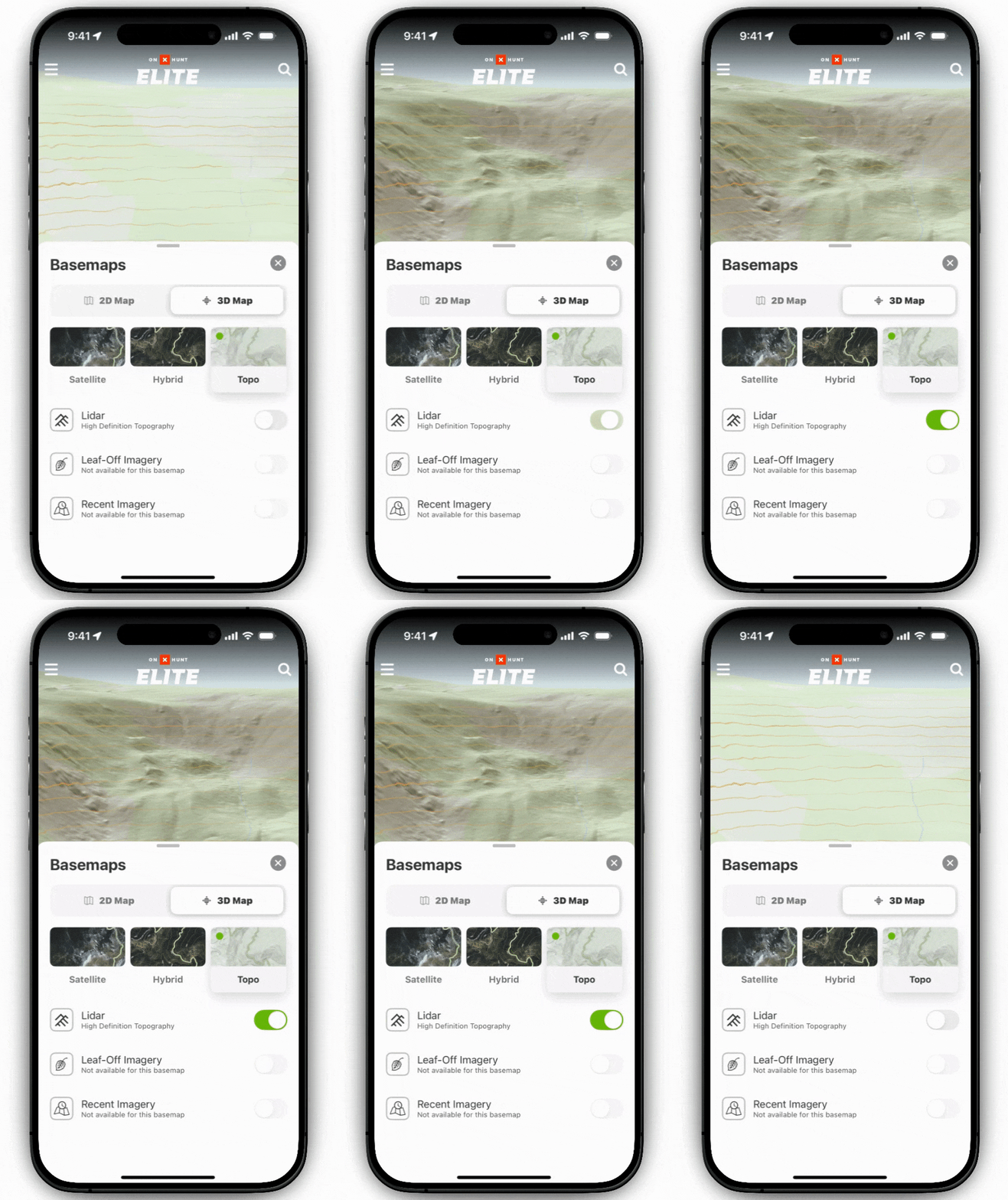
Lidar Tutorial
Expand the block to learn how to turn on Lidar.
Turn Lidar On
Step 1: Tap the Basemaps button in the lower-right corner.
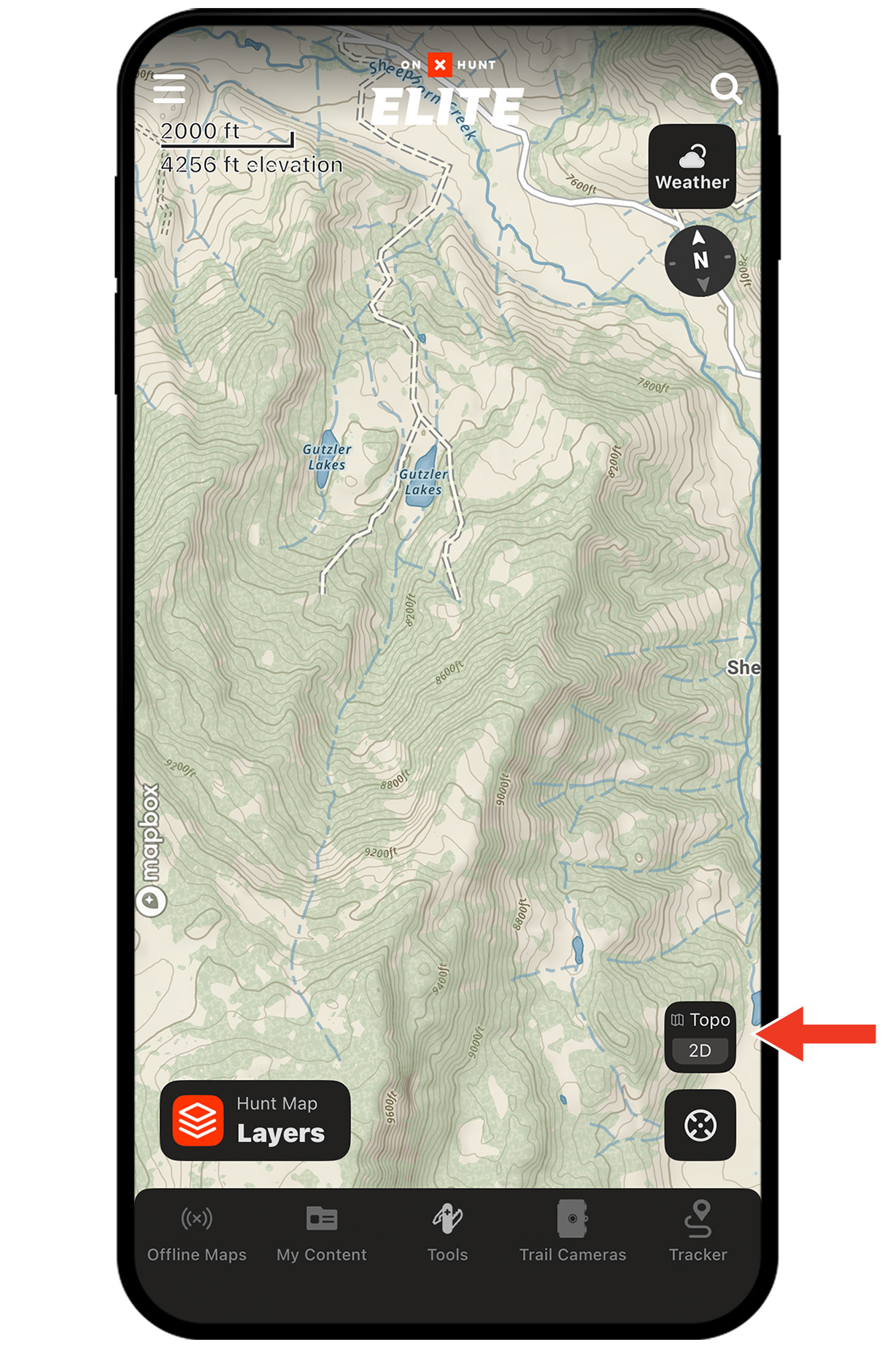
Step 2: Select the Topo Basemap. Lidar is enabled by default; you can toggle it on and off.
Step 3: Pan and zoom to see Lidar in action. You’ll notice crisp elevation shading and subtle terrain features—benches, depressions, faint two-tracks—now made obvious.
Unlock Lidar Today
Lidar is available to Elite Members.

Lidar works offline, too.
Lost service? You still have access to Lidar. Be sure to download Offline Maps before you head out.
Lidar Use Cases
Explore ways to use Lidar to improve your hunt.