
Leaf-Off Imagery

Leaf-Off Imagery shows landscapes without foliage interference, making it easier to spot trails and terrain features typically hidden under tree canopy. Available in select states.
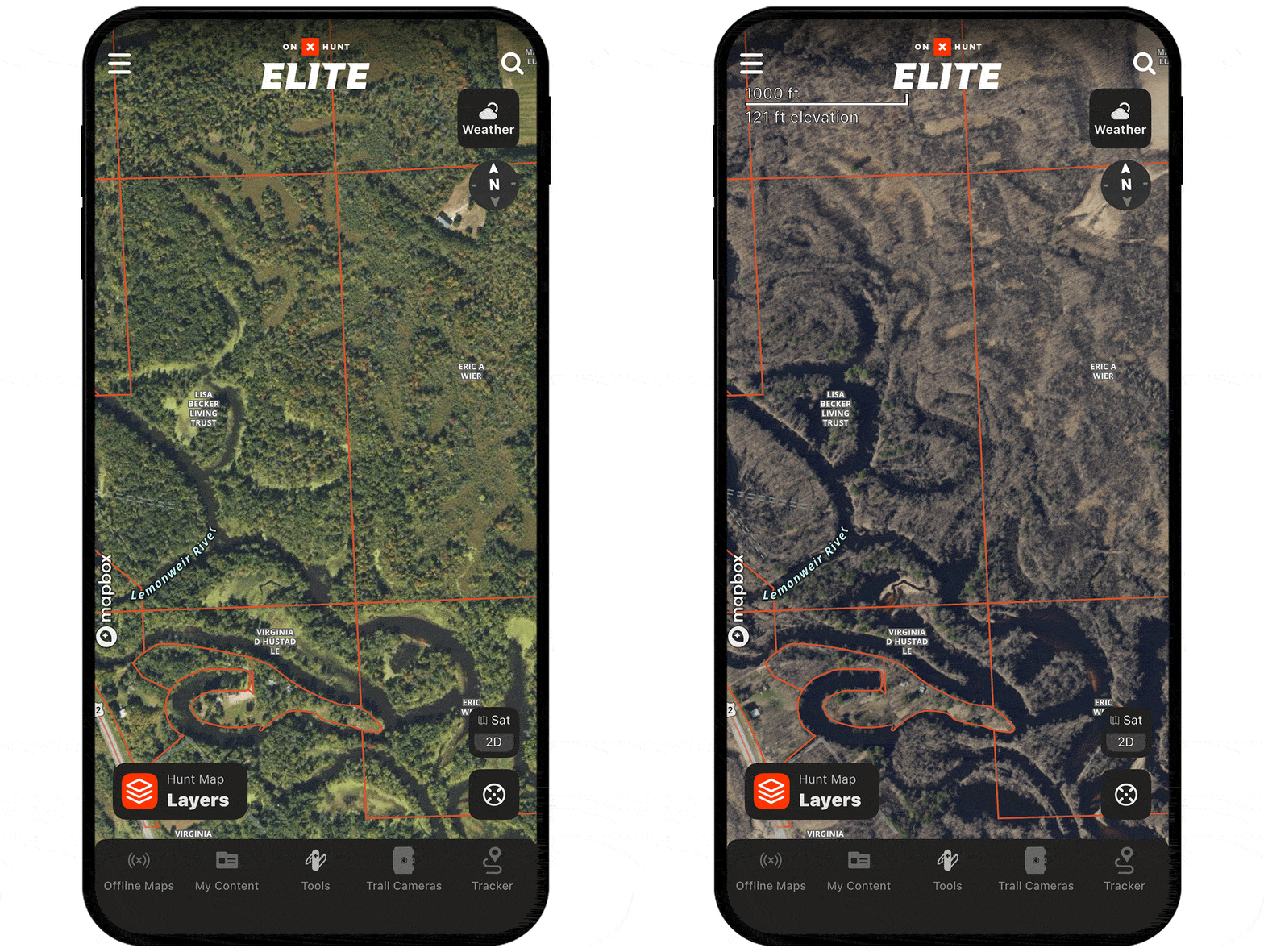
Leaf-Off Imagery Tutorial
Expand the block to learn how to use Leaf-Off Imagery.
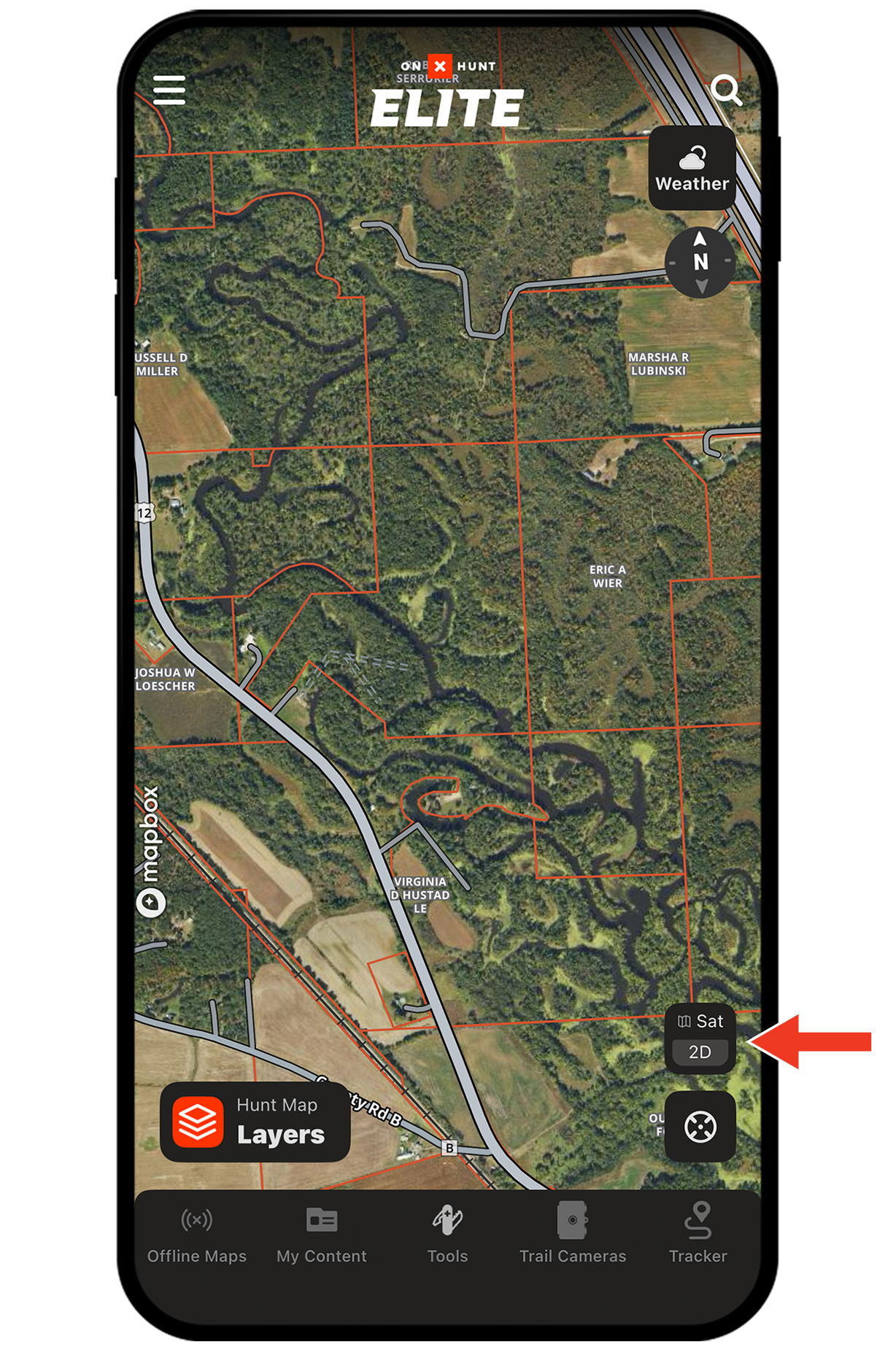
Step 1: Tap the Basemaps button in the lower-right corner.
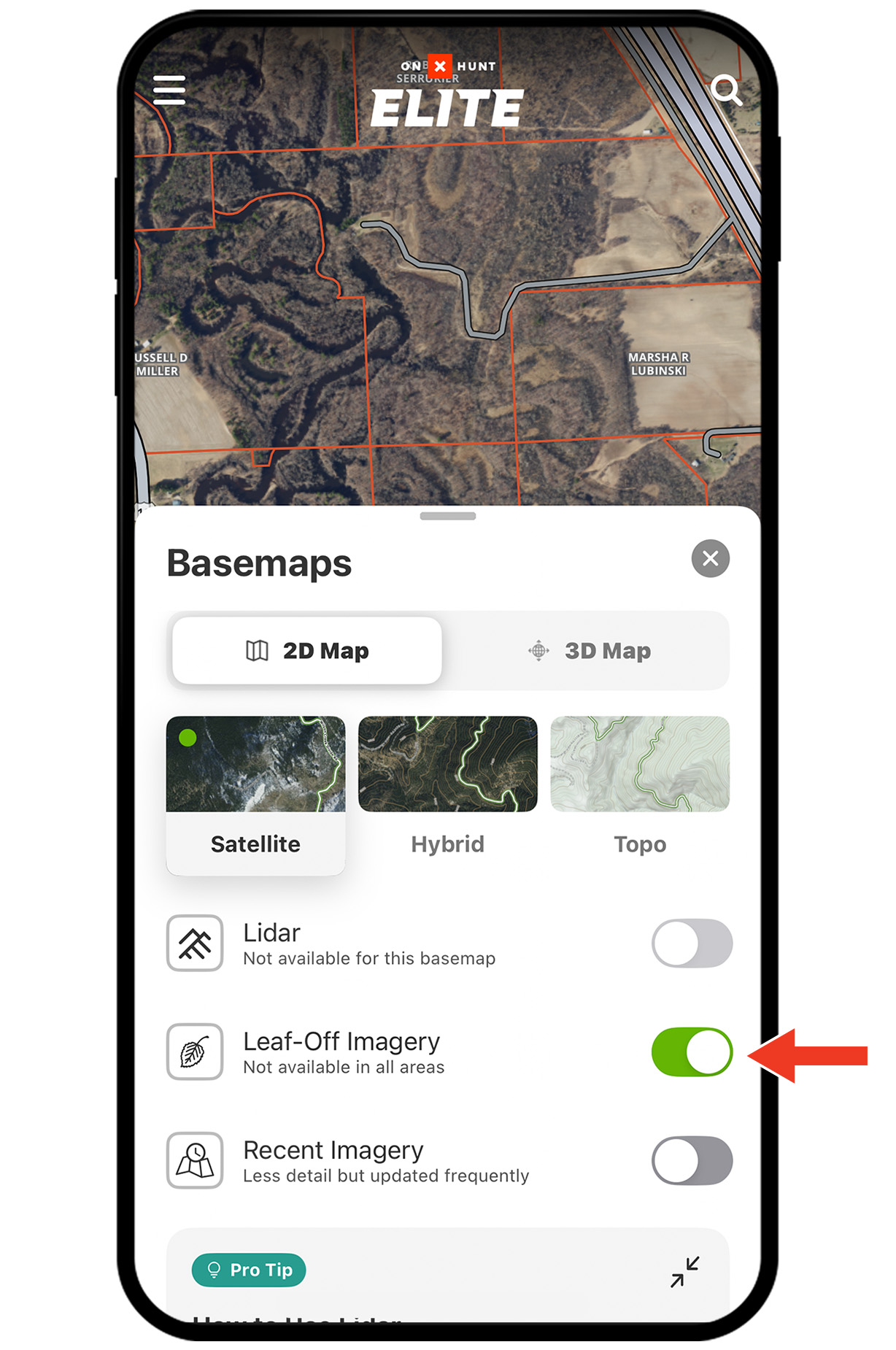
Step 2: Toggle Leaf-Off Imagery on. Tap the X or swipe down to return to the map.
Note: Note: Leaf-Off Imagery is available in select states. If not available in your area, a map overlay will display: No Leaf-Off Imagery Available.
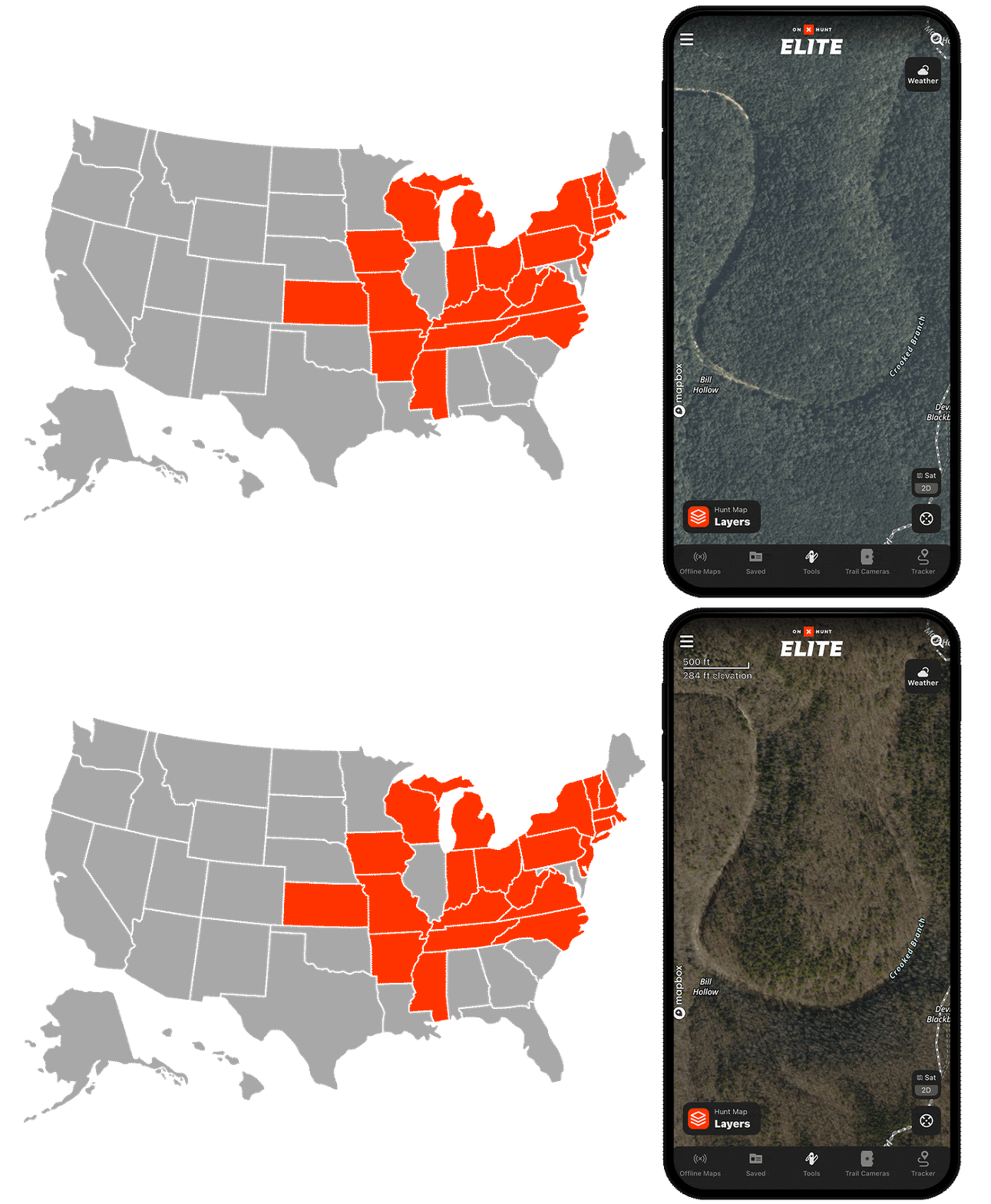

Not Seeing Leaf-Off Imagery?
Double-check that your state has coverage. Leaf-Off Imagery is available in these states:
AR, CT, IA, IN, KS, KY, MA, MI, MO, MS, NC, NH, NJ, NY, OH, PA, TN, VA, VT, WI, and WV.
Leaf-Off Imagery Use Cases
Explore ways to use Leaf-Off Imagery to improve your hunt.



Explore More Capabilities

Map Layers
Customize your hunt with hundreds of Map Layers.

Recent Imagery
Monitor landscape changes with low-res satellite imagery updated every two weeks.

Navigation
Follow turn-by-turn directions built for roads less traveled.

Collaborative Folders
Build, share, and sync your hunt plan with your crew.