
Recent Imagery

Recent Imagery delivers fresh low-resolution satellite imagery every two weeks (dating back to March 2023) so you can monitor changes in the landscape.
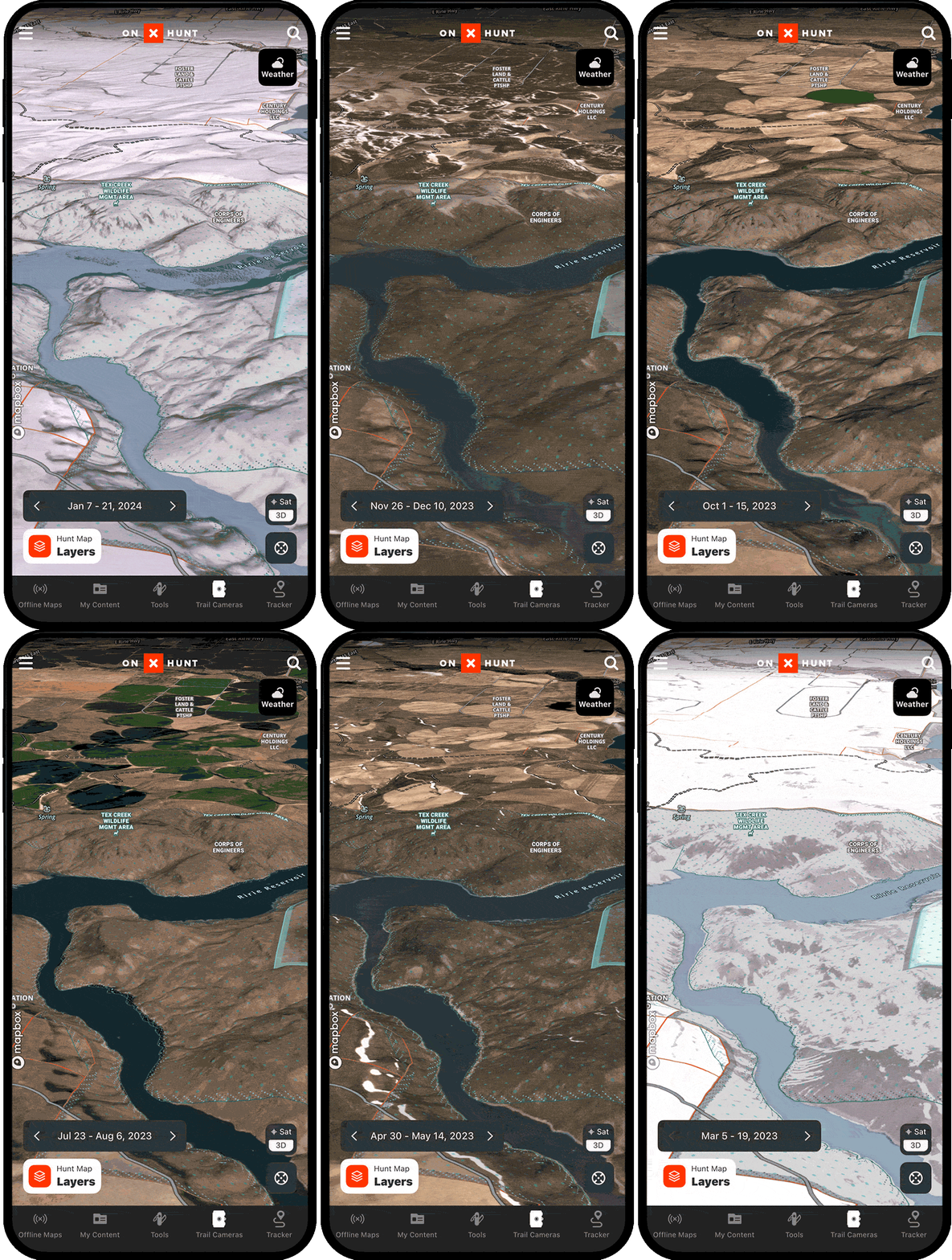
Recent Imagery Tutorial
Expand the block to learn how to use Recent Imagery.
Activate Recent Imagery
*Elite-only capability.
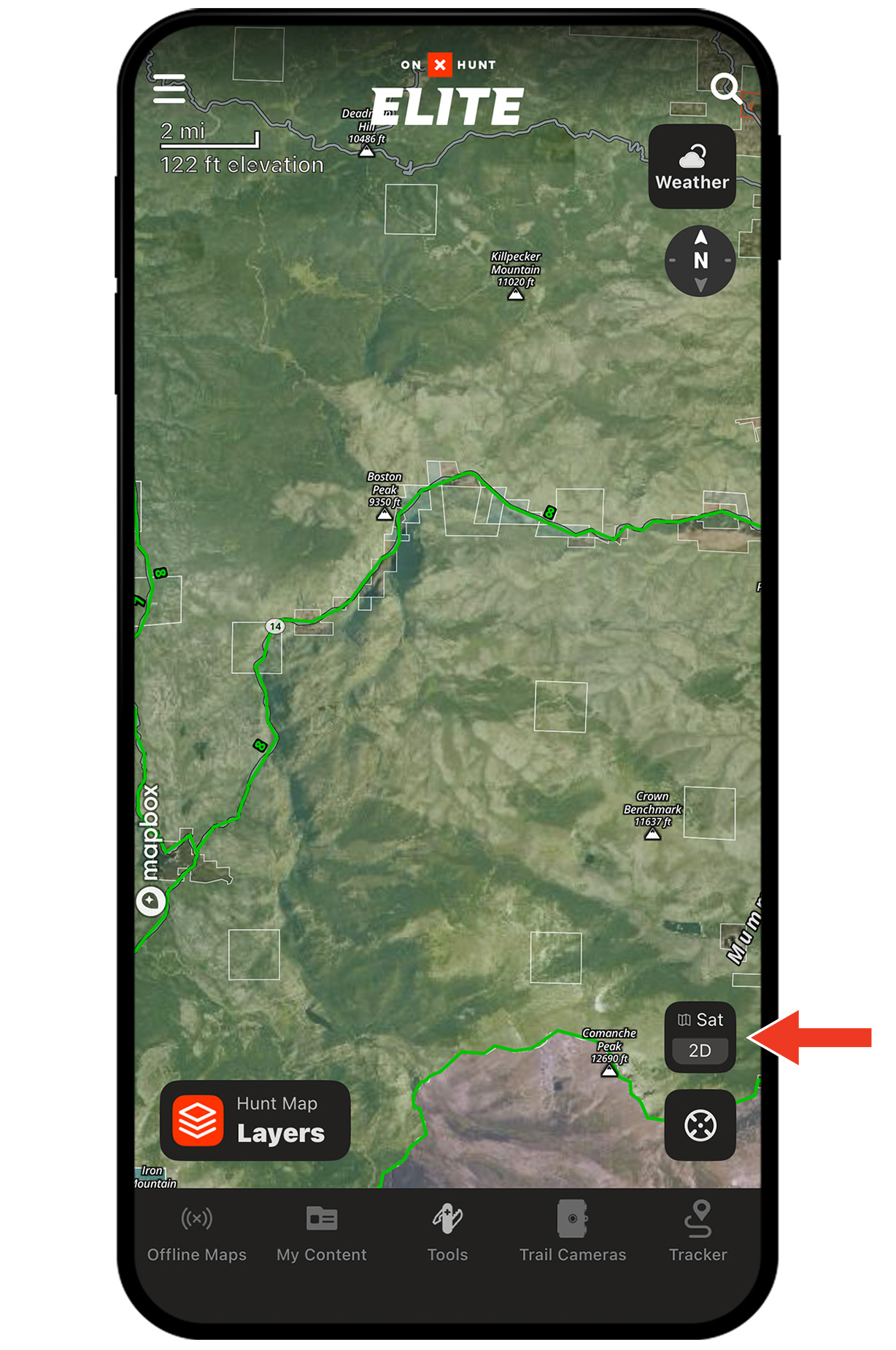
Step 1: Tap the Basemaps button in the lower-right corner.
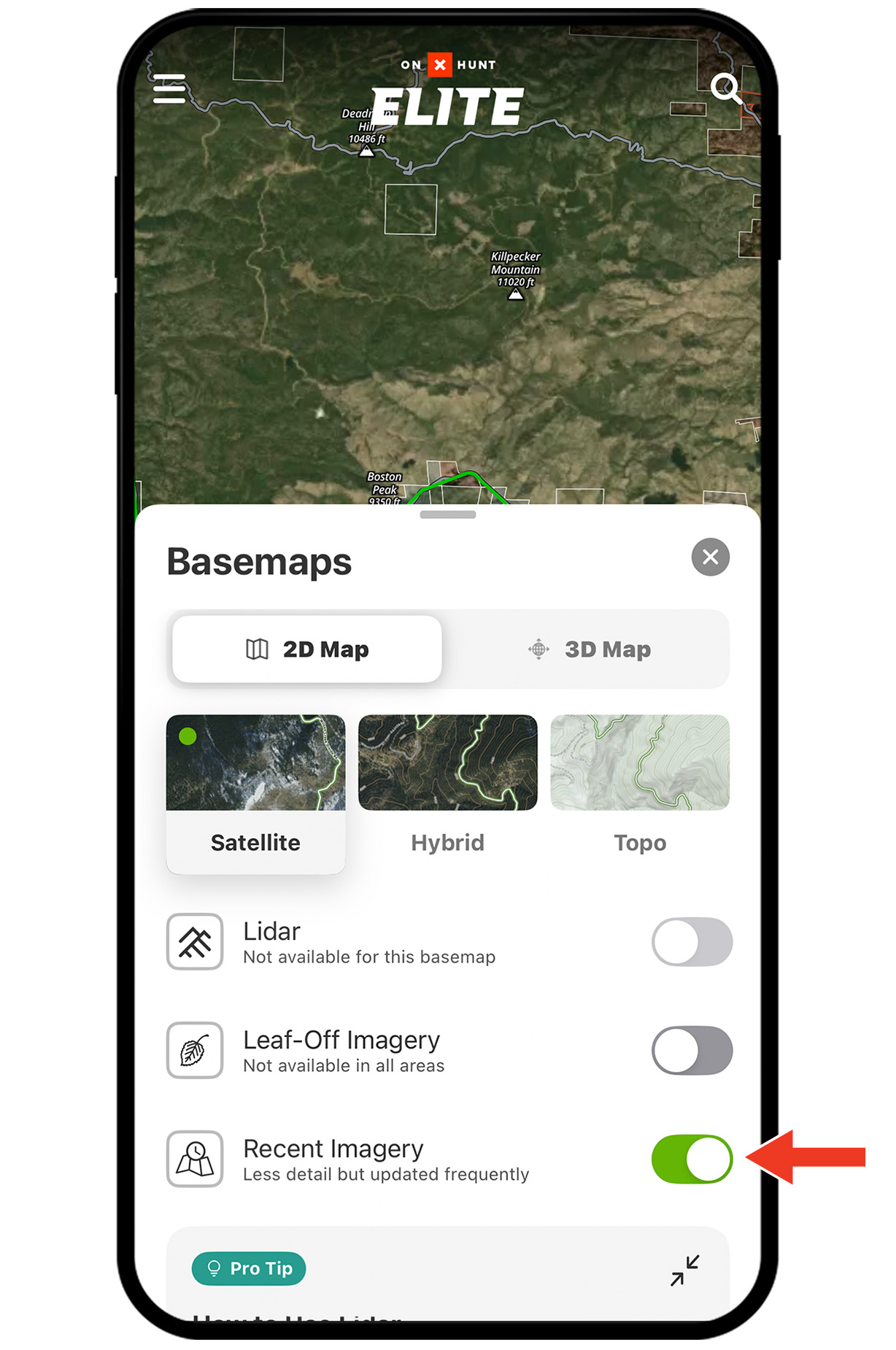
Step 2: Toggle Recent Imagery on. Tap the X or swipe down to return to the map.
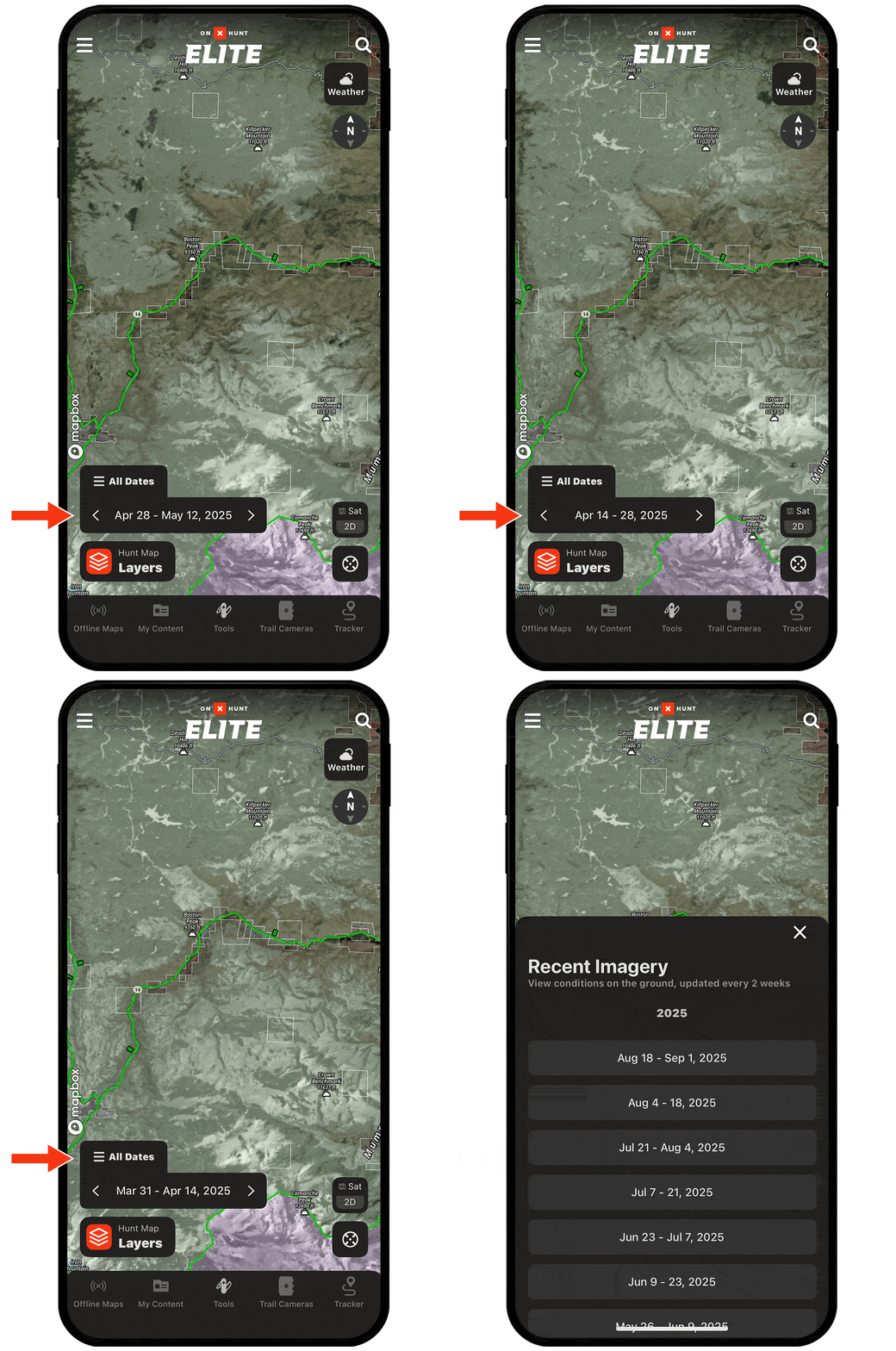
Step 3: Use the arrows to scroll through recent weeks, or tap All Dates to jump directly to a specific date.
Step 1: Tap the Basemaps button in the lower-right corner.
Step 2: Toggle Recent Imagery on. Tap the X or swipe down to return to the map.
Step 3: Use the arrows to scroll through recent weeks, or tap All Dates to jump directly to a specific date.
Unlock Recent Imagery
Recent Imagery is included with an Elite Membership. Start your subscription today.
Recent Imagery Use Cases
Explore ways to use Recent Imagery to improve your hunt.