Leaf-Off Imagery for Turkey Hunting
Use case examples to help you get the most out of Leaf-Off Imagery.
How-To
Activate Leaf-Off Imagery
*Elite-only capability.
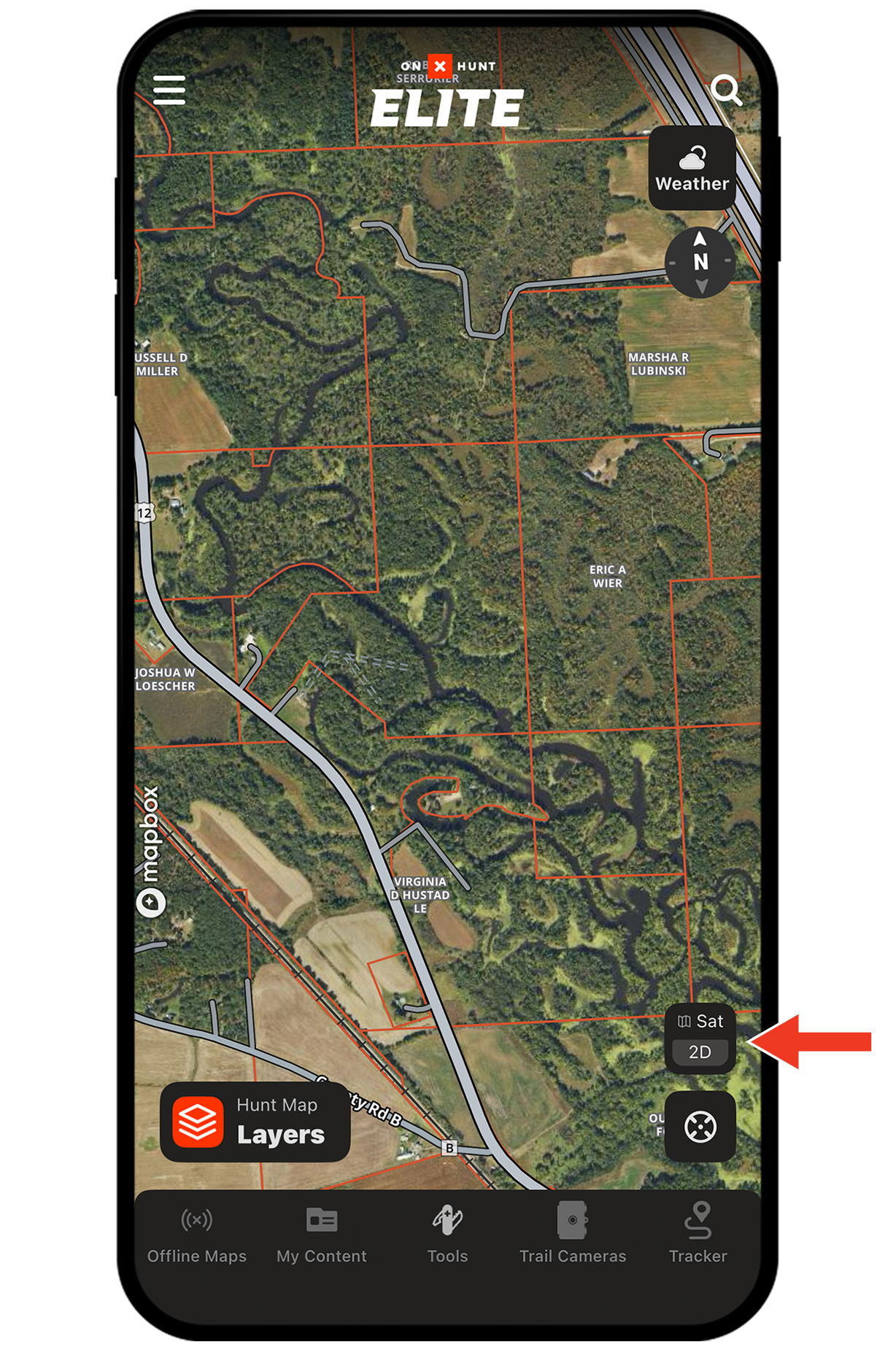
Step 1: Tap the Basemaps button in the lower-right corner.
Step 2: Toggle Leaf-Off Imagery on. Tap the X or swipe down to return to the map.
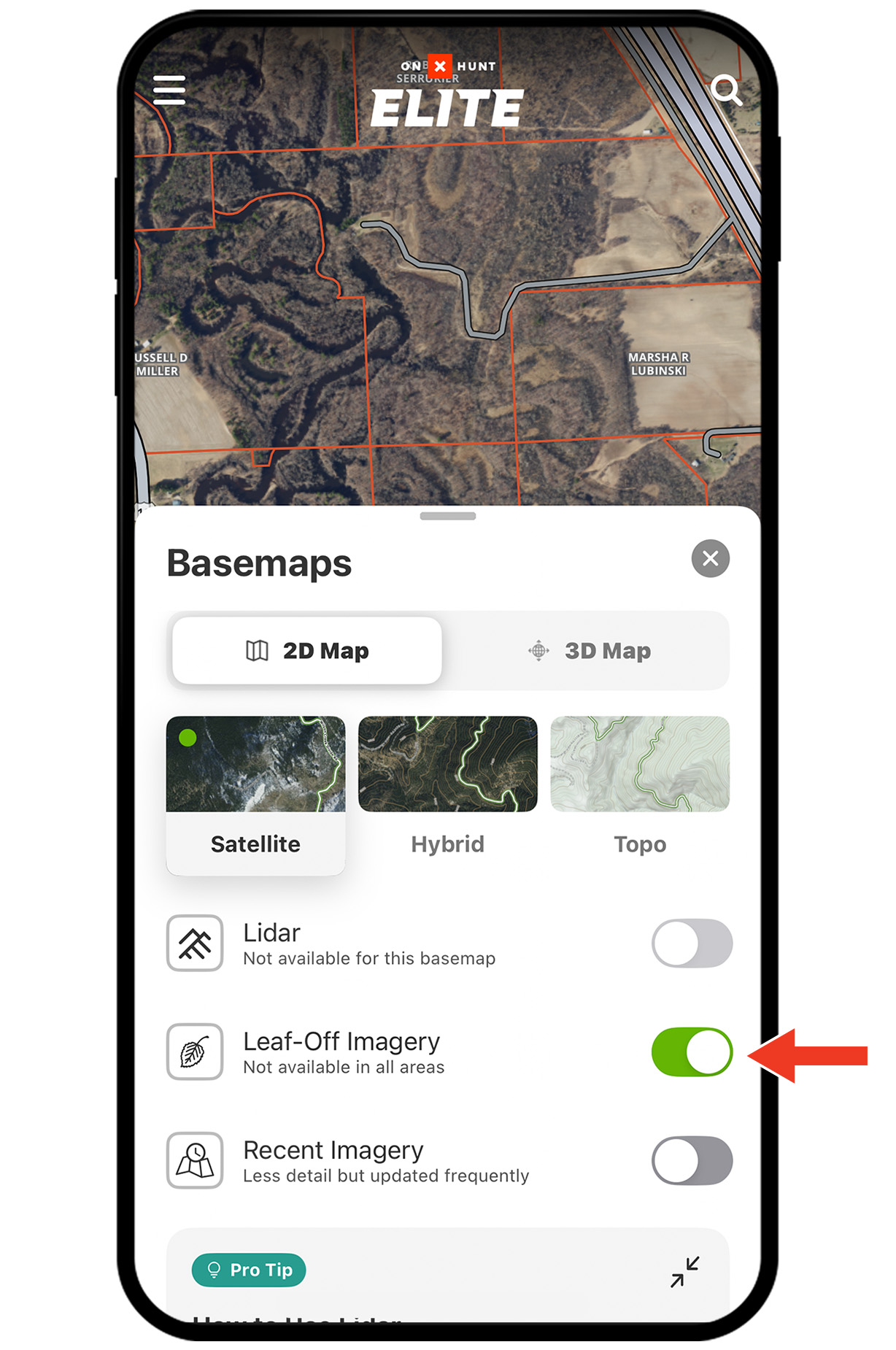
Note: Note: Leaf-Off Imagery is available in select states. If not available in your area, a map overlay will display: No Leaf-Off Imagery Available.
Step 1: Tap the Basemaps button in the lower-right corner.
Step 2: Toggle Leaf-Off Imagery on. Tap the X or swipe down to return to the map.
Note: Note: Leaf-Off Imagery is available in select states. If not available in your area, a map overlay will display: No Leaf-Off Imagery Available.
Use Cases
Identify habitat diversity.
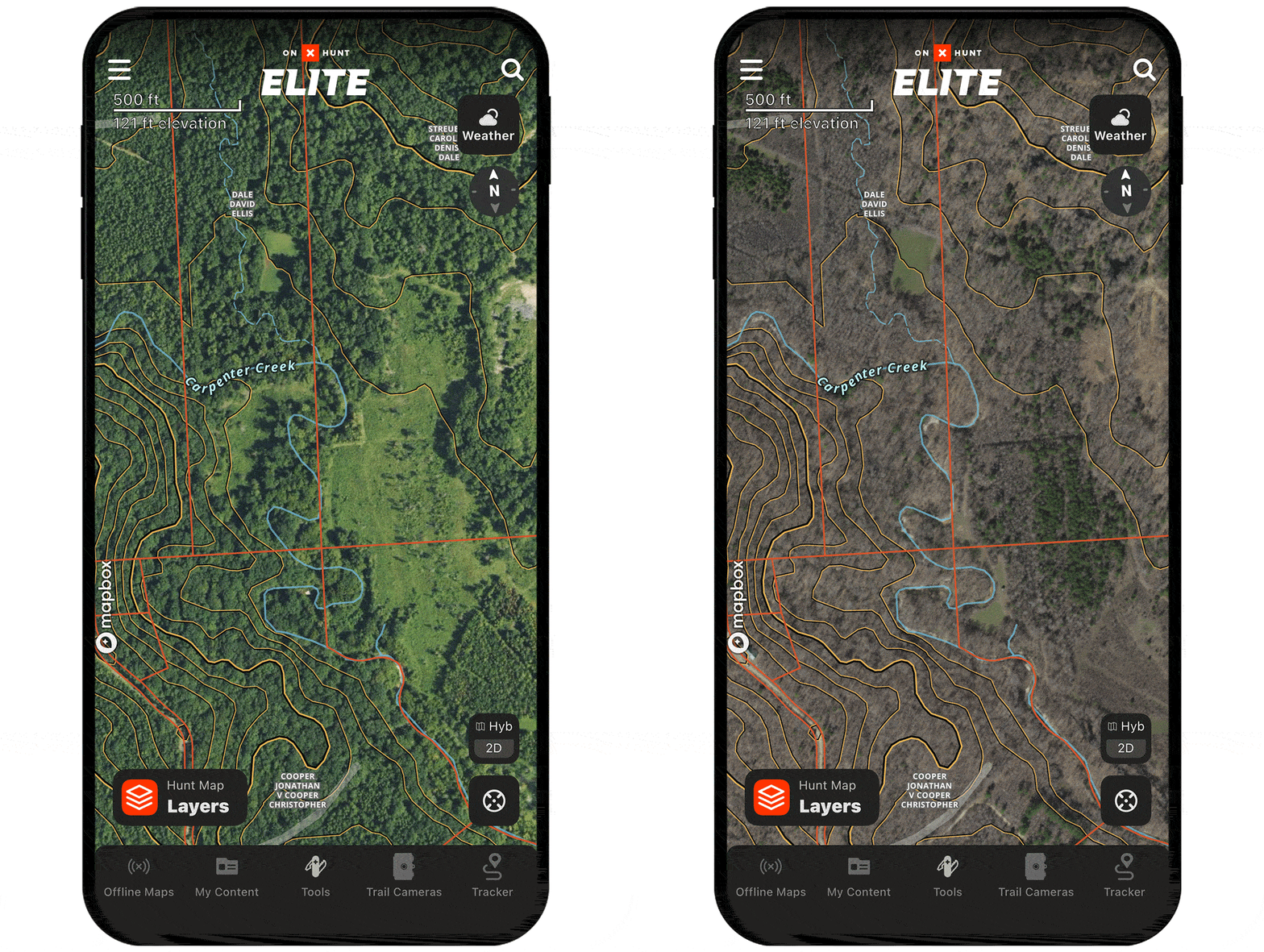
Turkeys rely on habitat diversity to thrive, and with the sea of green gone, you can locate diverse habitats across the landscape. Edges, transition areas, habitat diversity—they all speak to the same thing. Finding these areas will cut down the time it takes you to locate a gobbling bird.
Unlock Leaf-Off Imagery
Leaf-Off Imagery is available to Elite Members.
“When I revisited the state forest where we hunted turkey on the onX App and switched on Leaf-Off Imagery, I was astonished. Depicted there was the entirety of the laurel that had tortured us, now clear as day, like a shore of light green against the bare brown expanse of empty winter woodlands.”
– Christopher Ross, onX Hunt Customer and Writer