Sharing
Stay connected with Sharing—send Waypoints, Tracks, Lines, Areas, Routes, and Folders to your crew, even without cell service.
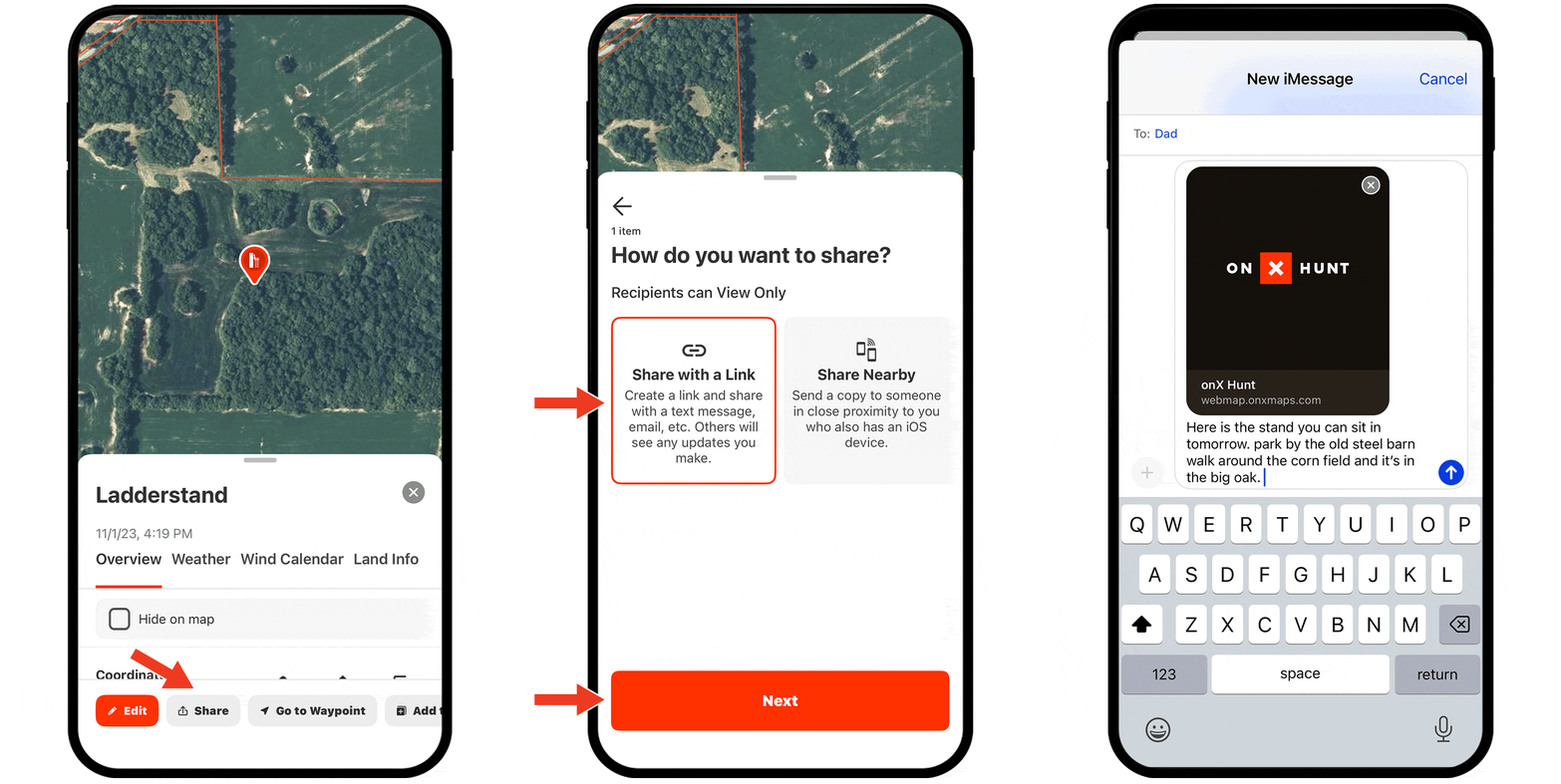
Sharing Tutorial
Expand each block to learn how Sharing works.
Share an Individual Map Markup
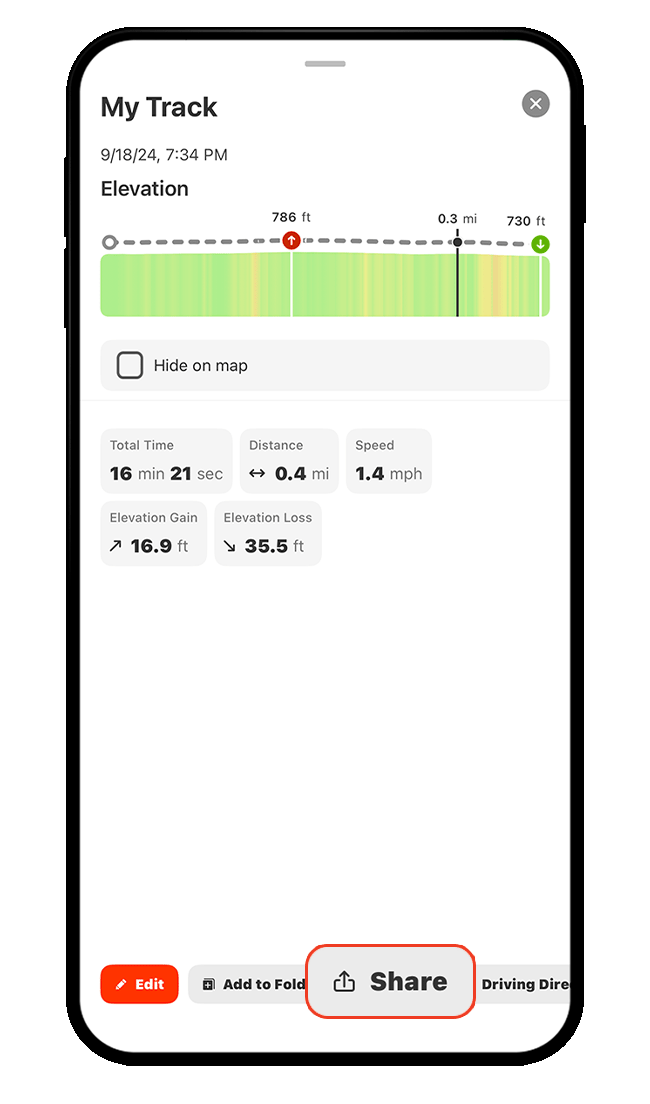
Step 1: Tap any map markup (Waypoint, Track, Line, etc.), then tap Share.
Alt Method: From My Content, tap the three dots next to any markup, then select Share.
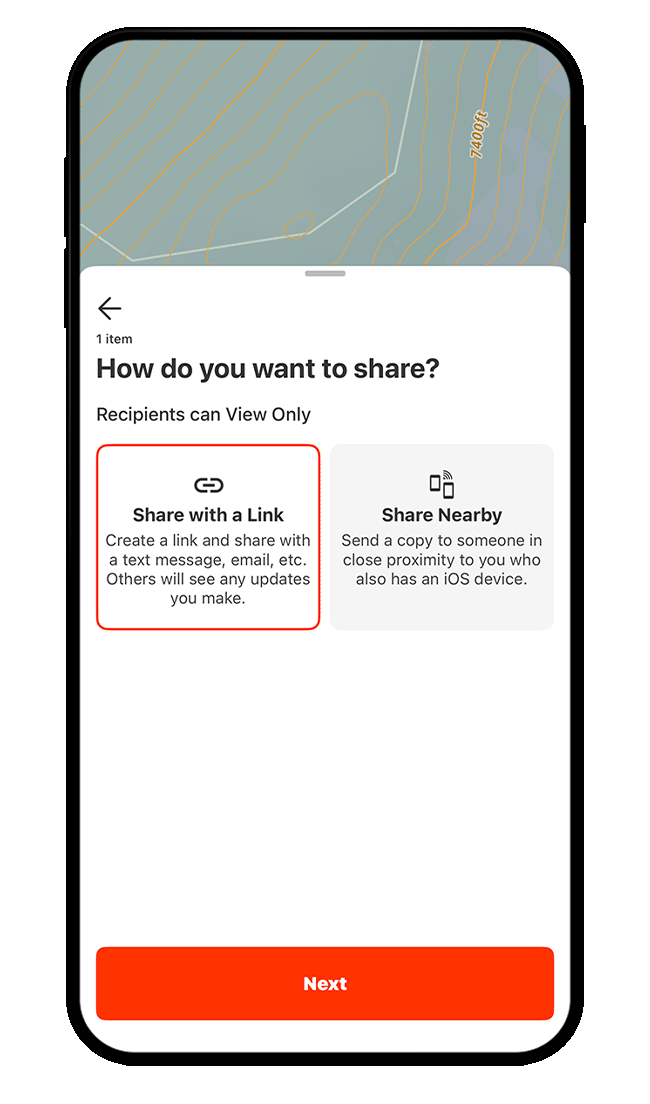
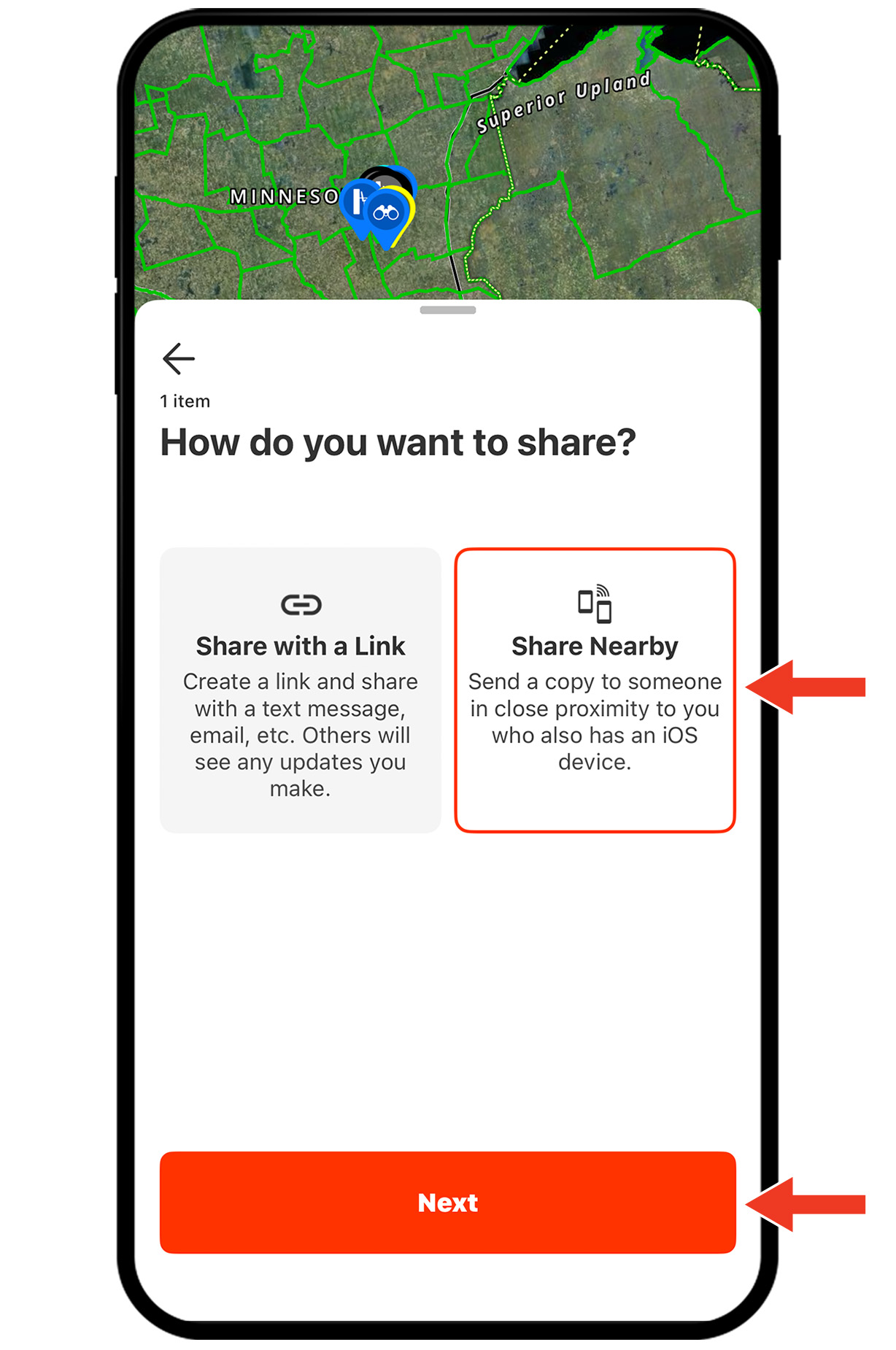
Step 2: Choose your preferred way to share, then tap Next.
Tip: Choose Share with a Link to send your track to others via text or email. Choose Share Nearby to share your track to nearby devices of the same kind (iPhone to iPhone or Android to Android) via Bluetooth, especially useful when offline.
Share Multiple Map Markups
Step 1: Tap My Content.

Step 2: Tap Select (you can also tap the ellipsis for more options).
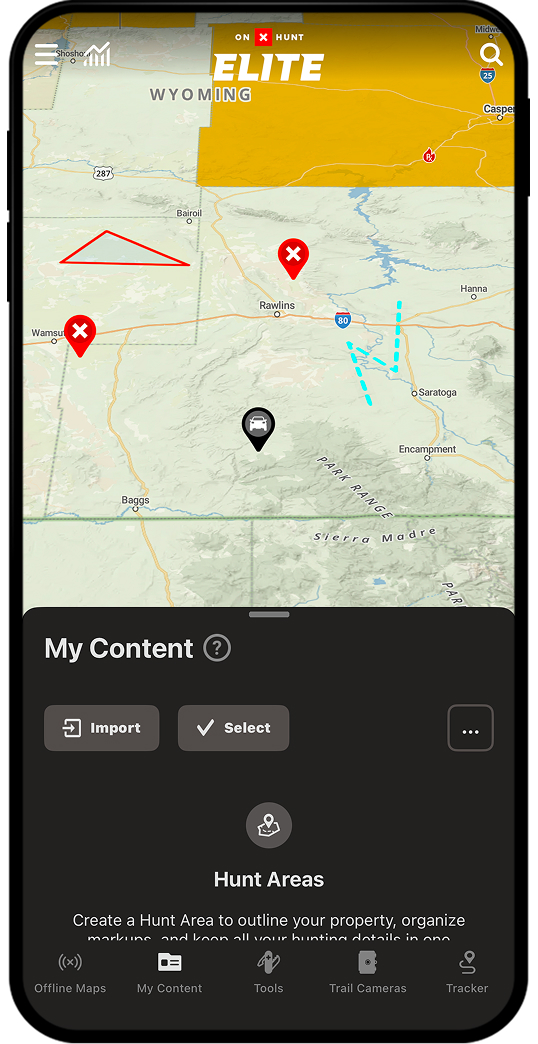
Step 3: Select items either by tapping those items directly on the map (shown in the first image; map markups you’ve selected will be outlined in white) or by swiping the “Select Content” card to the top of your screen and selecting the checkboxes next to the items you want to share (shown in the second image).
You can also tap the ellipsis for more options.
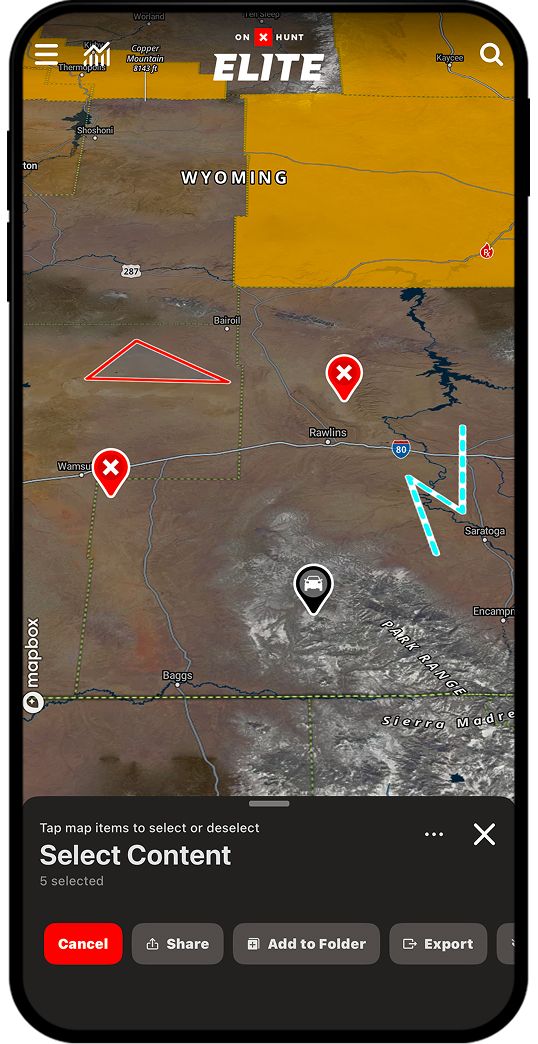
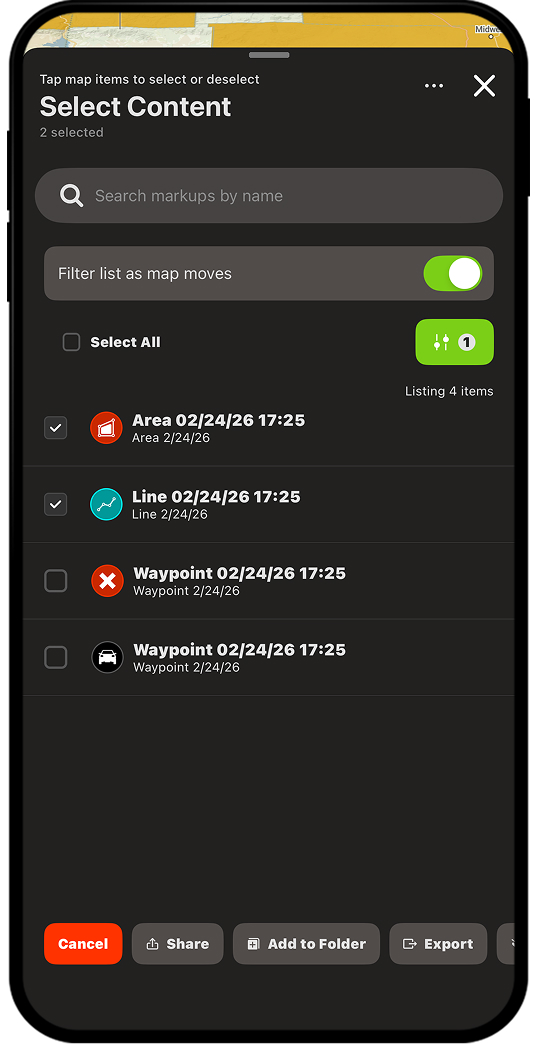
Step 4: Tap “Share.”
Alternative Method: You can also group markups in a Folder. Learn how to create and share Folders.
Share Offline
*You must be physically located near your recipient, and you must be using devices of the same platform (i.e. iPhone to iPhone or Android to Android)
Step 1: Tap the map markup or Folder you want to share, then tap Share.
Step 2: Select Share Nearby, then tap Next.
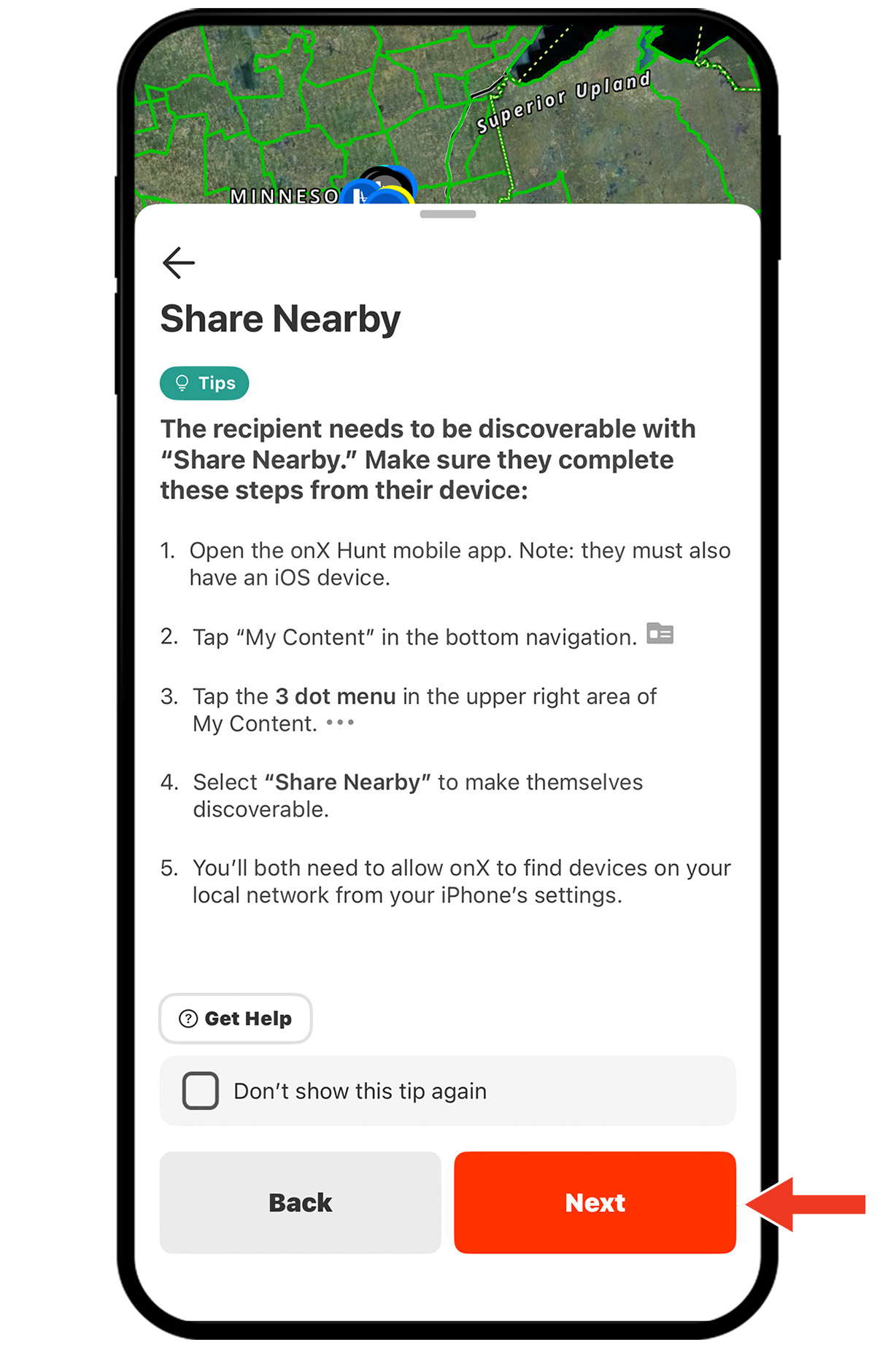
Step 3: Follow the on-screen steps to make the recipient’s device discoverable. When ready, tap Next.
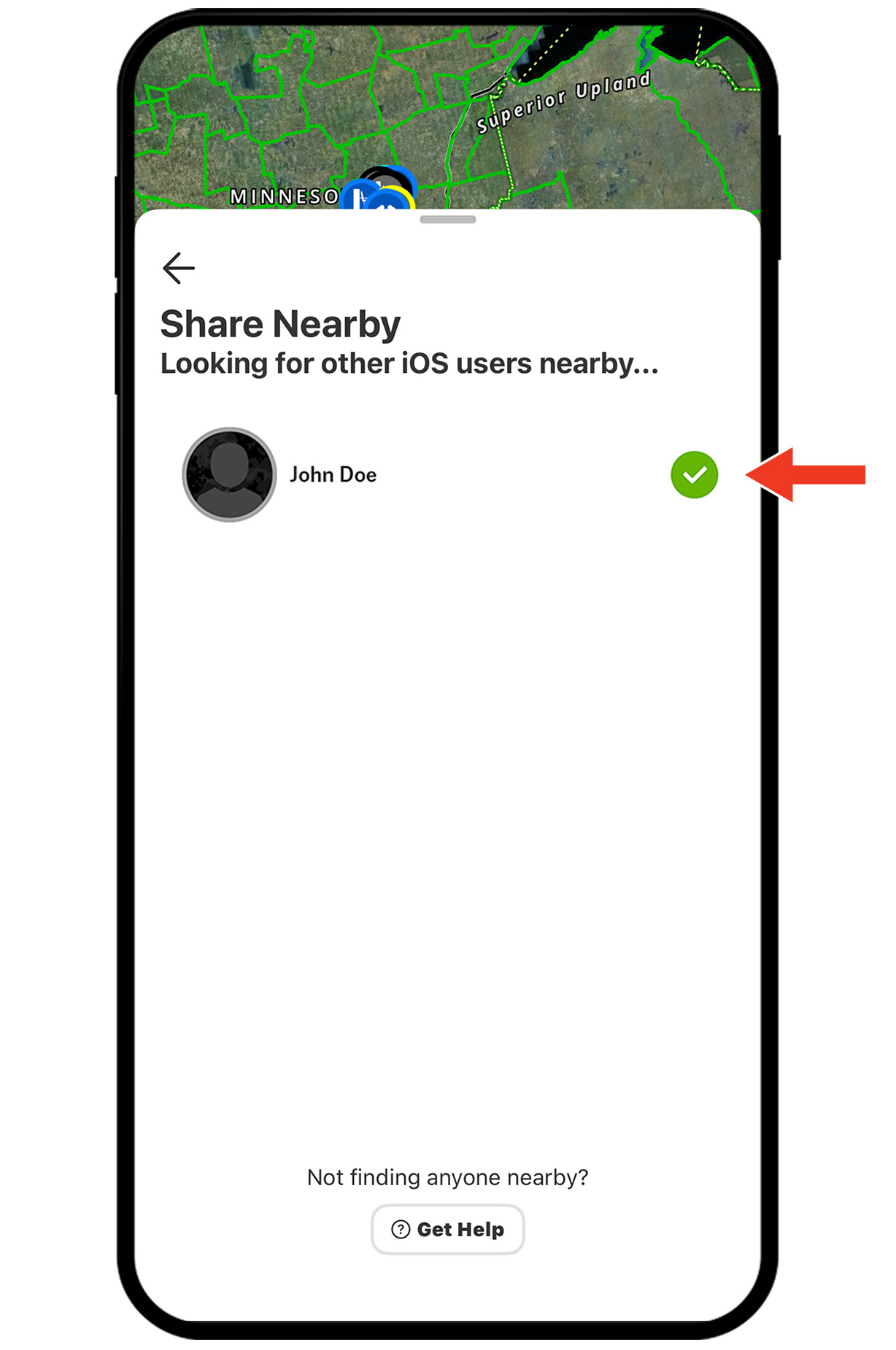
Step 4: Select your recipient from the available devices. Your recipient will be prompted to Accept. You’ll see a green checkmark next to their name when the share has completed.
Unlock Sharing
Purchase a paid membership to begin planning your next hunt.

Share pins and plans.
Coordinate access routes.
Build shared intel.