
Wind & Weather for Turkey Hunting
Use case examples to help you get the most out of the App’s wind and weather information.
How-To
View Current Conditions and Forecasts
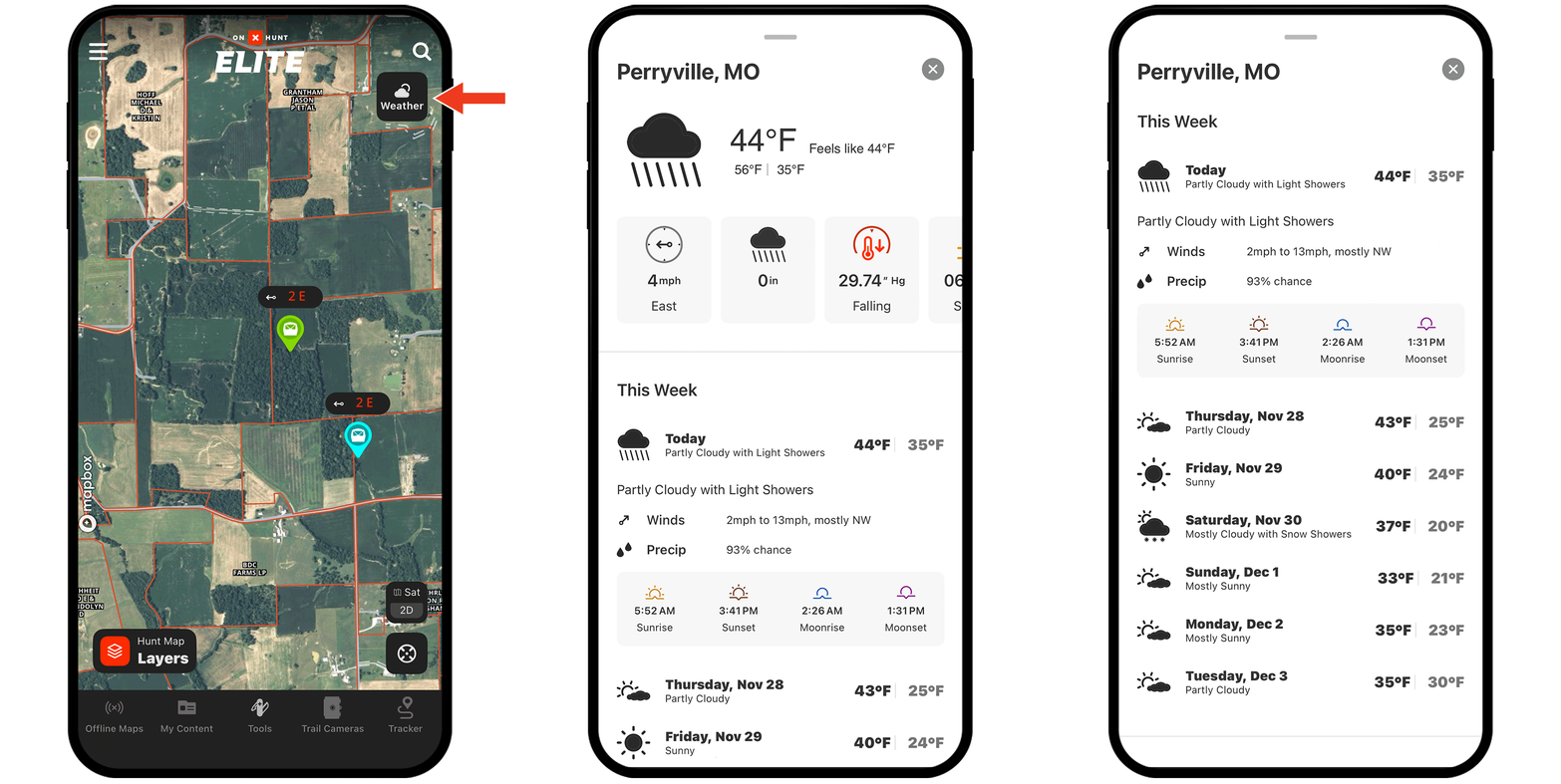
Step 1: Tap the Weather button on the right-hand side of the screen (or tap anywhere on the map and select the Weather tab in the info card that appears).
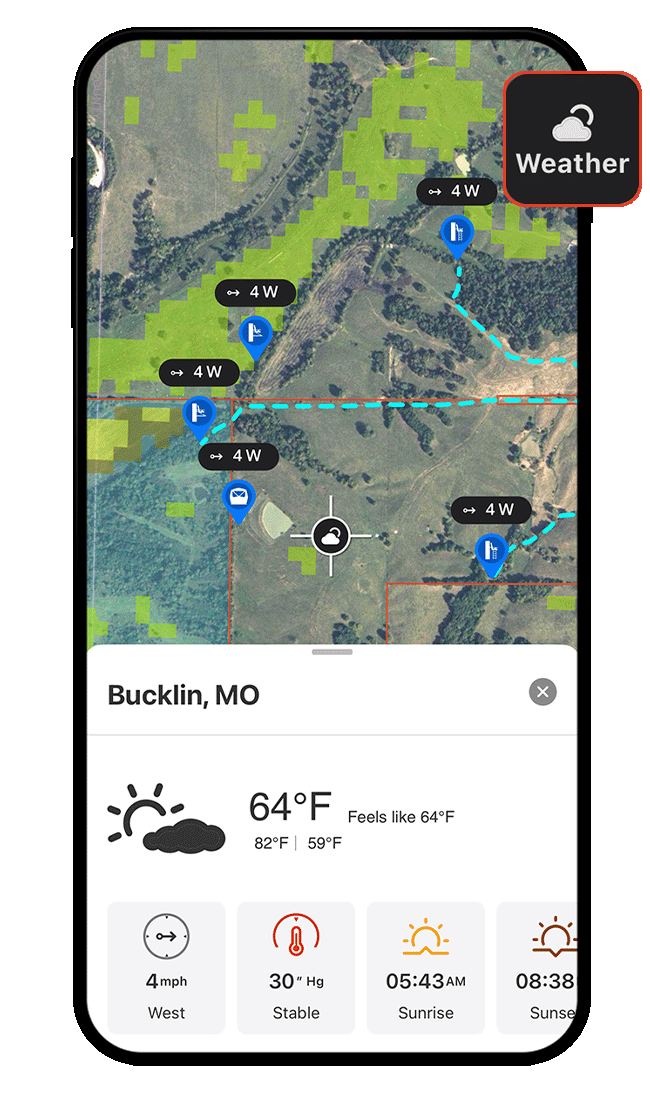
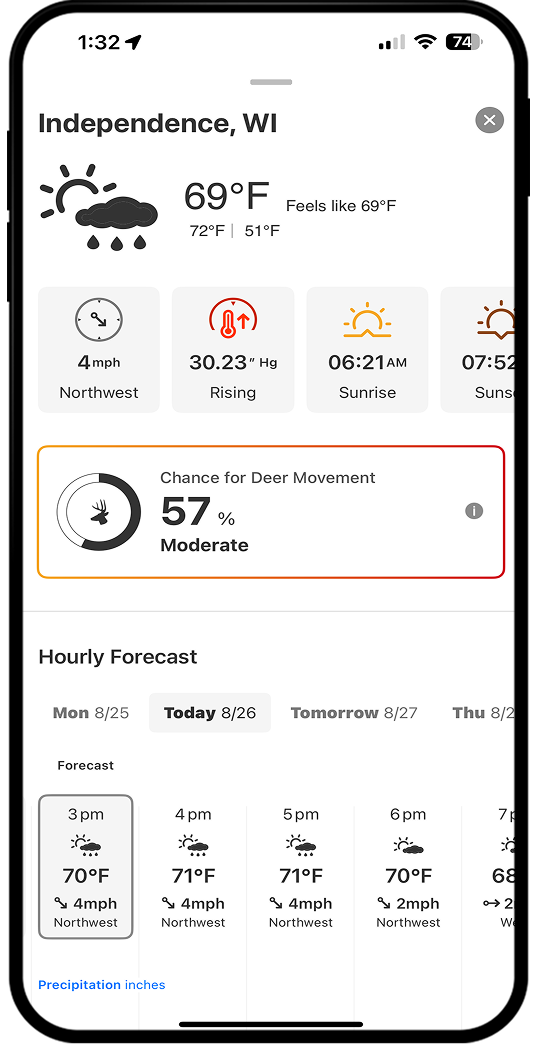
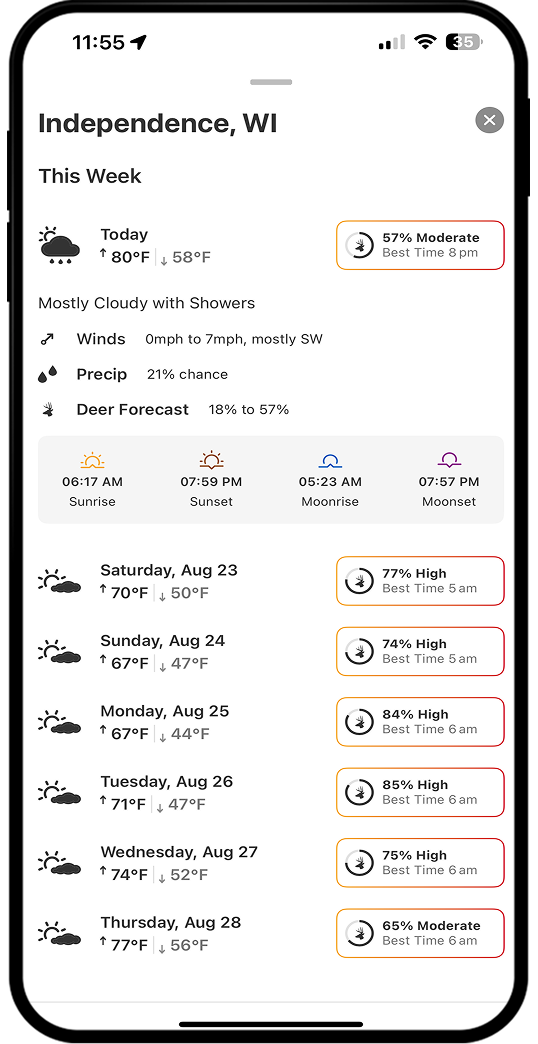
Step 2: View current temperature, highs and lows, wind speed and direction, hourly and daily forecasts, and sunrise/sunset times. Elite Members also have access to Deer Movement Forecast, which predicts the chance of deer activity for a given location.
View Current or Optimal Wind Speed and Direction
Step 1: Tap a Waypoint, drag the information card toward the top of your screen to expand the details, and select Wind Direction.
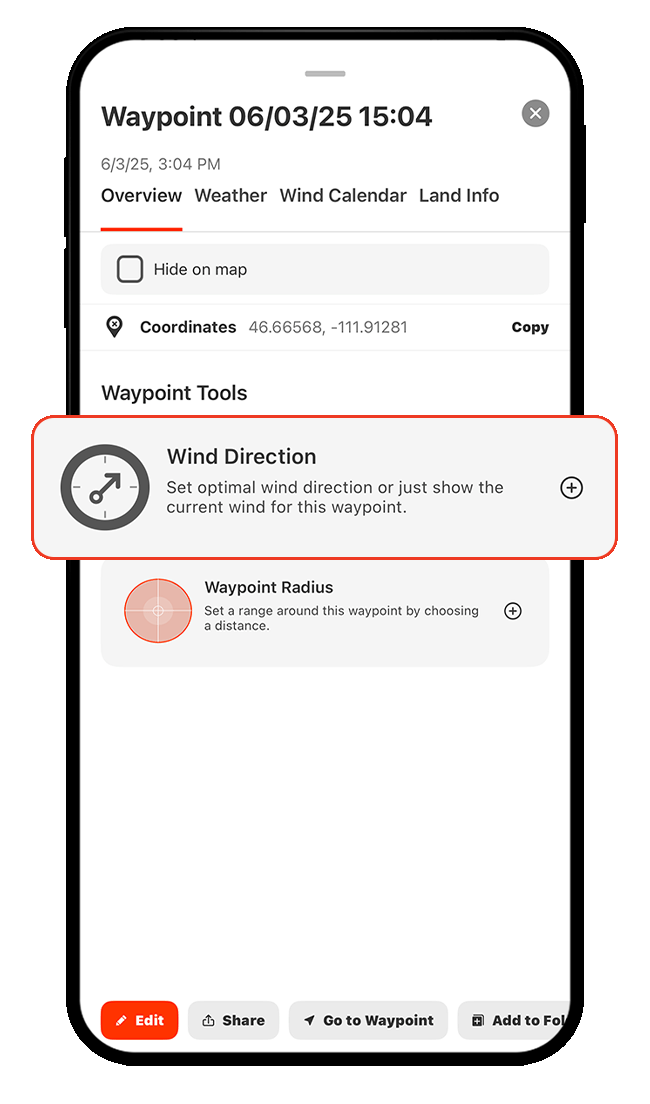
Step 2: Choose whether you want to view the current wind speed and direction (Show Current Wind) or your preferred wind speed and direction (Set Optimal Wind).
If you choose Show Current Wind, tap Apply to see real-time wind data on the map.
If you choose Set Optimal Wind, continue to Steps 3-4 to customize your ideal wind conditions.
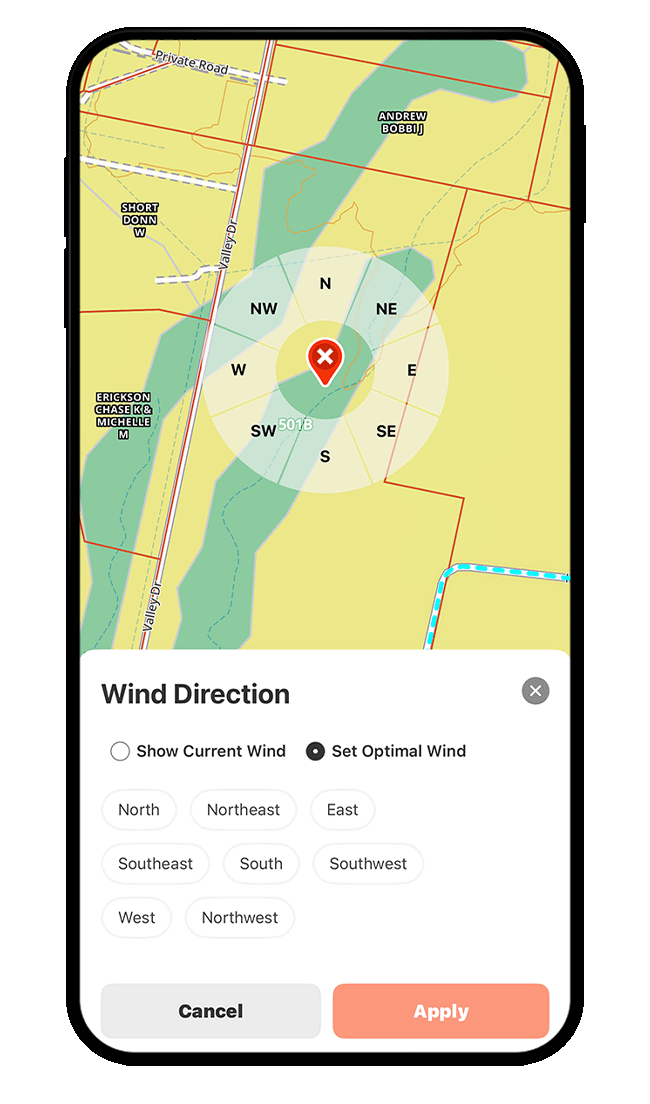
Step 3: To set Optimal Wind, tap the wind direction(s) best suited for that location. Remember, wind direction refers to the direction the wind is coming from.
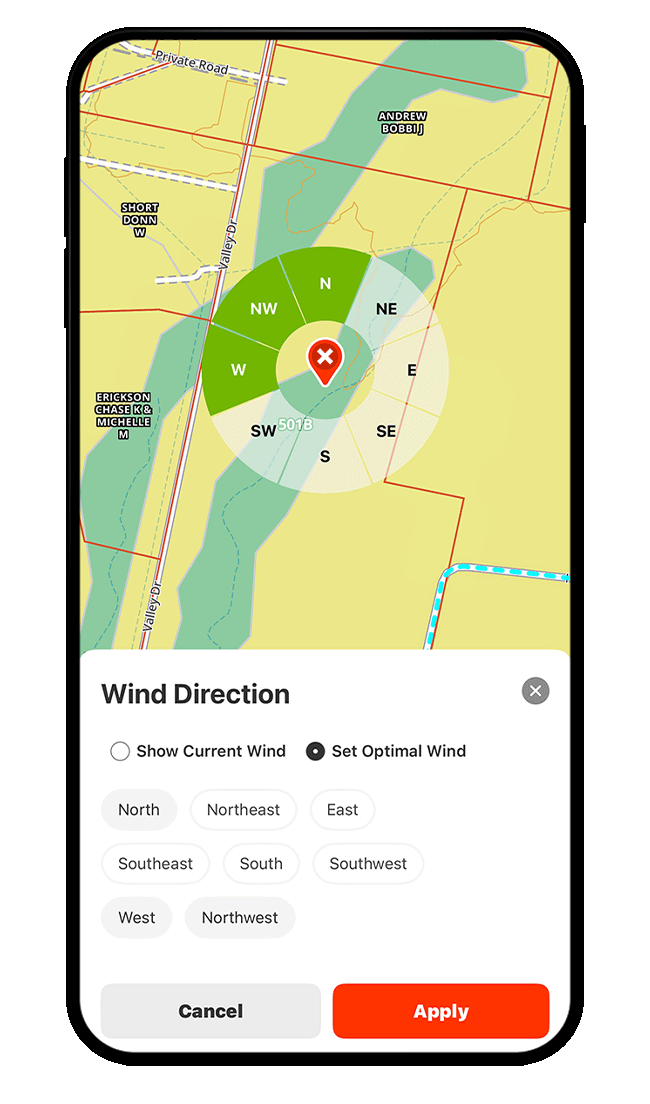
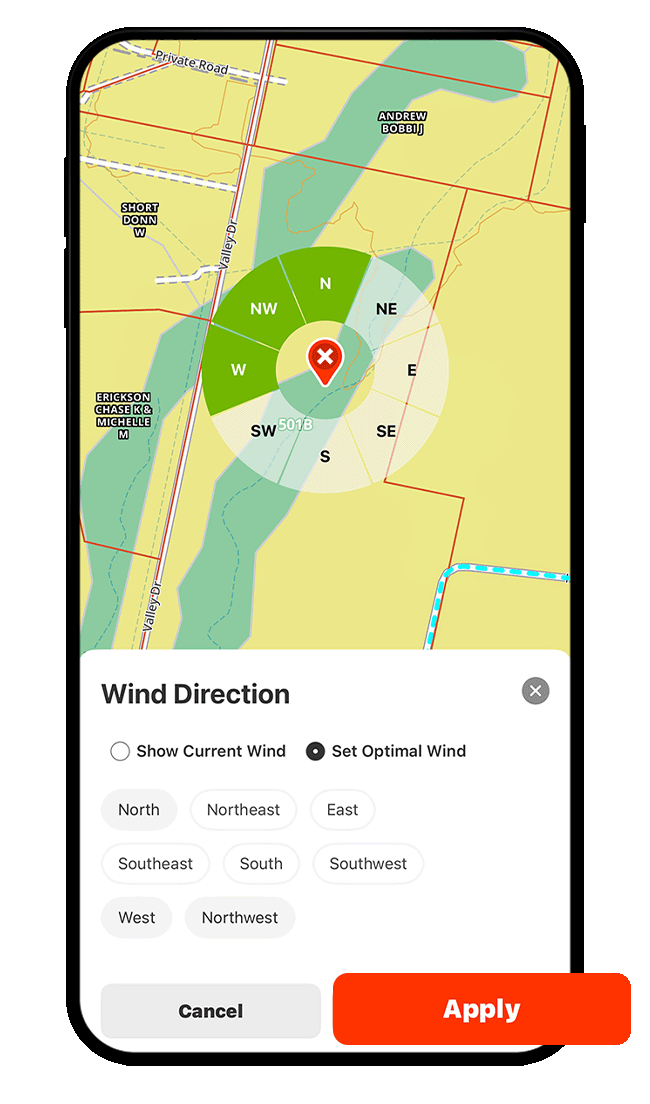
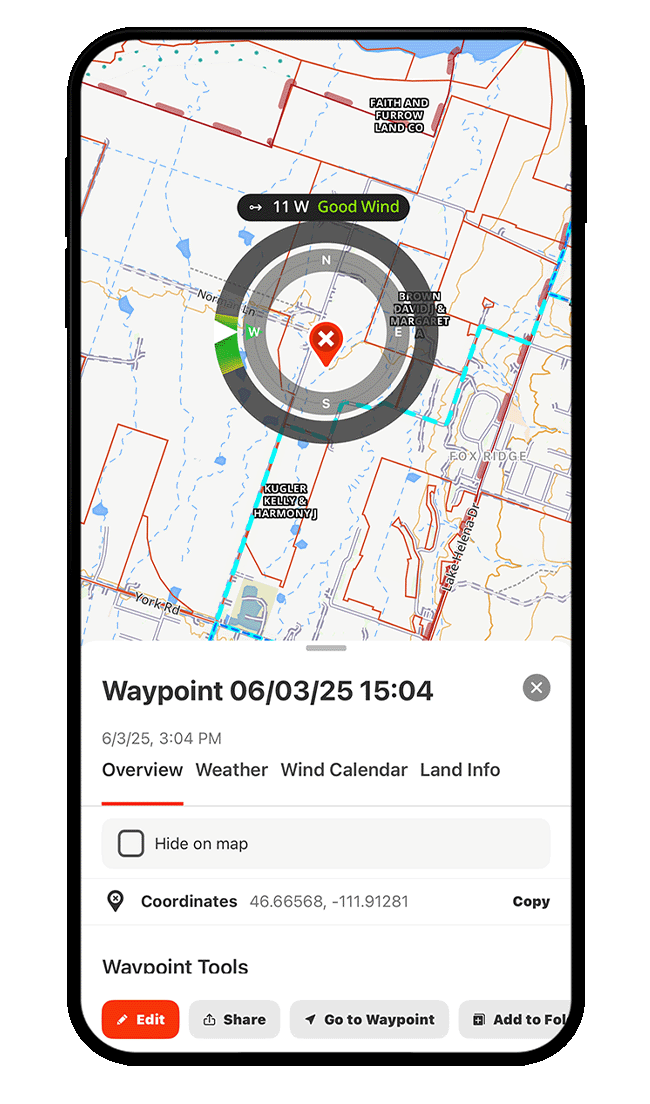
Step 4: Tap Apply to view real-time wind direction and speed for the location, along with a color-coded indicator—green for good, yellow for okay, and red for bad—based on the wind preferences you set in the previous step.
Compare Wind Details Across Locations
Once you’ve established wind settings for more than one Waypoint, you can compare wind speeds and directions across locations.
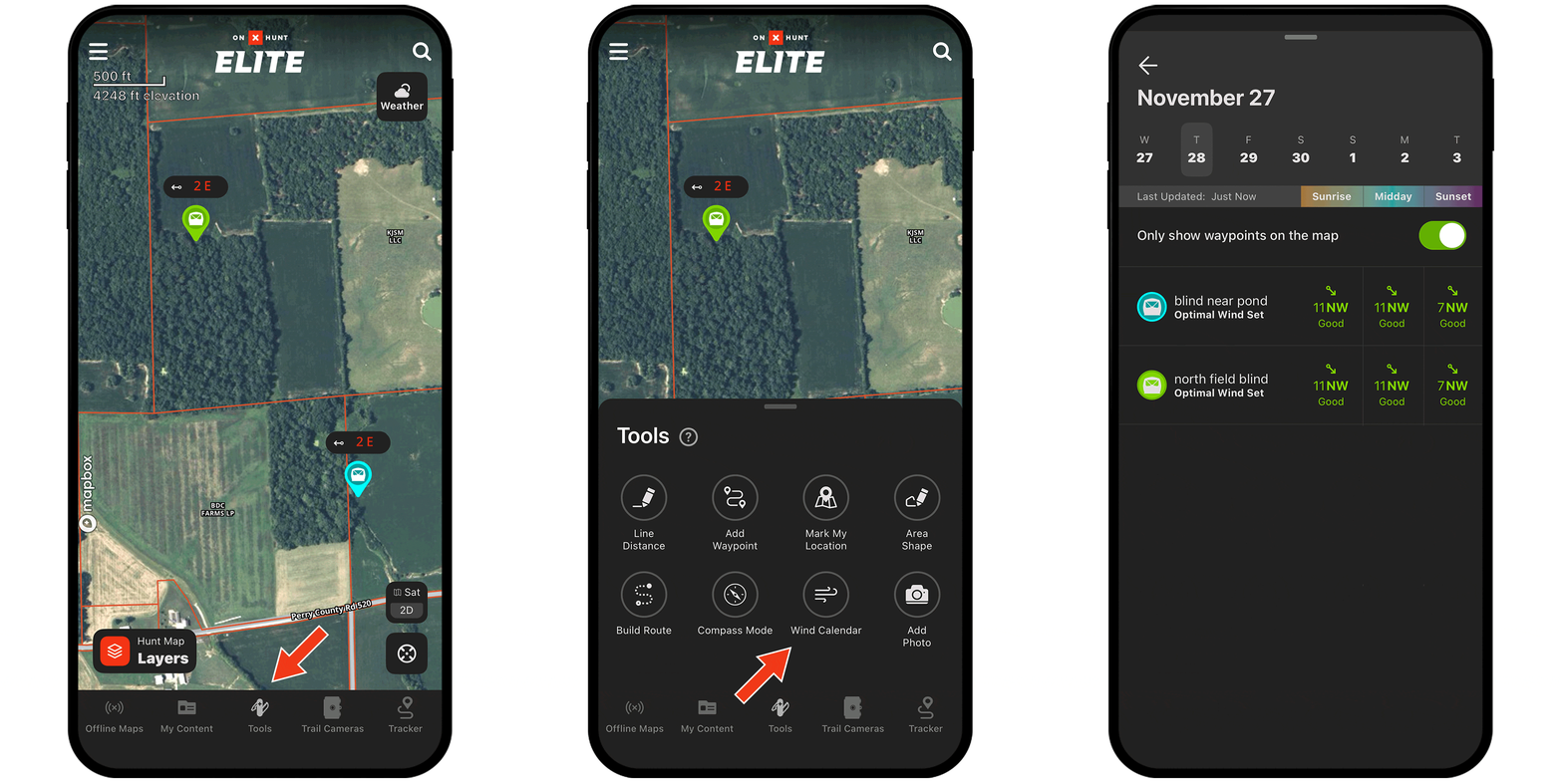
Step 1: Tap on a Waypoint, choose the Wind Calendar tab, and select Compare Wind.
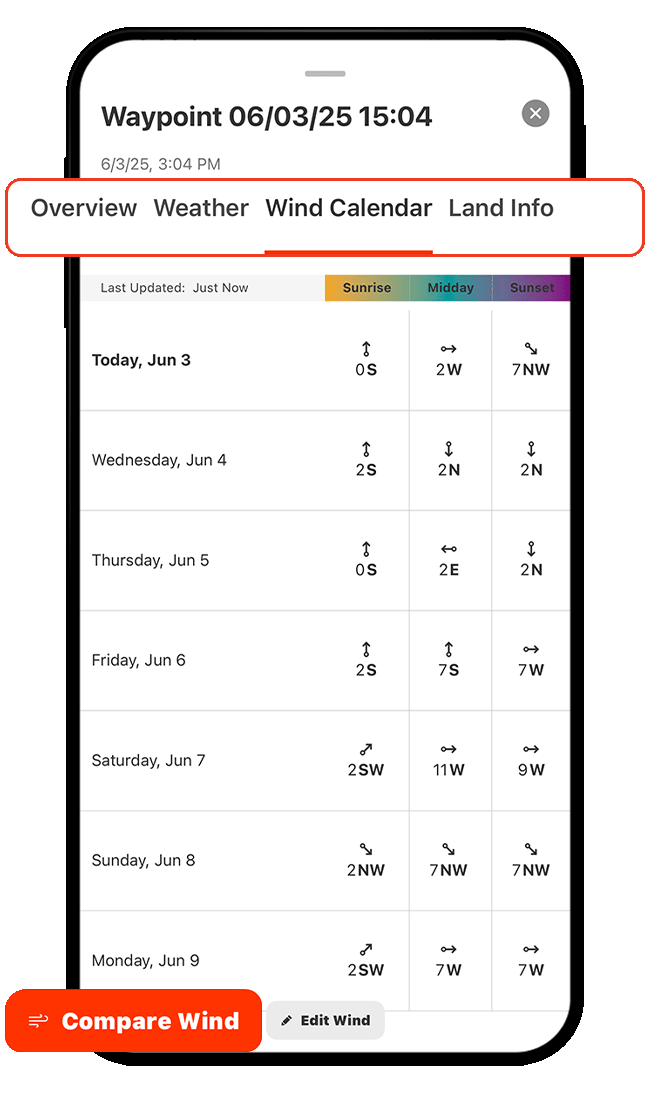
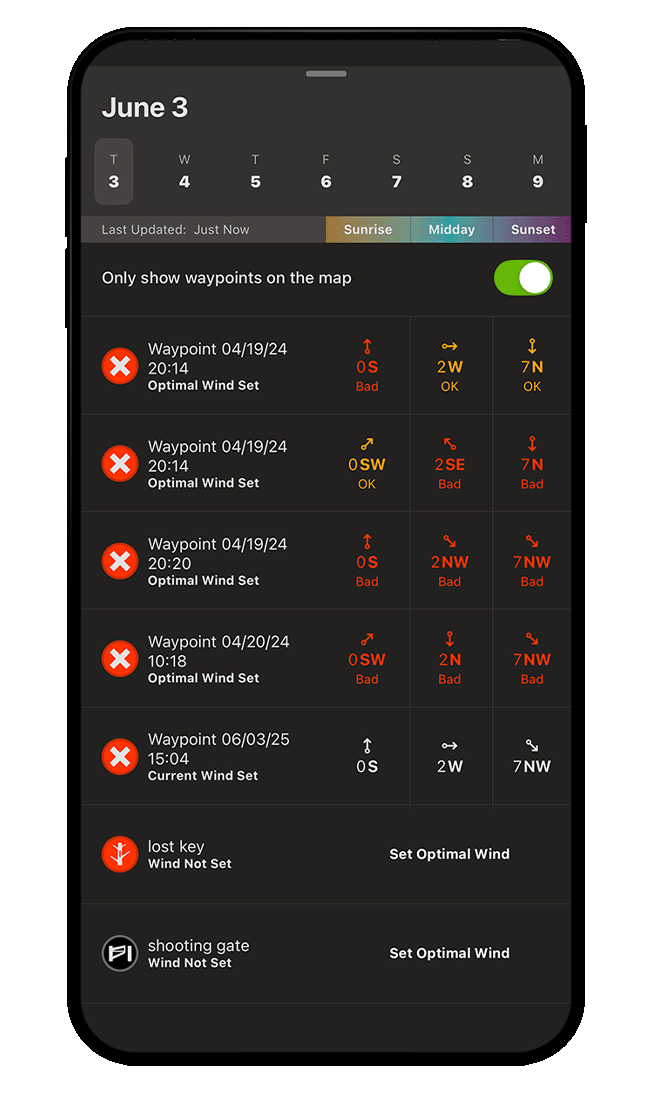
Step 2: Scroll through the Waypoint list to find locations with the best wind conditions over the next seven days, broken down by time of day.
To limit results to Waypoints currently visible on the map, make sure the toggle is green (as shown below).
If a Waypoint doesn’t have wind settings, tap Set Optimal Wind to define ideal conditions so it’s included in future comparisons.
View Precipitation Radar
Step 1: Tap Hunt Map Layers.
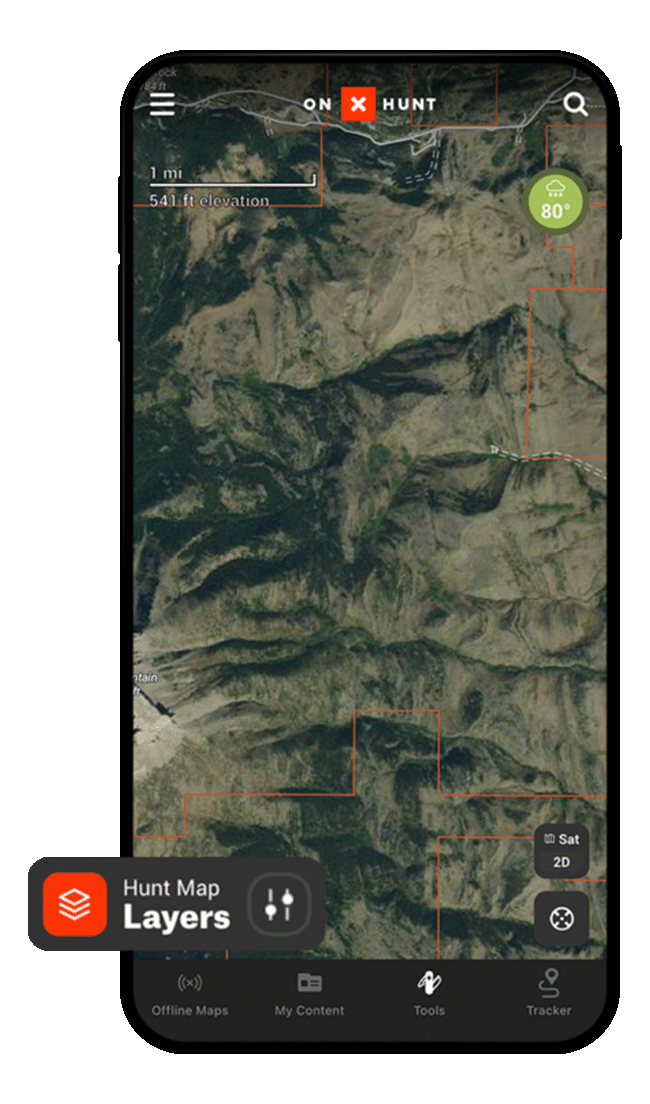
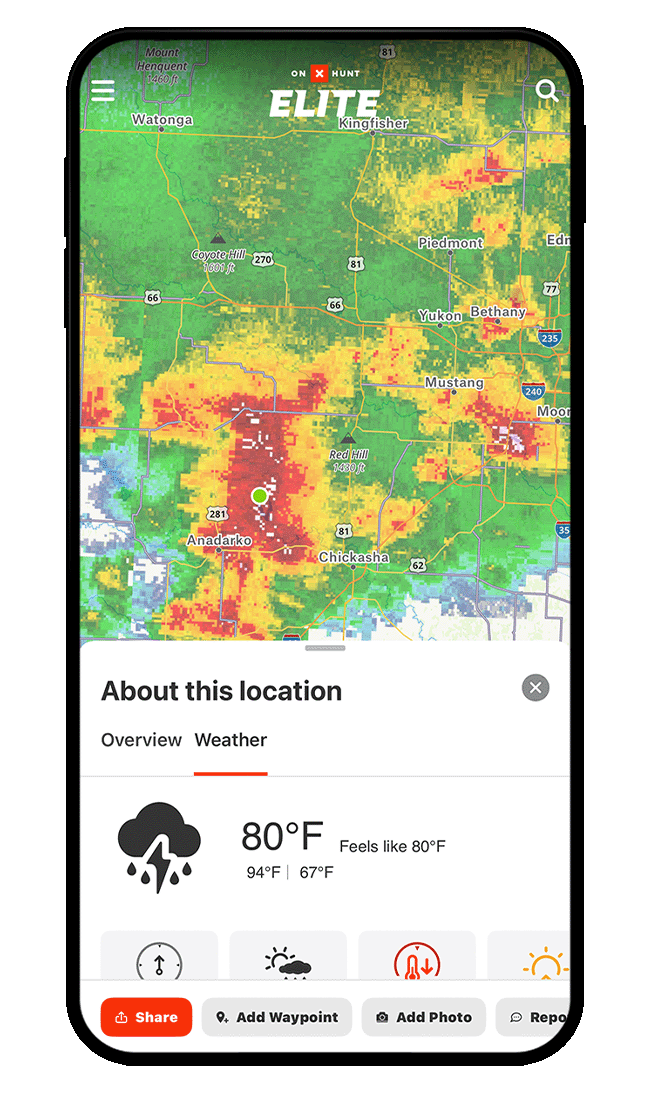
Step 2: Tap Current Conditions, and then toggle on Precipitation Radar.
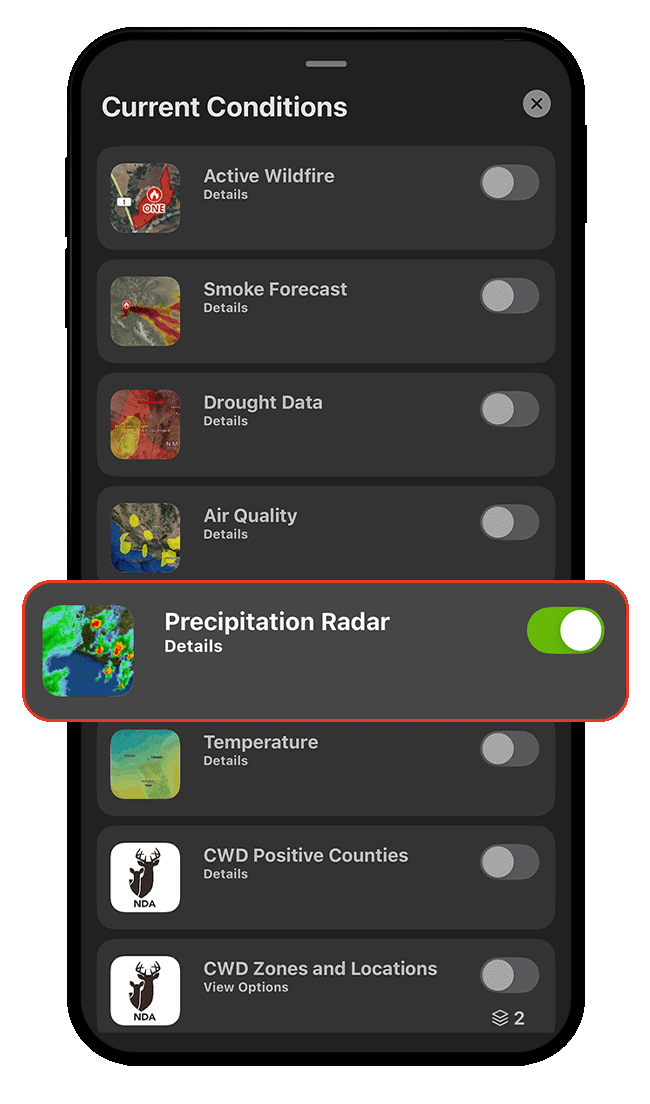
Step 3: Pan over the map to view precipitation radar over any location. Tap on any location, then tap the Weather tab for details.
View Temperature Gradient
Step 1: Tap Hunt Map Layers.
Step 2: Tap Current Conditions, and then toggle on Temperature.
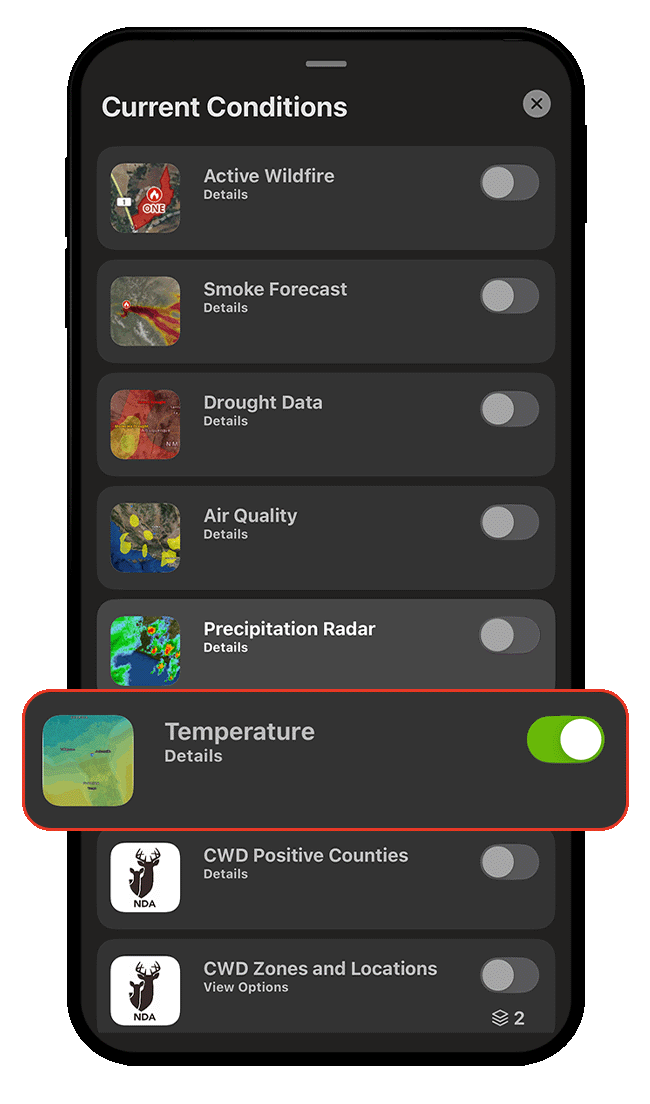
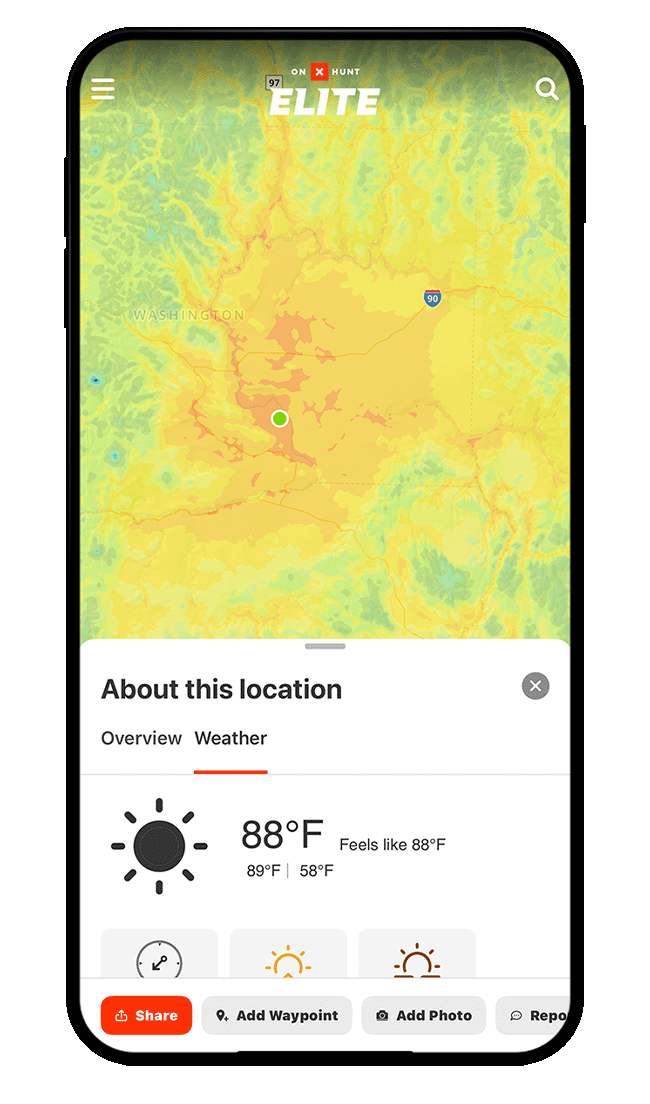
Step 3: Pan over the map to view the color-coded temperature gradient. Tap on any location, then tap the Weather tab for details.
Use Cases
Find a good setup location.
Set Optimal Wind on all your setup-related Waypoints so you can use the Wind Calendar to review side-by-side wind forecasts to determine which spot has the most mild winds for the day.
Know when to pop up the ground blind.
Steady or heavy rains reduce the ability to hear, and you may see birds congregate in open areas so they can maximize the use of their sharp eyesight.
Use weather forecasts to know when to position yourself in a ground blind during a rainstorm.

onX Hunt doesn’t just tell you the weather—it tells you your weather.
Tap any spot on the map for hyper-local forecasts that account for terrain features like elevation, slope aspect, and water effect. Whether you’re deciding which area has the best wind, prepping gear for the day, or fine-tuning your setup, onX’s Wind and Weather tools deliver accurate forecasts for exact locations.