Map Layers for Turkey Hunting
Learn how customizing your map can help you find more turkeys.
How-To
Step 1: Tap “Hunt Map Layers” at the bottom of your screen.
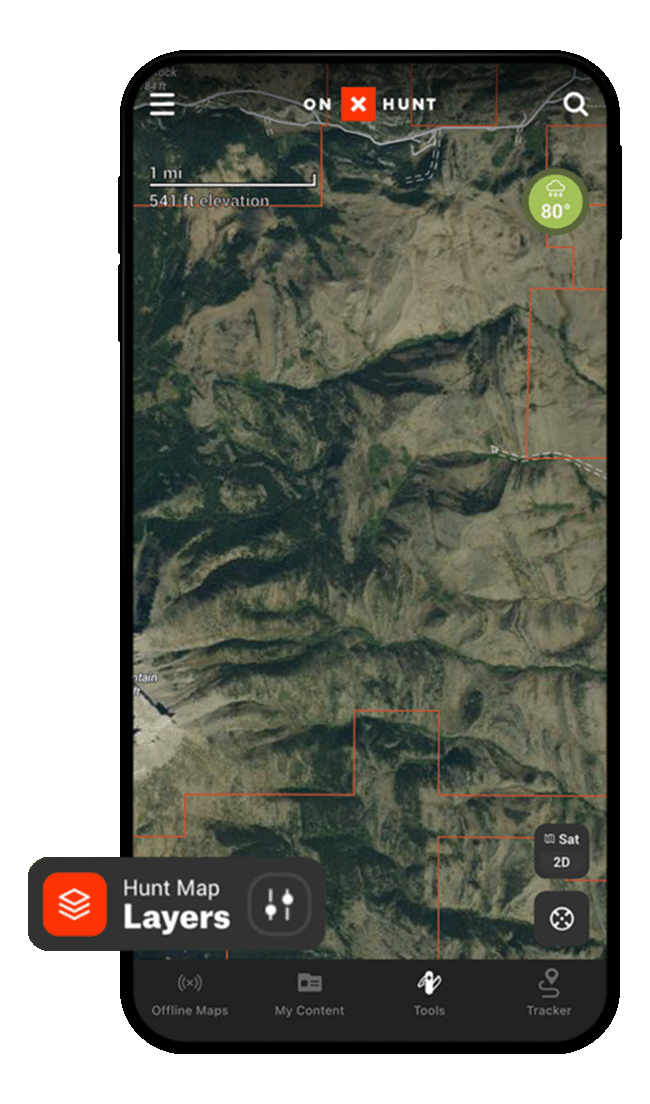
Step 2: Tap into any Map Layer collection to view available data overlays, or scroll down to “Turn On State” (available to Premium Two-State and Elite Members) to access state-specific Map Layers.
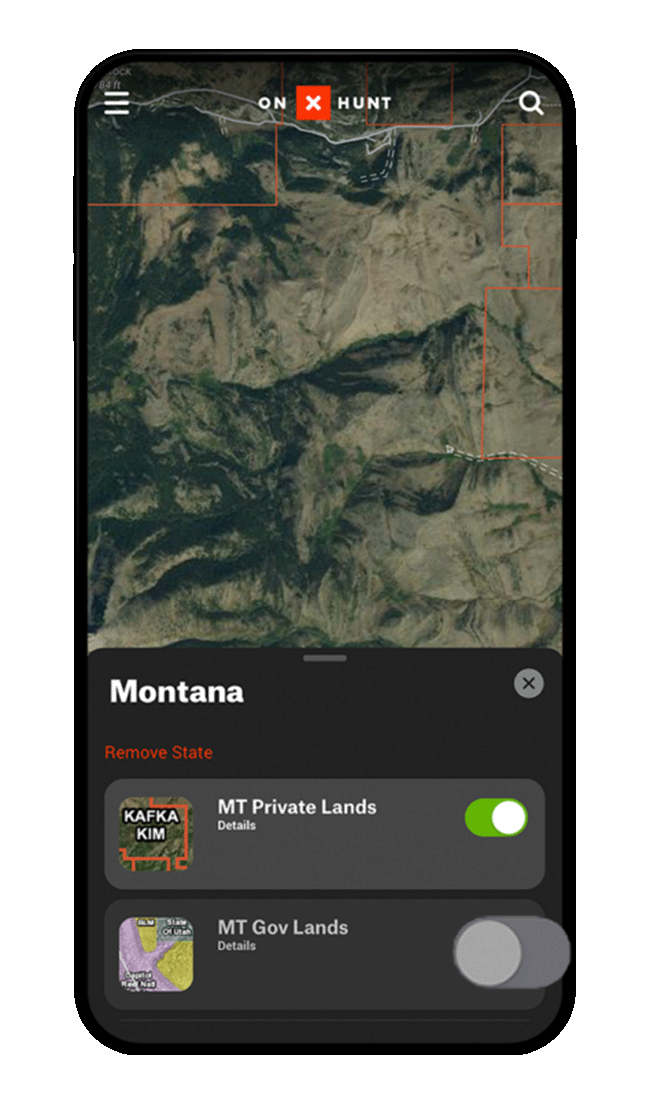
Step 3: Tap the toggle next to any Map Layer to activate it on your map. Note, different Map Layer data appears at different zoom levels. If you activate a Map Layer and don’t immediately notice your map change, zoom in and out.
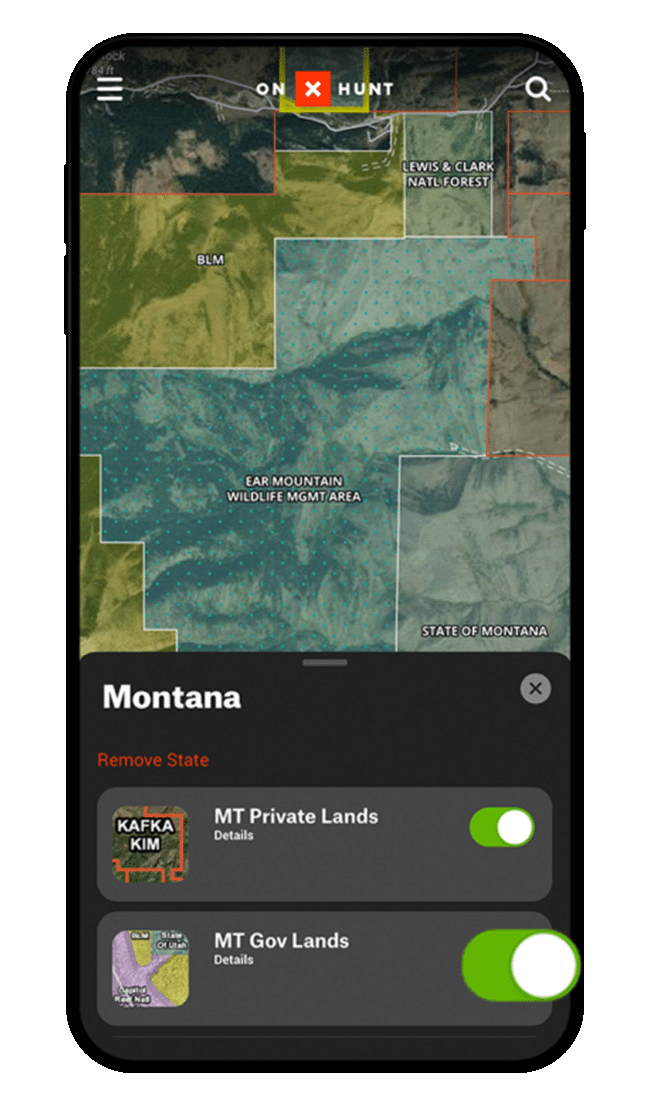
Step 1: Tap “Hunt Map Layers” at the bottom of your screen.
Step 2: Tap the magnifying glass.
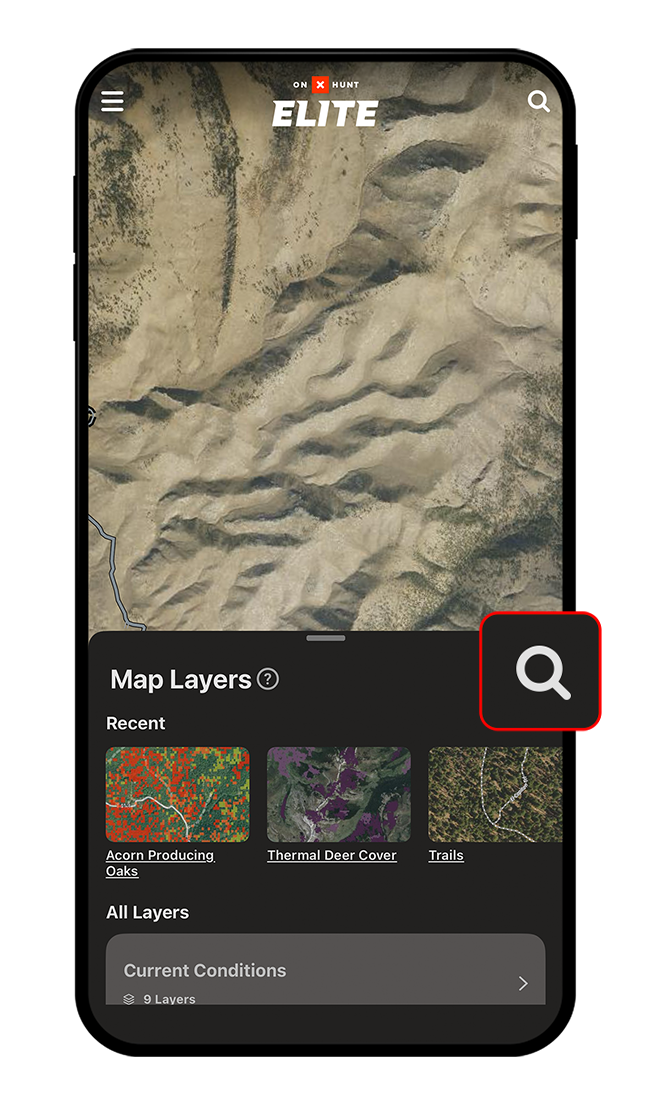
Step 3: Enter your search term.
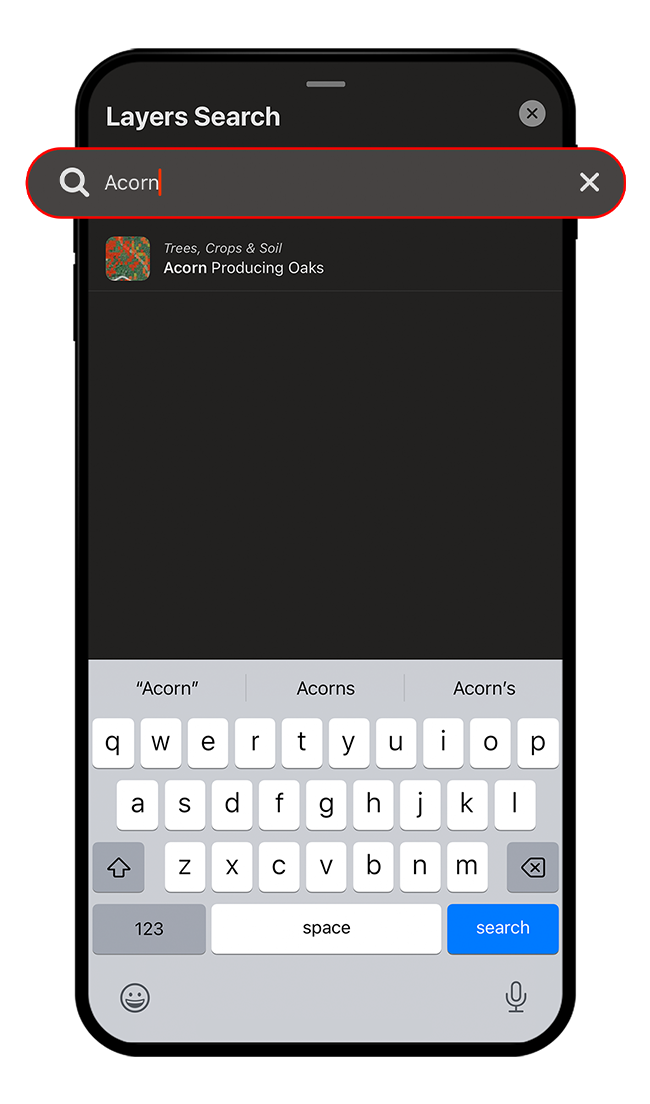
All Map Layers will show either “Details” or “View Options” under the Map Layer name.
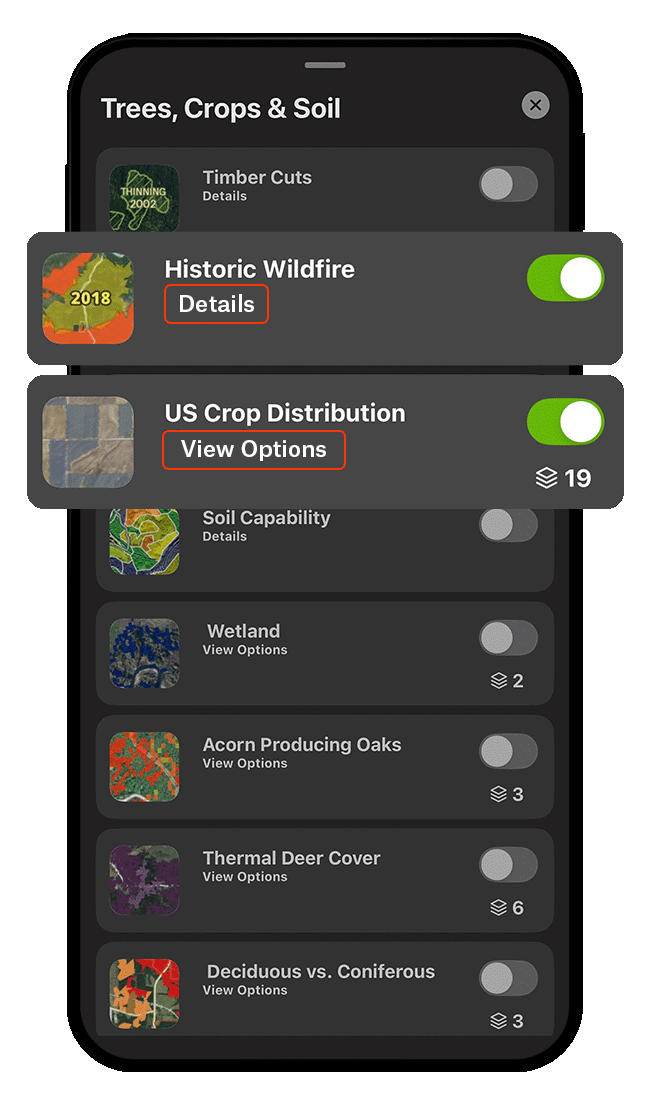
Details
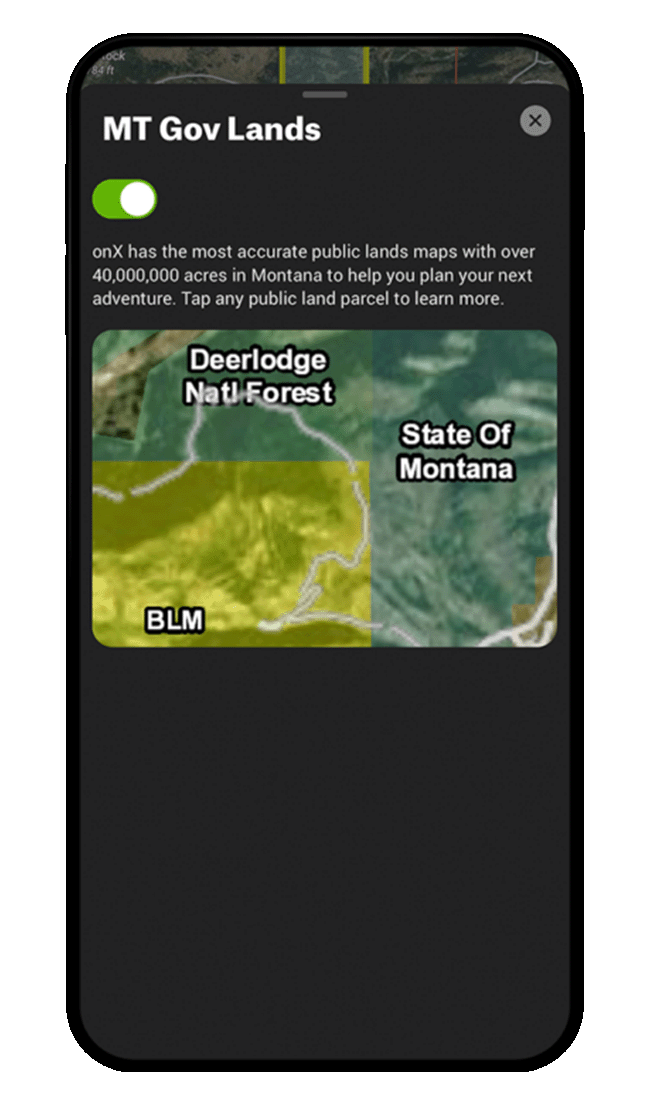
Tap “Details” for more information about what various Map Layers convey. The following example shows what you see when you tap “Details.”
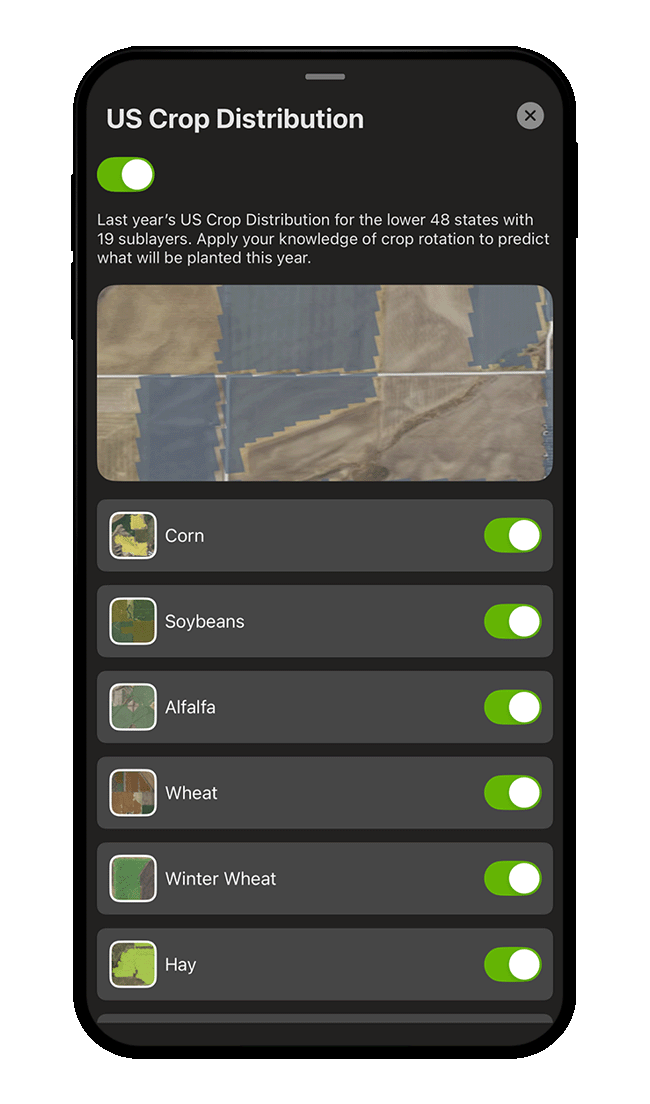
View Options
Where available, tap “View Options” to access sub-layers. For example, when you tap “View Options” under the US Crop Distribution Map Layer, you can then toggle 19 sub-layers on and off.
Location-Specific Details
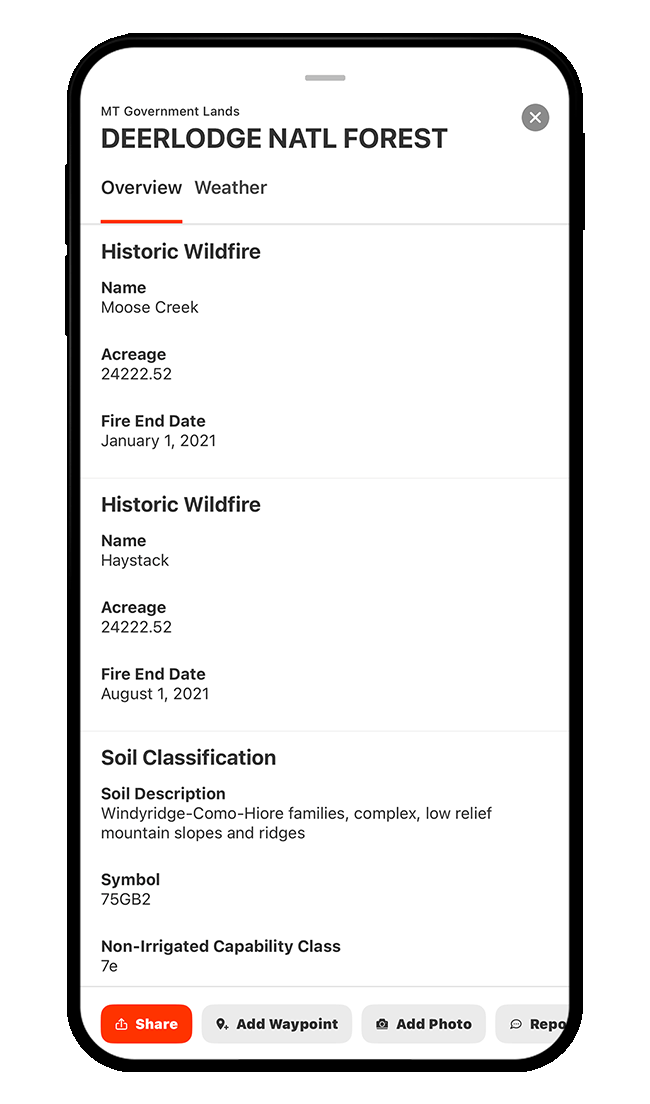
You can also view location-specific Map Layer details directly on the map. When you have a Map Layer turned on, you can tap anywhere on the map to view detailed information about that exact spot—if data is available there for that layer.
For example, with the Historic Wildfire and Soil Classification Map Layers enabled, tapping an area covered by both will show details such as soil description, soil symbol, non-irrigated capability class, etc., as well as the historic fire’s name, acreage, and containment date, as shown below.
Add a State
Step 1: Tap “Hunt Map Layers” at the bottom of your screen.
Step 2: Scroll down until you see “Turn on State,” and then toggle on the state(s) you need. Once you add a state, it will appear at the top of your Map Layers list. We recommend keeping the number of states turned on at any given time to a minimum to maintain optimal performance.
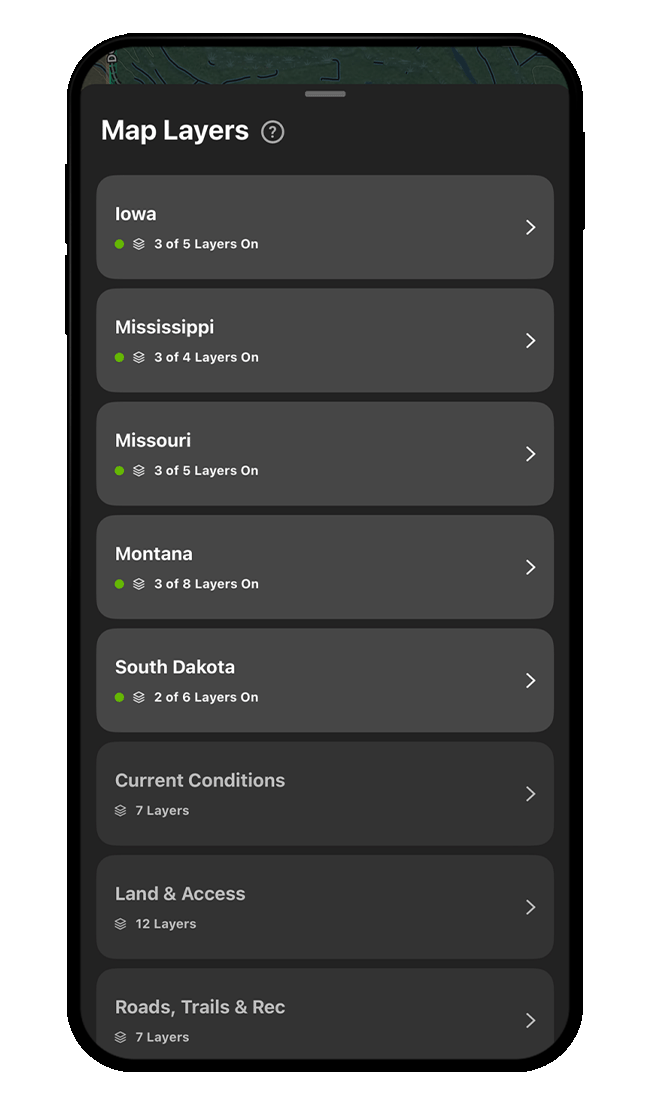
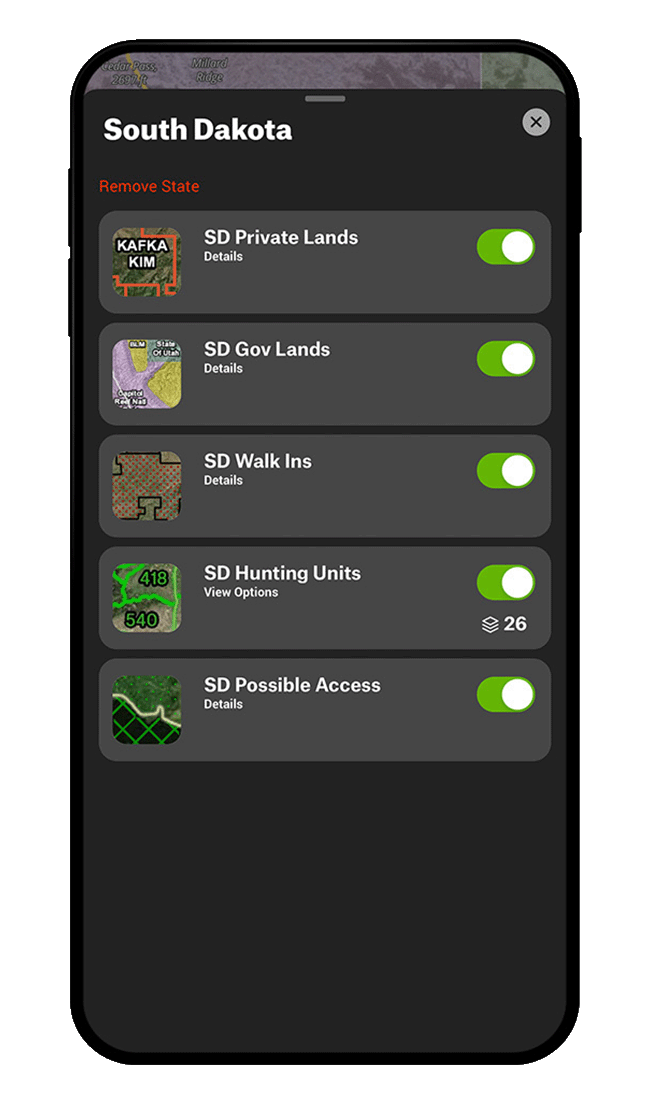
Step 3: Once you add a state, the state’s Private Lands, Government Lands, and Hunting Units Map Layers will be turned on and displayed automatically on your map. Tap into any state in your Map Layers list to manage state-specific Map Layers.
Remove a State
Step 1: Tap “Hunt Map Layers” at the bottom of your screen.
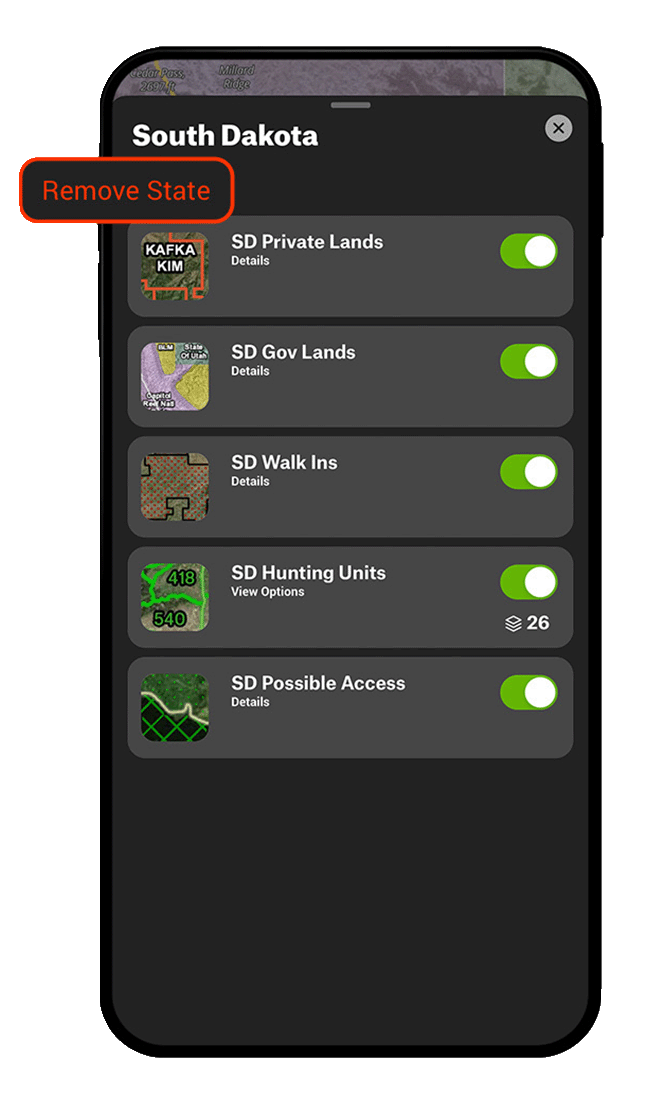
Step 2: Tap the name of the state you want to remove.
Step 3: Tap “Remove State.” A pop-up will appear reminding you that you can turn the state back on at any time. Tap “Remove” to confirm you’d like to disable the state.
Use Cases
Find turkey habitat.
If you can find edges of hardwoods and pines with water nearby, chances are there will be a gobbler in the area.
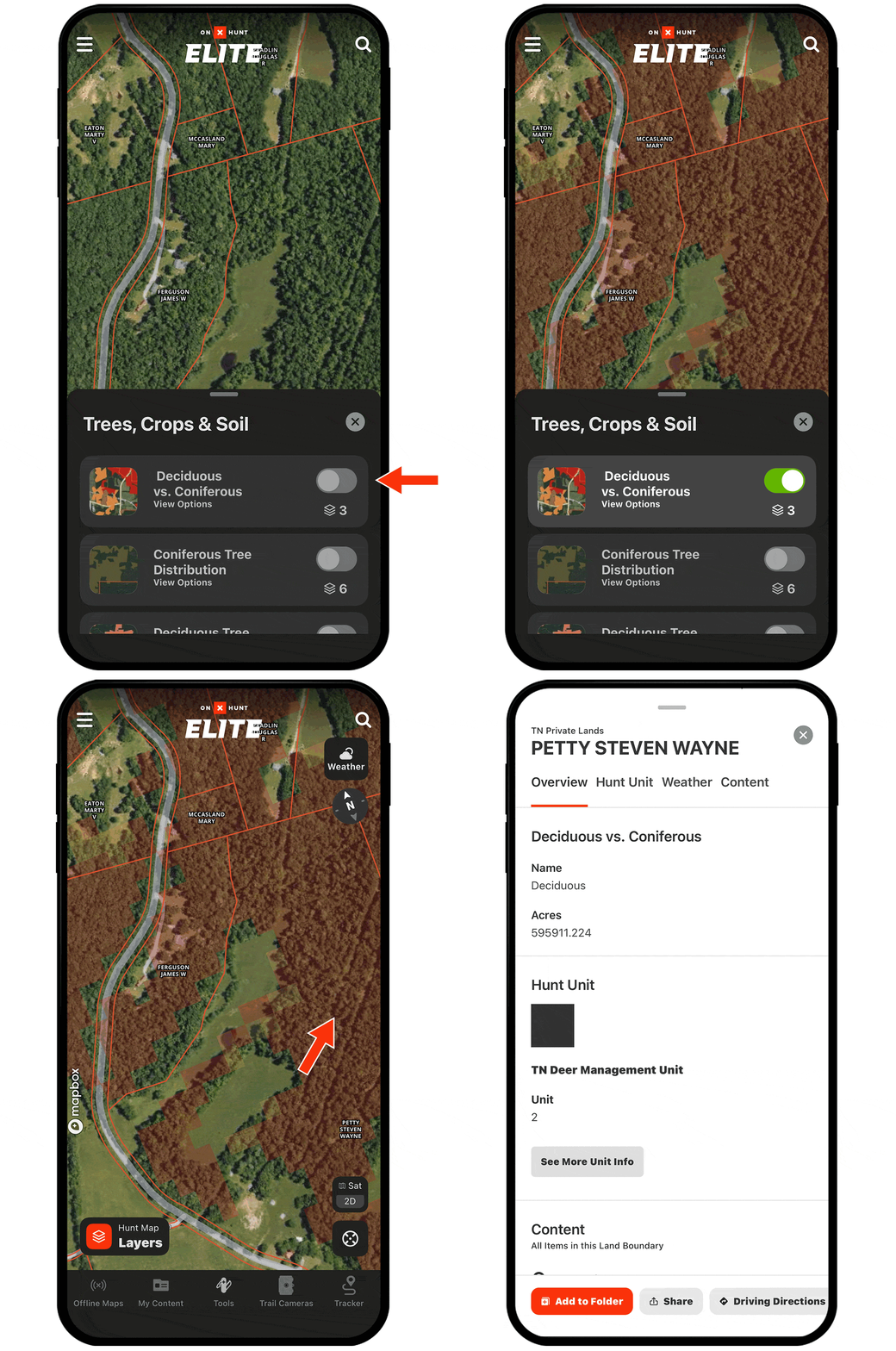
Use the Coniferous vs. Deciduous Tree Map Layer to find those transition zones. Also, turn on the Timber Cuts Map Layer to find thinned or clearcut timber lands, which offer fringe habitat for strutting birds.
Remain in the correct zone.
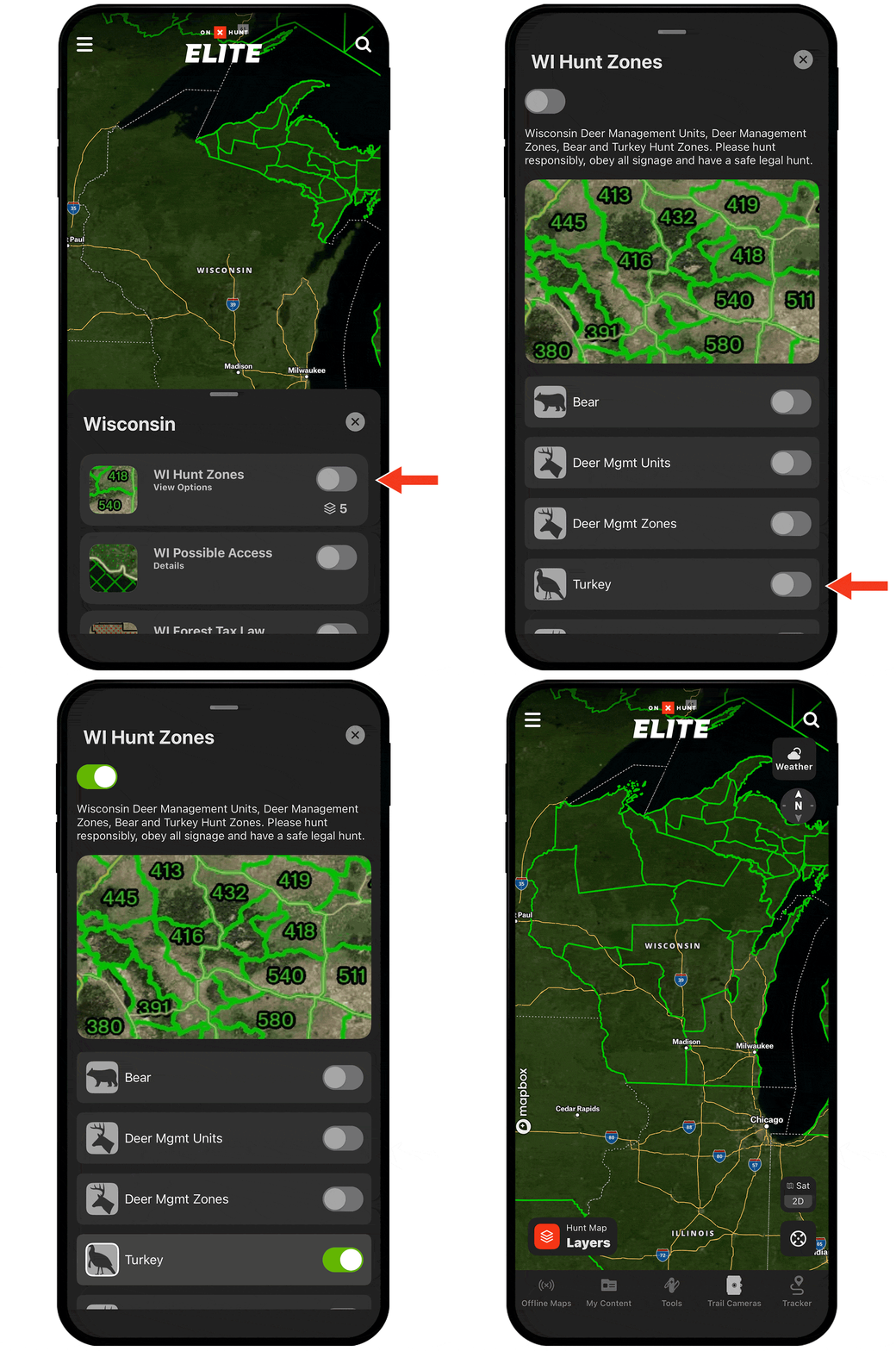
Many states divide hunting areas into specific turkey management units or zones.
Under Hunt Map Layers, toggle on the appropriate state and then find the layer set related to that state’s hunting units (also called GMUs, zones, etc., depending on the state).
Tap View Options to see if there’s a turkey-specific Map Layer to turn on to help you navigate boundaries with ease.

Layer Types
You’ll find property boundaries, landowner names, and state-specific hunting information. When planning a hunt or using your Offline Maps in the field, the state-specific Map Layers will make your hunt more productive and efficient.
Current Conditions Map Layers provide up-to-date information about conditions on the ground. View current wildfires and smoke forecasts, check air quality, or precipitation radar.
The Land and Access Map Layers provide unique looks at the landscape. To better understand the lay of the land, check out the Slope Angle Layer, view Fish and Wildlife Service lands, or find Wilderness Areas.
In Roads, Trails, & Rec, you’ll find recreation sites and other points of interest as well as trails, trail mileages, and trail slopes.
Check out past timber cuts and burn areas. View the Crop Distribution Layer to see what’s been planted on agricultural land. Use the Tree Species Layers to pinpoint acorn-producing oaks and hardwood stands.
Open Wildlife Map Layers to turn on the Turkey Subspecies Distribution Layer, which will color-code the map based on subspecies distribution.