Compass Mode for Turkey Hunting
Use the built-in Compass and Rangefinder to locate gobbles and stay oriented as you move.
How-To
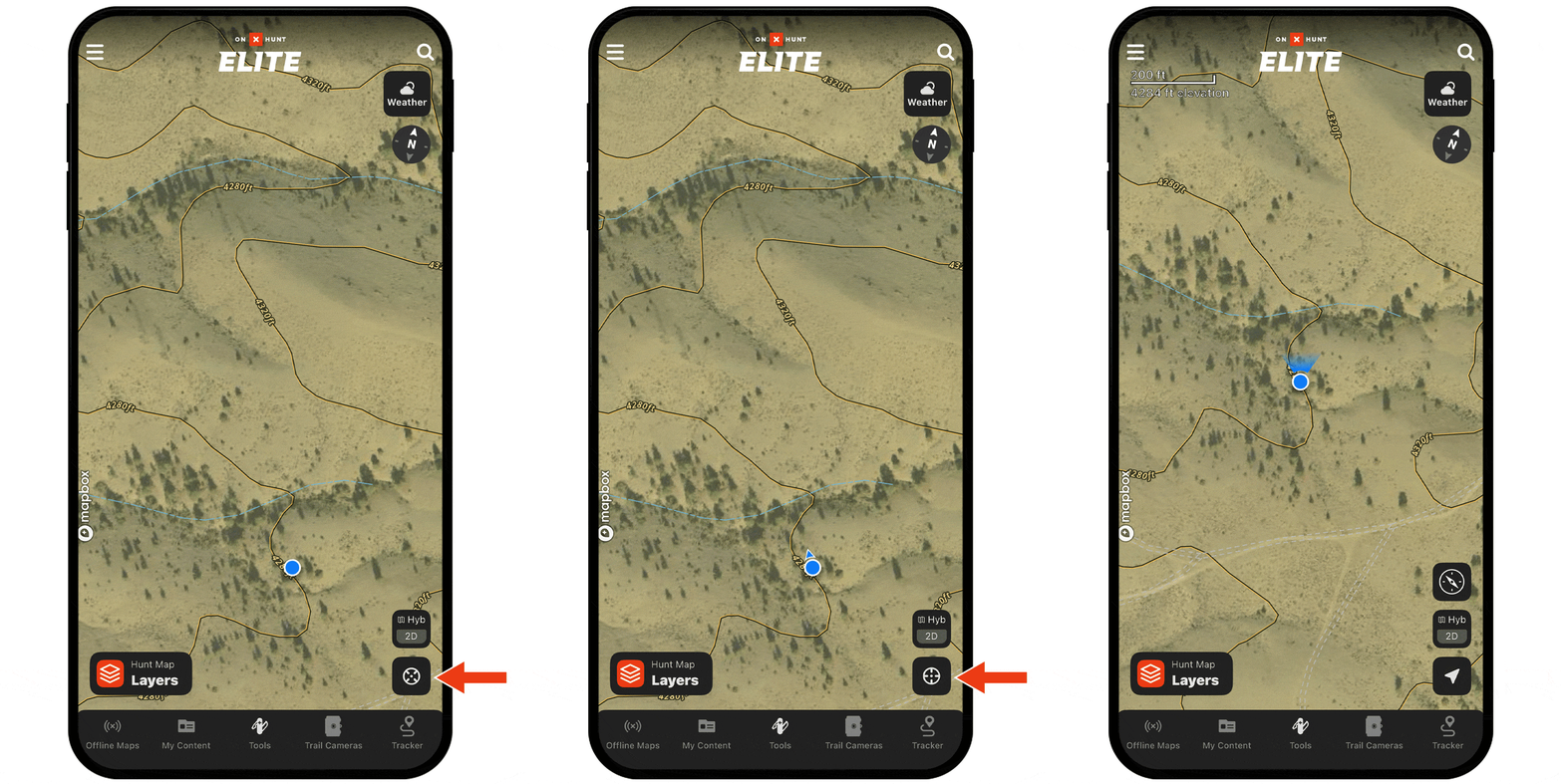
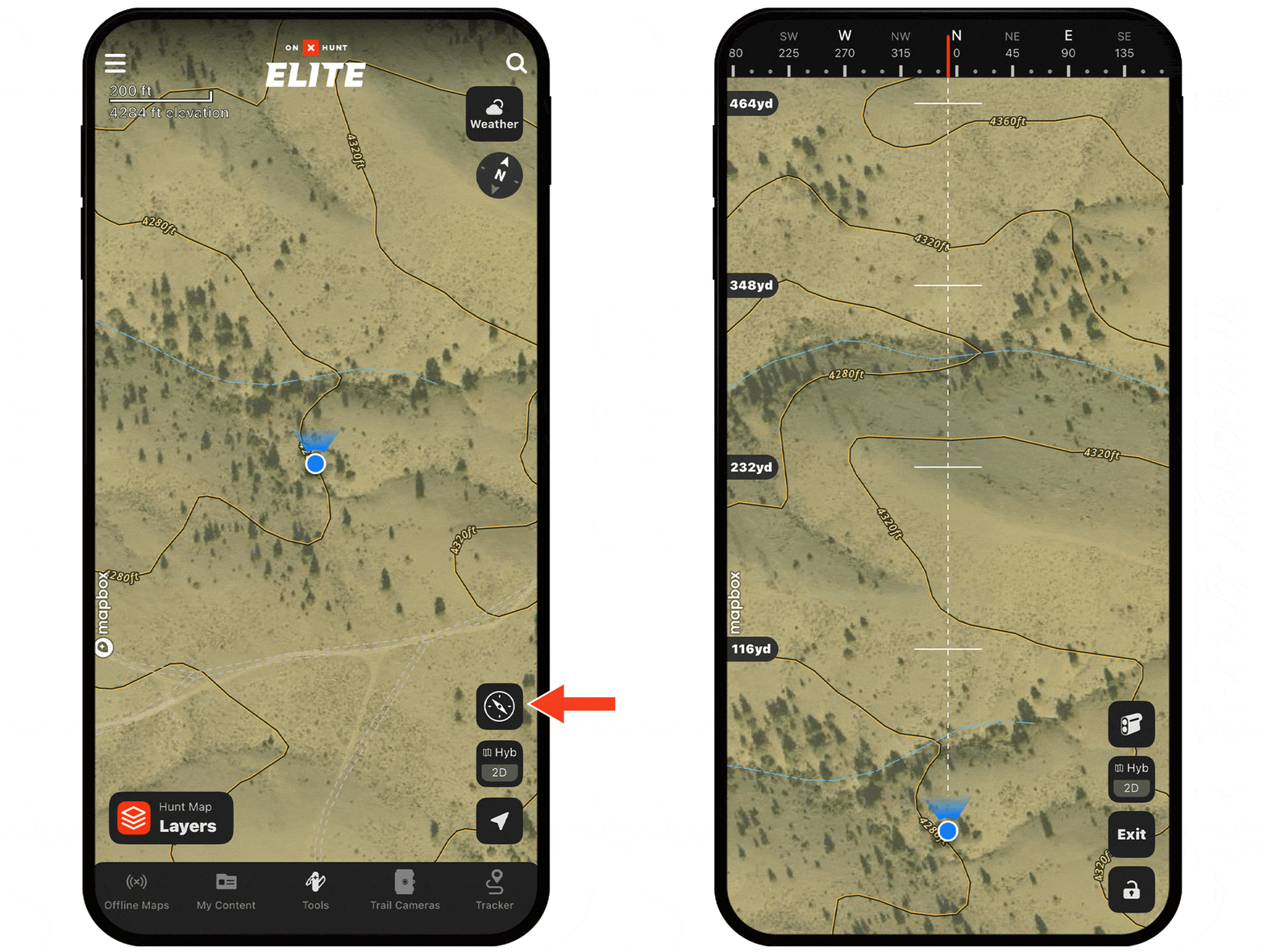
Step 1: Tap the Location icon twice, then tap the Compass icon.
Alt Method: Tap Tools, then Compass Mode.
Step 2: Your device is now a compass: use it to orient yourself to terrain features or objects.
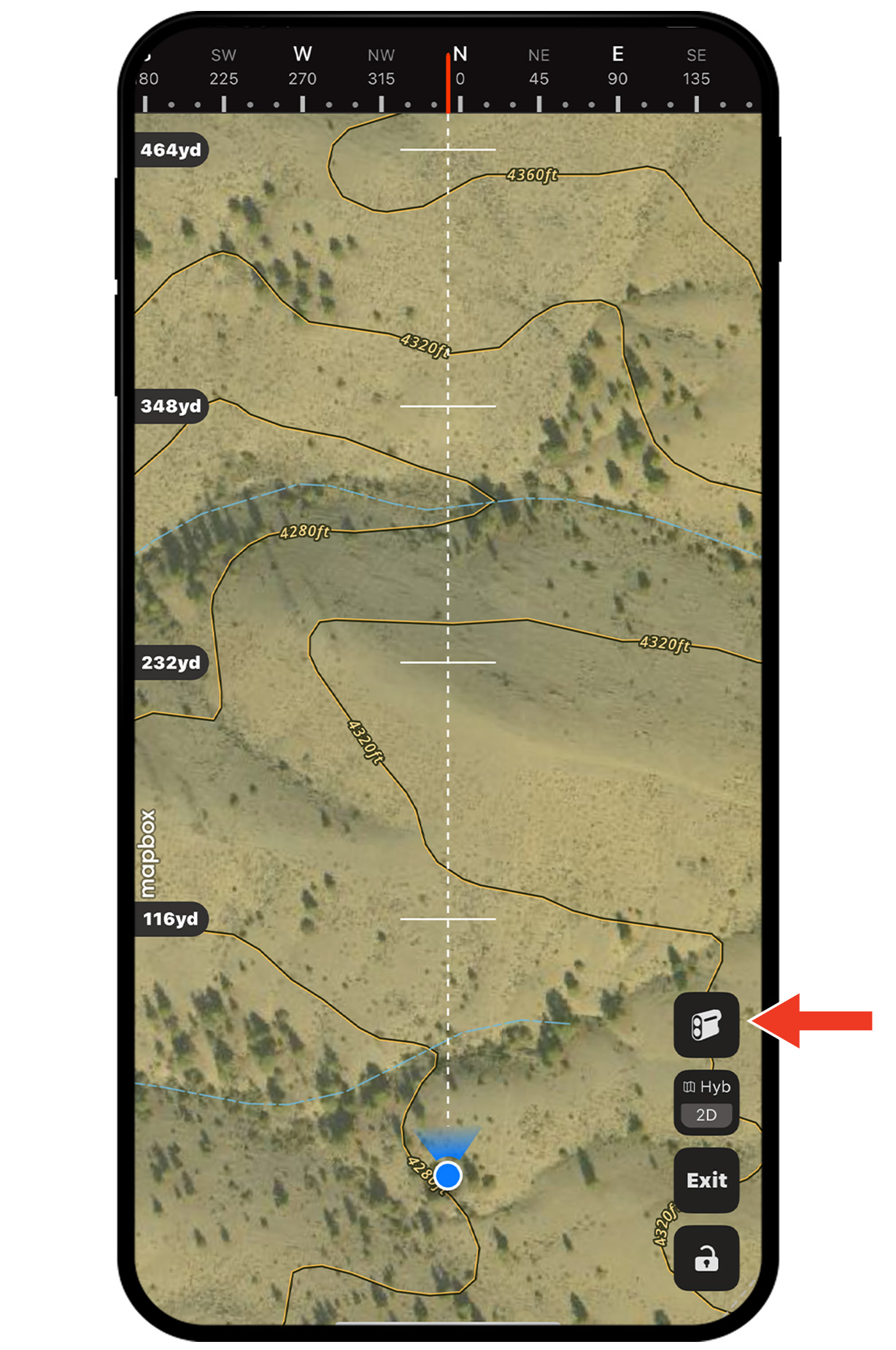
Step 1: With Compass Mode on, tap the Rangefinder icon.
Step 2: A red line with a target will appear: Drag up or down anywhere on the screen to adjust the distance.
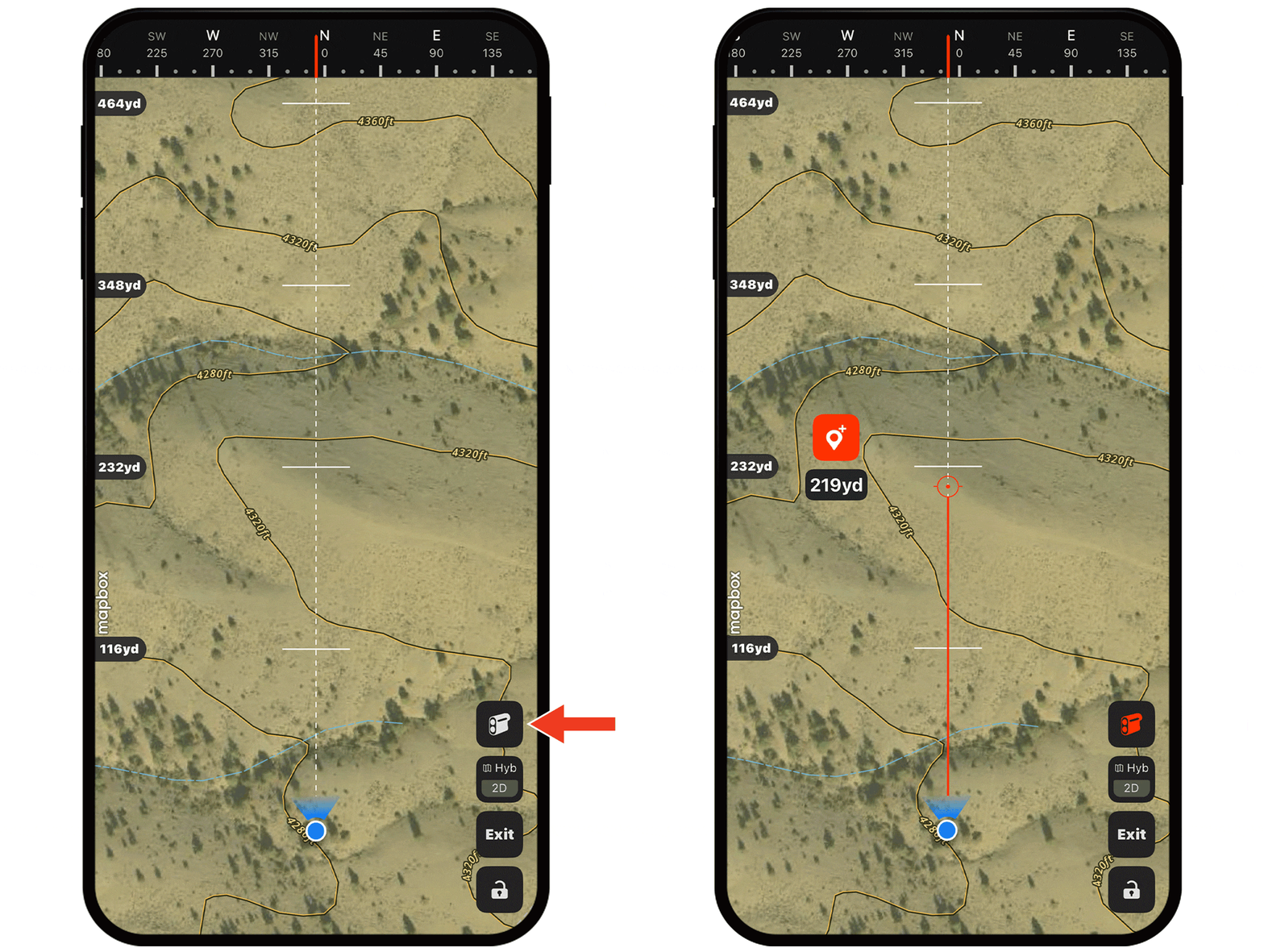
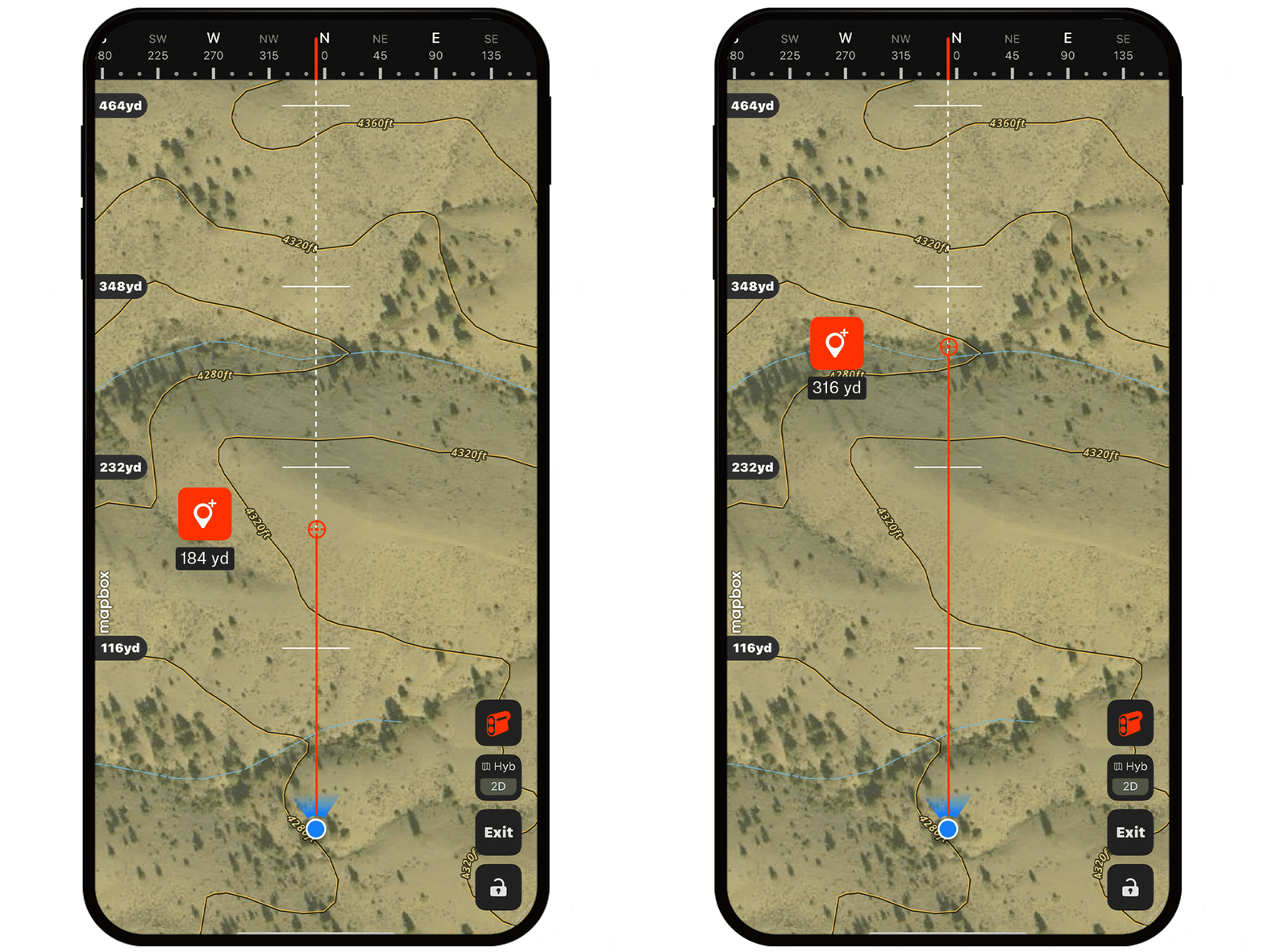
Step 3: Tap the Waypoint icon to drop a pin at your target location.
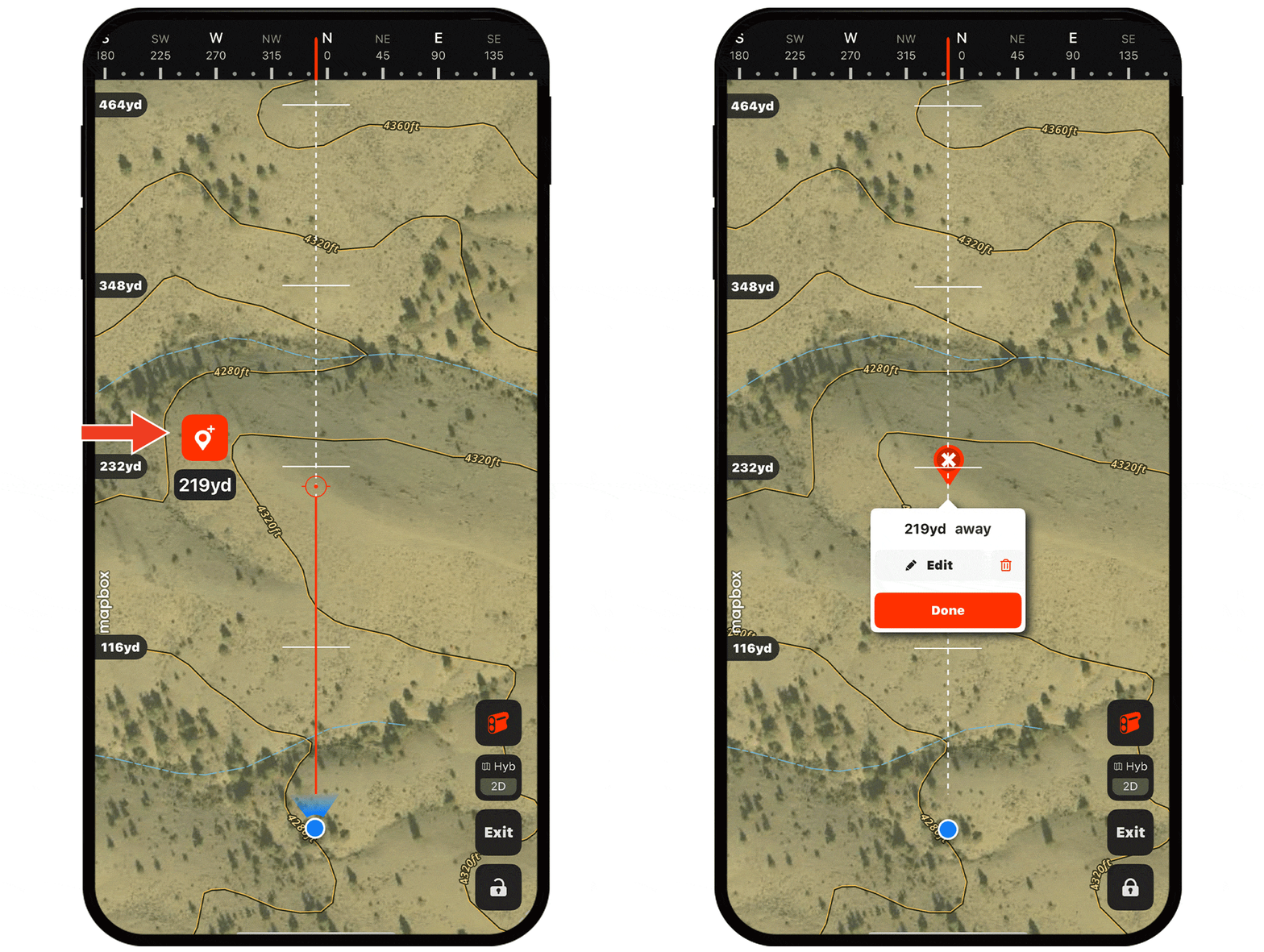
Step 4: Tap Done (or Edit if you’d like to customize the Waypoint’s icon, color, etc.)
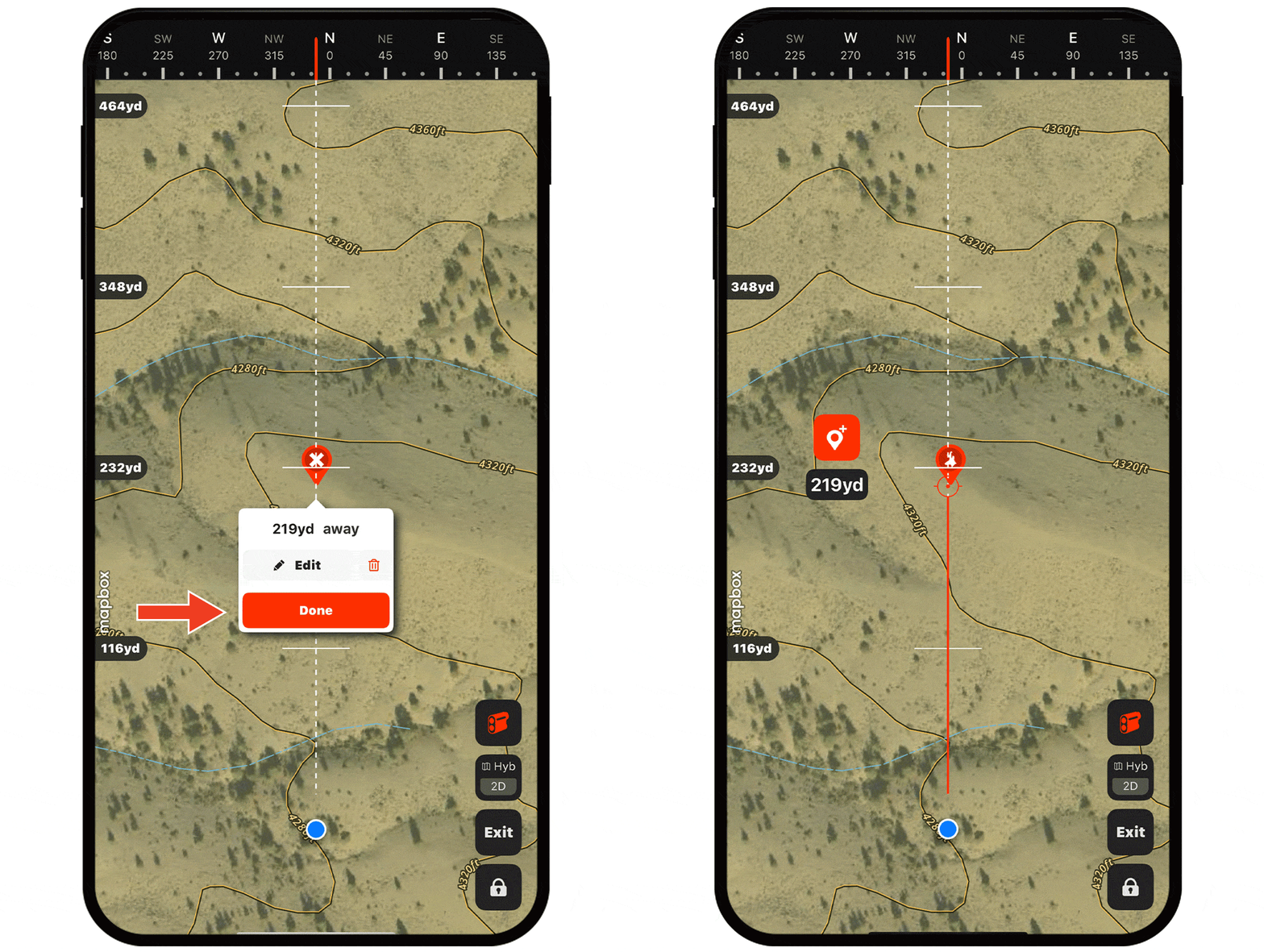
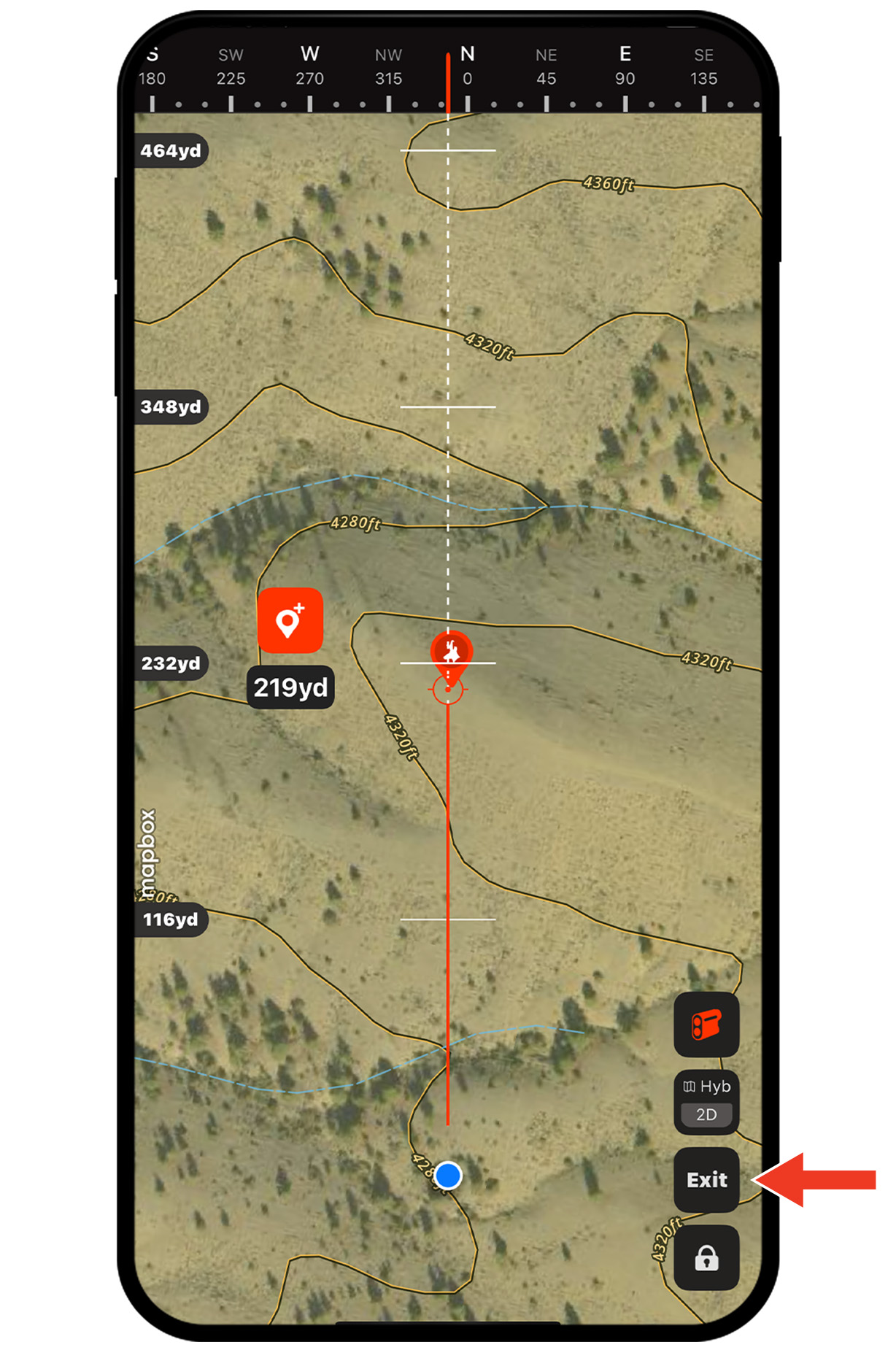
Step 5: Now you have a precise location to work toward. Tap Exit to return to the standard map view.
Use Cases

Pinpoint gobbles.
When you hear a gobble, open Compass Mode and point your phone toward the sound. The Compass heading shows the tom’s direction, and the built-in Rangefinder estimates your distance from him. Drop a Waypoint so you can maintain awareness of the tom’s last known position as you move yourself into a good setup to call that bird in.
Navigate to roost trees.
Compass Mode helps you maintain direction when moving toward known roost areas in low light or with limited visibility. As part of your scouting, you’ll have dropped Waypoints on roost trees. Use Compass Mode in those pre-dawn hours as a quick reference that you’re always headed in the right direction.

Reduce guesswork when sound is distorted by terrain.
Maintain a clear sense of direction as you move.
Estimate distances without your physical rangefinder.