
Navigation
onX Hunt delivers turn-by-turn navigation built for roads less traveled. With in-dash support and full visibility of your Waypoints, Areas, and property lines, it’s the most reliable way to drive to your hunt.
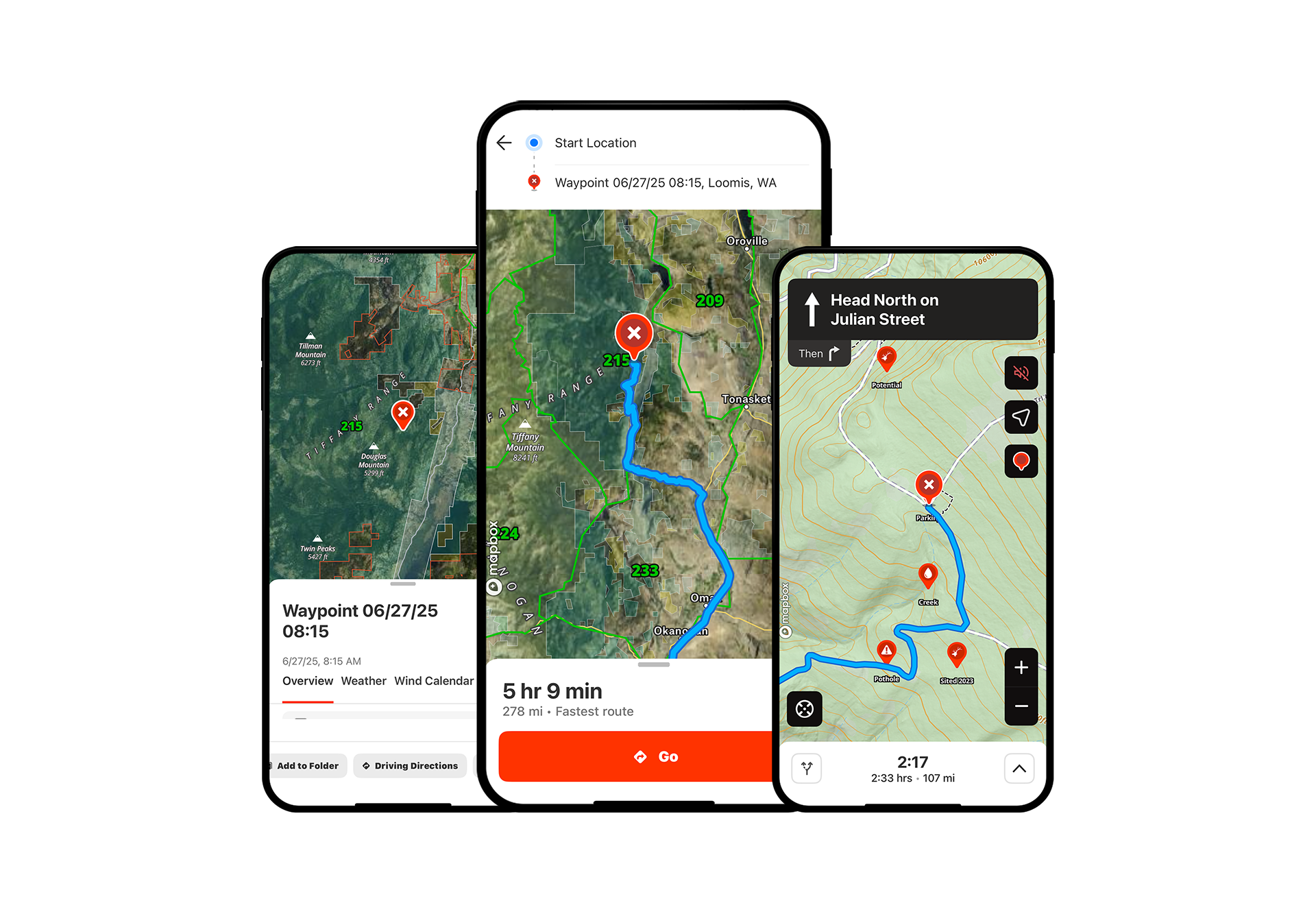
Navigation Tutorial
Expand each block to learn how to use turn-by-turn directions when driving to your next hunting spot.
Connect to Your Vehicle’s In-Dash System
Step 1: Confirm your truck or car has Apple CarPlay or Android Auto.
Step 2: Plug your mobile device (with the Hunt App on it) into your in-dash unit.
Step 3: Select “onX” from the CarPlay or Android Auto menu. You’re now connected, and your map will appear in-dash.
Navigate to a Waypoint
*Elite-only capability
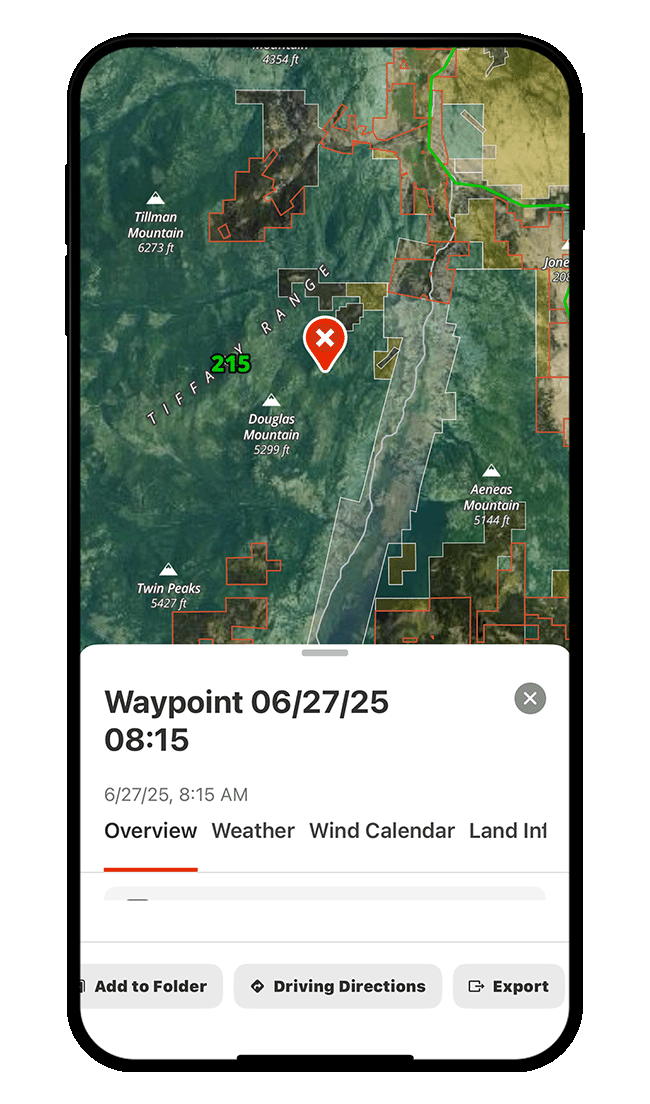
Step 1: Tap the Waypoint to which you want to navigate.
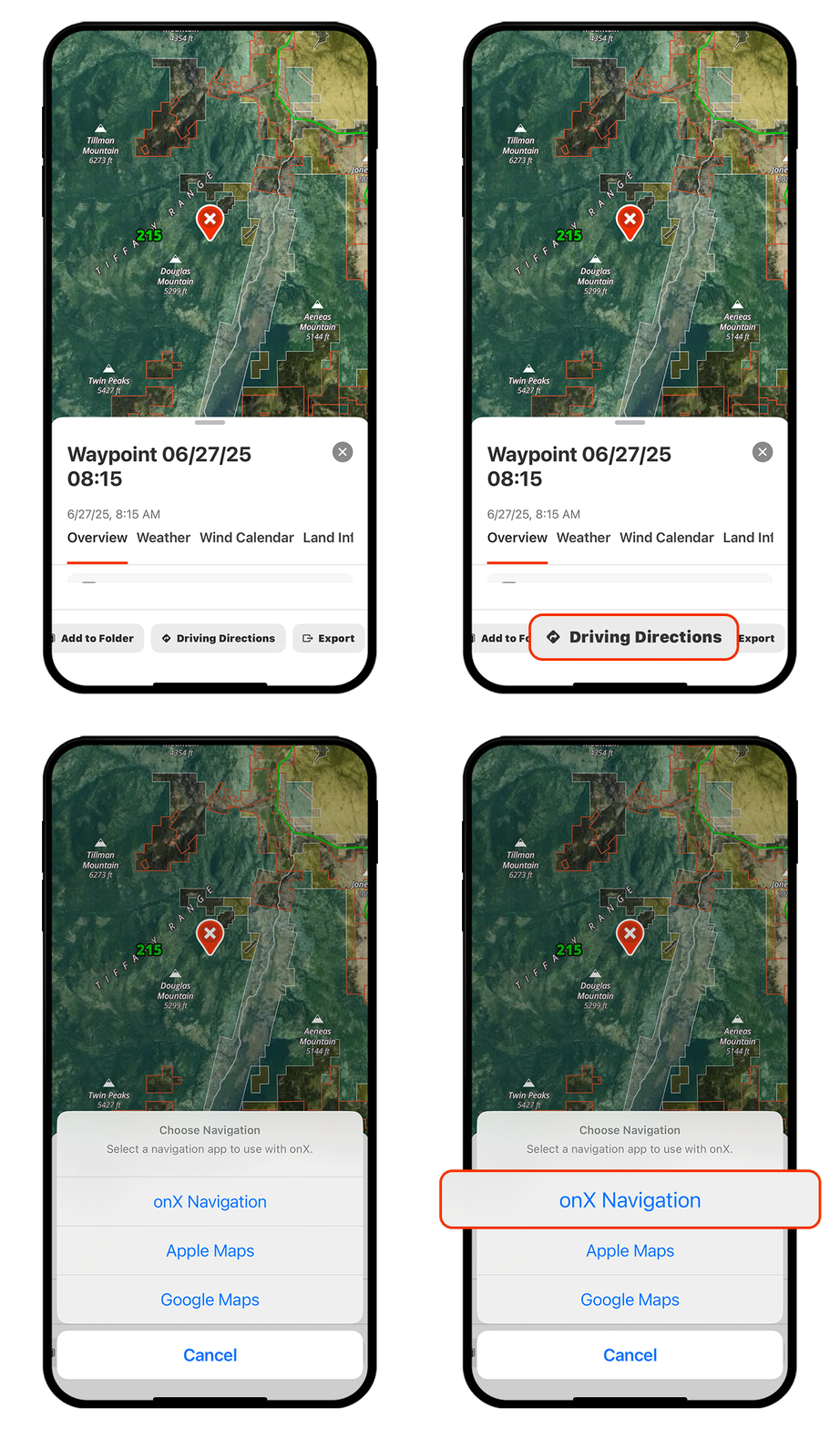
Step 2: Tap “Driving Directions,” then select “onX Navigation.”
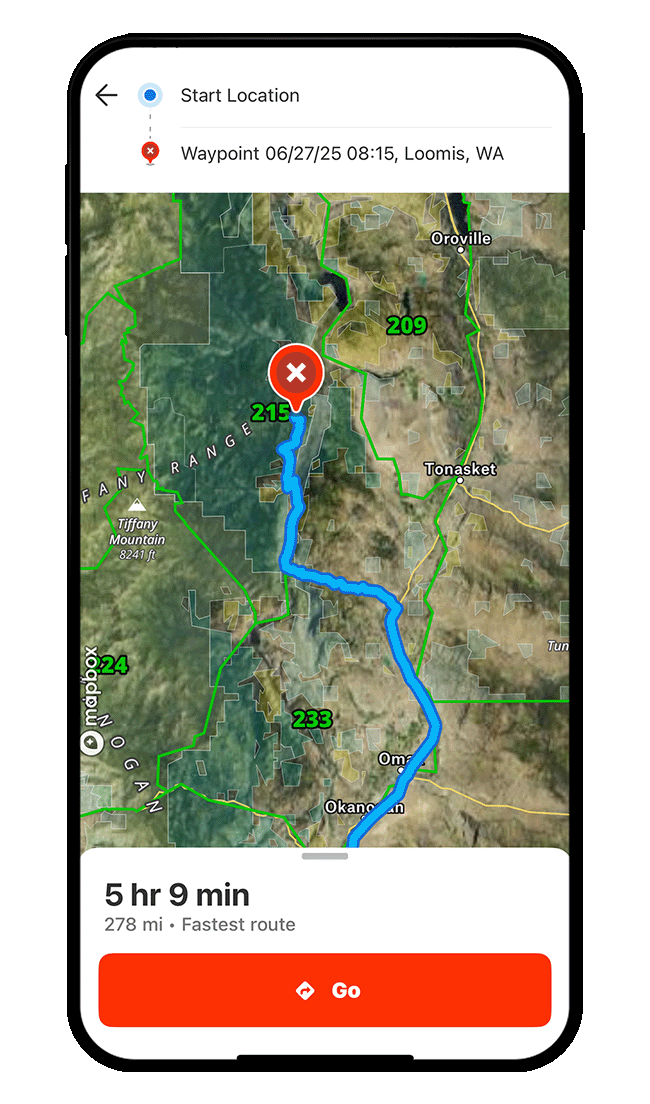
Step 3: Tap “Go.”
Step 4: Follow the turn-by-turn directions to your destination.
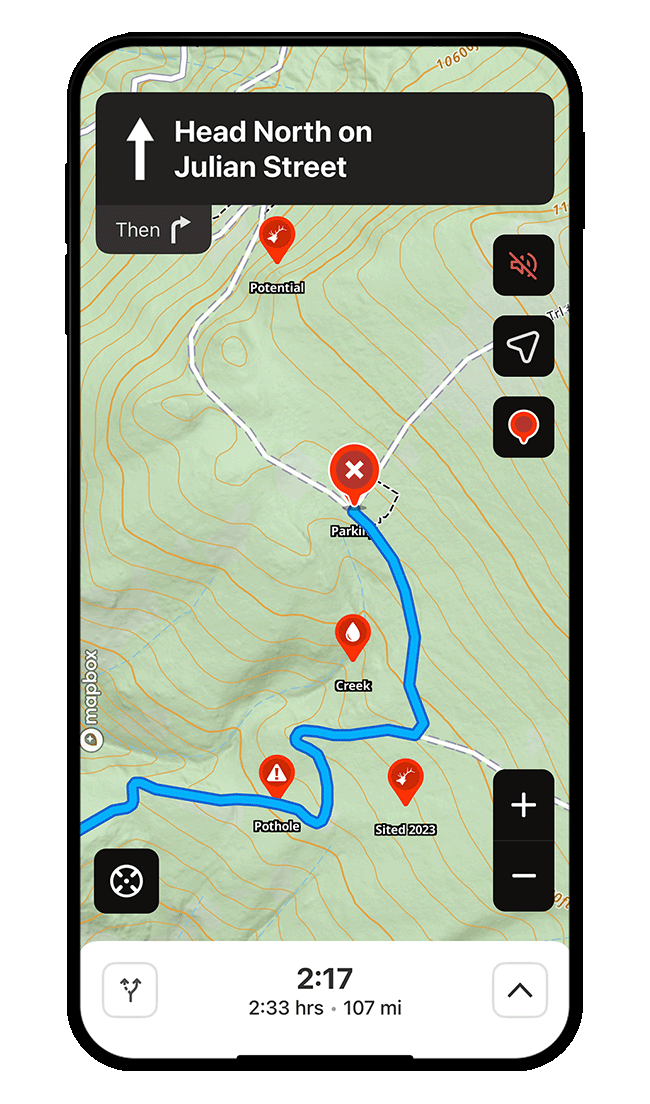
Step 1: Tap the Waypoint to which you want to navigate.
Step 2: Tap “Driving Directions,” then select “onX Navigation.”
Step 3: Tap “Go.”
Step 4: Follow the turn-by-turn directions to your destination.
Follow a Custom Route
*Elite-only capability
Step 1: Tap into “My Content” and select “Routes.”
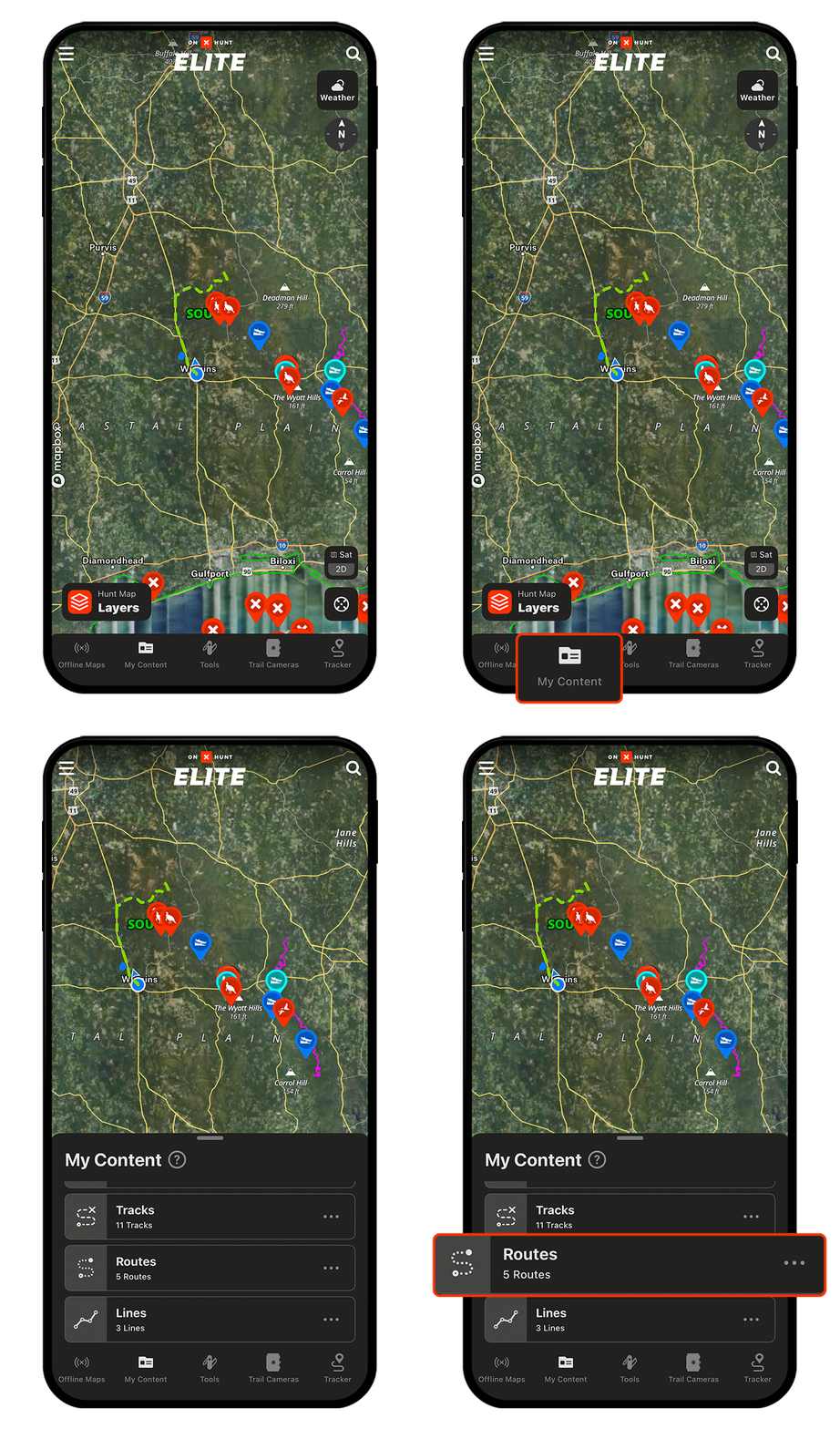
Step 2: Choose the Route you want to follow.
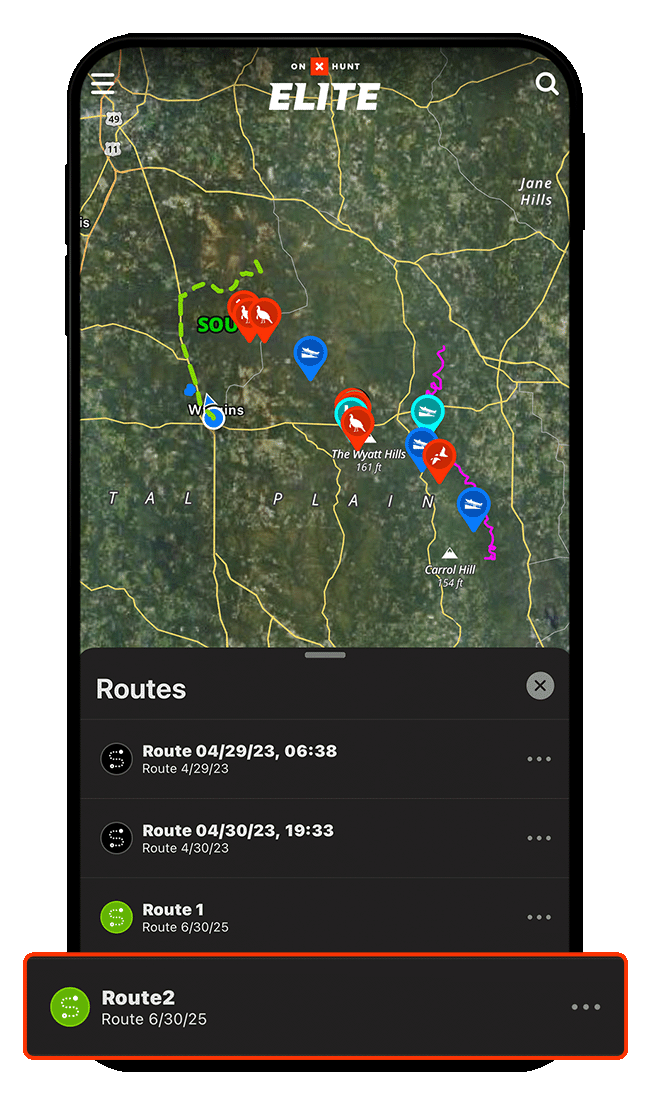
Step 3: Tap “Driving Directions,” then select “onX Navigation.”
Step 4: Tap “Go.”
Step 5: Follow the turn-by-turn directions to your destination.
Step 1: Tap into “My Content” and select “Routes.”
Step 2: Choose the Route you want to follow.
Step 3: Tap “Driving Directions,” then select “onX Navigation.”
Step 4: Tap “Go.”
Step 5: Follow the turn-by-turn directions to your destination.
Never Miss a Turn
Purchase an Elite Membership for turn-by-turn directions to off-the-beaten-path spots.

Headed off-grid? Download an Offline Map.
If you’re likely to lose cell service on the way to your spot, remember to download an Offline Map of the relevant area before you go so you stay on course, even when out of range.