
onX SOS
Powered by 
When something goes wrong in the field, onX SOS connects you directly to a 24/7 professional rescue team. They answer, coordinate the rescue, and cover the costs—no separate hardware, no claims process. Here’s how it works and how to be ready.
onX SOS is an add-on subscription for $49.99/year, available to all onX Hunt account holders, including Basic. Purchase is required to activate SOS.
onX SOS Tutorial
Expand each block to learn how to get set up, when to send an SOS, and what to expect during a rescue.
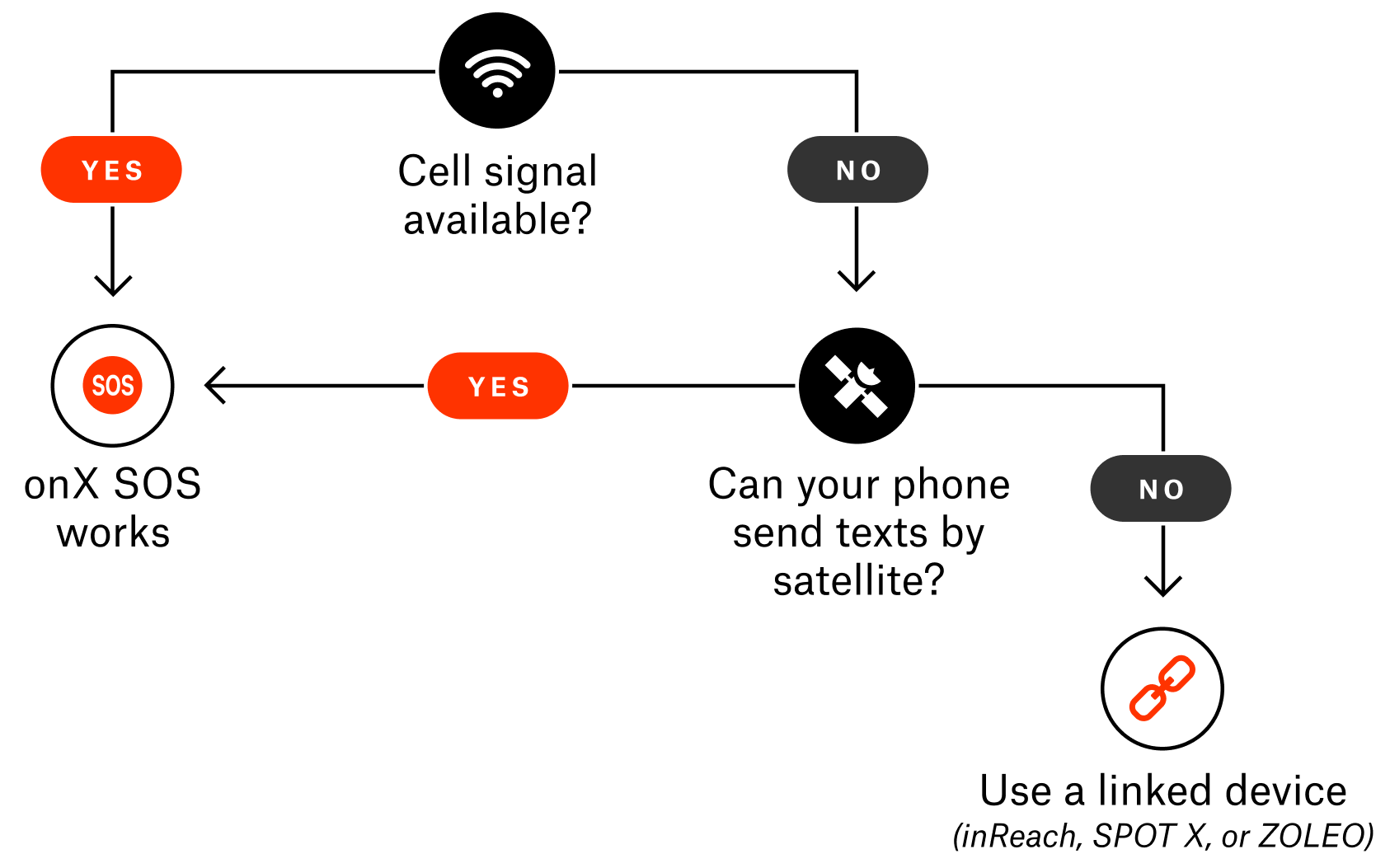
onX SOS works with both cellular coverage and satellite communication devices.
Here’s how to tell:
- Within Cell Service: Any smartphone capable of sending SMS messages can use onX SOS. If you have service, calling 911 first is recommended.
- Outside Cell Service: Satellite SMS messaging capabilities are required.
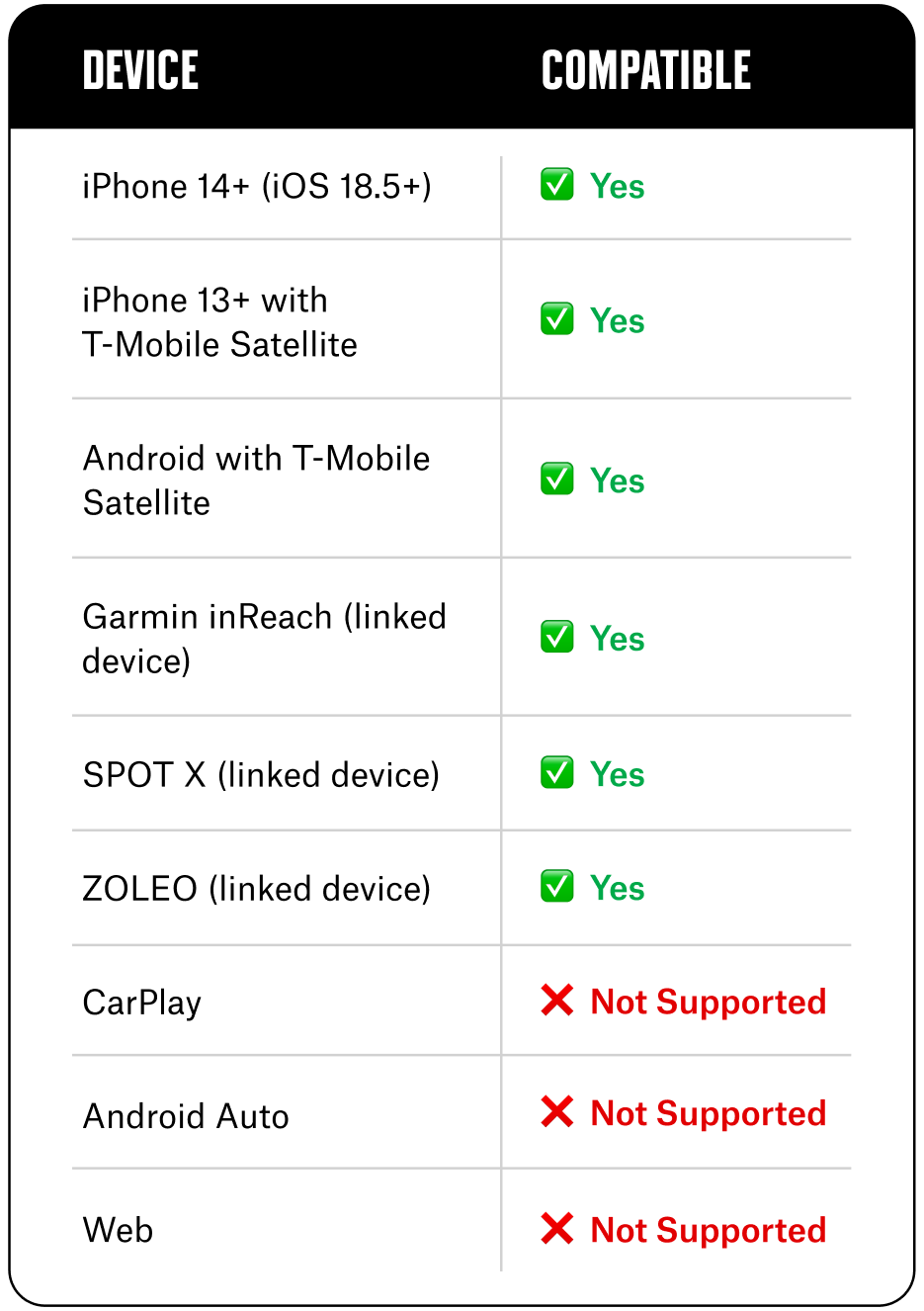
To use onX SOS outside cell coverage, you’ll need one of the following:
- An eligible iPhone or Android device with a carrier-supported satellite messaging plan.
- A linked Garmin inReach, SPOT X, or ZOLEO satellite communicator.
- iPhone 14 or newer running iOS 18.5+.
Will my eligible costs still be covered if I initiate the rescue outside of the onX Hunt App?
Coverage applies regardless of how the rescue was initiated (via the onX Hunt App, calling 911, or backup device SOS button). If you use a linked Garmin, SPOT X, or ZOLEO, onX SOS works alongside your existing satellite messaging plan to add professional rescue coordination and financial coverage on top of, not instead of, what you already carry.
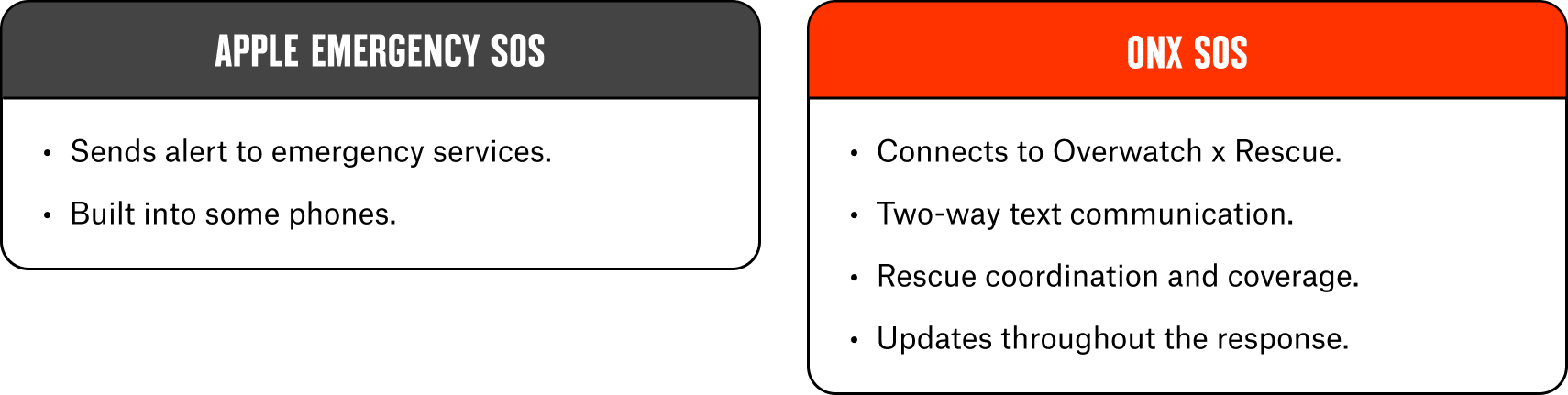
- Emergency SOS and satellite messaging are not the same thing.
- Emergency SOS connects to emergency services only.
- onX SOS requires satellite SMS messaging to communicate with Overwatch x Rescue when you’re outside cell service.
- If you use your device’s built-in Emergency SOS feature, eligible rescue costs are still covered under your onX SOS subscription.
Setup is required to connect your satellite communicator device to your subscription.
To set up your satellite communicator device, log in to overwatchxrescue.com with your onX Hunt credentials to add your device and access setup instructions.
How is this different from Apple Emergency SOS?
Apple Emergency SOS sends an alert to local emergency services via satellite but won’t help manage the rescue response or cover associated costs. onX SOS handles all of these services.
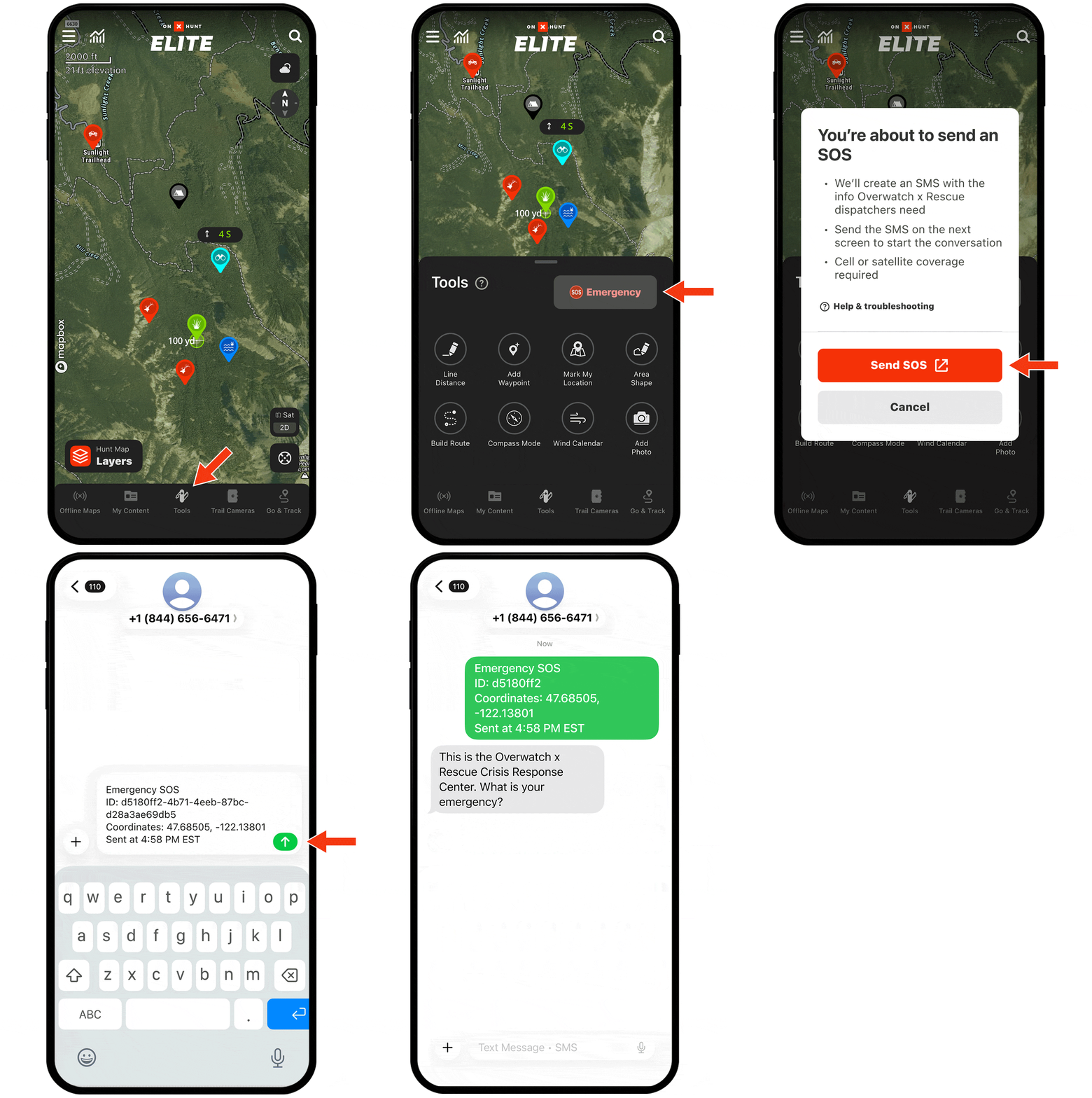
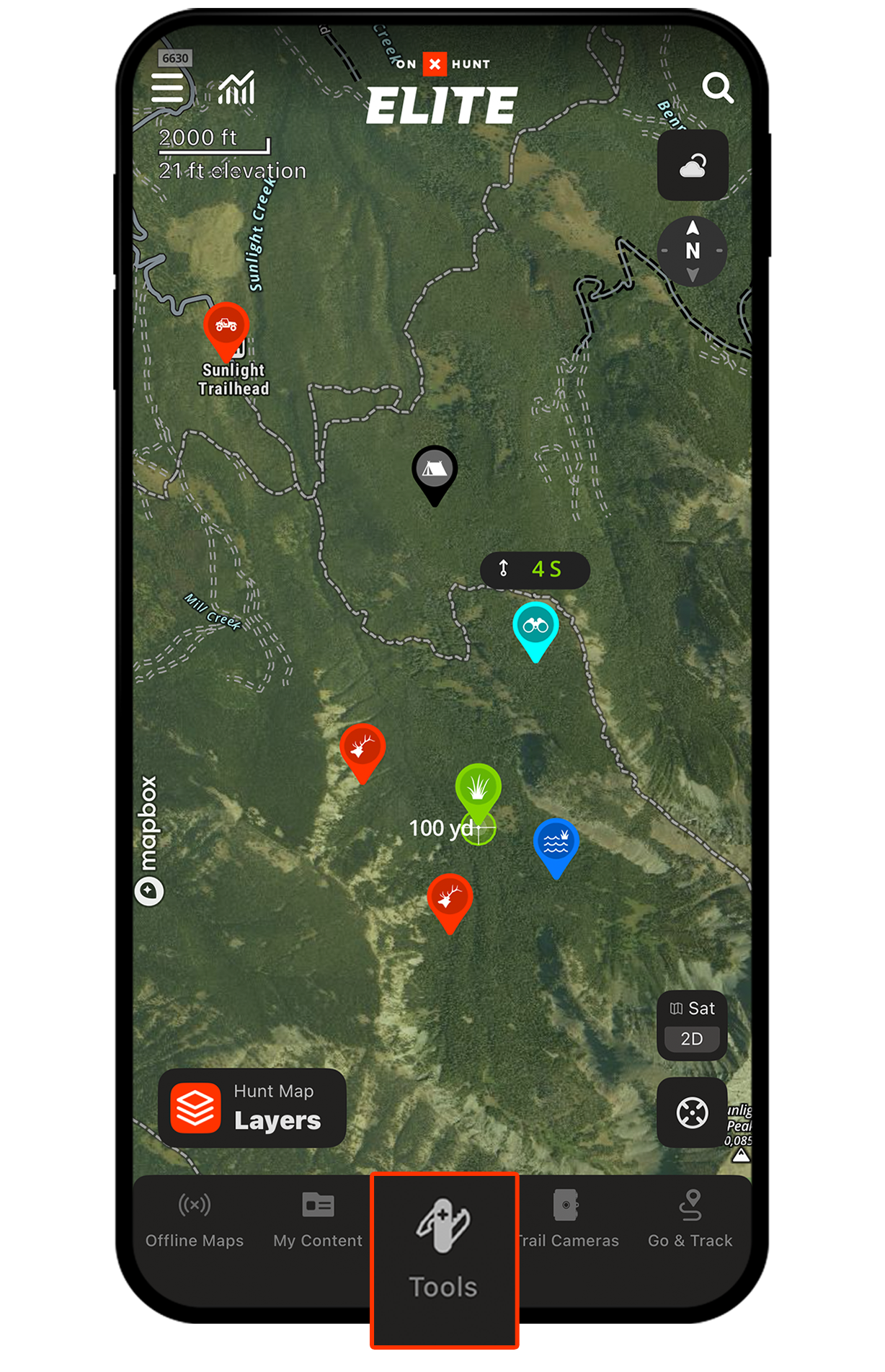
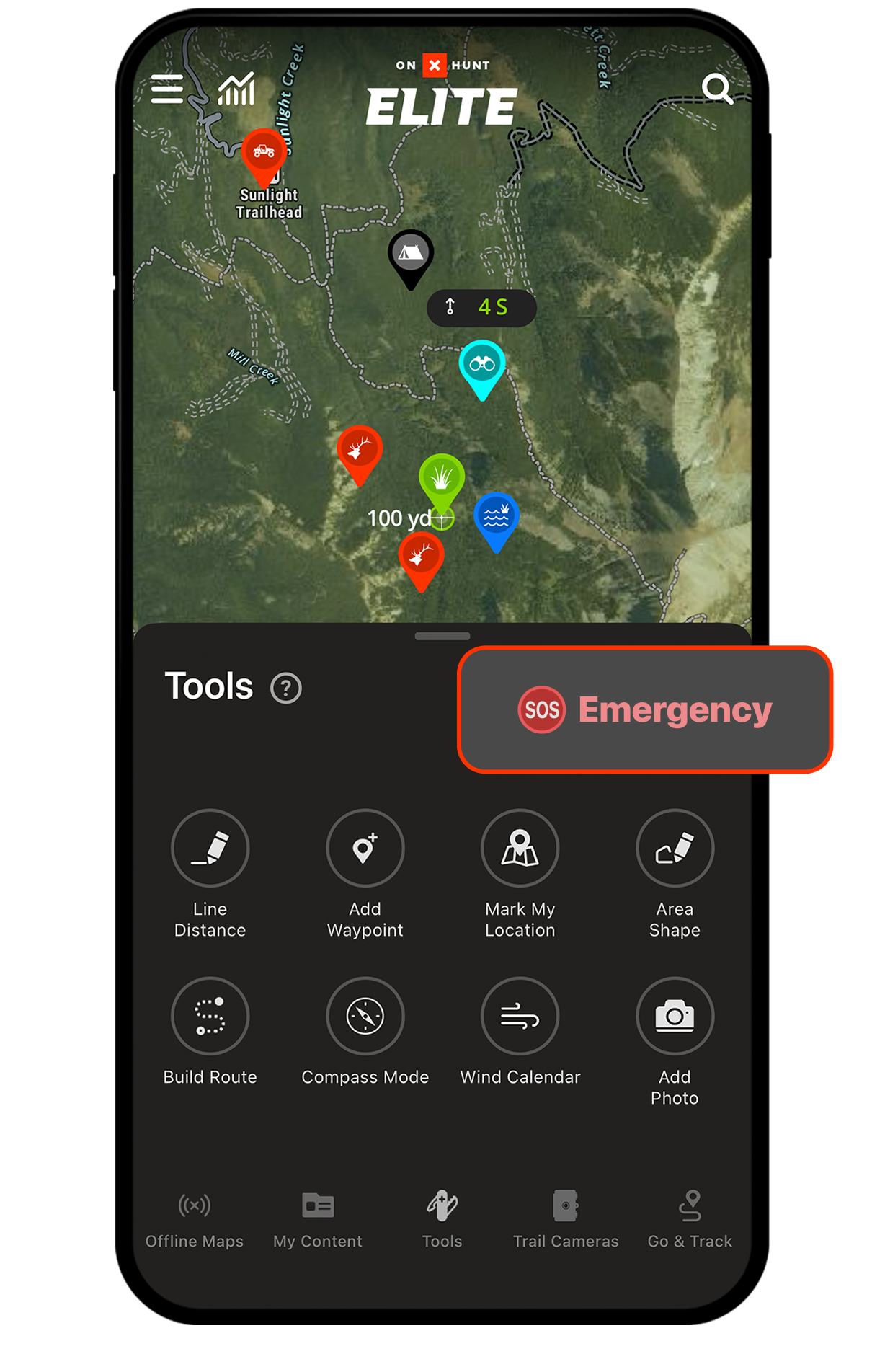
Step 1: At the bottom of the map, open “Tools,” then tap the “SOS” button.
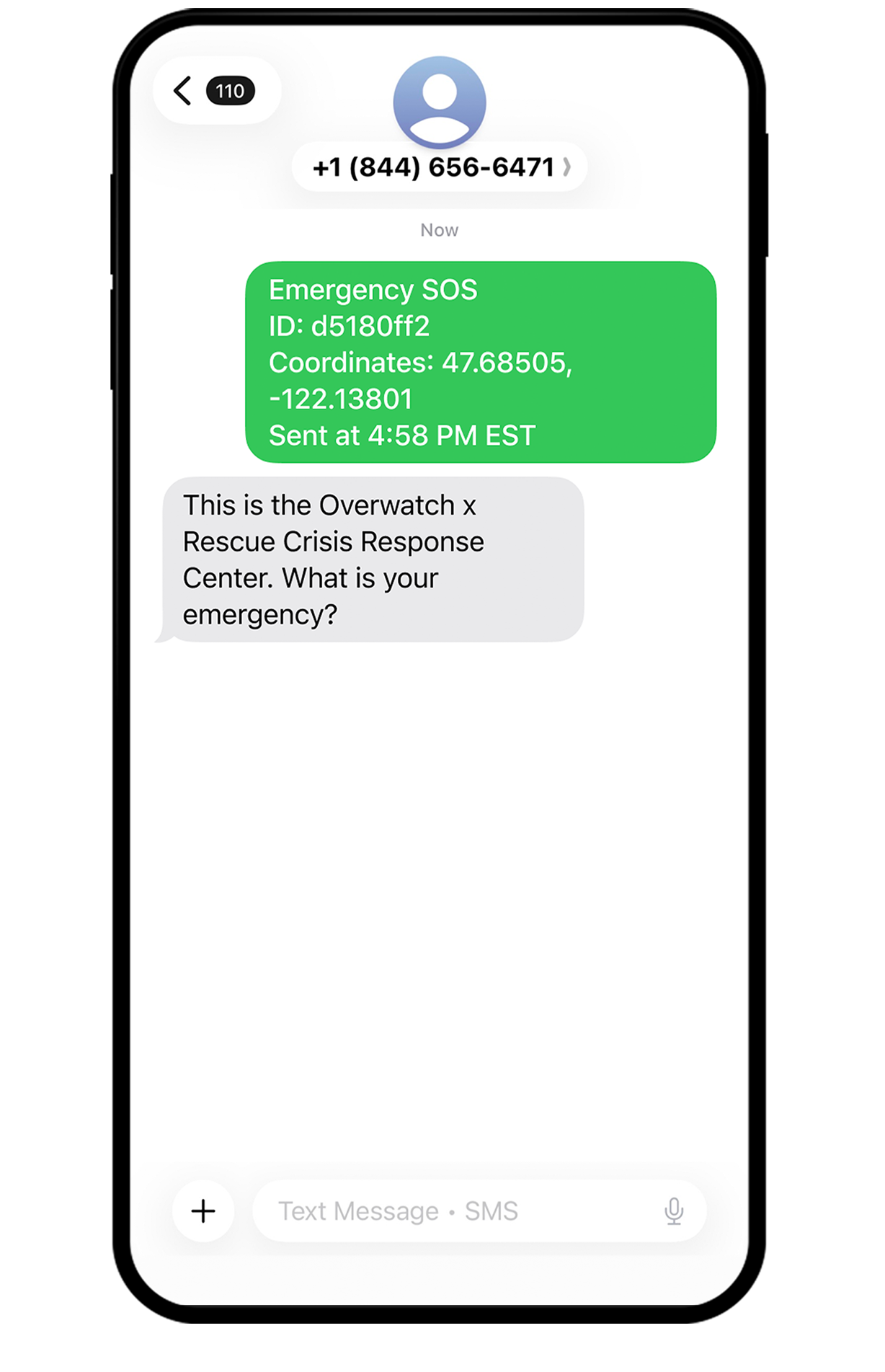
Step 2: Your phone’s native messaging app opens with a pre-filled message containing your coordinates, account info, and timestamp. Tap “Send” to dispatch the text.
Step 3: Overwatch x Rescue responds via text. A trained coordinator confirms your emergency, assesses the situation, and remains in contact with you.
Step 4: Emergency services are dispatched to your location to help you get back home.
If you have cell service during an emergency, call 911 or local emergency services first.
Local responders are often the fastest path to on-scene assistance. OxR can still coordinate the broader response and cover eligible costs.
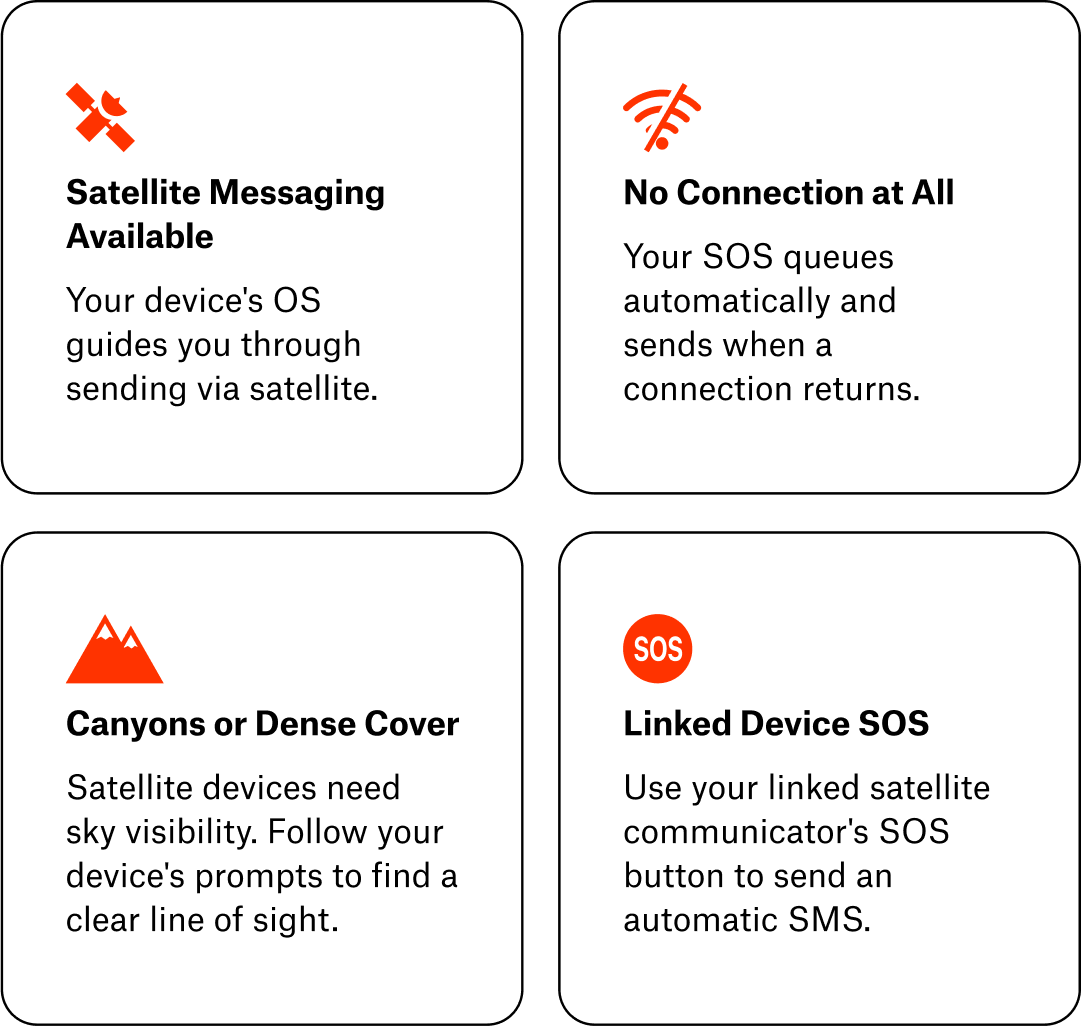
What if I don’t have cell service?
Can I update or cancel an SOS?
Yes. If your situation changes, you can send updated location info, provide additional details, or cancel the SOS. If communication is interrupted, OxR continues coordinating as if the emergency is active.
Can I text OxR directly to initiate an SOS?
We recommend using the onX Hunt App to send an SOS, as it automatically includes your location and account information. You can find more information about contact options in your OxR account portal.
What happens if my phone runs out of battery during a rescue?
Once the Crisis Response Center receives your location and SOS alert, an emergency response is dispatched even if communication stops. Loss of communication does not stop the rescue. Every alert is treated as a genuine emergency unless you confirm otherwise.
Their Team May:
- Confirm your location.
- Assess medical needs.
- Coordinate search and rescue resources.
- Arrange helicopter evacuation.
- Coordinate ambulance transport.
- Manage international or security-related incidents.
- Communicate with local authorities and responders.
What You Can Expect:
- Ongoing communication.
- Rescue coordination from start to finish.
- Professional support throughout the incident.
- Direct payment of eligible rescue costs.
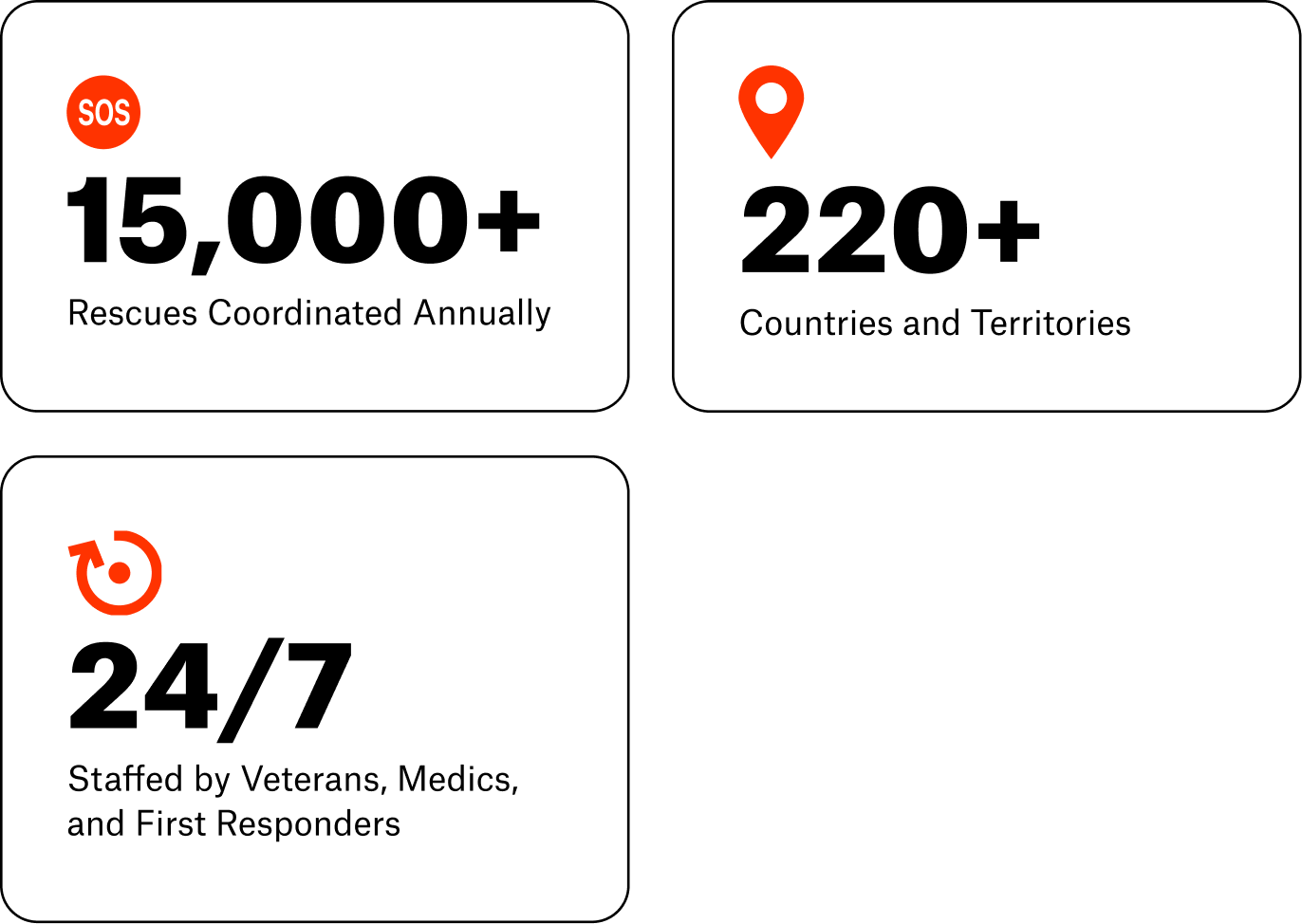
Better Safe Than Sorry
If you are ill, injured, facing bad weather, or in some sort of other danger, there is a chance your rescue will become more complicated if you wait. You may not be able to communicate as easily with rescuers or meet them in a good pickup location.
Rescue teams appreciate being called early. It makes their job easier. If you have the luxury of time and choice, don’t wait until the situation is dire.
Your subscription will cover the costs of your rescue and evacuation.
Vehicle Breakdown
If your vehicle breaks down or is in a situation where it needs a tow, the Crisis Response Center will connect you to relevant roadside assistance services or local first responders who can coordinate a tow, but the costs of vehicle recovery and towing are not covered. You’ll have to pay for those yourself.
Someone Else in Your Group Has an Emergency
Send an SOS on their behalf using your device, and the Crisis Response Center will coordinate the response with local agencies until help arrives.
Important: Financial coverage is only for the subscriber. To have rescue and evacuation costs covered, each person needs their own onX SOS subscription.
See Terms & Conditions for complete coverage details.
Need more info? Check out the full onX SOS User Guide.