
Compass Mode
Compass Mode displays your real-time heading and includes a built-in rangefinder to measure distances and drop precise Waypoints for confident navigation.
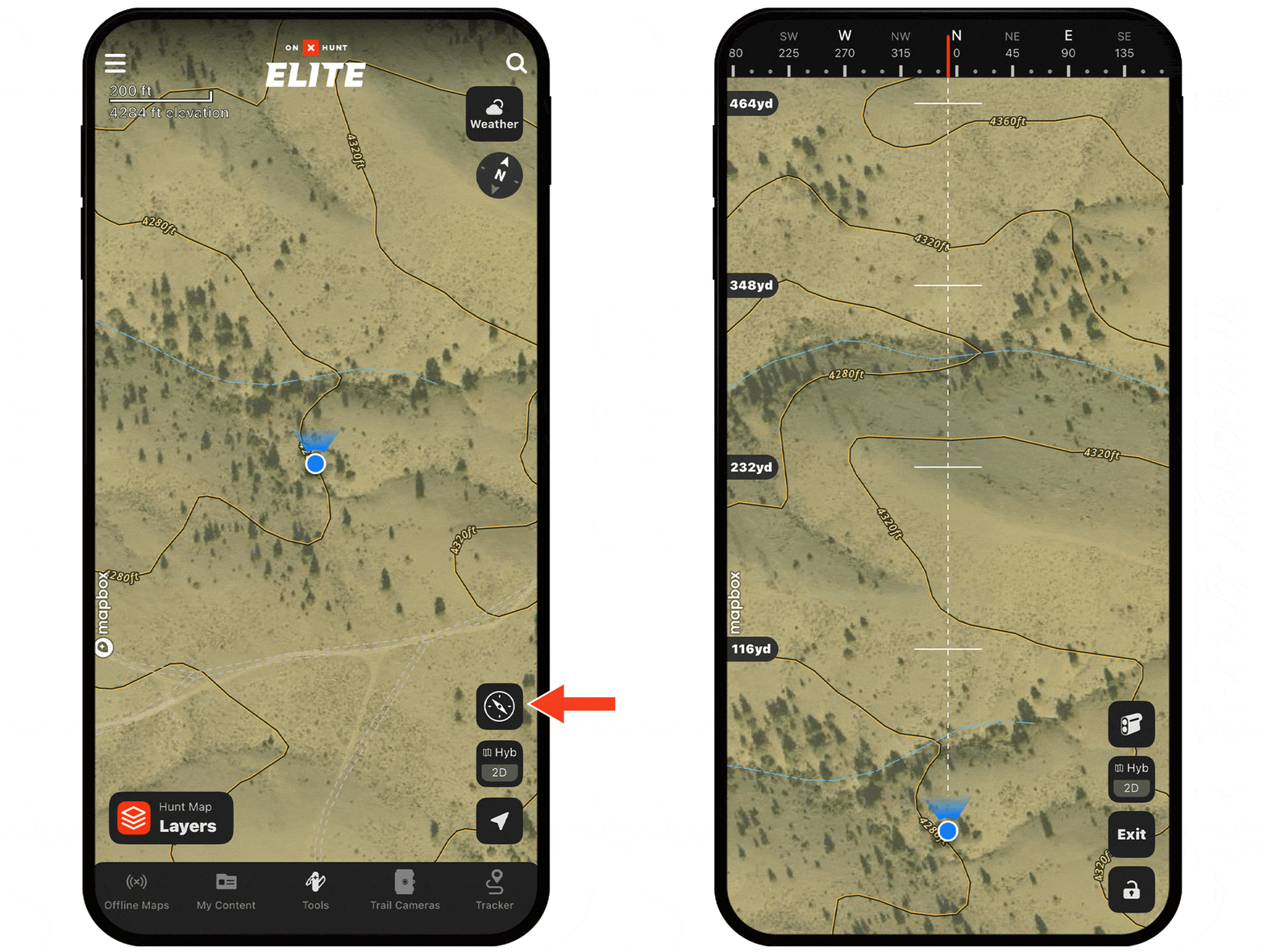
Compass Mode Tutorial
Expand each block to learn how to use Compass Mode.
Turn on Compass Mode
Step 1: Tap the Location icon twice, then tap the Compass icon.
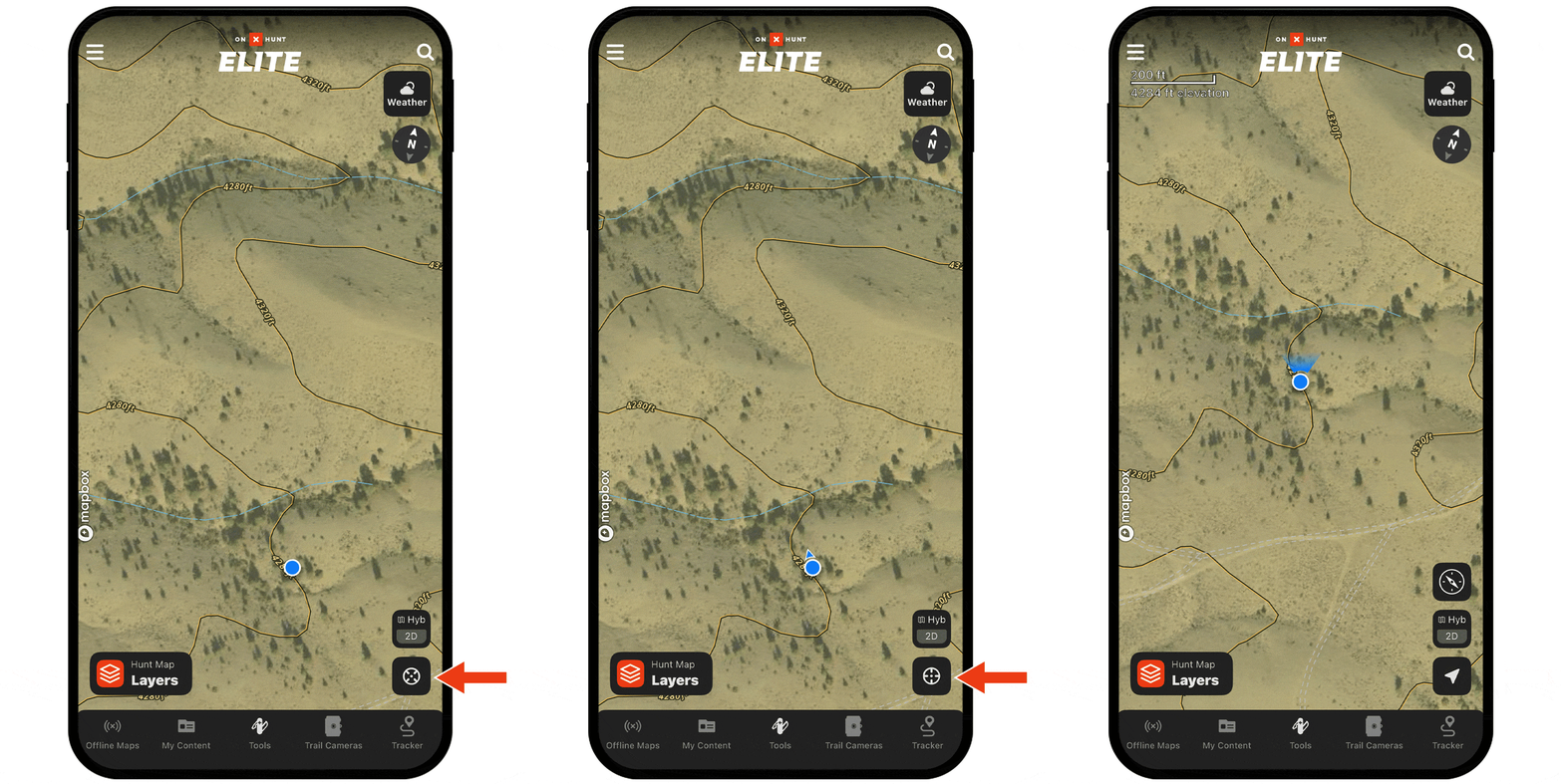
Alt Method: Tap Tools, then Compass Mode.
Step 2: Your device is now a compass: use it to orient yourself to terrain features or objects.
Activate the Built-in Rangefinder
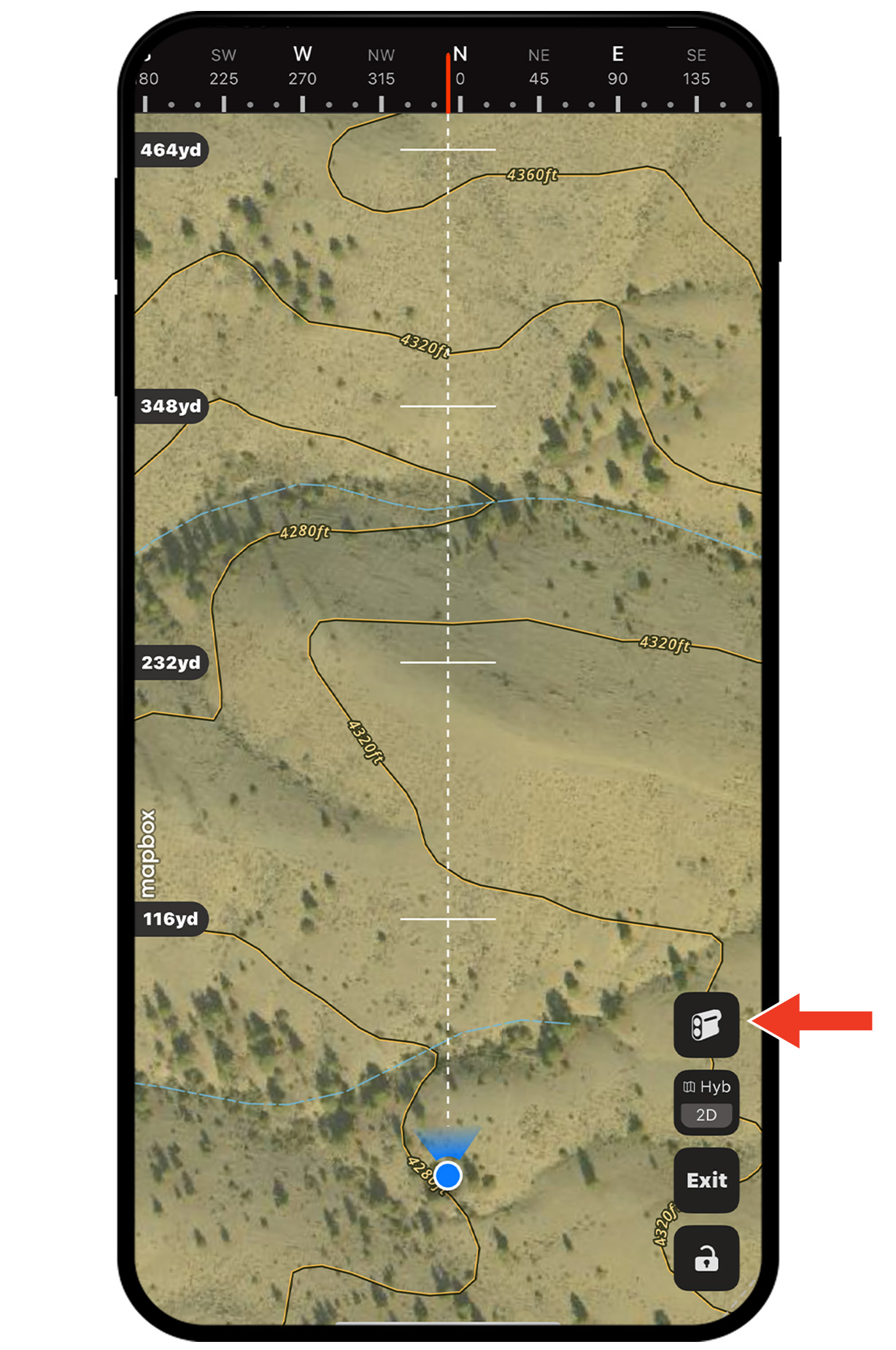
Step 1: With Compass Mode on, tap the Rangefinder icon.
Step 2: A red line with a target will appear: Drag up or down anywhere on the screen to adjust the distance.
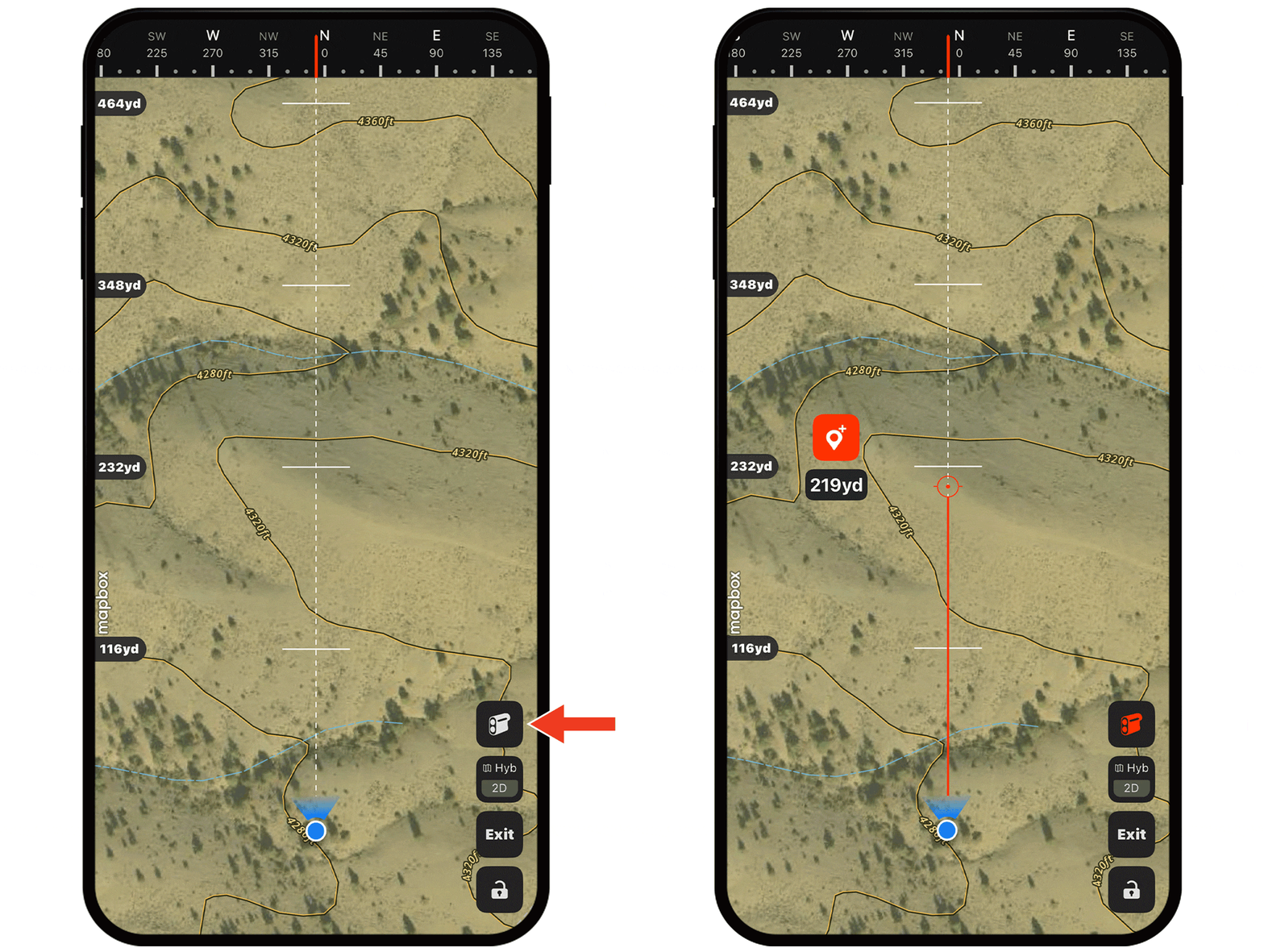
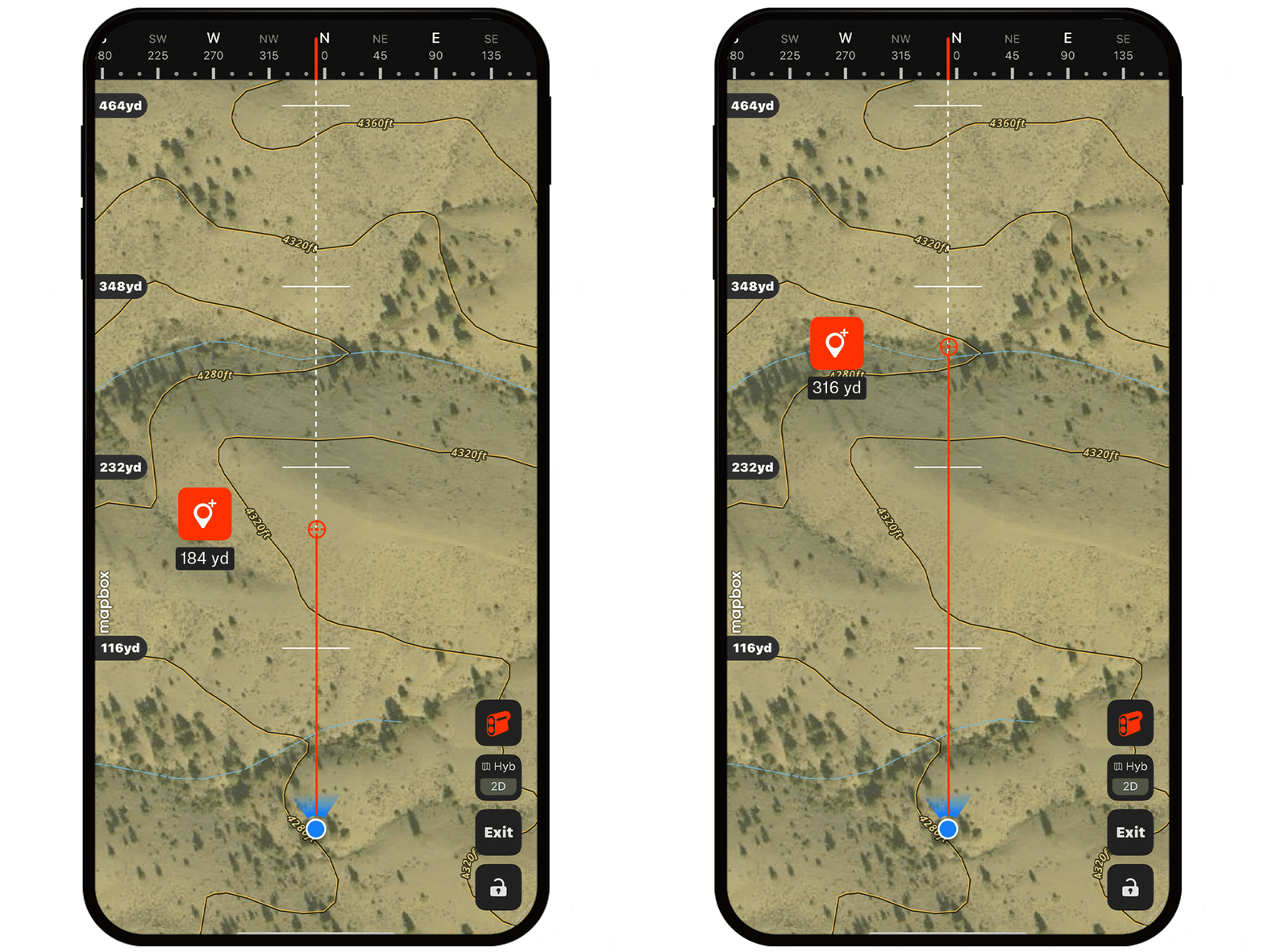
Step 3: Tap the Waypoint icon to drop a pin at your target location.
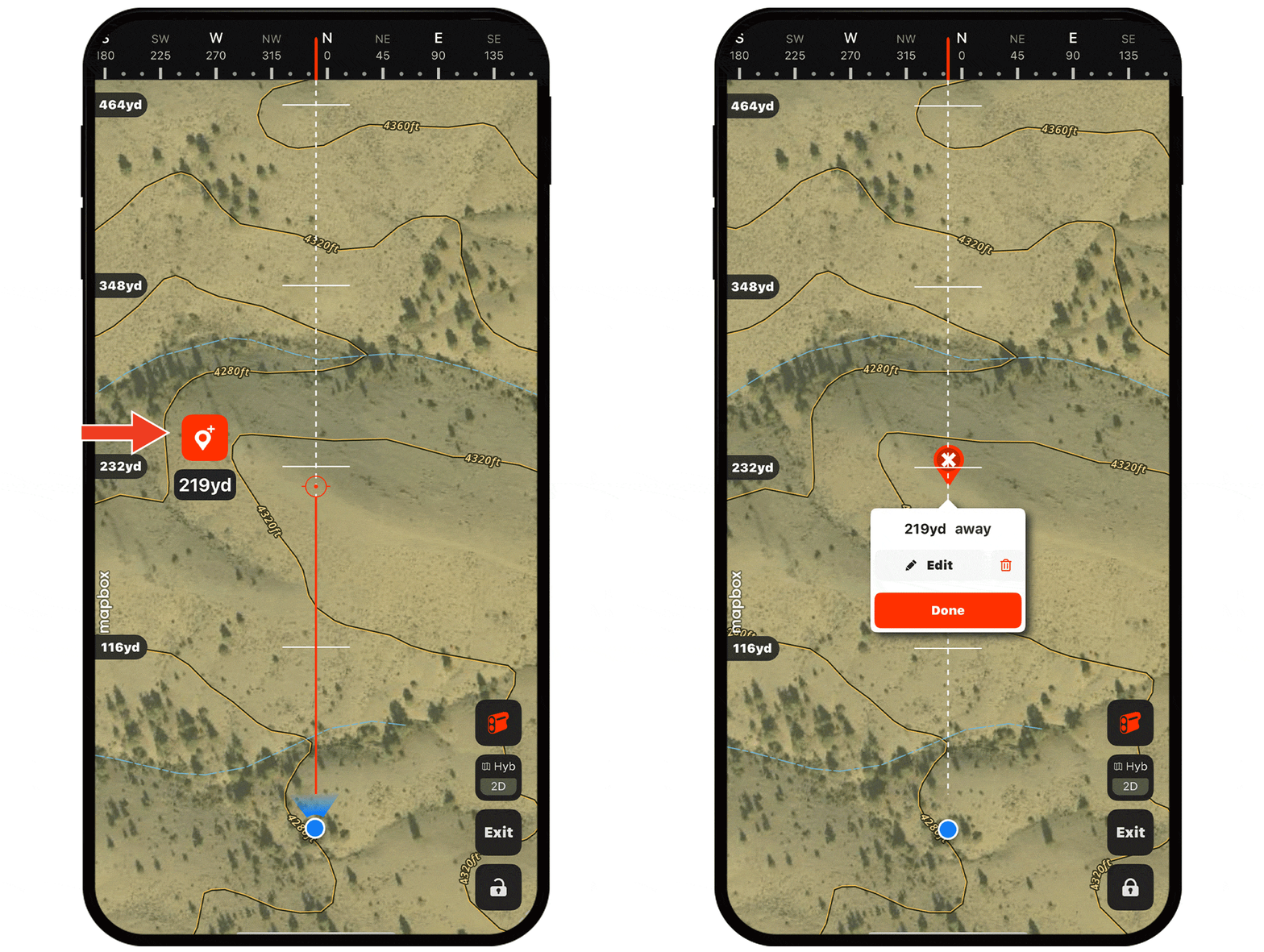
Step 4: Tap Done (or Edit if you’d like to customize the Waypoint’s icon, color, etc.)
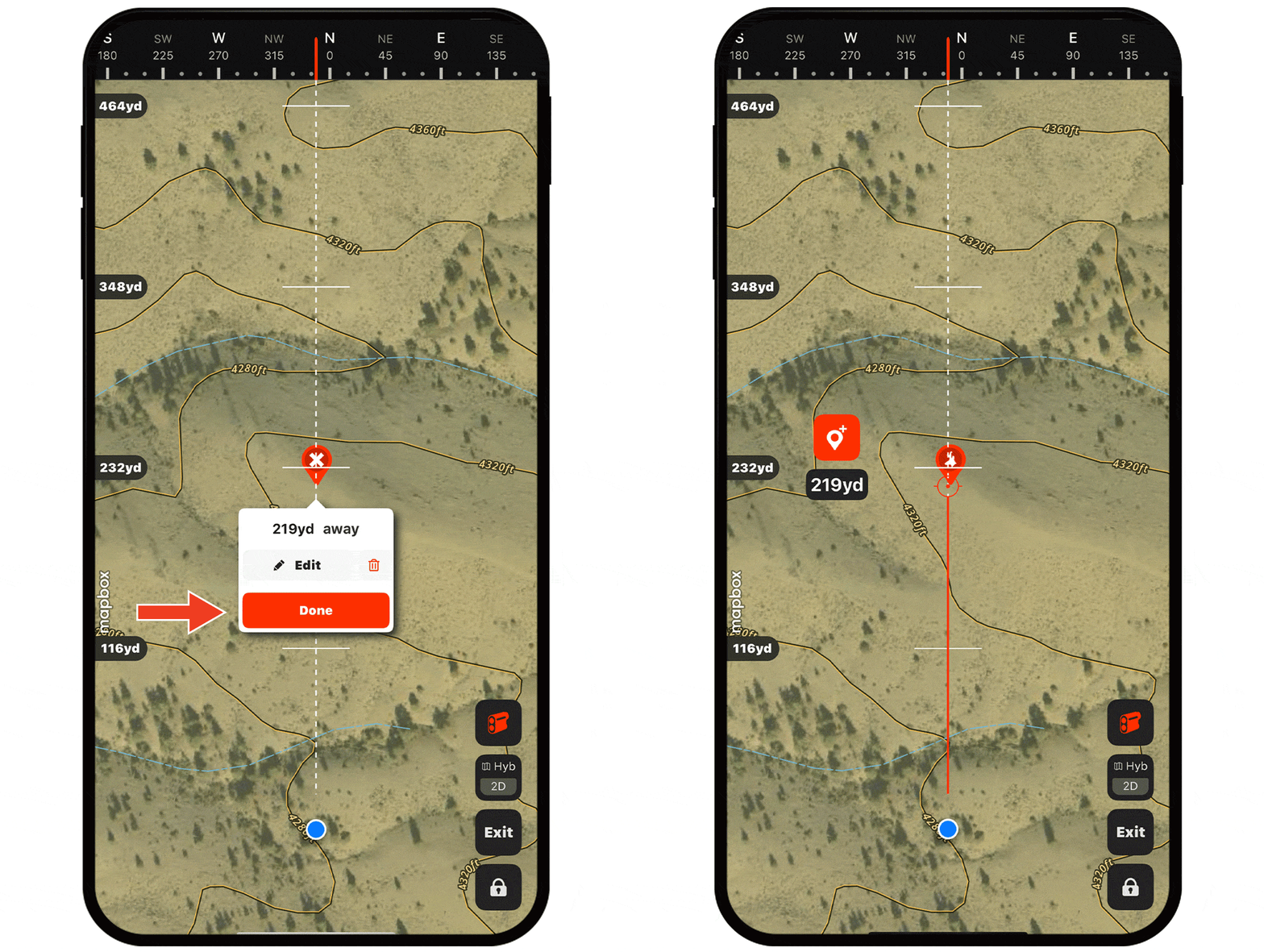
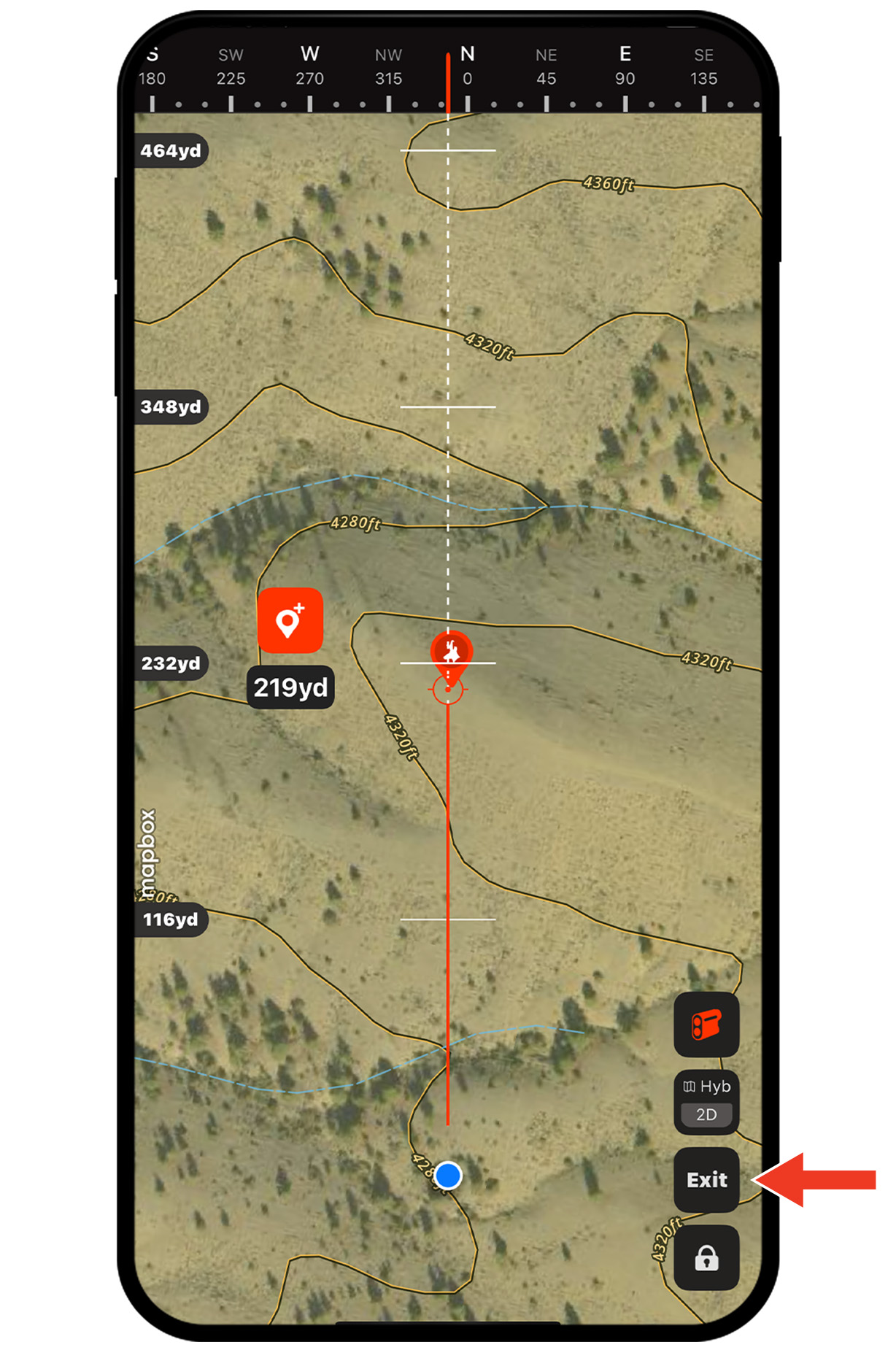
Step 5: Now you have a precise location to work toward. Tap Exit to return to the standard map view.
Get Access to Compass Mode
Compass Mode is a paid feature. Buy a Membership today.
Compass Mode Use Cases
Explore ways to use Compass Mode to improve your hunt.