
Waypoints for Waterfowl Hunting
Use case examples to help you get the most out of your Waypoints.
Monitor and organize critical information.
Drop Waypoints on the following locations to help you keep track of details:
- Where you see birds when scouting.
- Cripples.
- Blind locations.
- The truck or boat ramp.
- Land parcels you have permission to hunt on as well as plots you intend to ask for permission to hunt on (use different Waypoint colors to keep organized).
- Access points to drive into fields.
- Areas you intend to scout.
Use custom icons or colors to differentiate ducks, geese, cranes, and other species to keep your map organized.
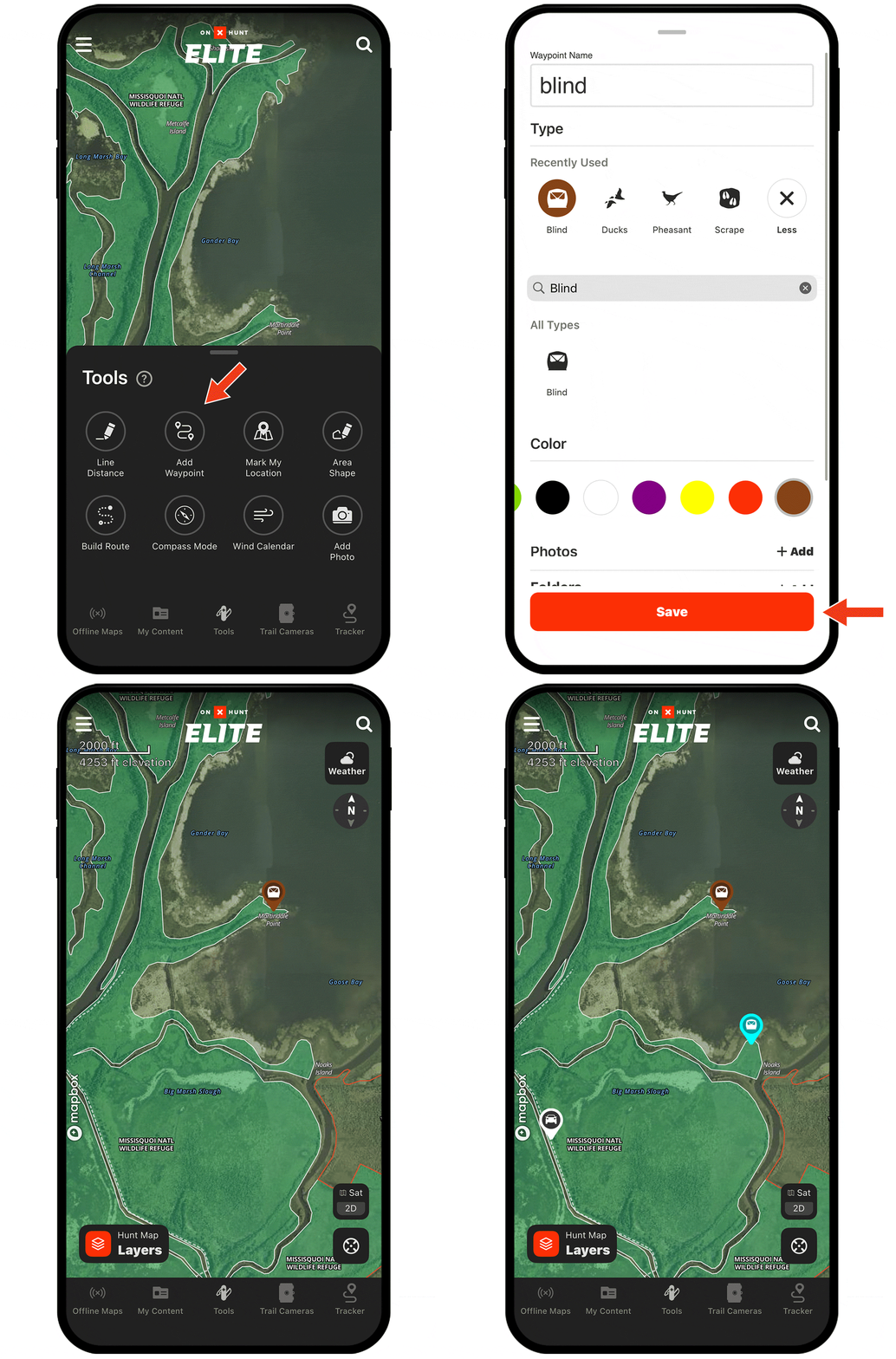
Need help adding Waypoints?
There are several ways to create a Waypoint, including:
- Tap and hold (for about 2 seconds) on the area of the map you want to drop the Waypoint.
- Tap Tools at the bottom of the screen. Choose Add Waypoint.
- Tap on the area of the map you want to drop a Waypoint. An “About this location” tile will appear. Tap Add Waypoint at the bottom of the screen.
Check out the tutorial for more.
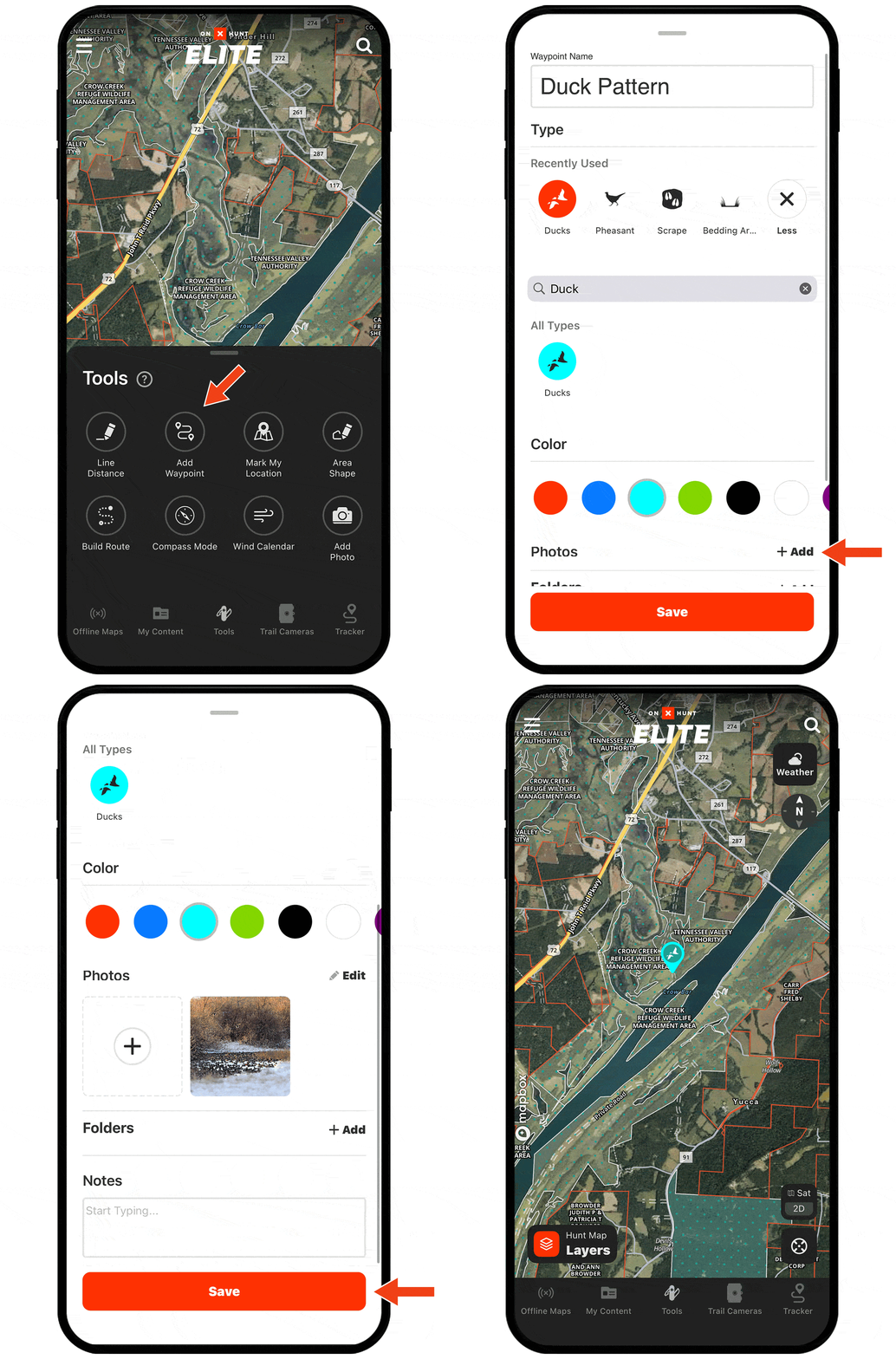
Optimize decoy spreads.
When you find birds while scouting, snap a photo and attach it to that particular Waypoint. When you return to hunt the area, tap into the Waypoint to use the photo to set a more natural decoy spread that mimics what you saw live birds doing.
Start Dropping Waypoints Today
Waypoints are available to paid members. Purchase a Premium or Elite Membership for full access.