
Waypoints for Whitetail Hunting
Use case examples to help you get the most out of your Waypoints.
Remember property details and deer sign sightings.
Over time, your Waypoints will paint a picture of deer habits and ideal hunting set-ups. Drop Waypoints on the following:
- Treestands/Blinds/Ladder Stands
- Access Points
- Trail Cameras
- Bucks
- Scrapes/Rubs
- Bedding Areas
Add photos to your Waypoints to build visual records that help you track seasonal changes and remember key details.
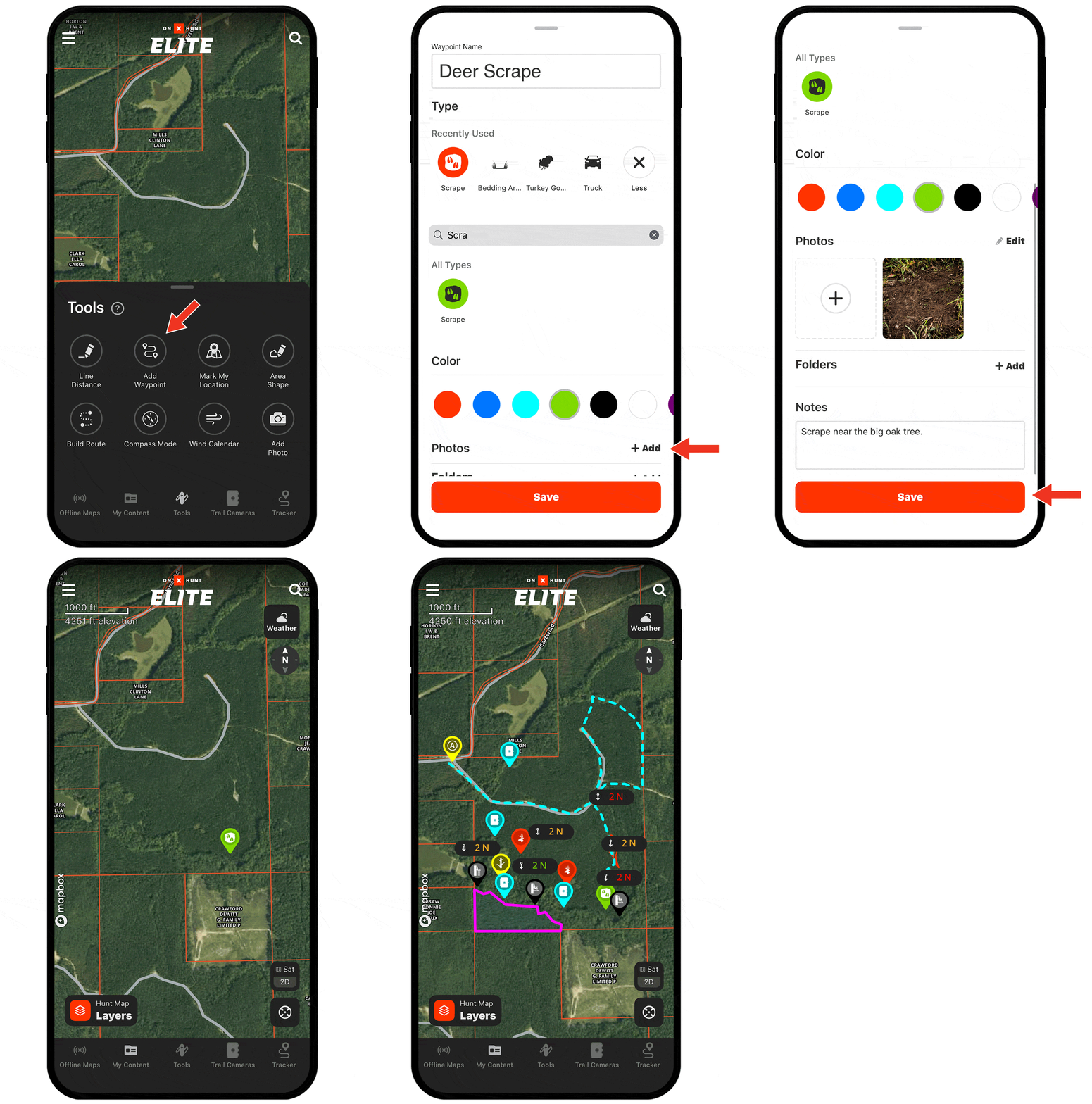
Need help adding Waypoints?
There are several ways to create a Waypoint, including:
- Tap and hold (for about 2 seconds) on the area of the map you want to drop the Waypoint.
- Tap Tools at the bottom of the screen. Choose Add Waypoint.
- Tap on the area of the map you want to drop a Waypoint. An “About this location” tile will appear. Tap Add Waypoint at the bottom of the screen.
Check out the tutorial for more.
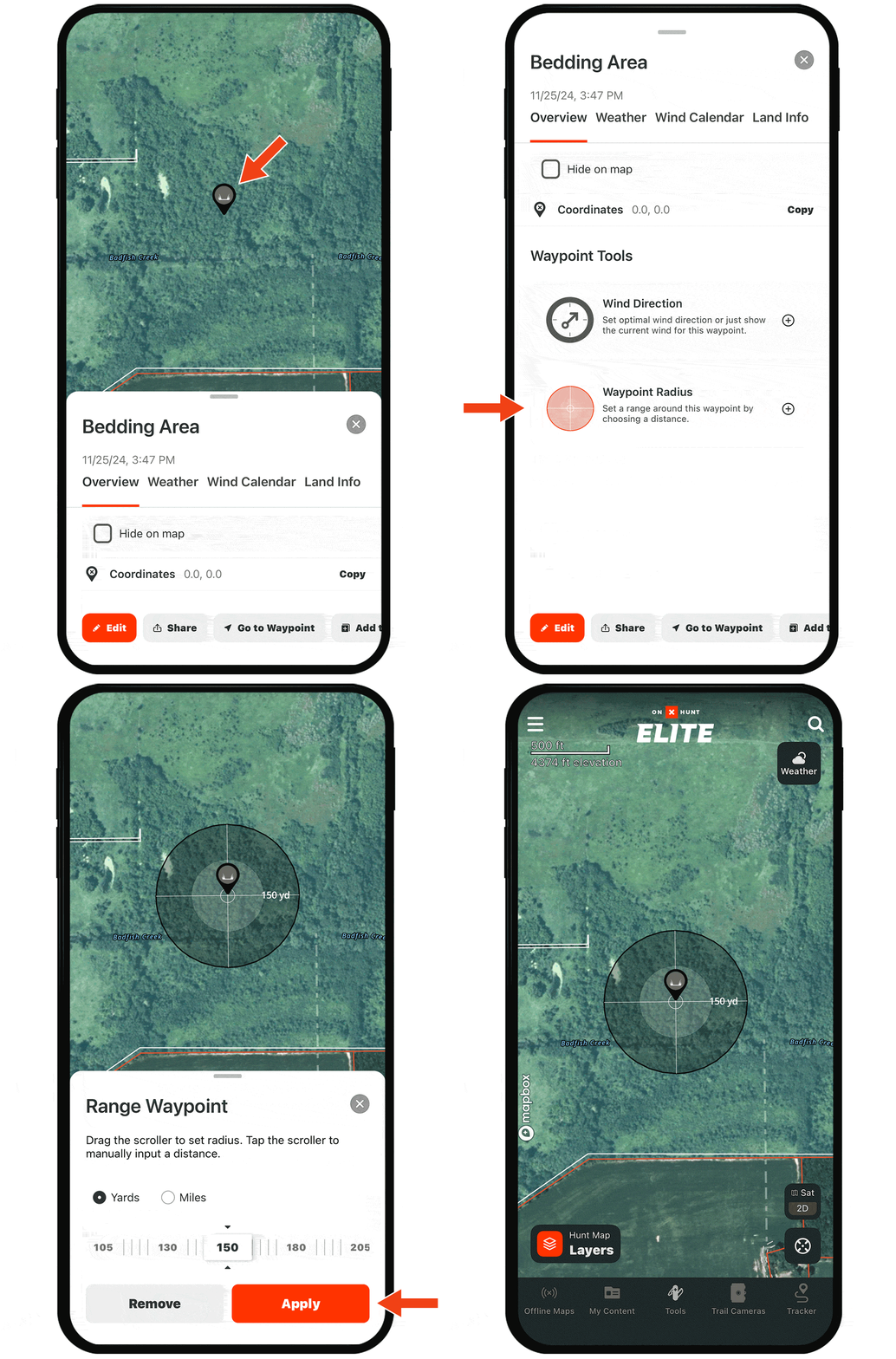
Visualize your shooting range.
For example, if you have a Waypoint on a deer bed and know you want to stay within 150 yards for a shot, add a radius around that Waypoint for a clear understanding of where to position yourself. To add a Waypoint Radius, scroll to Waypoint Tools after tapping into any Waypoint.
Start Dropping Waypoints Today
Waypoints are available to paid members. Purchase a Premium or Elite Membership for full access.