
Map Layers for Whitetail Hunting
Use case examples to help you get the most out of your Map Layers.
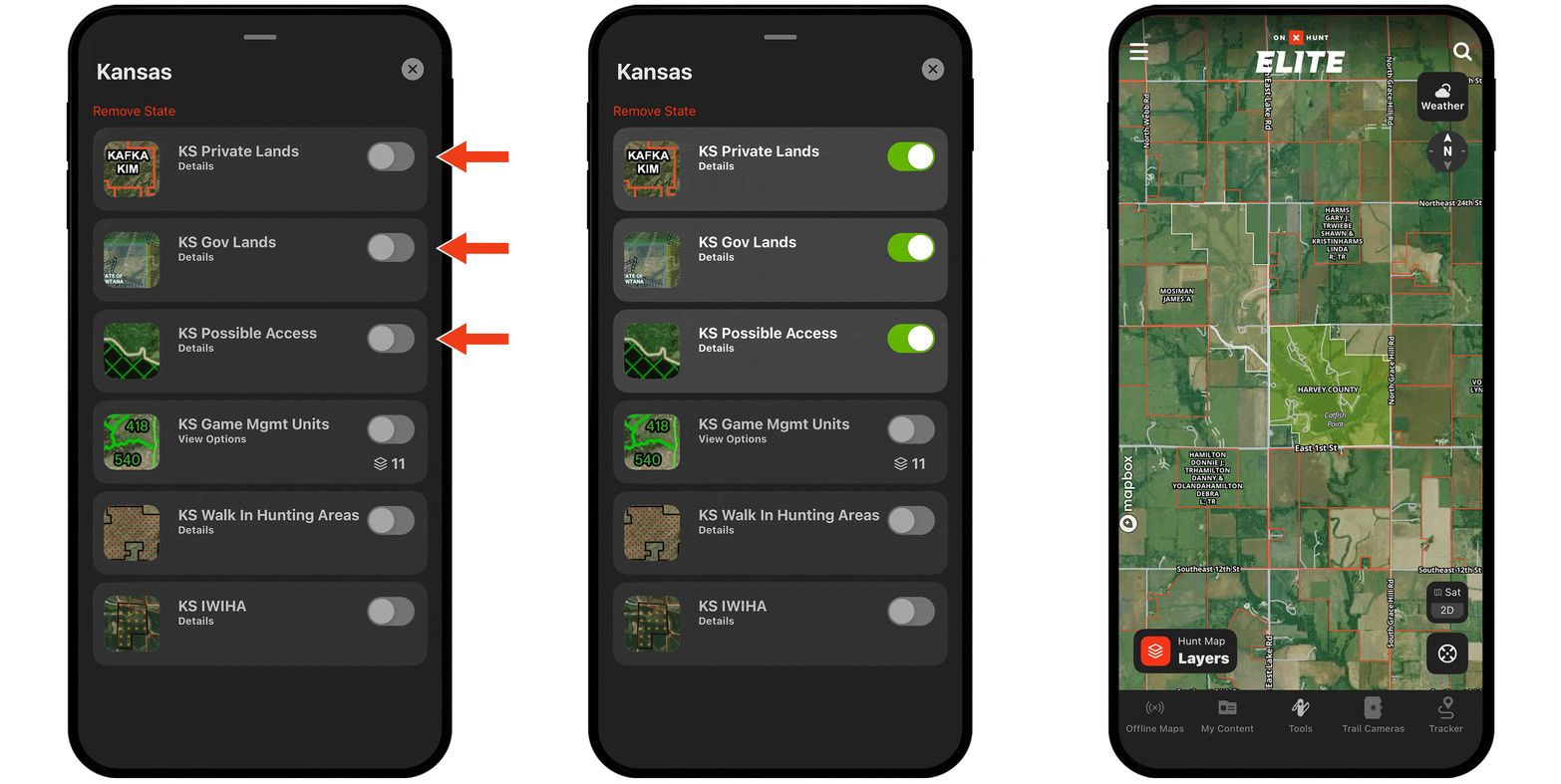
Understand private and public hunting opportunities.
In Hunt Map Layers, turn on the state you’re hunting and then toggle on any combination of Private Lands, Gov Lands, Possible Access, and more to e-scout your next spot.
Find edge habitat.
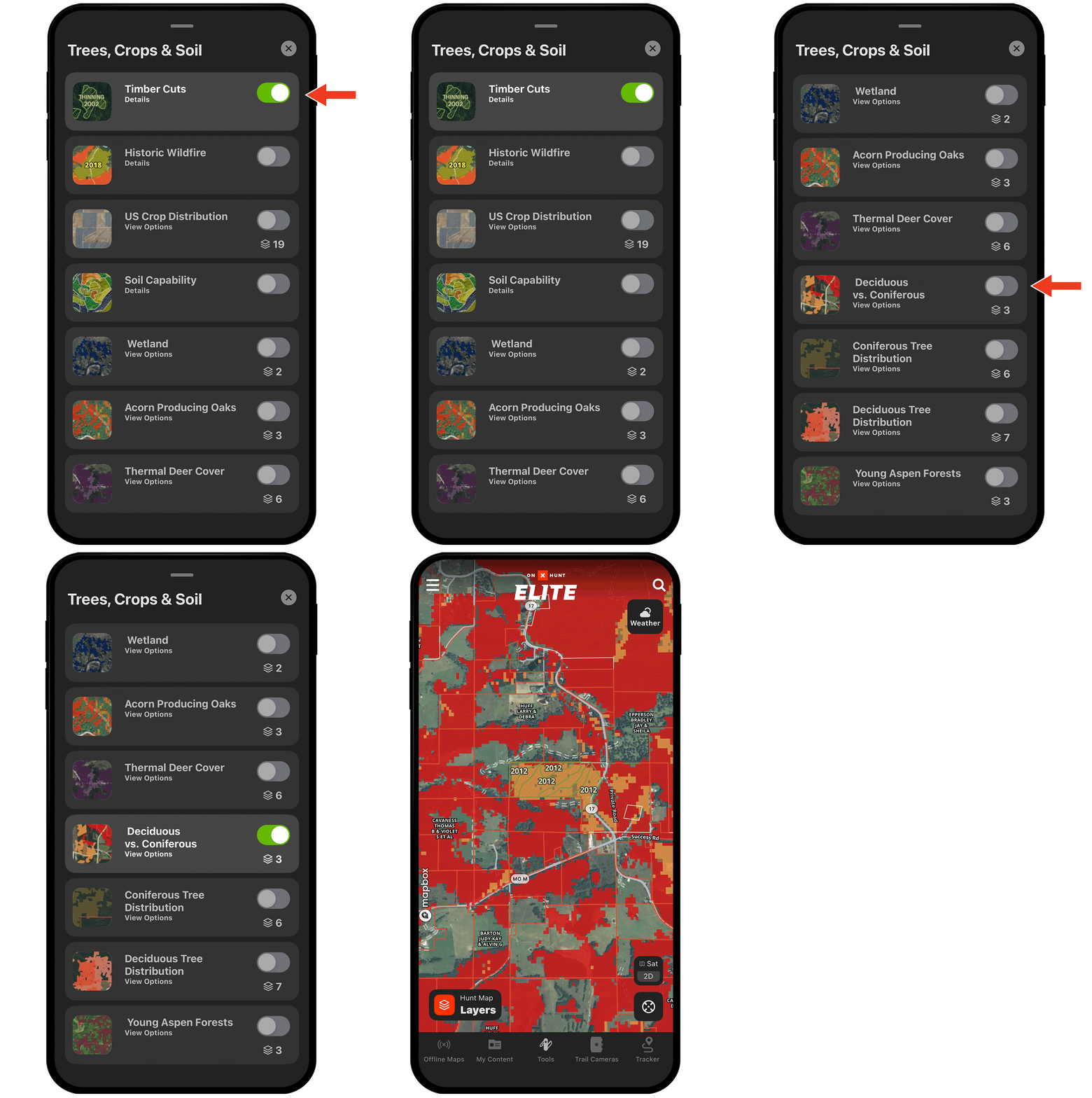
Deer often prefer areas where two or more habitats come together because those areas offer diverse food sources and access to cover.
Use Map Layers like Timber Cuts and Deciduous vs. Coniferous to uncover edges.
Find food sources.
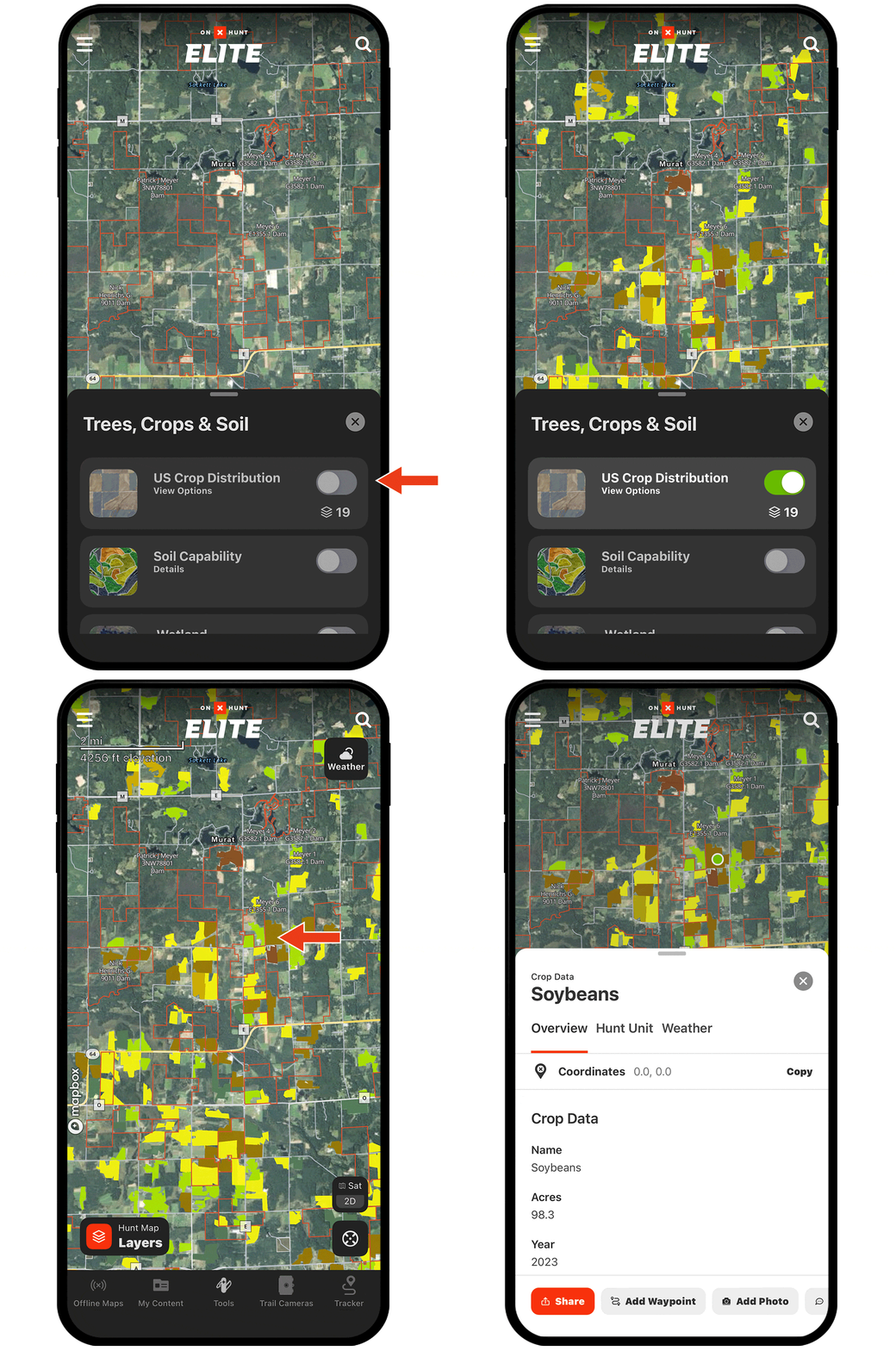
From corn and soybeans to alfalfa and winter wheat, nearly two dozen US Crop Distribution Map Layers help you understand crop rotations and key in on major food sources.
Turning Map Layers on and off.
Map Layers, found under Hunt Map Layers in the lower left corner, are organized into categories. For example, the tree and crop layers are under Trees, Crops, and Soil, while public vs private layers are under specific states.
Tap the toggle next to a Map Layer’s name to turn that layer on (green) or off (grey).
Check out the full Map Layers tutorial for more.