
Waypoints for Upland Bird Hunting
Use case examples to help you get the most out of your Waypoints.
Differentiate areas you’ve scouted vs. successfully hunted.
Pick a specific Waypoint color or icon for areas you’ve scouted and then choose a different color or icon for spots where you’ve harvested a bird.
Over time, the color coding will reveal high-success areas, giving you go-to spots while helping you identify habitat trends you can use to find other areas to hunt that have similar terrain and cover.
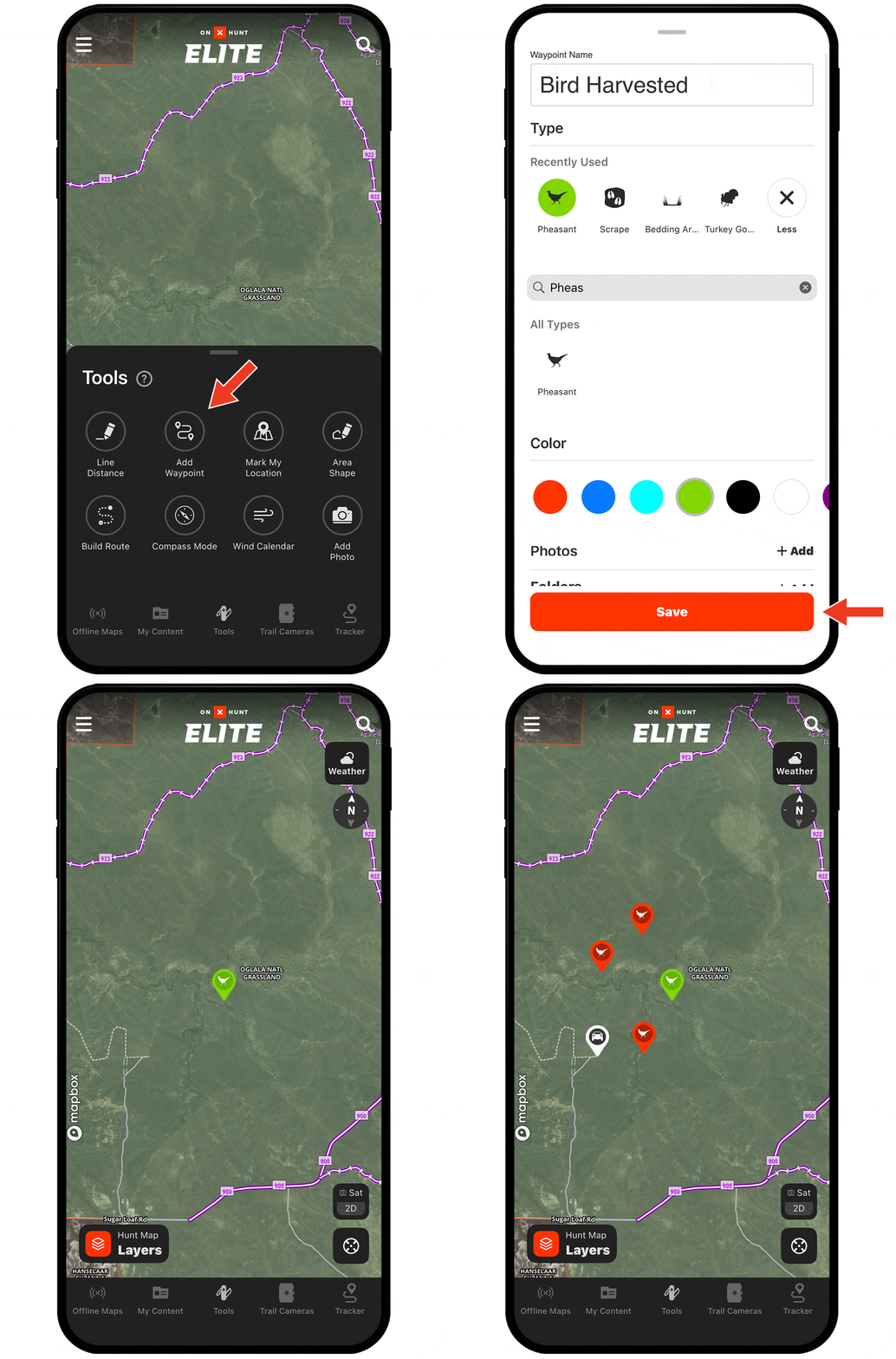
Need help adding Waypoints?
There are several ways to create a Waypoint, including:
- Tap and hold (for about 2 seconds) on the area of the map you want to drop the Waypoint.
- Tap Tools at the bottom of the screen. Choose Add Waypoint.
- Tap on the area of the map you want to drop a Waypoint. An “About this location” tile will appear. Tap Add Waypoint at the bottom of the screen.
Check out the tutorial for more.
Start Dropping Waypoints Today
Waypoints are available to paid members. Purchase a Premium or Elite Membership for full access.