
Waypoints for Turkey Hunting
Use case examples to help you get the most out of your Waypoints.
Monitor bird behavior.
Build a history of Waypoints to plan future hunts: Where a bird was gobbling last year on opening day is a good spot to start your search for the current season.
Use a different color Waypoint for each year to visualize year-over-year patterns.
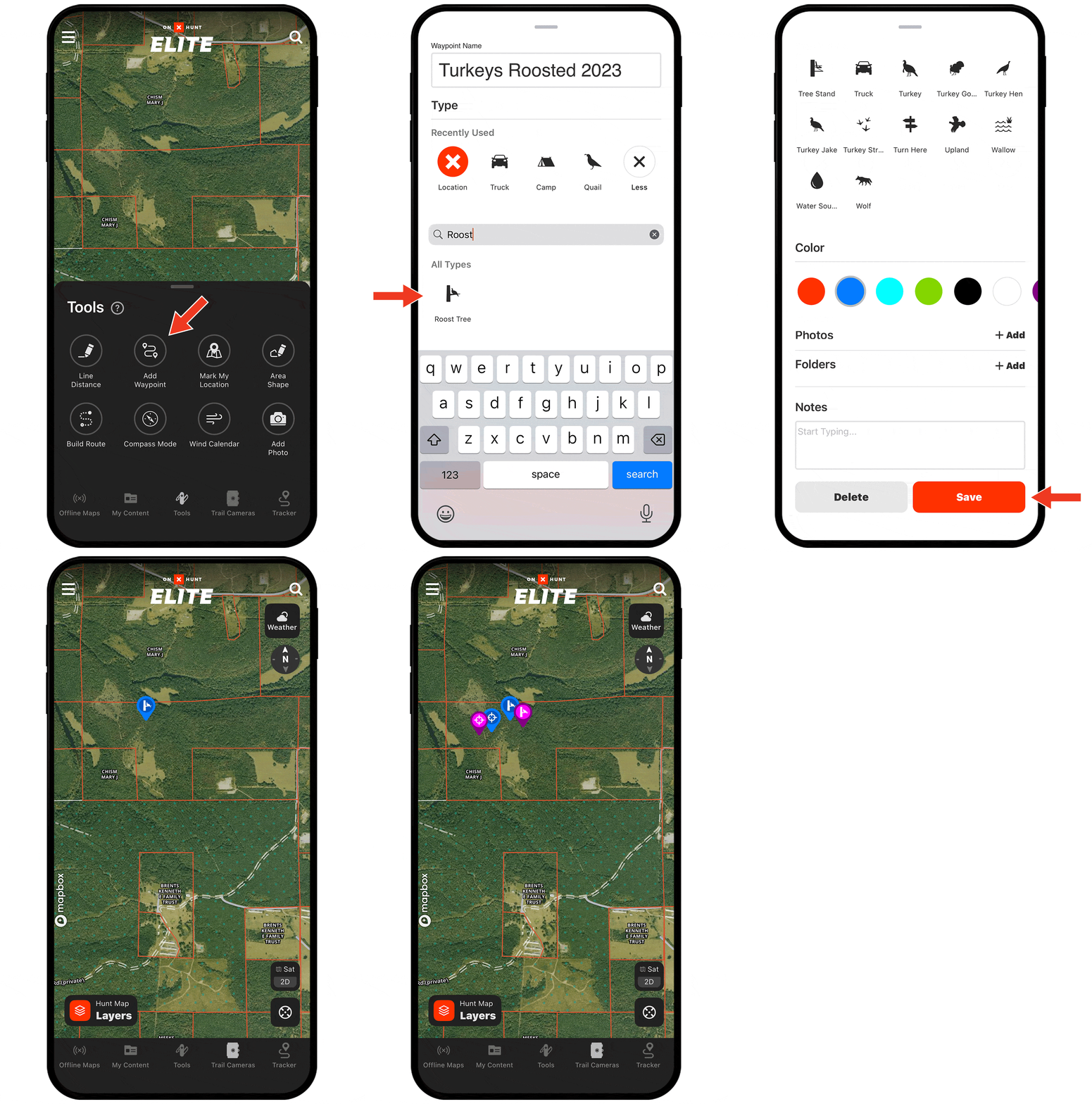
Need help adding Waypoints?
There are several ways to create a Waypoint, including:
- Tap and hold (for about 2 seconds) on the area of the map you want to drop the Waypoint.
- Tap Tools at the bottom of the screen. Choose Add Waypoint.
- Tap on the area of the map you want to drop a Waypoint. An “About this location” tile will appear. Tap Add Waypoint at the bottom of the screen.
Check out the tutorial for more.
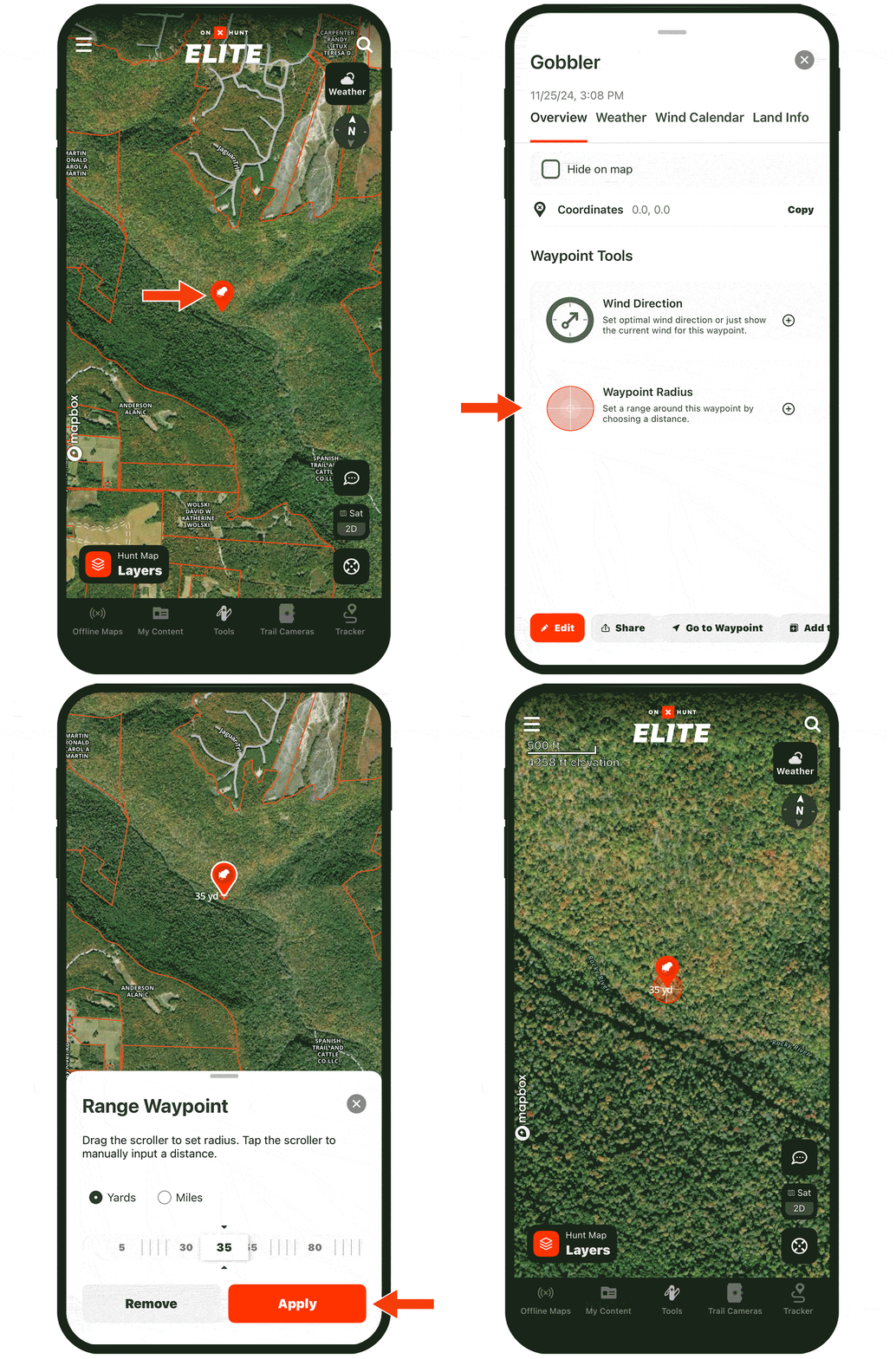
Visualize your desired shooting range.
When you pinpoint a gobble with a Waypoint, scroll to Waypoint Tools to apply a 30-yard radius (or whatever your effective shooting range is) on that Waypoint so you can see exactly where you need to get to for a clean shot.
Start Dropping Waypoints Today
Waypoints are available to paid members. Purchase a Premium or Elite Membership for full access.