
Waypoints for Western Big Game
Use case examples to help you get the most out of your Waypoints.
Limit your pack-out distance.
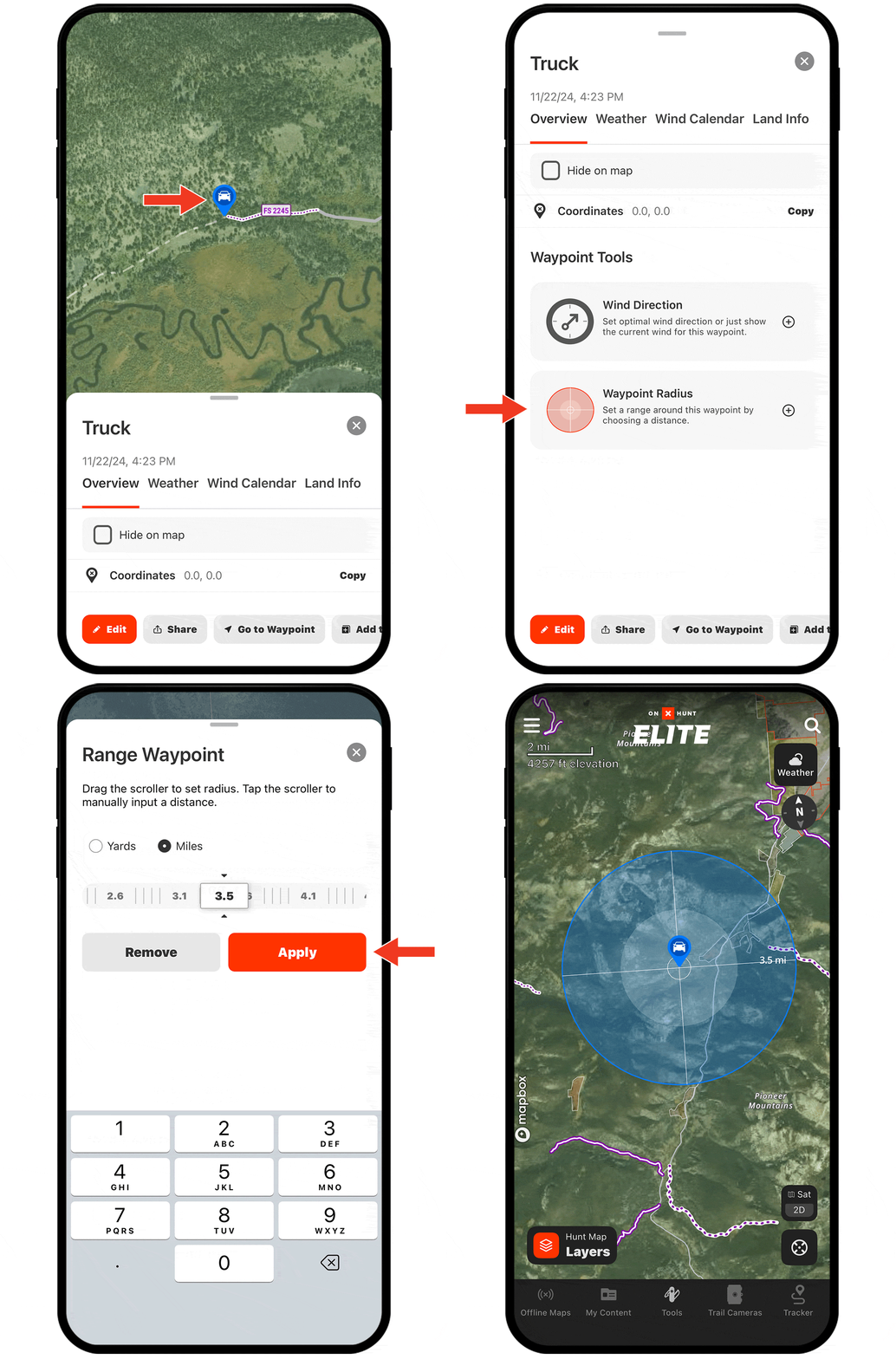
If you know you want your pack out to be under a certain number of miles, create a Waypoint where you plan to park, scroll to Waypoint Tools, and then set a Waypoint Radius of, say, 3.5 miles.
Now, you can see the general boundary you should stay within to ensure a manageable pack out.
Simplify spot-and-stalks.
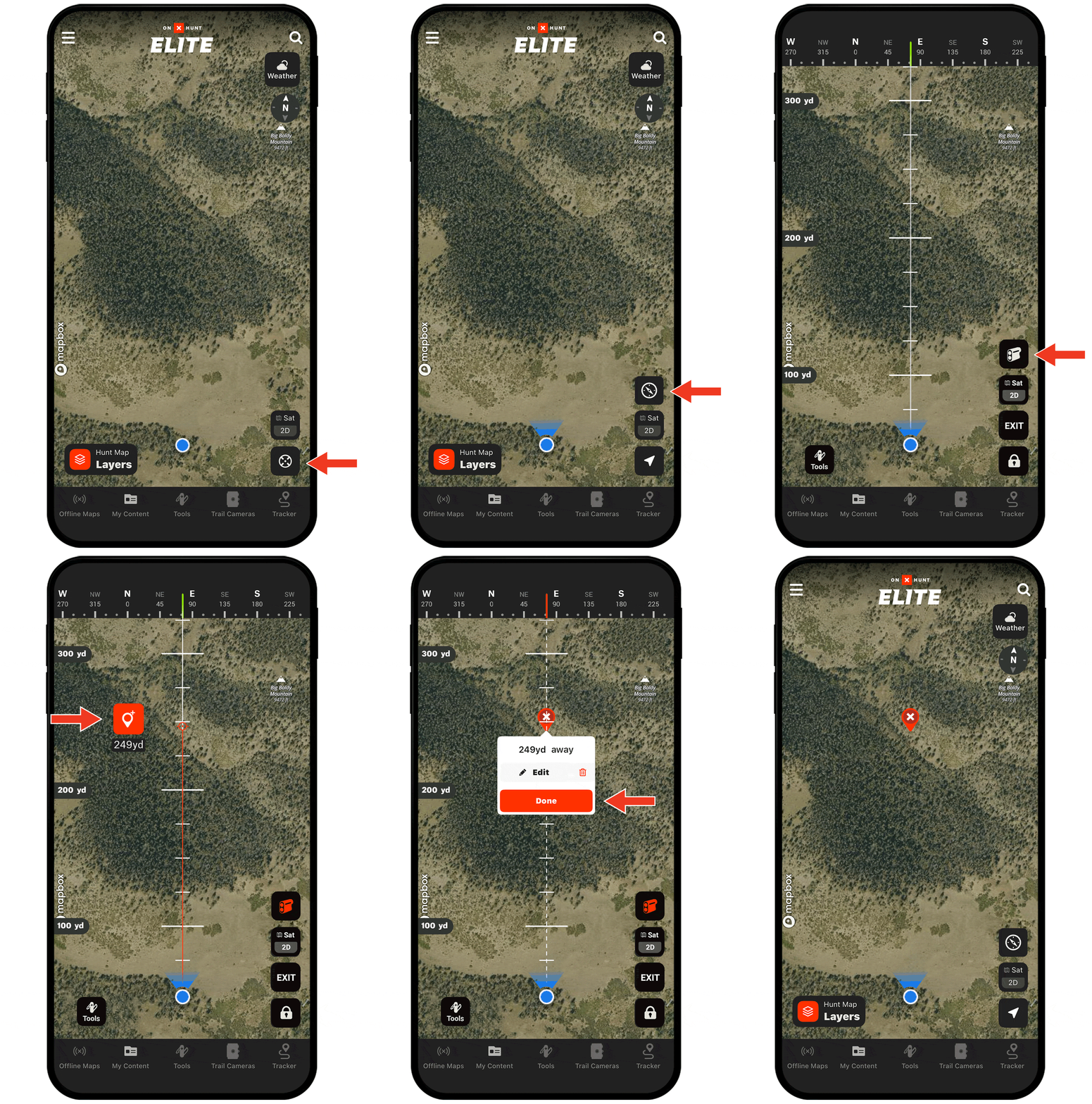
Before a stalk, use your physical rangefinder to range the animal; then, use Compass Mode’s built-in Rangefinder to drop a Waypoint exactly where the animal is.
When you begin your stalk (and, likely, lose sight of the animal as you navigate undulating terrain), you have Compass Mode and your dropped Waypoint to confirm you’re taking the optimal path toward where you last saw your target.
Coordinate with hunting partners.
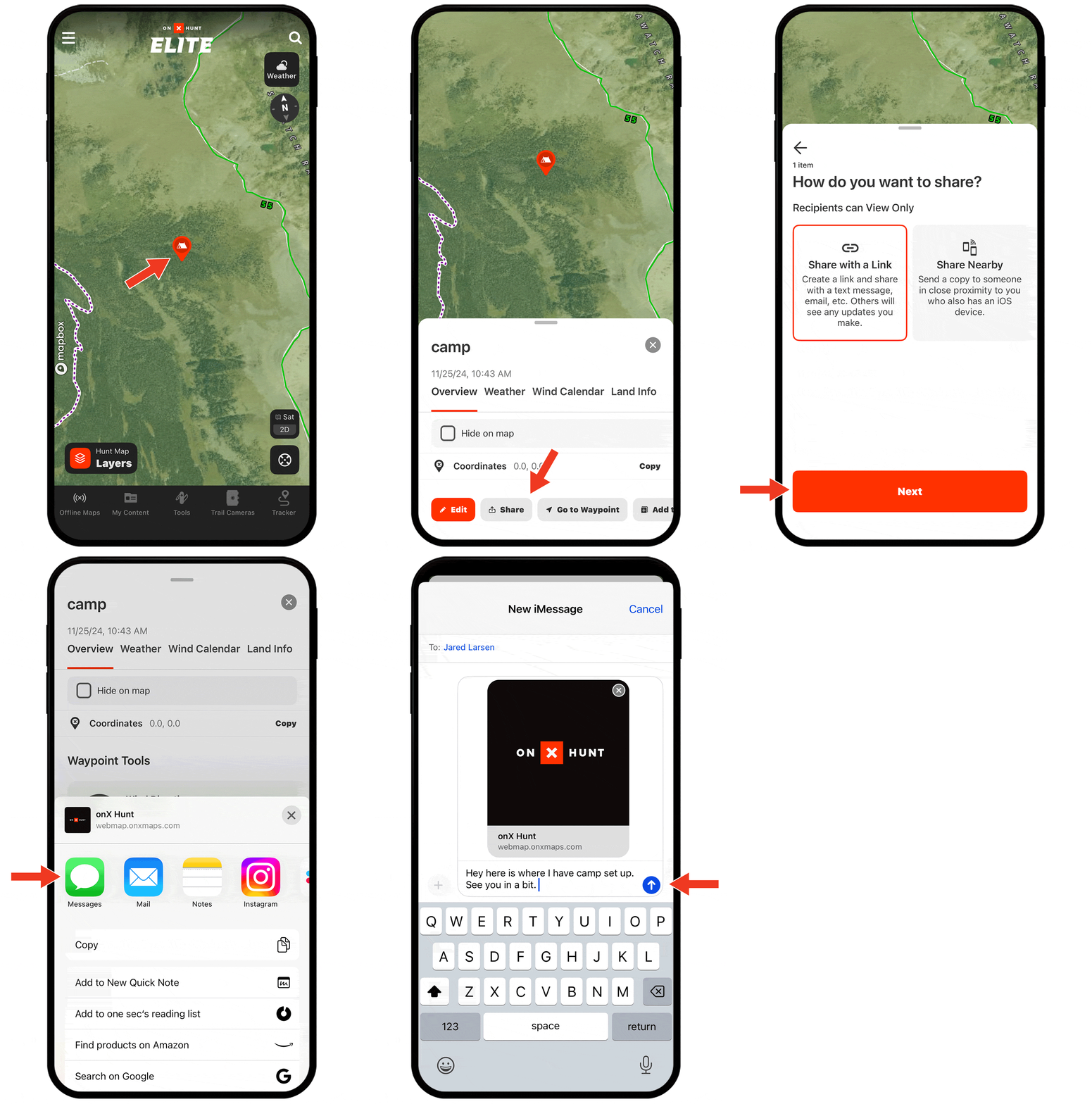
Waypoints are shareable, so every bit of sign you mark, each glassing point you save, and campsites can all be shared with hunting partners to keep everyone on the same page, whether your hunt is months away or the next day.
Need help adding Waypoints?
There are several ways to create a Waypoint, including:
- Tap and hold (for about 2 seconds) on the area of the map you want to drop the Waypoint.
- Tap Tools at the bottom of the screen. Choose Add Waypoint.
- Tap on the area of the map you want to drop a Waypoint. An “About this location” tile will appear. Tap Add Waypoint at the bottom of the screen.
Check out the tutorial for more.