Map Layers for Western Big Game
Use case examples to help you get the most out of your Map Layers.
Find burn areas.
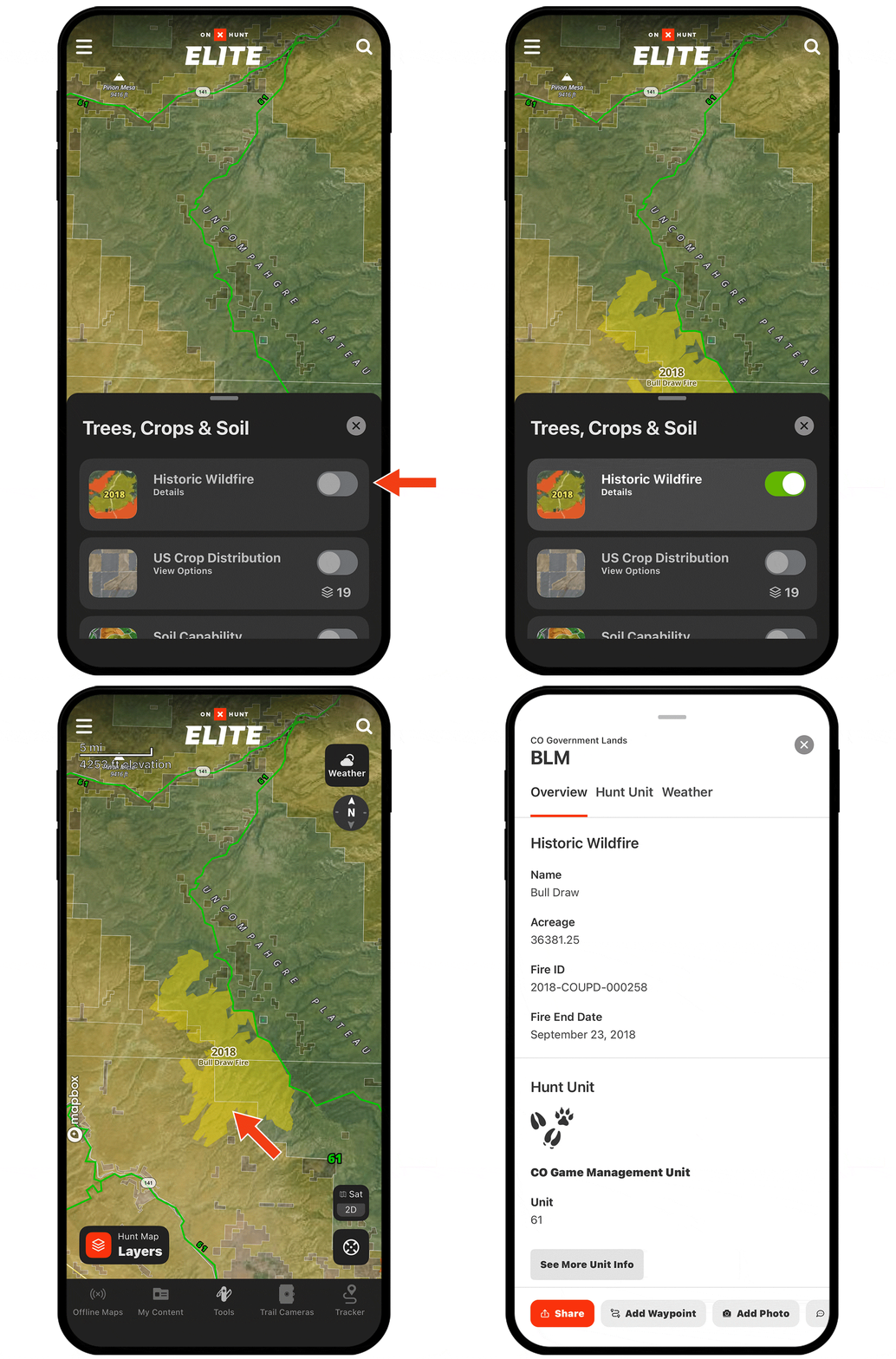
A few years after a wildfire, the area bursts back to life with good forage. Burn areas also tend to be more open, offering good glassing opportunities.
The Historic Wildfire Map Layer will show you the perimeter of burn areas and the year each fire happened. Look for burn areas by bedding areas. For example, elk might feed in the burn area and then look for a north slope to bed up midday.
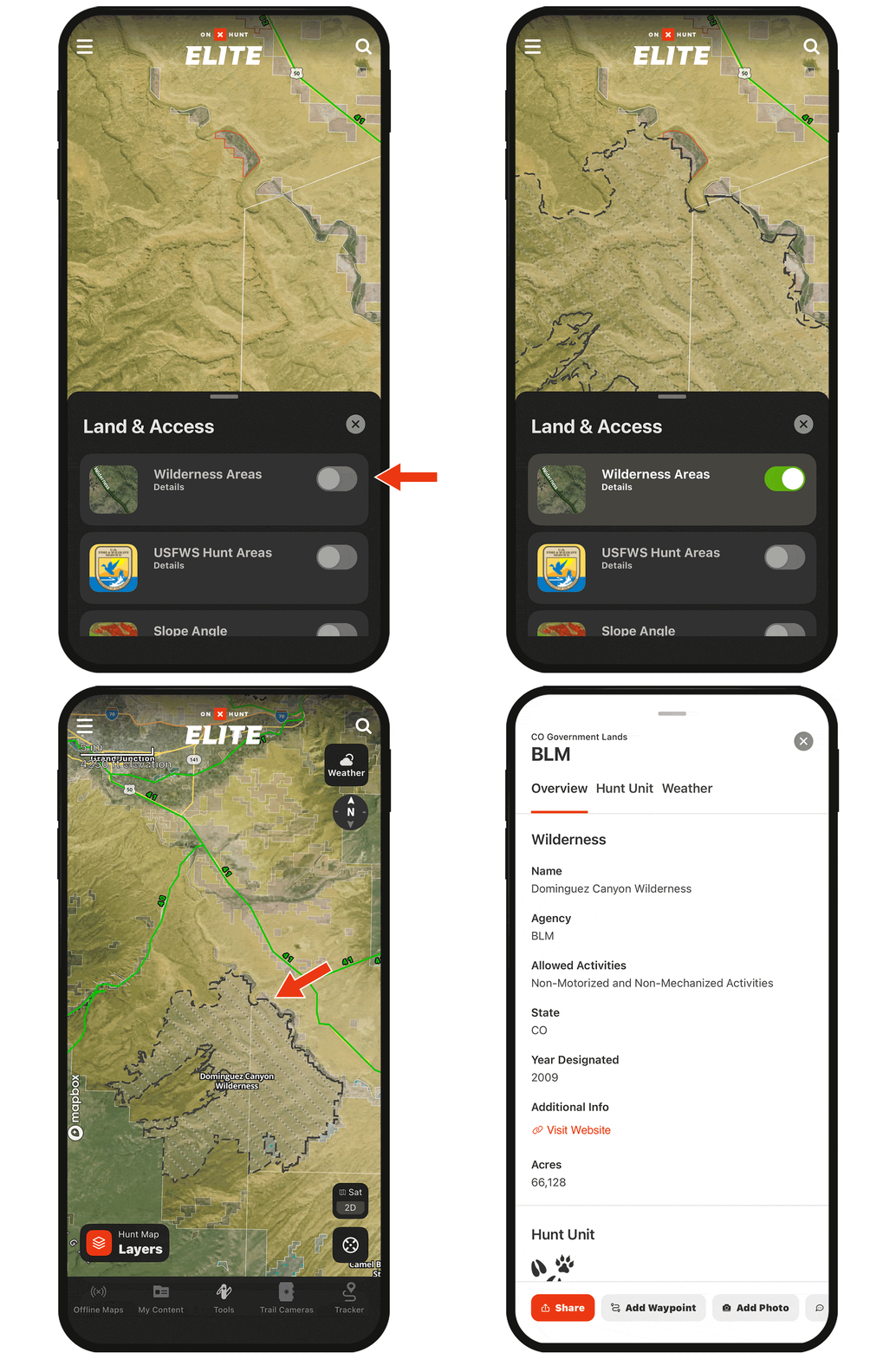
Get away from the crowd.
If you’re trying to minimize competition, use the Roadless Areas and/or Wilderness Areas Map Layers to identify harder-to-reach areas that may help weed out some other hunters.
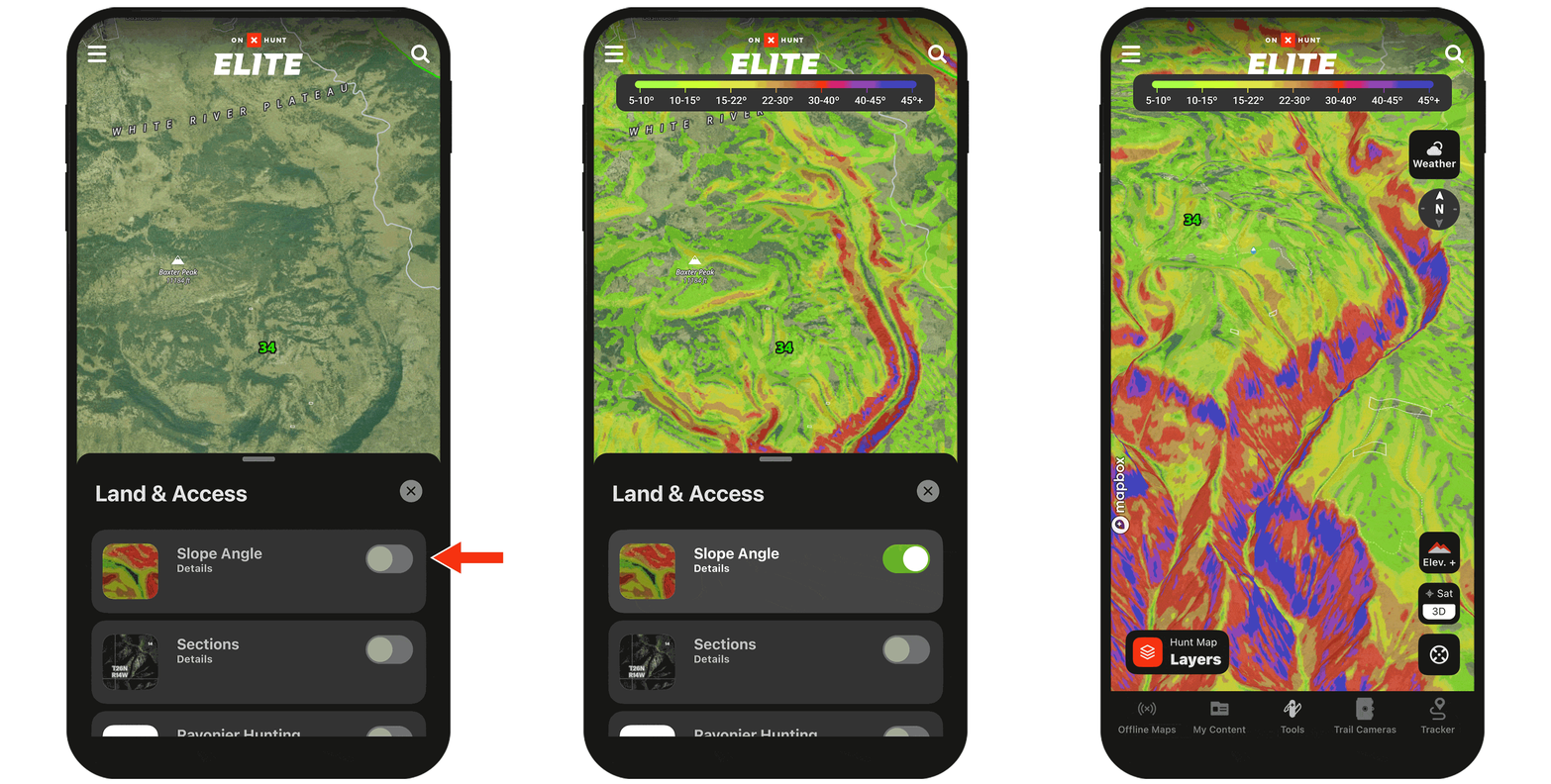
Assess terrain slope at-a-glance.
The Slope Angle Map Layer color-codes your map from green (less steep) to blue (most steep) so you can better access the best travel paths or more easily spot benches.
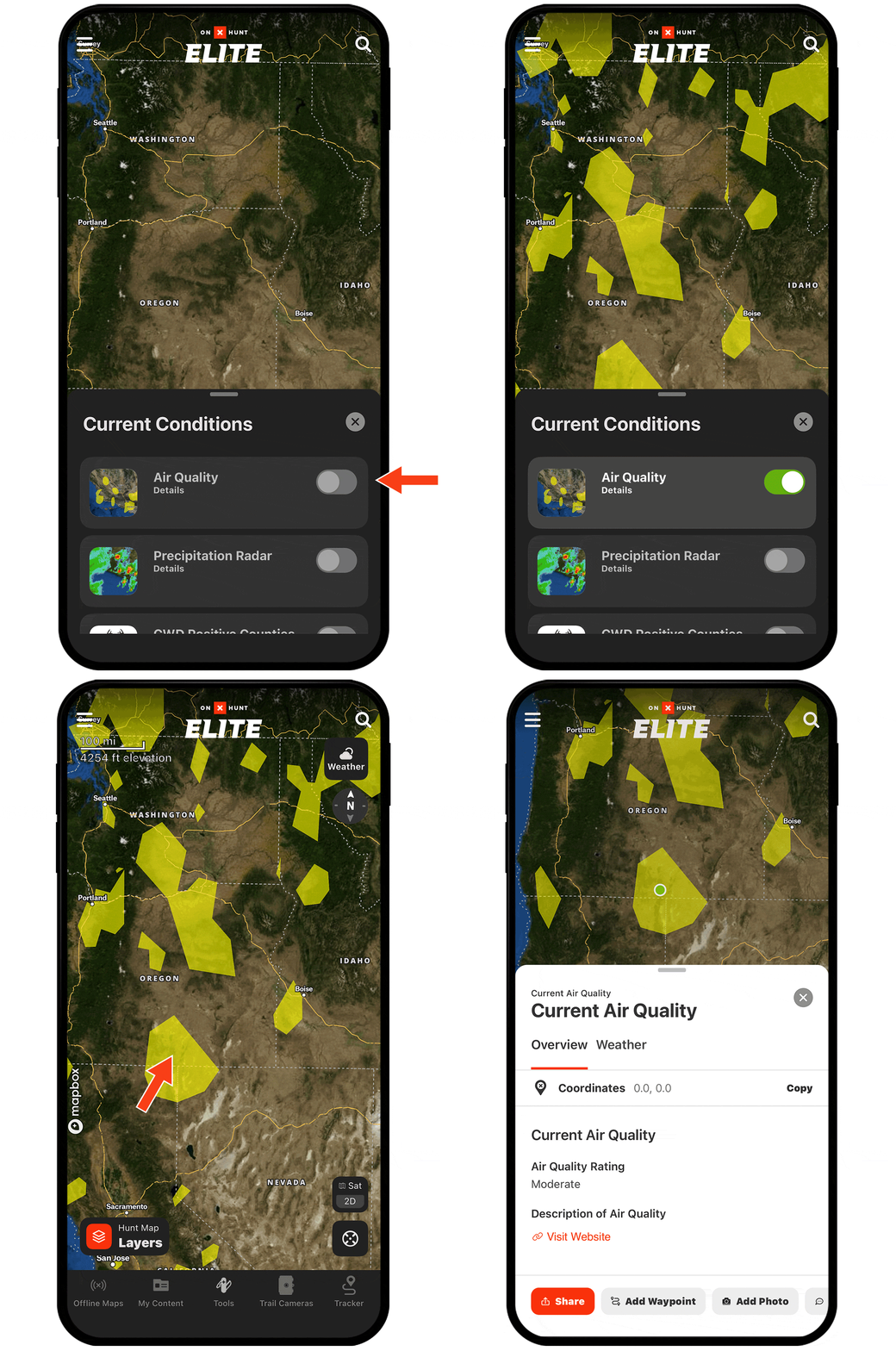
See the wildfire smoke forecast and air quality index.
With the Smoke Forecast and/or Air Quality Map Layers on, you can avoid areas that may have smoke too thick to glass through, or areas where the air quality is unhealthy for strenuous packouts.
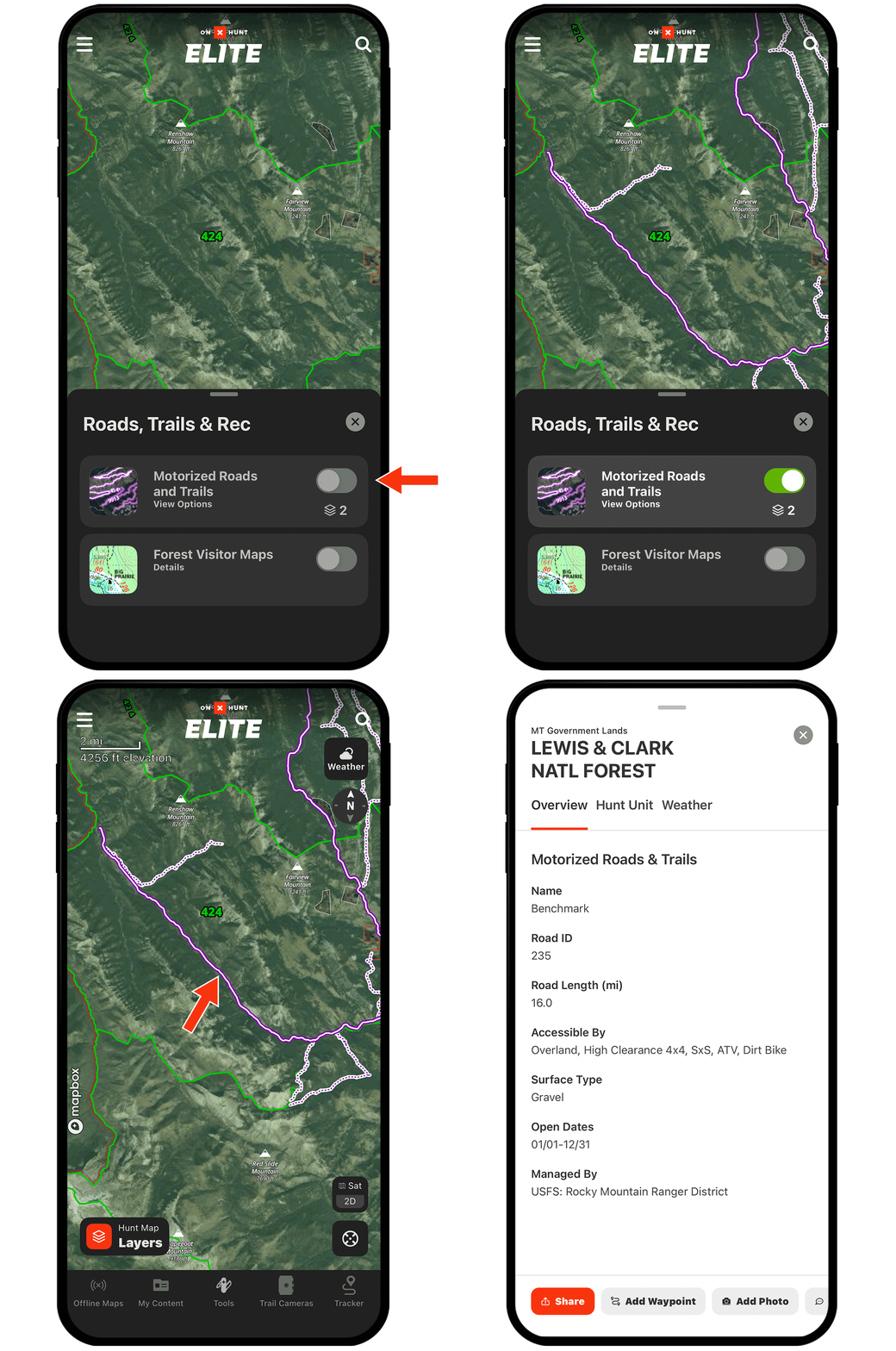
Understand forest road closure dates.
With the Motorized Roads and Trails Map Layer on, tap any purple path to see open and closure dates. If you’re willing to hoof it, look for closed roads to help reduce competition.
Turning Map Layers on and off.
Map Layers, found under Hunt Map Layers in the lower left corner, are organized into categories.
Tap the toggle next to a Map Layer’s name to turn that layer on (green) or off (grey).
Check out the full Map Layers tutorial for more.