Use TerrainX To Find Your Next Hunting Spot
Explore how to use TerrainX to isolate specific sections of land that meet your hunting criteria.
What Is TerrainX?
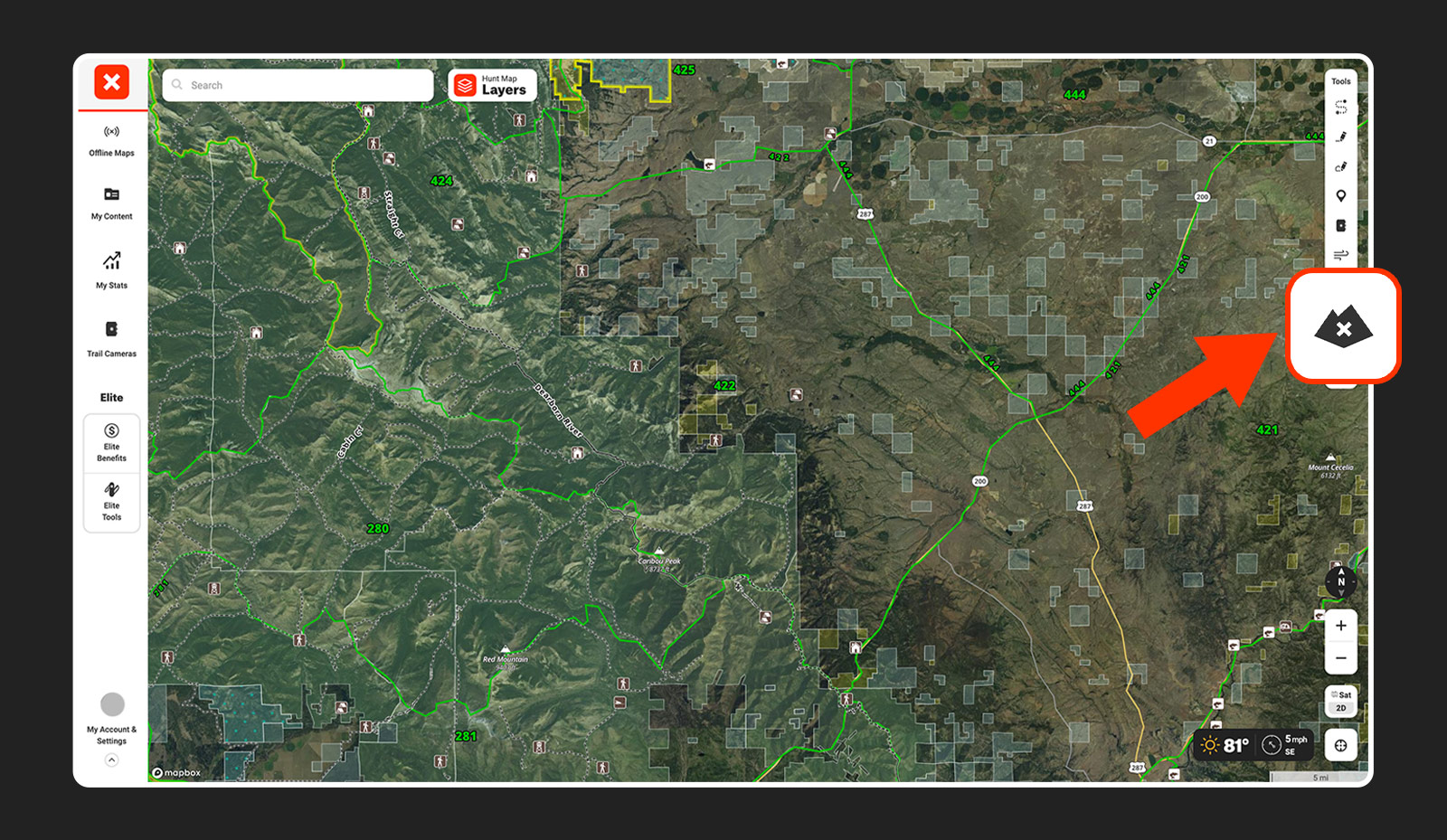
TerrainX, is an Elite-only tool available on desktop that helps you dissect terrain by slope angle, elevation band, and slope aspect. TerrainX’s Viewshed also lets you see what you’ll be able to see from various vantage points.
Below, we break down TerrainX features and show how they can be used to pinpoint black bear country.
TerrainX Features
Elevation Band
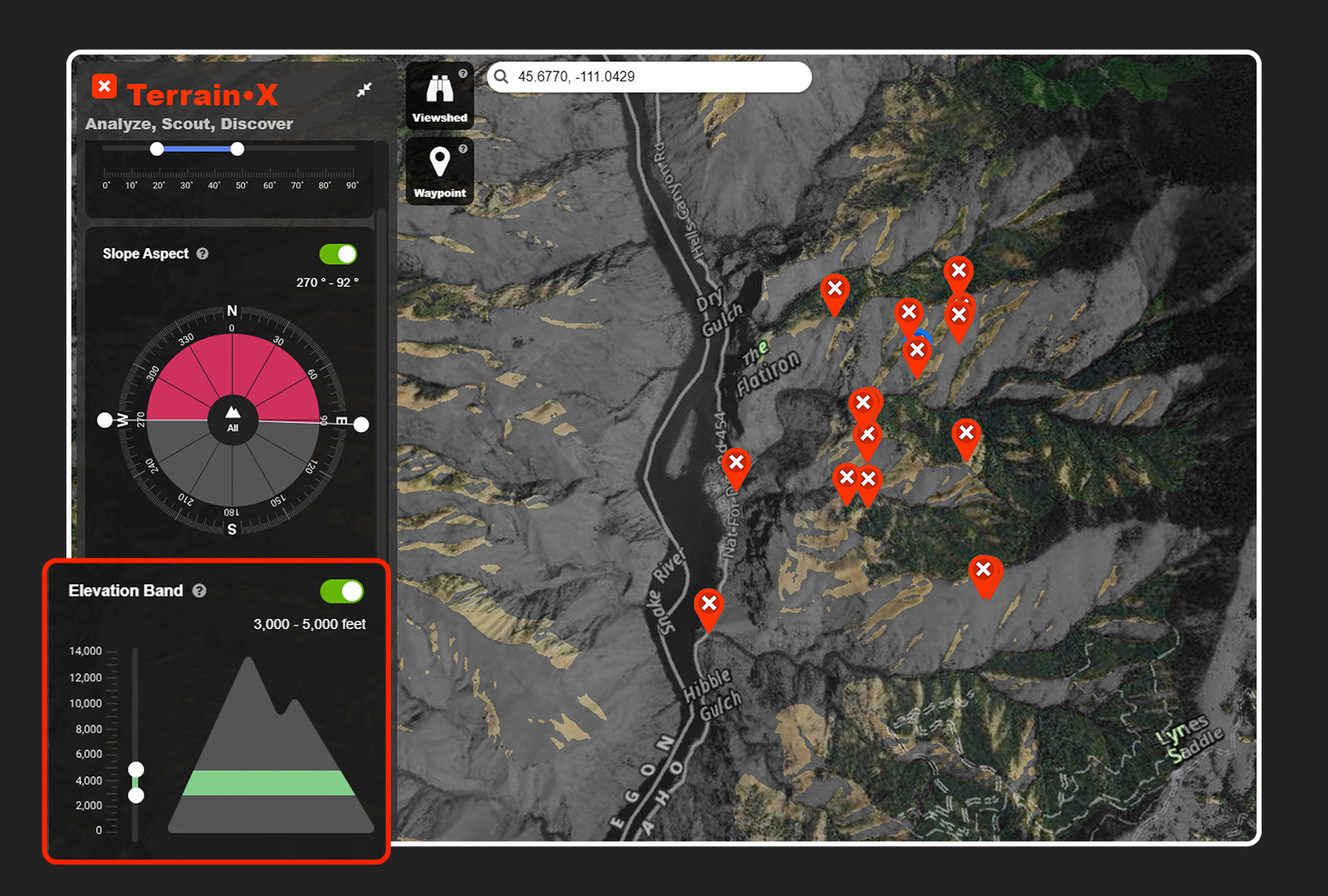
On the left-hand side of the screen, you’ll see “Elevation Band.” Open that and you’ll see a mountain with a range of elevations and sliders. By moving the sliders up or down, you can highlight specific elevation ranges on the map.
In the above example, the Elevation Band is set between 3,000 and 5,000 feet to focus on black bear habitat. All the areas that fall within those parameters are highlighted in a lighter color.
Slope Angle
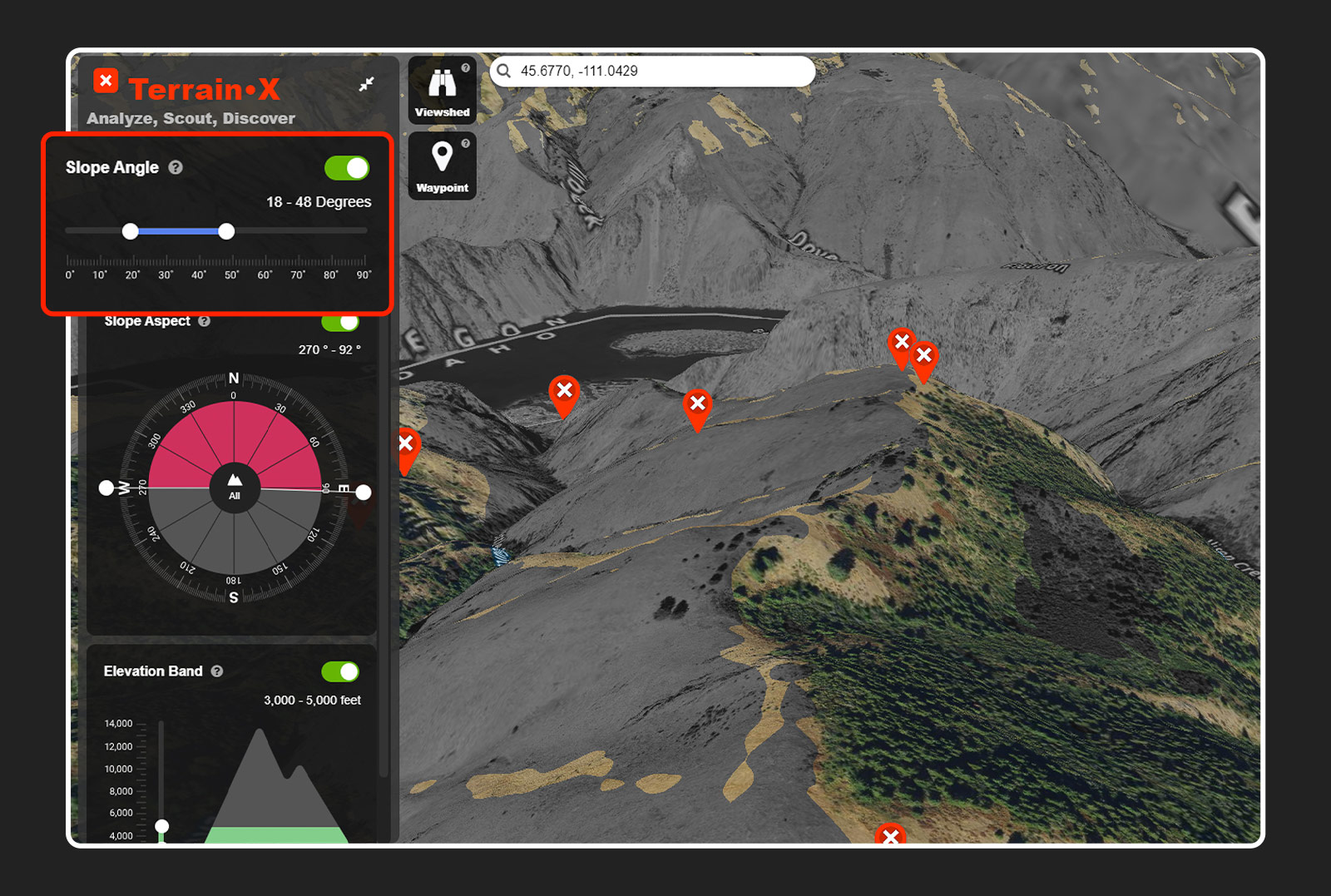
On the left-hand side of the screen, you’ll see “Slope Angle.” Clicking that will open a slider with a range of degrees. Set your desired range and angles that fall within your parameters will be highlighted on the map.
Here, the slope angle is set between 30 and 50 degrees to focus on the steepest bits of country, where you might expect to find bears.
Slope Aspect
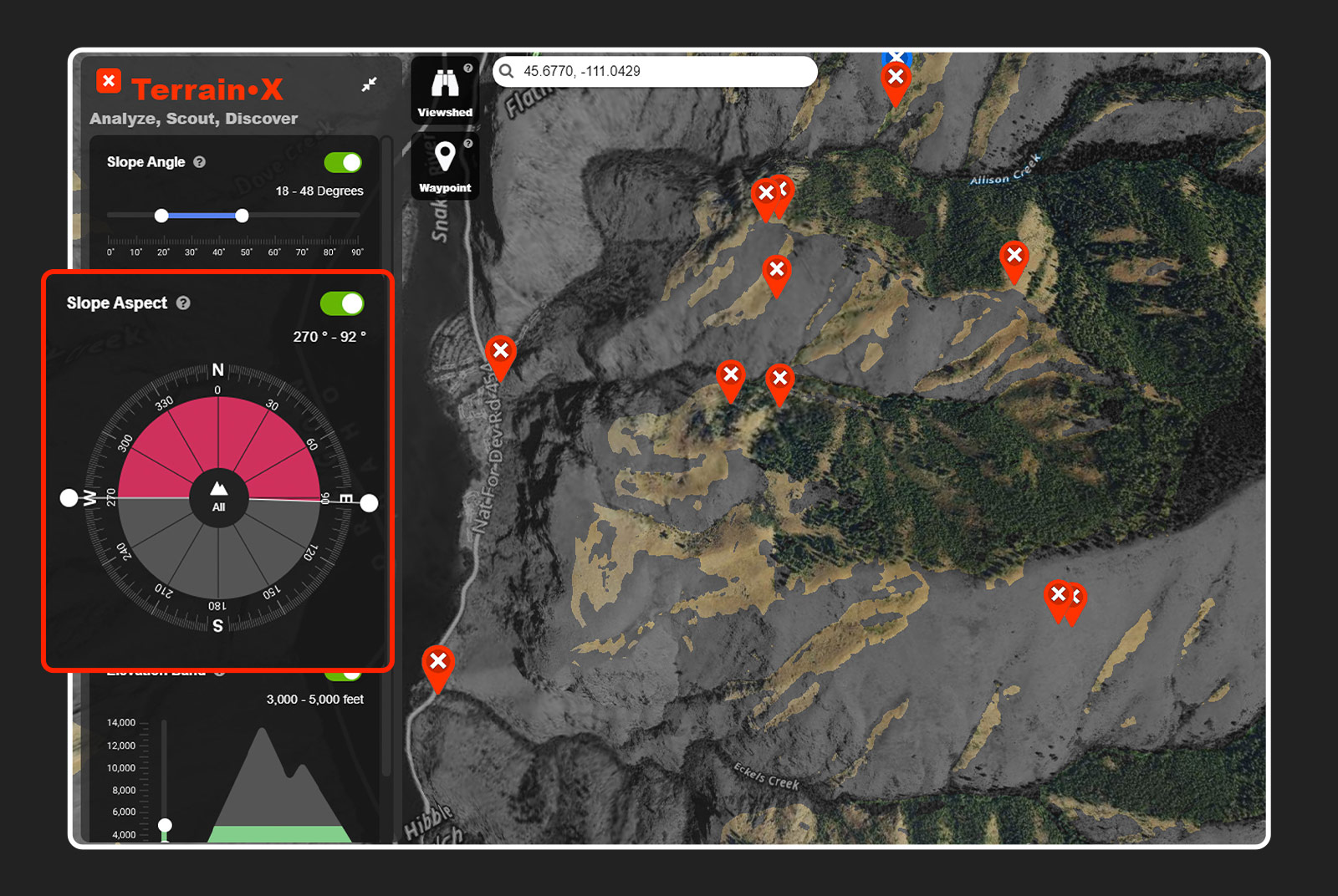
On the left-hand side of the screen, you’ll see the “Slope Aspect.” Clicking on that will open a circle resembling a compass. By moving the sliders around the outside of the circle, you can set the slope aspect you’d like to highlight on the map. Anything in the circle that is dark will not be highlighted on your map.
The screenshot above shows only south-facing slopes, as that’s where snow will melt quickest and the first green-up will appear for the bears to eat.
Viewshed
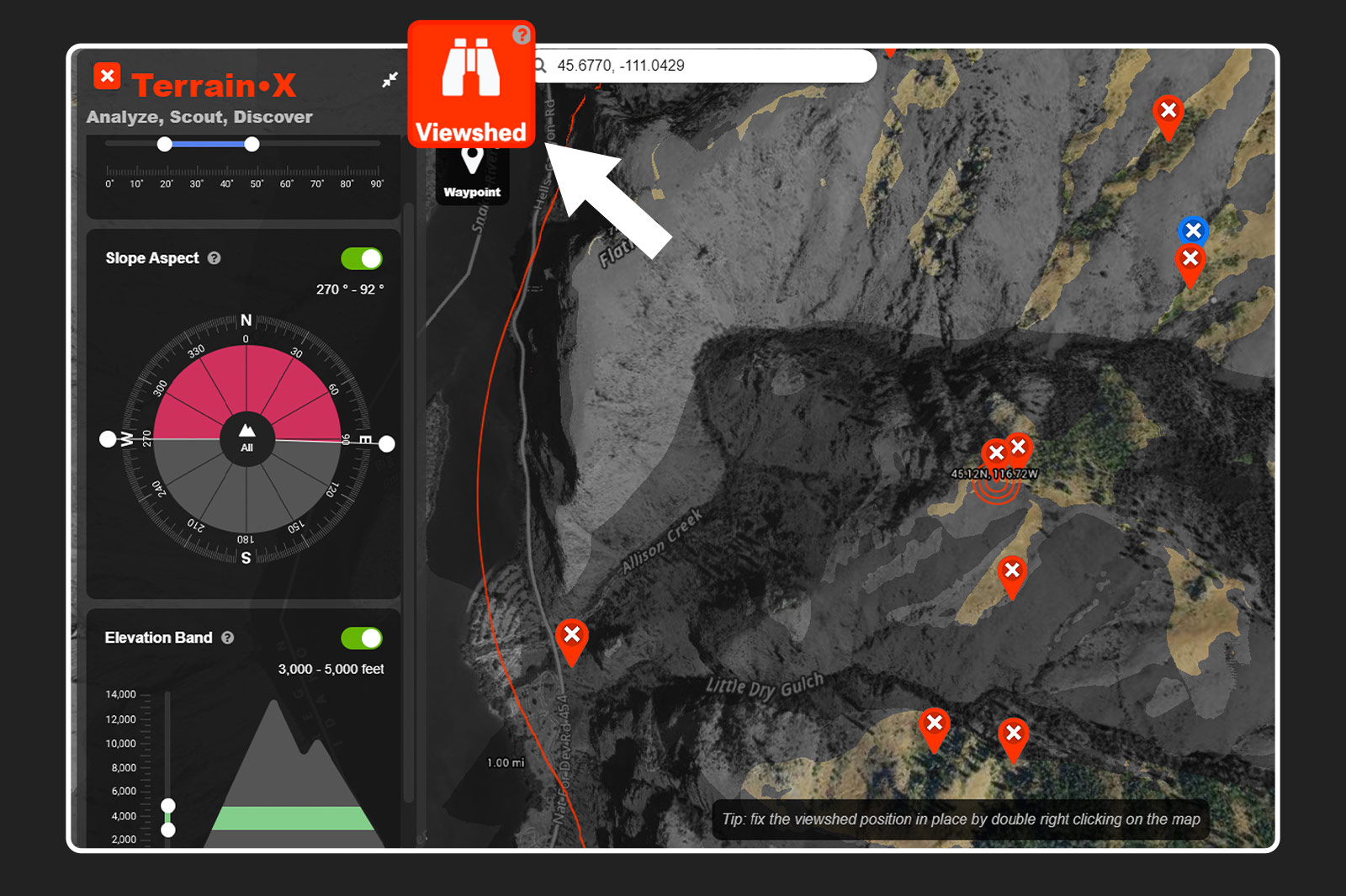
On the left-hand side of the screen, you’ll see a set of binoculars. Clicking on that will bring up a bullseye on your map with radius markers at one mile, two miles, and onward. This is the Viewshed and it will follow your cursor. As you move the Viewshed around you’ll notice that areas will become highlighted and then not. By placing the Viewshed on a glassing point, the country that is visible from that point will become highlighted. This allows you to find exactly where you need to be to see a certain piece of country. Double right-click a point and the Viewshed will become fixed in that position, allowing you to use 3D mapping to further your perspective on a given point.